iOS

Using your iPhone as a remote for your Mac or PC

You're probably familiar with Apple's Remote app for iOS devices, which allows you to control your iTunes playback on your Mac from your iPhone, iPod touch, or iPad so long as you're on the same network.

On the other hand, when I think of the word "remote," I think of much more than just controlling music.

It would seem that the makers of the popular Mobile Mouse Remote app for iOS thought the same, and in this piece, we'll talk about how the app works to make your iOS device a superior remote for your Mac.

How to easily transfer contacts, photos, and videos from an iPhone to another

Depending on your set up, transferring contacts, photos and videos from your old iPhone to your new one can be pretty simple. You might use iCloud to store all this data, in which case, your contacts and photos/videos will automatically come back once you sign in your new device. Or maybe you back it all up in iTunes, which allows you to sync all that data from your computer to your new iPhone. Maybe you don't do any of that, and if you're looking for a relatively quick and easy way to transfer all this data from one iPhone to another, then read on.

iOS 9 adoption is stalling amid slowing iPhone sales

Last time we checked, iOS adoption rates stood at 84 percent of iPhone, iPod touch and iPad devices that were detected as running iOS 9. Moreover, eleven percent of hardware was on iOS 8 and the remaining five percent of devices used iOS 7 or older editions of Apple's mobile operating system.

These stats were valid as of a little more than two weeks ago. The new numbers Apple just posted to its App Store dashboard for developers, however, paint a not-so-rosy picture for iOS 9 adoption.

According to App Store device logs, the latest set of figures has not changed the slightest bit, or has not changed enough to move the needle versus two weeks ago.

How to delete recent Apple Music searches from your iPhone

Apple Music, which is Apple's own answer to the music-streaming industry, is a great place to easily search for a song you want to listen to and then play it on demand.

The only problem is, Apple Music keeps a running history of the songs you search for.

So now when you have your co-pilot in the passenger seat of your car choose a new song for you (because we know you don't use your iPhone and drive at the same time!) he's going to laugh at you because of the last time you felt like jamming out to some really embarrassing music.

Well fret not; in this tutorial, we'll show you how you can delete recent searches from the Apple Music app on your iOS device.
How to stop your iPhone from vibrating when your alarm rings

By default, any time you set an alarm on your iPhone, it'll vibrate when the alarm goes off. For some people, this is a good way to help get woken up, but for others it's a waste of battery and can be completely annoying to hear that loud vibration on the night stand.

In this tutorial, intended for iPhone users only, we'll be showing you how you can set up an alarm so that your iPhone doesn't vibrate when it goes off.

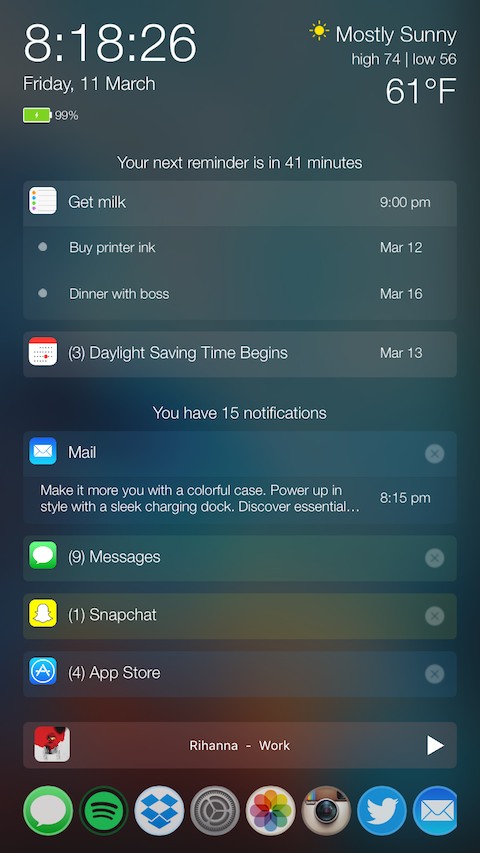
PersonalAssistant: a 7-in-1 tweak that supercharges your Lock screen

There comes a time every once in a while where a jailbreak tweak is groundbreaking and has the potential to shake up the entire jailbreak community, and folks, we definitely think a new tweak release in Cydia called PersonalAssistant is one of those tweaks.

In this review, we'll walk you through this monster of a tweak, which the developer notes has seven tweaks built into one unified interface.

Excited yet? You should be...

What to do if you can’t make or receive FaceTime calls iPhone or iPad

Have you ever received one of those annoying messages that basically tells you FaceTime is having problems on your iPhone, iPod touch, or iPad? They can be incredibly annoying, but usually they're easy problems to fix.

In this piece, we'll talk about why you might be getting FaceTime errors on your iOS device and walk you through some ways to correct the problem.

Jailbreak tweaks of the week: Audicy, LiveRinging, & more…

It has yet again been a relatively quiet week in Cydia for the jailbreak community, which is growing ever so more impatient with the lack of a jailbreak for the latest iOS version.

Nevertheless, Cydia is still turning over new jailbreak tweak releases from those persistent iOS developers out there. We'll show you everything that was new in Cydia this week, starting with our favorites, and then we will quickly go over the rest.

Audicy lets you import media to your iPhone without iTunes

Audicy is a great new jailbreak tweak that lets anyone running a jailbroken installation of iOS 7.0 to 9.1 import media from various sources to their stock media apps. These include the Music, Podcasts, and Videos apps that come pre-installed on your iOS device.

In this review, we'll talk about how Audicy works and show you how it'll come in handy for quick, on-the-go media importing without having to tether yourself to a computer to use iTunes.

How to use your iPhone as a mouse or trackpad

Your iOS devices have some of the best touch screens out there. As a matter of fact your iPhone screen makes for a great mouse, or trackpad.

The idea of using iOS devices as a trackpad for your computer isn't new, but Mobile Mouse Remote is a great app that provides this kind of functionality with ease of use in mind. It even packs some useful bonus features.

If you're interested in this kind of functionality for your iPhone, iPod touch, or iPad, then this is something you're going to want to check out.