iOS

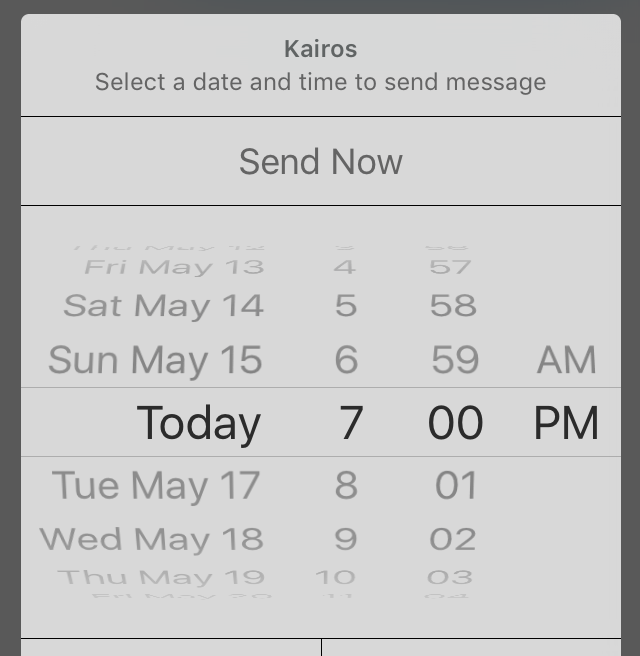
Kairos lets you schedule text messages to be sent later [jailbreak]

Text message scheduling is a useful feature that I'm surprised Apple hasn't already built into iOS' Messages app as a stock feature. After all, sometimes you want to wish someone a Happy Birthday or wish them a great holiday and you may remember before the fact, but you forget when the time actually comes.

Kairos is a new jailbreak tweak that streamlines scheduling out text messages in iOS, and we'll show you how it works in this review.

Apple’s boss to unveil Maps development center and iOS accelerator program in India

Tim Cook sitting at a table outside the Apple Park headquarters

After visiting China yesterday to meet the country's officials and promote a $1 billion acquisition of the local ride-sharing service Didi Chuxing, Apple's boss Tim Cook is touring India today and is planning to meet Prime Minister Narendra Modi.

He is also expected to unveil a development center for Apple Maps in the country along with an accelerator program for iOS developers, Bloomberg reported today.

Apple updates GarageBand with new sounds to celebrate Chinese music

Apple on Monday issued updates for GarageBand on both iOS and Mac, bringing the apps to version 2.1.1 and 10.1.2 respectively. The release notes for the updates mention various bug fixes and other improvements, but Apple points to some bigger changes in a press release.

Many new Chinese sounds were also added in today's GarageBand updates, to "celebrate the rich history of Chinese music." This includes traditional Chinese instruments like the pipa and erhu, percussion instruments like wood blocks and cymbals, and 300 Live Loops.

How and why to report spammy iMessages to Apple

Sometimes your contact information ends up where you don't want it, and you end up with annoying spam iMessages from people, companies, or bots that try to scam you or steal personal information.

Fortunately, Apple's iMessage service comes with an abuse report feature that you can use to report senders who are misusing the iMessage platform and making it a less enjoyable thing to use.

In this piece, we'll talk about how and why you should be reporting iMessages that seem spammy.

Jailbreak tweaks of the week: PersonalAssistant, & more…

Every week, we do a recap on all of the jailbreak tweaks we show you. This Sunday will be no different.

Although Cydia isn't exactly kicking with new releases like it does after a fresh new jailbreak, the community is continuing to show its fortitude as new releases hit the Cydia store for current jailbreakers.

First, we will kick off by showing you our favorite releases this week, and then we'll show you the rest of them.

Bring organization to your SMS & iMessage conversations with Message Groups [jailbreak]

Message Groups is a new jailbreak tweak that aims to give you more organization in your Messages app, especially if you're like the developer and have many conversations going on at once, as shown above.

With this tweak, you can add and manage your own custom groups in the Messages app, making it easy to filter through certain contacts or conversations, and as a result, making it quicker and easier to text in general.

In this review, we'll talk about Message Groups and how it can help you.

Using your iPhone as a remote for your Mac or PC

You're probably familiar with Apple's Remote app for iOS devices, which allows you to control your iTunes playback on your Mac from your iPhone, iPod touch, or iPad so long as you're on the same network.

On the other hand, when I think of the word "remote," I think of much more than just controlling music.

It would seem that the makers of the popular Mobile Mouse Remote app for iOS thought the same, and in this piece, we'll talk about how the app works to make your iOS device a superior remote for your Mac.

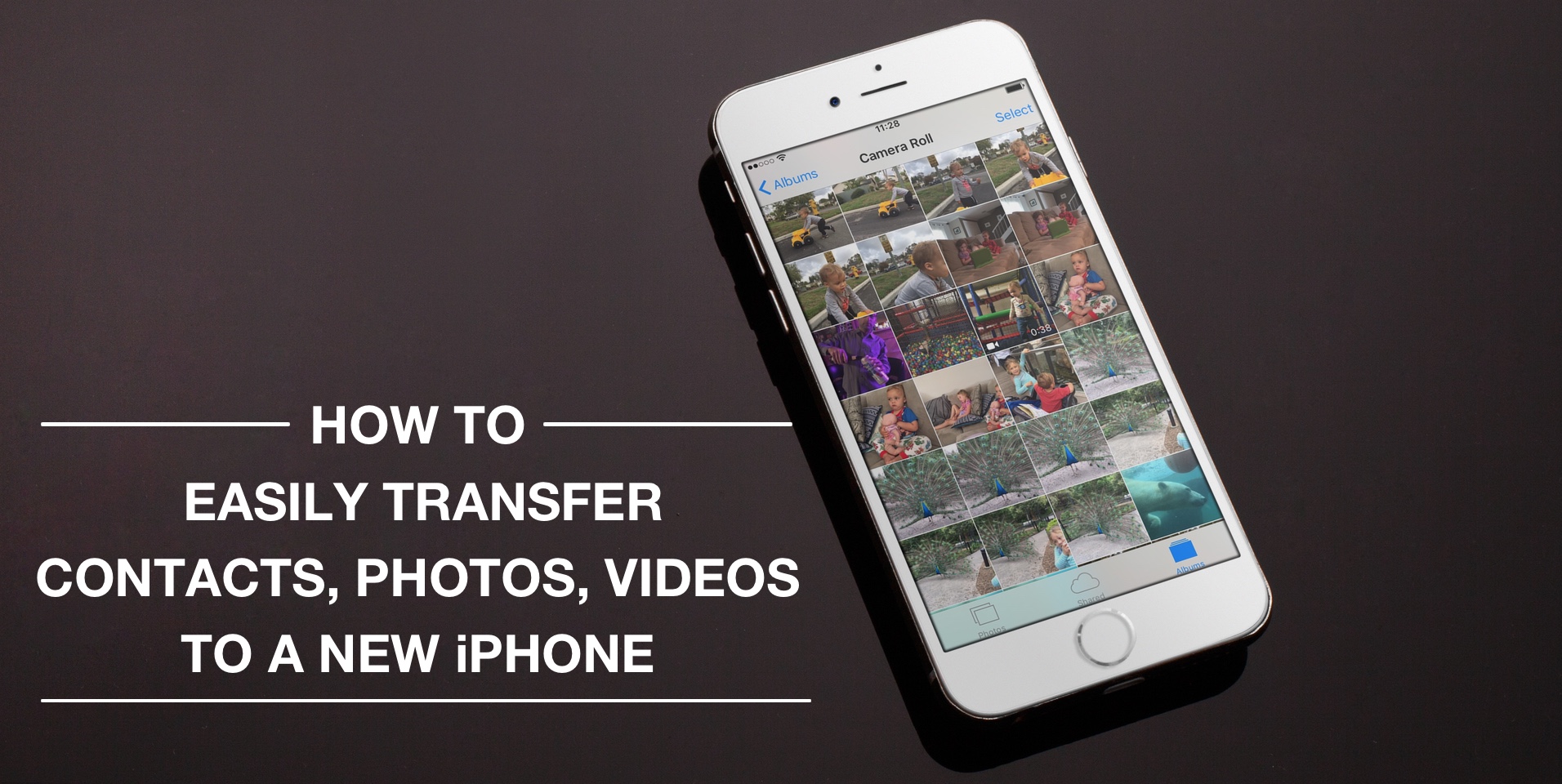
How to easily transfer contacts, photos, and videos from an iPhone to another

Depending on your set up, transferring contacts, photos and videos from your old iPhone to your new one can be pretty simple. You might use iCloud to store all this data, in which case, your contacts and photos/videos will automatically come back once you sign in your new device. Or maybe you back it all up in iTunes, which allows you to sync all that data from your computer to your new iPhone. Maybe you don't do any of that, and if you're looking for a relatively quick and easy way to transfer all this data from one iPhone to another, then read on.

iOS 9 adoption is stalling amid slowing iPhone sales

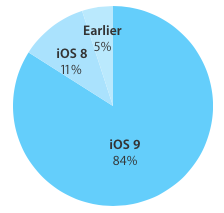
Last time we checked, iOS adoption rates stood at 84 percent of iPhone, iPod touch and iPad devices that were detected as running iOS 9. Moreover, eleven percent of hardware was on iOS 8 and the remaining five percent of devices used iOS 7 or older editions of Apple's mobile operating system.

These stats were valid as of a little more than two weeks ago. The new numbers Apple just posted to its App Store dashboard for developers, however, paint a not-so-rosy picture for iOS 9 adoption.

According to App Store device logs, the latest set of figures has not changed the slightest bit, or has not changed enough to move the needle versus two weeks ago.

How to delete recent Apple Music searches from your iPhone

Apple Music, which is Apple's own answer to the music-streaming industry, is a great place to easily search for a song you want to listen to and then play it on demand.

The only problem is, Apple Music keeps a running history of the songs you search for.

So now when you have your co-pilot in the passenger seat of your car choose a new song for you (because we know you don't use your iPhone and drive at the same time!) he's going to laugh at you because of the last time you felt like jamming out to some really embarrassing music.

Well fret not; in this tutorial, we'll show you how you can delete recent searches from the Apple Music app on your iOS device.