iOS

Will iOS be next to mimic Snapchat?

Everywhere you look today, large social media ventures are seemingly ripping a page out of Snapchat’s playbook. Instagram did it, Facebook’s Messenger app has done it, and we are about to witness Facebook itself clone Snapchat’s daily stories big time. As much as Apple are primarily known for their hardware, it goes without saying that this major shift in what consumers want from their applications (or: spike in perceived self-importance) will not have gone unnoticed by Apple’s software department.

Coincidentally or not, Snapchat-like features are spreading like wildfire at a time where Apple are beginning to talk more openly about the prospect of tying Augmented Reality into a future iOS version. Against the backdrop of Pokemon GO’s success with augmented camera images and Snapchat’s unrivalled popularity based on selfie filters, it is not far to seek that Apple will be looking to capitalize on such trends as well - and what better way to jump on the bandwagon than to provide built-in effects for the stock camera?

Like the sound of it or not, it has got to be a proposition almost irresistible to Apple, mainly for two reasons: the ability to deepen monetization of their in-house apps and chance to reel in a whole lot of new Gen-Y customers. Here’s why filters on iOS could happen in 2017.

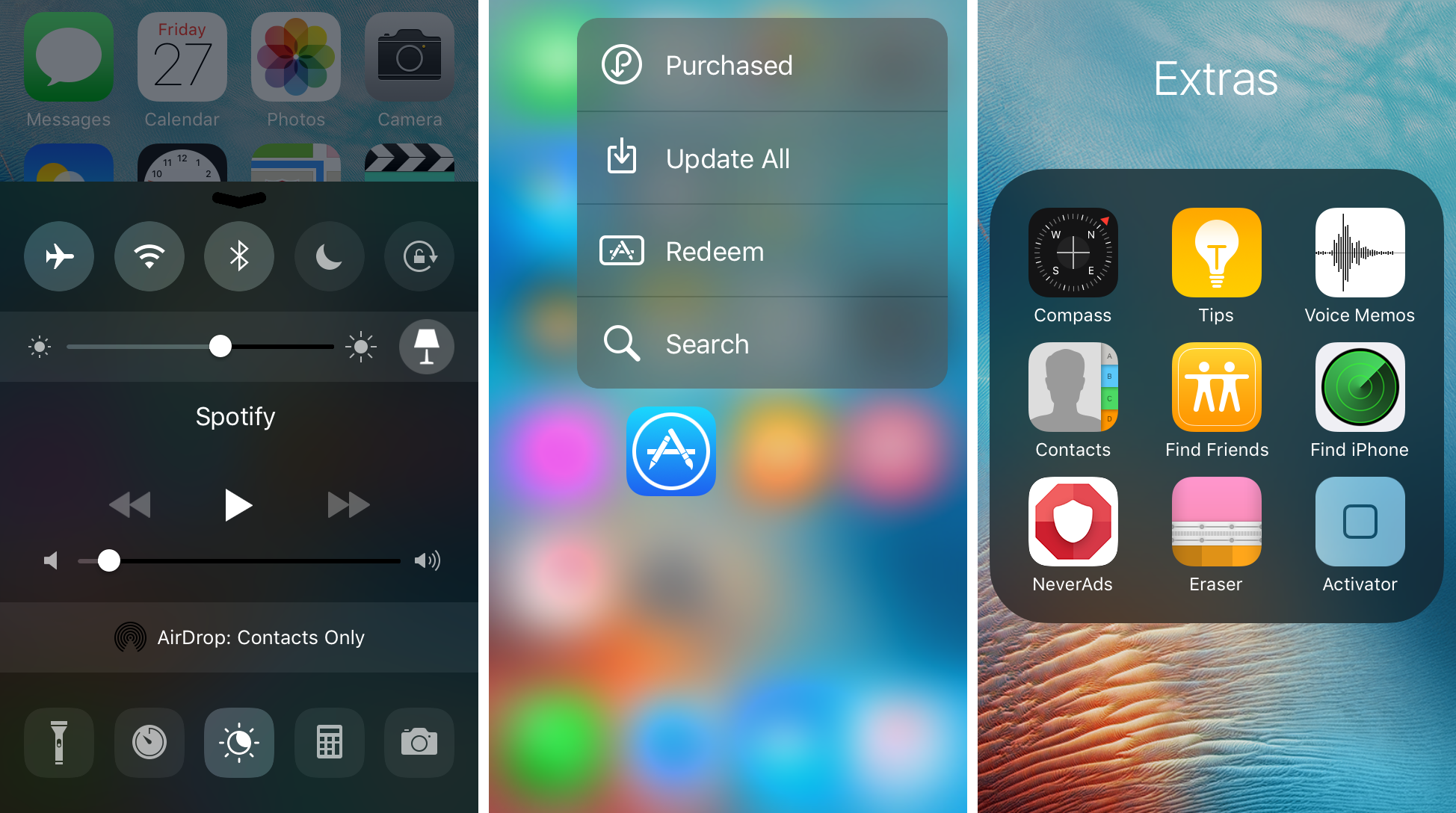
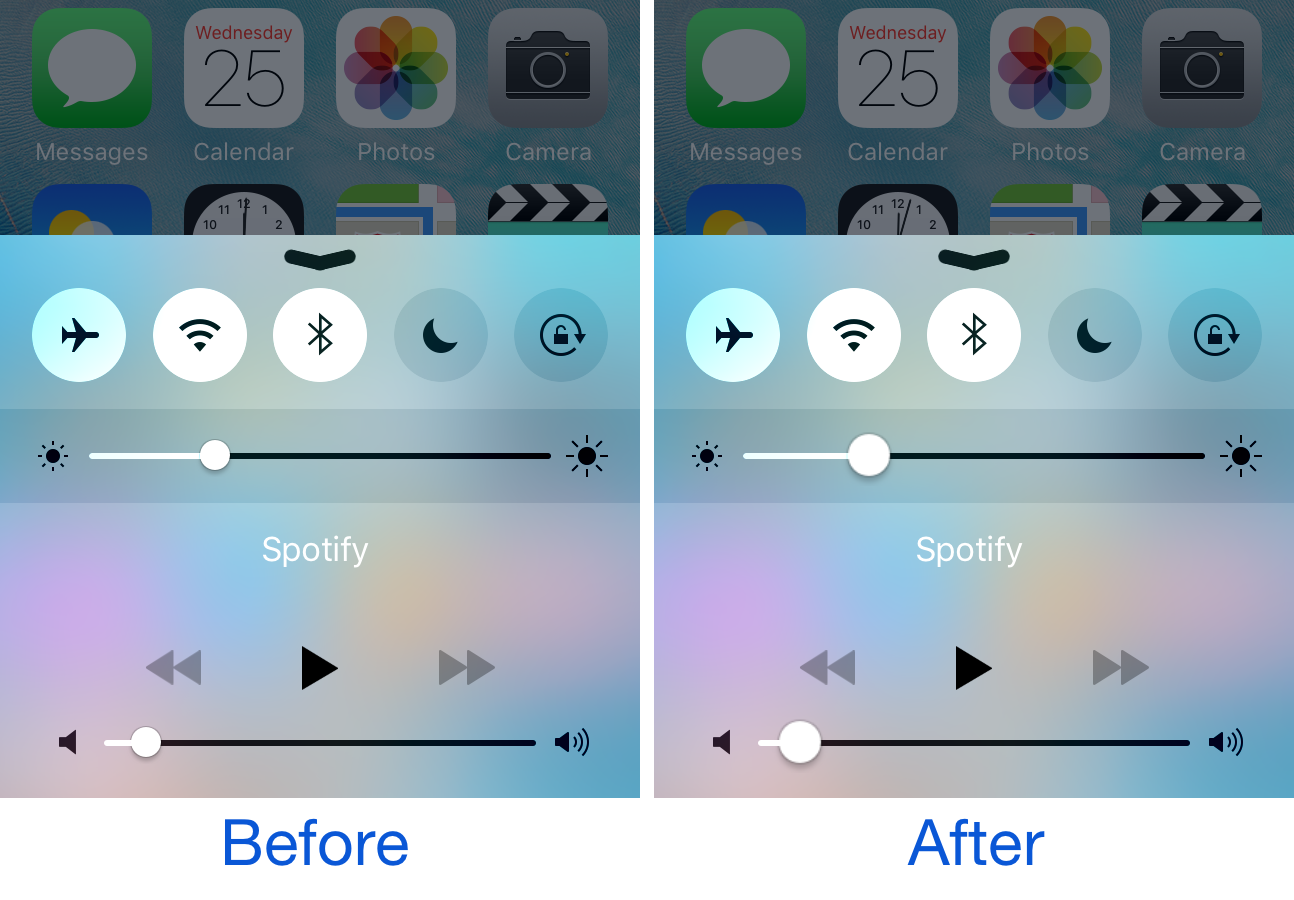
Horseshoe transforms your iOS 10 Control Center into a single-page experience

iOS 10 brought with it an updated Control Center UI, which has two pages (three if you have HomeKit enabled) that you can swipe between on demand. The first is dedicated to all of your controls, shortcuts, and toggles, and the second is dedicated to your music controls.

While the new Control Center design in iOS 10 aims to reduce clutter in Control Center, a new jailbreak tweak called Horseshoe can do the same while still keeping everything on a single page.

32-bit apps may no longer work with future iOS versions

A beta of iOS 10.3 that was seeded to developers last week comes with an updated app compatibility warning which cautions users that 32-bit apps may no longer work with future iOS versions, suggesting iOS 11 will likely stop supporting non-64-bit apps. In June 2015, Apple warned developers that all apps and app updates submitted to App Store must include 64-bit support alongside 32-bit code.

When a user launches a 32-bit app, iOS 9 puts up a warning saying using 32-bit software on a 64-bit device may affect system performance. The wording of the prompt has changed in iOS 10.3 beta 1 and now specifically states that 32-bit apps may stop functioning on future iOS editions completely.

Which W1 chip-equipped audio device should you get?

Because Apple nixed the 3.5mm headphone jack from the bottom of the iPhone 7 and iPhone 7 Plus, you either have to use the supplied Lightning dongle for backwards compatibility with your 3.5mm audio accessories, or you have to kick it up to the new age with a pair of wireless or Lightning-enabled audio devices instead.

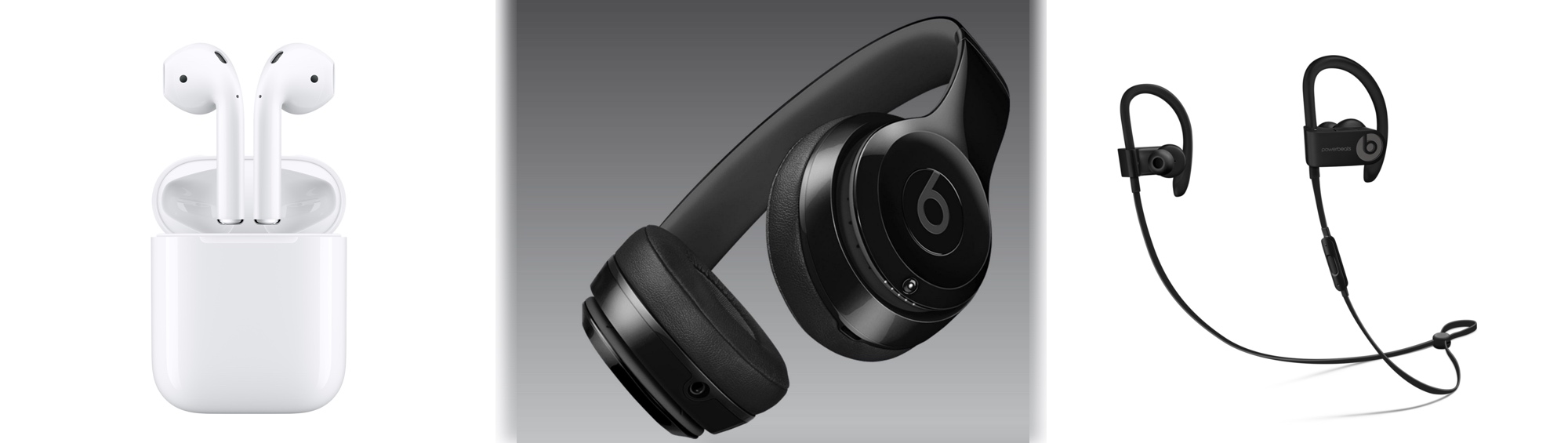
When you don’t want to be bothered with the issue of charging your device at the same time you're listening to audio with headphones or earbuds in, the obvious choice is to go wireless. While there are tons of options, only a few come with Apple’s brand new W1 chip, which supports the slick new Bluetooth pairing process. Among those are AirPods, Beats Solo3, and Powerbeats3.

If you’re in a predicament and can’t decide between the three then you should find this piece helpful, because I'll be comparing the strengths and weaknesses of each from a variety of angles.
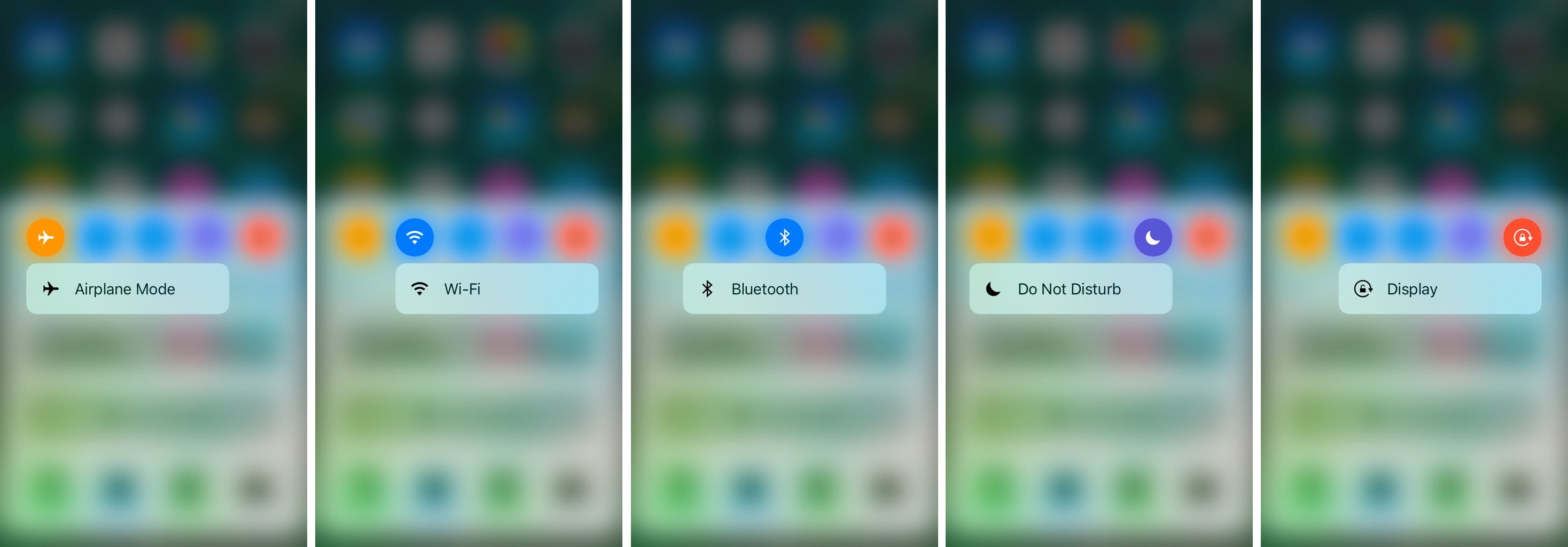
CCTButtonActions lets you use 3D Touch in Control Center to get to specialized settings

Control Center has a lot of useful toggles existing all along the top of it, allowing you do things like turn Airplane Mode, Bluetooth, Wi-Fi, Rotation Lock, or even Do Not Disturb mode on or off.

Of course, one jailbreak developer has found a way to make the toggles into shortcuts for the respective preferences panes in the Settings app, and he’s done so with a new free jailbreak tweak called CCTButtonActions.

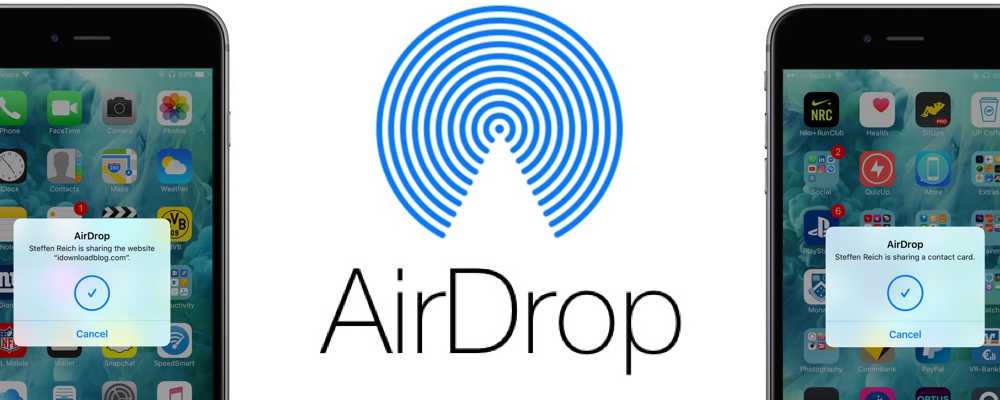
How and where to share faster with AirDrop

In the absence of reliable figures from Apple, it is not much more than conjecture to say that AirDrop is likely a feature often neglected by the average iOS user. The gut feeling persists though, simply based on day to day observations, and it is a tenable position to take until proven wrong by Cupertino or another reputable source. The file transfer protocol is indeed handy for the transfer of heavier media files (e.g. videos, photo albums), but often only becomes relevant to us when we for example have upgraded to a new device.

Next to sheer transmission speed however, there are other notable areas where AirDrop has the clear edge when it comes to sharing all kinds of material from your iPhone. The AirDrop icon has now fully permeated the sharing tab in iOS 10’s user interface and that is for a good reason: it is without fail going to be more nimble than iMessage, Mail or other contenders, often actually skipping steps that would throttle the process elsewhere. Such being the case, here are some unique scenarios where AirDrop excels on your iPhone and why you should try to embrace the feature more regularly.

Jailbreak tweaks of the week: Noctis9, ReachBoard, & more…

It's that time of the week again, and while things really haven't been that exciting for the jailbreak community these last couple of weeks, some jailbreak tweak developers have still been cranking out their fair share of modifications you can install to trick out your jailbroken iOS devices.

In this roundup, we'll show you all of the jailbreak tweaks that were released in Cydia this week, starting with the ones we consider our favorites, and then moving on to the rest afterwards.

Noctis9 adds a dark mode to many transparent interfaces in iOS

Many iPhone and iPad users have wanted some kind of dark mode setting for ages, and the energy was even more hyped up after Apple debuted dark mode on macOS for the first time.

That’s where a new jailbreak tweak called Noctis9 comes in, as it brings a system-wide dark mode to various transparent elements of iOS, including, but not limited to Control Center and 3D Touch menus.

ReachBoard lets you peek at your iOS clipboard in the Reachability view

For a lot of people, the space that comes up when you invoke Reachability is considered wasted space. It becomes a giant gaping hole of nothingness on your screen any time you use the feature to one-handedly use your large-screened iPhone.

A new free jailbreak tweak called ReachBoard aims to make good use of that empty space by filling it with anything that may be residing in your clipboard.

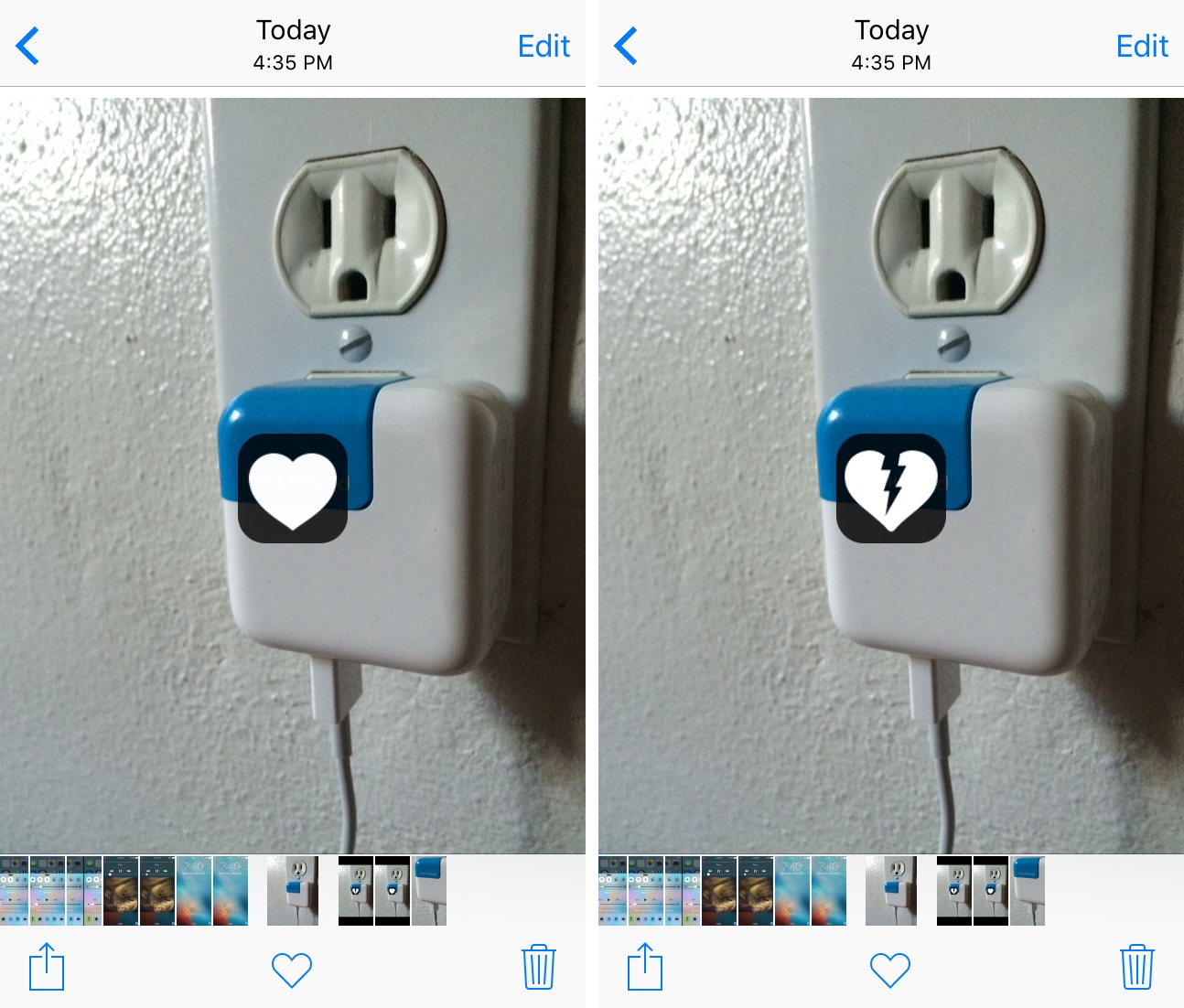
Heart Throb lets you favorite pictures in your Photos app with a double tap

You can favorite any of your photographs or screenshots in the stock Photos app on your iPhone to help filter your most-loved memories from the rest. In order to favorite a picture, you normally tap on the heart-shaped button at the bottom of the app.

Heart Throb, on the other hand, is a new free jailbreak tweak that brings Instagram-like favoriting capability to the stock Photos app. With it, you can double-tap on your photograph to “favorite” it.

HBO GO picks up support for Single sign-on and Apple’s new TV app

Apple today put HBO GO on the list of video apps supported in its new TV app via the Single-sign on feature that recently launched in iOS 10 and tvOS 10.

This lets HBO GO users sign in with their cable or satellite credentials on their iPhone, iPad, iPod touch or Apple TV to enjoy instant access to HBO shows, not only in Apple's own TV app but in other supported video apps that their pay TV subscription includes.

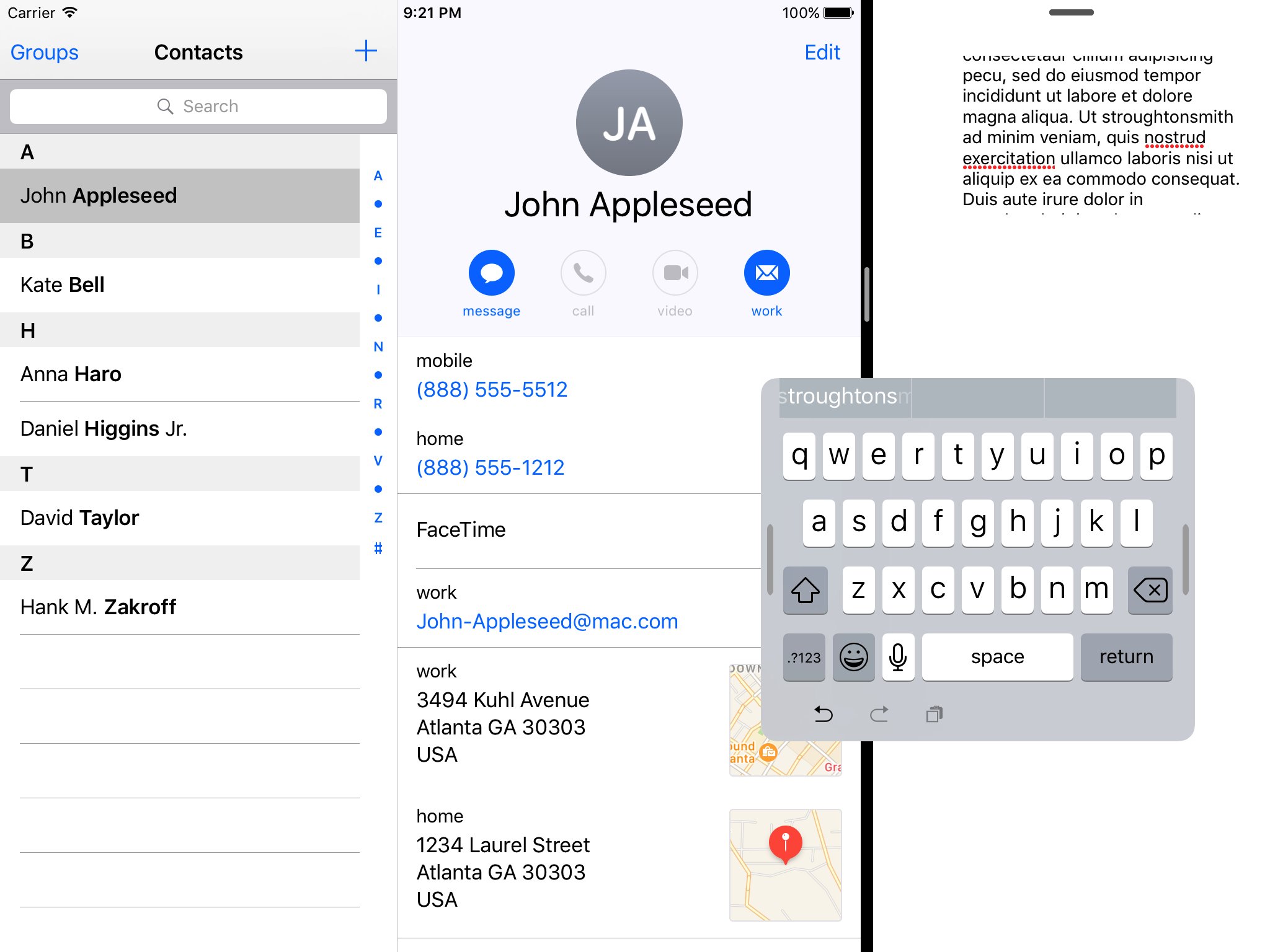
iOS 10.3 has hidden support for one-handed floating iPad keyboard

Another hidden keyboard has been uncovered in iOS, according to developer Steve Troughton-Smith who last night tweeted about his discovery of a one-handed floating iPad keyboard in iOS 10.3 beta code.

While not exposed to users just yet, Steve was able to activate this new keyboard by hacking Apple's iOS Simulator app that developers use to test work-in-progress code on their Mac.