iPad

From the latest news to the most comprehensive tutorials, learn how to get the most out of your iPad with our step-by-step guides and expert tips.

Nintendo’s next big franchise coming to iPhone will be The Legend of Zelda

Nintendo's next big franchise coming to iPhone and other smartphones will be The Legend of Zelda, a high-fantasy action-adventure RPG video game series created by the legendary Japanese game designers Shigeru Miyamoto and Takashi Tezuka.

The iOS port of The Legend of Zelda should hit App Store either in in the latter half of 2017 or in 2018, following the release of Animal Crossing for iOS, according to sources speaking with The Wall Street Journal.

The mobile game will be developed by DeNA, the studio behind Super Mario Run and Fire Emblem Heroes.

As mentioned, Animal Crossing for iPhone will be coming out some time in the second half of 2017, followed by the official Legend of Zelda game for smartphones. Separately, the report mentions that the Pokemon Company is working on a new digital card game app, too.

If you've never played The Legend of Zelda, you should give it a try as it's one of Nintendo's most successful franchises, selling over 75 million copies as of 2016.

The game's chief protagonist is named Link.

https://www.youtube.com/watch?v=rweamiexWHU

Subscribe to iDownloadBlog on YouTube

The series' installments typically task the player with rescuing Princess Zelda and the kingdom of Hyrule from Ganon, who is the game's key antagonist. The games' plots commonly involve a relic known as the Triforce, which is basically a set of three omnipotent golden triangles.

Following its 1986 debut, The Legend of Zelda has expanded to include 19 entries on all of Nintendo's major game consoles, as well as a number of spin-offs. The series even gave birth to an American animated TV series and individual manga adaptations in Japan.

Following a multi-year hiatus from mobile, Nintendo eventually committed to bringing some of its most-prized intellectual property to smartphones, starting with the Miitomo app and on to Super Mario Run for iPhone and the iOS version of Fire Emblem Heroes.

Image: Breath of the Wild, the latest title in the Zelda series, is currently available for Nintendo's Switch and Wii U consoles.

KGI: 70% likelihood that Apple will unveil 10.5″ iPad Pro at WWDC next month

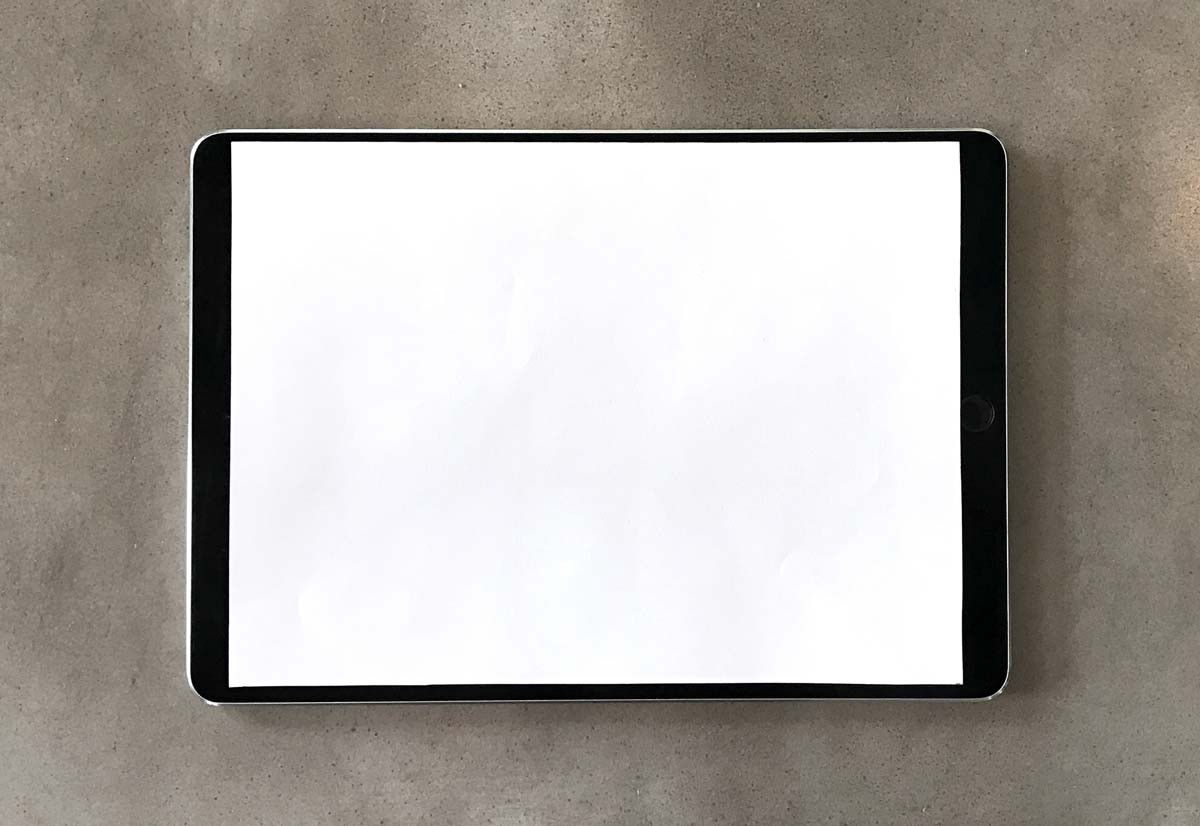
KGI Securities analyst Ming-Chi Kuo says there's over 70 percent likelihood that Apple's rumored 10.5-inch iPad Pro with a redesigned chassis is formally announced at the June 5 WWDC keynote as suppliers are gearing up for volume production in early June.

In his Saturday research note to clients, titled “2017 WWDC highlights” and seen by MacRumors, the analyst wrote that Apple's engineers were able to squeeze a 10.5-inch display into a similar form factor to the existing 9.7-inch iPads due to the narrower side bezels on the upcoming 10.5-inch iPad Pro model.

Here's an excerpt from the note:

The newly designed 10.5-inch iPad Pro will have a similar form factor to the 9.7-inch model, but will feature a larger display thanks to narrow bezels. The new design should improve the user experience and help gain traction in the corporate and commercial sectors.

He added that Foxconn will be assemble the new device, while GIS will be the sole supplier of touch panel modules. KGI forecast 10.5-inch iPad Pro shipments of five to six million units in fiscal 2017, accounting for fifteen percent of total fiscal 2017 iPad shipments.

The analyst did not specify if the upcoming device will have the traditional LCD screen or one based on AMOLED display technology like iPhone 8. For what it's worth, Kuo said in August 2016 that a “revolutionary” iPad model with flexible AMOLED panels and other “radical changes” in form factor design shouldn't be expected before 2018.

https://www.youtube.com/watch?v=knJNtkRyO9E

Subscribe to iDownloadBlog on YouTube

For the sake of completeness, we should mentioned that KGI speculated last October that the device would sport the same 2,7320-by-2,048 pixel resolution as the 12.9-inch iPad Pro, with the same pixel density as the iPad mini 4 at 326 pixels per inch.

At that resolution, the width of the 10.5-inch iPad model would be the same height as the current iPad mini models, meaning users could be able to run two full-sized windows side-by-side in iOS’s Split View multitasking mode.

Raymond Soneira, a display expert and president of DisplayMate Technologies, thinks that if the new 10.5-inch iPad shrinks the bezel and keeps the outside dimensions the same, then the display aspect ratio will increase from the current 1.33 to as high as 1.50.

“The screen area would then increase by up to 31 percent. However, with no bezel at all the screen diagonal would then be 11.2 inches for the same outside dimensions as the current 9.7-inch iPad model with the rounded corners,” he added.

WWDC kicks off with a keynote address at 10:00am Pacific Time on Monday, June 5.

Image: 9.7-inch iPad Pro with a 10.5-inch piece of paper overlaid via Dan Provost.

Jailbreak tweaks of the week: CCVertically, MusicMoreColumns, WAStatusVolume, & more…

Just when we thought we were going through a small lull in the jailbreak community, Cydia is sparking up again with some jailbreak tweak releases that you can use to make your device do awesome new things it normally can't do out of the box.

Int his roundup, we'll discuss all the jailbreak tweaks that were released throughout the week, starting with our favorites and then outlining the rest of them afterwards.

This tweak lets you summon banners with battery information

A new free jailbreak tweak called BatteryBanners by iOS developer Cole Cabral lets you summon a banner notification on demand via Activator that displays a numeric battery level percentage.

While the Status Bar already has a battery icon and iOS can be configured to display the numeric battery level percentage right beside it, this tweak lets you disable the feature while still letting you get to battery information when you need it.

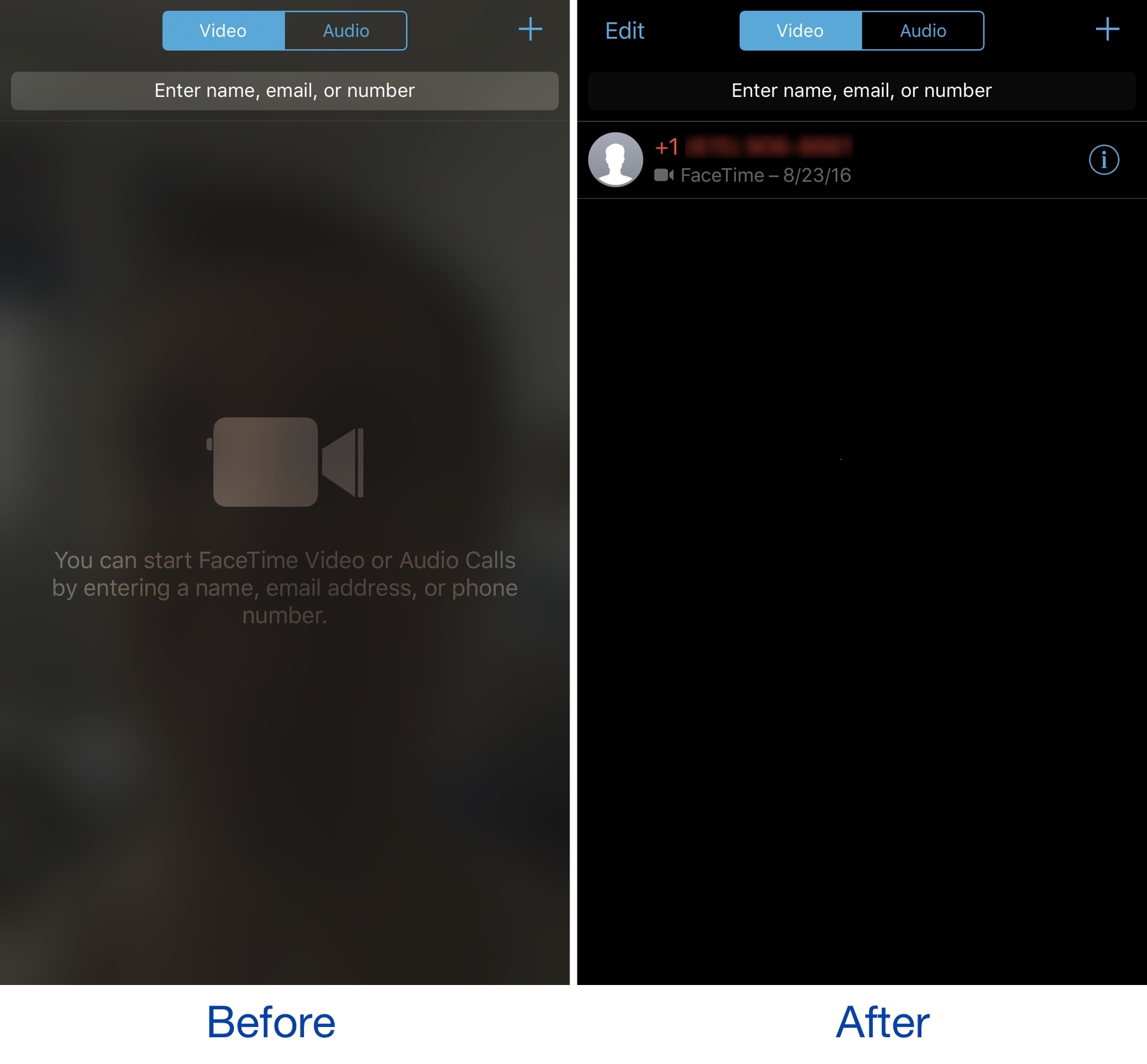
NoBlurFrontCamera disables the blurred camera effect in the FaceTime app

The FaceTime app on your iPhone exhibits a blurred silhouette of yourself via your device's front-facing camera any time you're in the app. It’s an interesting aesthetic effect, but it’s a waste of battery and a deterrent for camera-shy people.

A new free jailbreak tweak called NoBlurFrontCamera by CydiaGeek officially lets you disable this effect, replacing it with a simple dark background.

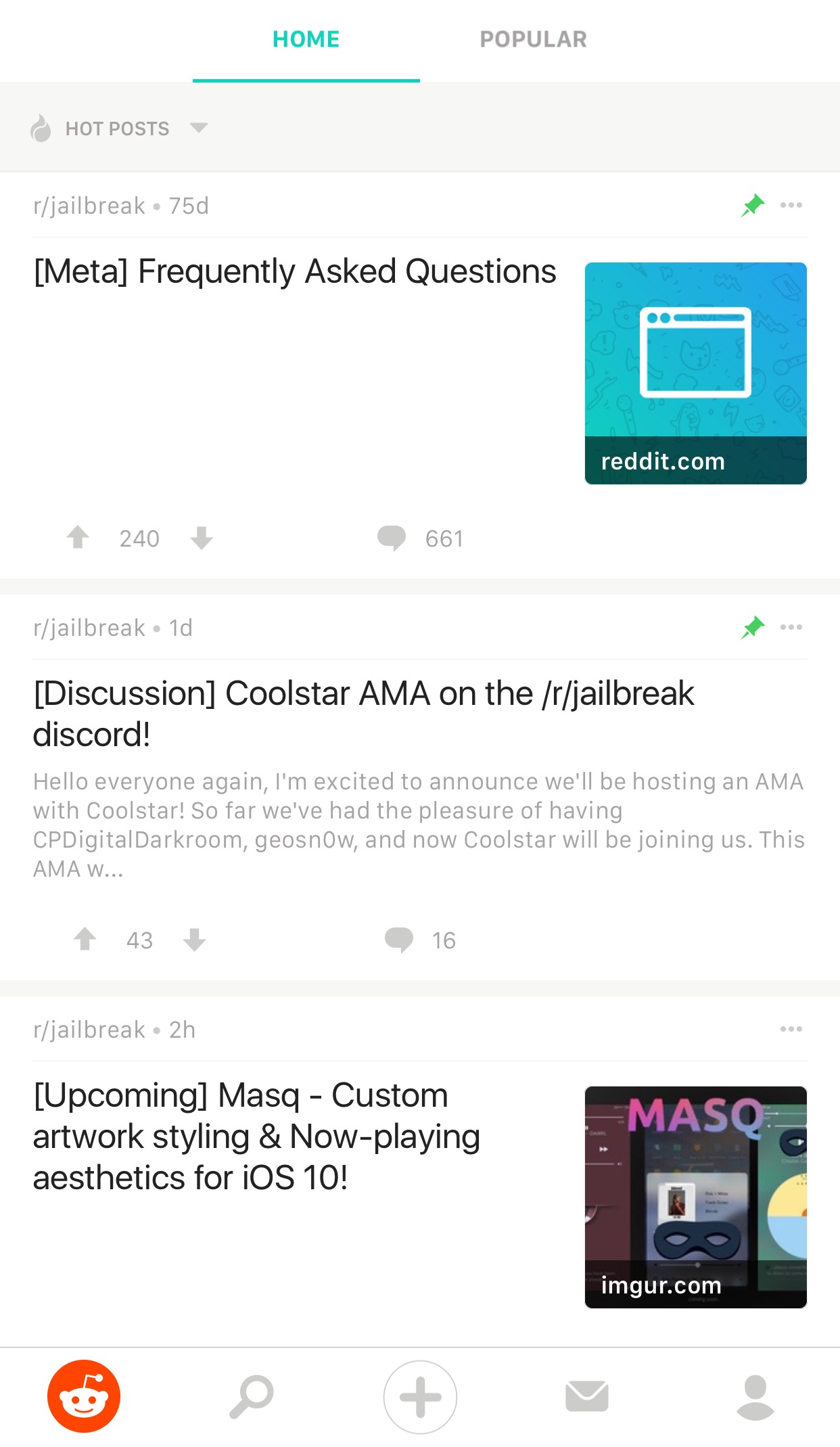
Reddit Enhanced is a tweak that lets you customize the official Reddit app

If you frequently use Reddit, then chances are you have the Reddit app on your iPhone or iPad for ease of access. While it’s useful for perusing the boards, it does have its shortcomings.

To get around many of the shortcomings, a new free jailbreak tweak called Reddit Enhanced by iOS developer Tom Effects offers a bevy of new options that let you fine-tune the Reddit app to better fit your personal needs.

Big Keys, Subtotal, Dazzle Browser, and other apps to check out this weekend

This week's edition of our Apps of the Week roundup includes a third-party keyboard with extra large keys, a new app for saving money, and a mobile-friendly web browser. And as always, we have two great new games for you to check out this weekend.

Big Keys

Big Keys is exactly what it sounds like: a third-party iOS keyboard with extra large keys. I'm sure this isn't a brand new concept and the third-party keyboard implementation in iOS is pretty rough, but with Mother's Day this weekend, I figured this was worth a mention. Anyone who has trouble typing on (or seeing) the tiny keys on the iOS keyboard will love this. Now it only works in landscape mode, but you get large keys and large emojis. Plus it has a numeric keypad, supports gestures, and it's customizable. Big Keys is available for $2.99.

Subtotal

Get up to 10% cash back when eating out with the app Subtotal. It's simple: at the end of your meal, select your restaurant. Follow the on-screen instructions to enter and pay your bill (supports Apple Pay). Present the on-screen barcode to your waiter—it works just like a gift card. You get your cash back in a few days. Now it's a new thing, so only a handful of restaurants are supported so far (Applebee's, Chili's, Red Robin, etc.), but this seems like an app worth checking out for folks who want to save money with little effort. Subtotal is available for free.

Dazzle Browser

The third-party iOS web browser space is a tough one to get into. Apple's Safari, of course, has a huge head start with prominent placement and performance enhancements. Google's Chrome has solidified itself as the official runner-up. Then there are a bunch of smaller browsers fighting for a distant third. Dazzle throws its hat into the ring with a simple, mobile-first interface. It was built for one-handed usage with a unified search bar located towards the bottom of the app, and the ability to quickly swipe between pages. Dazzle Browser is available for free.

Sky Gamblers Races

Your favorite fighter plane franchise is back with the ultimate air racing game. Featuring more than 90 highly detailed WWII planes, Sky Gamblers Races tasks players with building their reputation on the air racing circuit. Unique visuals, sound effects, and gyroscope controls make for an immersive gaming experience. There are over 100 races in different environments and 5 game modes: normal, slow down, elimination, timed races and death races. You of course can customize your plane and even race opponents in real time. Sky Gamblers Races is available for $2.99.

Crash Club

If you're looking for something a little different this weekend, Crash City is the anti-racing game. Drive anywhere you want in this big coastal city, break everything and take down other drivers for points to rule the leaderboard! Massively multiplayer action with over 30 players live and real time in every game. Everything can be crashed, with weapons and abilities available in the middle of the action. There are over 25 unique cars that can be customized in both looks and performance. Crash City is available for free (with some IAPs).

More apps to check out Drop everything (except your bags) – this app is all you need for grocery shopping Apple’s free app of the week: Little Kitten Meet Breaker, a young podcast app with a social twist Infuse media player gains supercharged subtitles, 10-bit video playback & more PDF Expert 6 for iOS is out with revamped look, enhanced search, new editing tools & more Apple’s Workflow app gains new Apple Music actions, brings back Chrome and Pocket integrations

How to check if the phone you’re buying was stolen

If you're in the market for a used iPhone, it's always a good idea to ask the owner to disable Find My iPhone, which automatically turns off Apple's theft-deterring Activation Lock feature.

But what if you're buying a non-Apple smartphone? Can you still check if it was stolen? As it turns out, that's exactly what CTIA’s Stolen Phone Checker service does for you.

Powered by the GSMA Device Check service, which provides up to 10 years’ of a device’s history as well as the device model information and capabilities, the free Stolen Phone Checker tool is an online service designed to help consumers, businesses and law enforcement agencies make informed purchasing decisions and limit the resale of lost and stolen mobile devices.

TUTORIAL: How to find your iPhone's IMEI number

This is a US-only service so this tutorial may not apply to international readers.

How to check if the phone you're buying was stolen

1) Visit stolenphonechecker.org/spc/consumer on your device.

2) Enter the IMEI, MEID or ESN of the phone you're about to purchase. If you're buying an iPhone, you can find this information in Settings → General → About. If you're buying a non-Apple smartphone, ask the owner to provide the IMEI number.

3) Solve the captcha and click the Submit button.

If the phone isn't stolen,“Not reported lost or stolen” should appear next to Device Status along with some useful information, including the device model, manufacturer and more.

Regular consumers are allowed to check up to find phones per day. Again, this service is limited solely to consumers in the United States.

Related tutorials

Check out the following how-tos:

What to do if your iPhone is lost/stolen How to remotely erase iPhone that was lost/stolen How to use Lost Mode if your iOS device is lost/stolen How to secure your iPhone with Activation Lock How to locate misplaced AirPods Checking Activation Lock status via Apple Support website Wrapping it up

If you have a question, post a comment below and we'll do our best to answer it. Please share this tutorial on social media and pass it along to the folks you support.

Submit your ideas regarding future coverage via tips@iDownloadBlog.com.

Google’s Allo messaging app will soon let you create personalized stickers from your selfies

Google is working on a new feature for its mobile messaging app Allo that will permit iPhone users to create stickers based on their selfies. Taking advantage of neural networks, machine learning and the work of artists, the app will create virtual avatars personalized to match the user's own distinct look, said the company.

“Photography in the form of a selfie is a very direct form of expression. It comes with a set of rules bounded by reality,” wrote Google. “Illustration, on the other hand, empowers people to define themselves—it’s warmer and less fraught than reality.”

The feature is pretty straightforward: you just snap a selfie and the app returns an automatically generated illustrated version of you. You can also customize your new sticker manually with various facial features and other options.

What makes you, you?

Rather than algorithmically determine the colors, shapes and textures in selfies, Google's system takes advantage of an advanced algorithm that picks out qualitative features of one's face in a manner similar to the way people do.

“While we could have trained a large convolutional neural network from scratch to attempt to accomplish this, we wondered if there was a more efficient way to get results, since we expected that learning to interpret a face into an illustration would be a very iterative process.”

Toying with its existing more general-purpose computer vision neural networks, Google found out that a few neurons in these networks were good at focusing on things they weren’t explicitly trained to look at.

The company explains:

By virtue of being large general-purpose neural networks, they had already figured out how to abstract away things they didn’t need.

All that was left to do was to provide a much smaller number of human labeled examples to teach the classifiers to isolate out the qualities that the neural network already knew about the image.

They fed the neural network illustrations created by an artistic team which captured a wide variety of facial features, such as different hairstyles, skin tones and nose shapes. Human curators then trained the network to match the right illustration to the right selfie.

Google's research team has taken special care to ensure that the illustrations cover a range of race, age, masculinity, femininity and androgyny. Furthermore, they're working with a range of artistic voices because “it’s not enough to make an avatar that is a literal representation of yourself when there are many versions of you.”

The feature began rolling out today in Allo for Android, and will come soon to Allo on iOS.

The most recent update to Allo for iOS included Incognito chats for group conversations and new notification settings for selectively enabling and disabling individual notifications.

Google Allo is a free download from App Store.

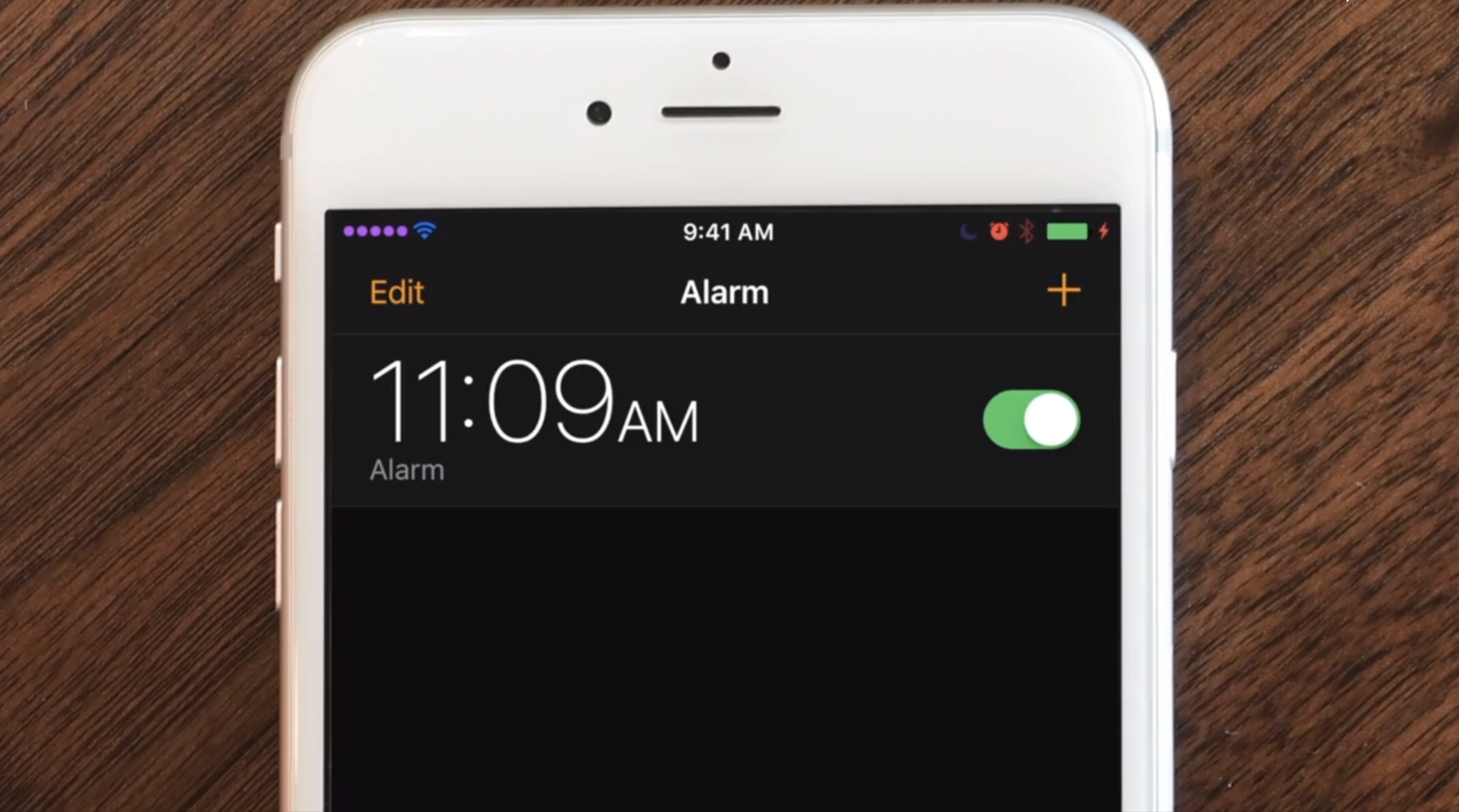
The best jailbreak tweaks for the Status Bar

Jailbroken or not, the Status Bar is an essential part of your iPhone that lest you keep track of your battery level, wireless signal, and time. On the other hand, jailbreakers can take control of their devices and have their Status Bar do so much more.

In this roundup, we'll discuss the best jailbreak tweaks for modifying the Status Bar since the the Yalu iOS 10 jailbreak was released to the general public.

Pagico 8.7 helps you make better plans and actually stick to them [sponsored]

If you haven't heard about Pagico before, it's a productivity app that allows individuals and team members to easily manage all their tasks, files and notes across iPhone, iPad, Mac, Windows, Ubuntu and Android devices.

With Pagico, you can organize everything related to your projects in one place, stay informed with handy flowcharts, access data anywhere, manage your day, visualize workloads, cross-link everything, organize stuff into collections, collaborate and much more.

Now bumped to version 8.7, the app sports some interesting new features designed to help you be more productive and stay on track with support for sub-containers, enhanced container duplication features, smart filters, teammate filters, improved email handling and printing, plus a lot more.

iTunes is coming to Windows Store later this year

Windows maker Microsoft announced today at its Build conference for developers that Apple is working on bringing iTunes to Windows Store with full support for Apple Music and iOS device syncing. TechCrunch reports that users will essentially enjoy the same iTunes experience from Windows Store that the existing iTunes for Windows download currently offers.

While Microsoft didn’t show any screenshots of what this experience might look like, Apple may be required to tweak iTunes’ look and feel to match Microsoft’s new Fluent Design system.

The development is especially important in light of Windows 10 S, a slimmed down version of Windows 10 for inexpensive Chromebook-like computers aimed at education, because Windows 10 S customers can only install officially sanctioned apps from Windows Store.

As a result of the restrictions, many popular apps such as Apple iTunes, Google Chrome, Mozilla Firefox and Spotify are currently unavailable on Windows 10 S systems. According to The Verge, iTunes is one of the apps Windows users search for most often on the store.

Unless iTunes is available on Windows Store, people in the market for a Surface Laptop, for example, won't be a be able to synchronize their iOS devices with their Windows 10 S-powered PC unless they upgrade to Windows 10 Pro to remove all restrictions.

Windows 10 is now on half a billion devices and Office 365 recently passed its hundred-millionth monthly user, Microsoft revealed at the Build conference.