How to

How to Backup iPhone Game Progress [Without Jailbreaking]

They say game saves are the most prized possessions for gamers. If you play the likes of Angry Birds and Cut the Rope on your iPhone, you surely will worry a bit about losing the game progress when restoring your iOS devices. Unless you restore from a previous backup, which is not always possible, you will lose all the gameplay progress and the levels you had earlier unlocked and gained access to.

Previously, Alex shared a tutorial on how to backup games using a Cydia application called AppLinks. However, that's only available to those with jailbroken devices. Let me show you how to do the same without jailbreaking your iPhone...

How to Recover Your iPhone Restrictions Passcode

Passwords come by the hundreds these days. People are juggling multiple email accounts, online accounts, and computer logins. If one of those passwords should escape you for any reason, there's generally a way to get it back. I'm sure we've all clicked the famous 'Forgot Password' link at some point in our lives.

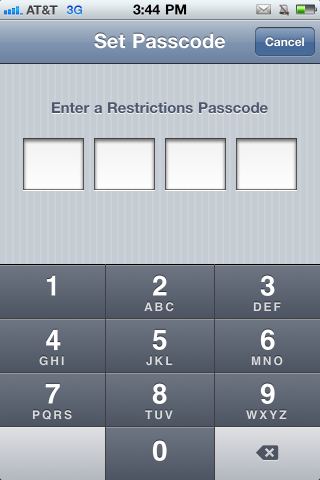
But what about your iPhone? What if you set a 'Restrictions Passcode' a long time ago and now you can't remember the digits? You've got a couple of options. For starters, you could restore your iPhone as a new device through iTunes. You can't restore from a previous backup, because your passcode is saved in that file.....

How To Jailbreak Apple TV 4.3 Using Seas0nPass

Some of you might be familiar with the term 'jailbreak'. Apple products like the iPhone and iPad, have been jailbroken for a few years now. To jailbreak is to gain access, to the hard drive of the device, with read and write capabilities.

This allows you to load media and applications that aren't filtered through Apple's iTunes Store. Although you've probably heard of the above mentioned devices being jailbroken, you may not have known that the Apple TV2 is also susceptible to the same exploits.

"Why on earth would I want to jailbreak my Apple TV2?" Good question, it's not for everyone. The jailbreak alone will do you little good, but the possibilities it opens up are quite interesting.

For instance, you would have the ability to install software on your Apple TV2 that would allow you stream DivX and other media types from your computer. You can also install plugins, such as a web browser. There are also tweaks to enable a jailbroken Apple TV2 to receive input from a bluetooth keyboard.

So whether you are a veteran iPhone hacker or an audacious beginner, anyone is capable of jailbreaking their Apple TV2. Don't worry! There's no actual hacking involved, we use free software that makes the entire process simple. Let's begin!

Important Notes: Jailbreaking is not for everyone. Although deemed legal by federal law, it most likely will void your warranty. If something goes wrong during the jailbreak process, your Apple TV2 should be restorable through iTunes. Please follow directions carefully, and proceed at your own risk. This is also not a full jailbreak, it is tethered, meaning you must connect to your computer every time your Apple TV reboots to make it work. A full jailbreak, with no tether required, could be a ways away. Finally this is only for Mac OSX users, a Windows version of Seas0nPass has not been released yet.

Step 1: You are obviously going to need some tools. For starters, an Apple TV2 (Black) running the latest 4.3 iOS software.  You will also need a Micro-USB cable (extremely common charging chord in modern smart phones).

Step 2: The latest iTunes version 10.2.1, is required, so update it first if you need to. You will need to download Seas0nPass for Mac OSX.

Step 3: After your iTunes is updated and your 2 items are done downloading, launch Seas0nPass.

Step 4: Let it download the needed files, this took me about 20 min. (depends on your connection speed)

Step 5: Once done, Seas0nPass will prompt you connect your AppleTV2 to your computer via that micro-USB cable we mentioned earlier. DO NOT plug your power chord in yet.

Step 6: Follow the directions for putting your Apple TV2 in DFU mode. Basically you just hold down the 'Play/Pause' button and 'Menu' button, simultaneously for 7 seconds. If you did this correctly, iTunes should automatically launch and start the restore process.

Step 7: iTunes should confirm the restore is complete.  Your Apple TV2 is now jailbroken, you just have to do the tethered boot!

Important note: Before proceeding, disconnect your micro-USB cable. You will be prompted to plug it in soon. Never unplug your power chord during the process.

Step 8: Restart Seas0nPass and select the 'Boot Tethered' option this time. Again, when prompted by the software, connect your Apple TV2 to your computer via the micro-USB cable. It will prompt you to put your device in DFU mode again by holding the 'Menu' and 'Play/Pause' buttons for 7 seconds, simultaneously.

Step 9: You're done! Seas0nPass will now complete the tethered boot. Once done, remove the USB cable and plug in your HDMI chord.

Don't worry if you don't get it the first time, just unplug your chords and start it again.

Stay tuned for more Apple TV2 tutorials, including how to install jailbreak plug ins and software.

How to SSH Into Your iPhone

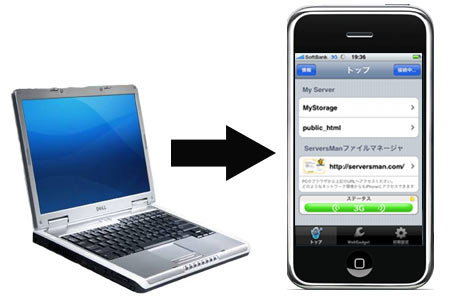
First, I will explain what SSH is and why we do it. SSH (Secure Shell) allows you to exchange data between two networked devices, using a secure channel. A jailbroken iPhone has the ability to connect with your computer via SSH, giving you read and write access to your iDevice's hard drive.

You can repair damaged files, install games that aren't in the App Store, and even turn your iDevice into a portable hard drive. I know it all sounds complicated, but we use applications to make the process as easy as browsing a folder on your computer. This is my quick and easy guide to SSH into your iPhone....

How to Jailbreak iOS 4.3 Using Sn0wBreeze 2.3 Beta

If you are one of the unlucky ones who upgraded to Apple's new 4.3 and lost their jailbreak, listen up. Although i0n1c said he would be waiting for iOS 4.3.1 to come out, to release a jailbreak, iH8sn0w has decided to give us Sn0wbreeze 2.3 beta to tide us over.

So if you have an iPhone 4, 3GS, iPad or iP0d touch and are running 4.3, let me give you a simple tutorial on how to jailbreak with Sn0wbreeze...

How to Use Airplay with Your iPhone

One of my favorite features in iOS is AirPlay. I recently purchased an Apple TV2, and immediately saw the benefits. With AirPlay, you are able to stream content off of your iDevice, directly to your HiDef TV. This content can be photos and videos you've downloaded from iTunes, and even YouTube videos.

With Apple's latest iOS software update, 4.3, your AirPlay options just multiplied, exponentially. You are now able to take advantage of 3rd party apps and websites that are AirPlay compatible. Since the popularity of this feature has really been on the rise, I figured it was time for a quick tutorial to show you how easy it really is to use AirPlay with your iPhone...

Get Your Gmail Contacts and Calendars in Sync on Your iPhone

This little trick has been around for quite some time. But if you are a new iPhone user, or plan on becoming a new iPad user soon, listen up! If you are using Google's email service, then there's a good chance you are using Google's calendar and their contact management system.  This holds especially true for you, former Android users, who are forced to use the previously mentioned services by design.

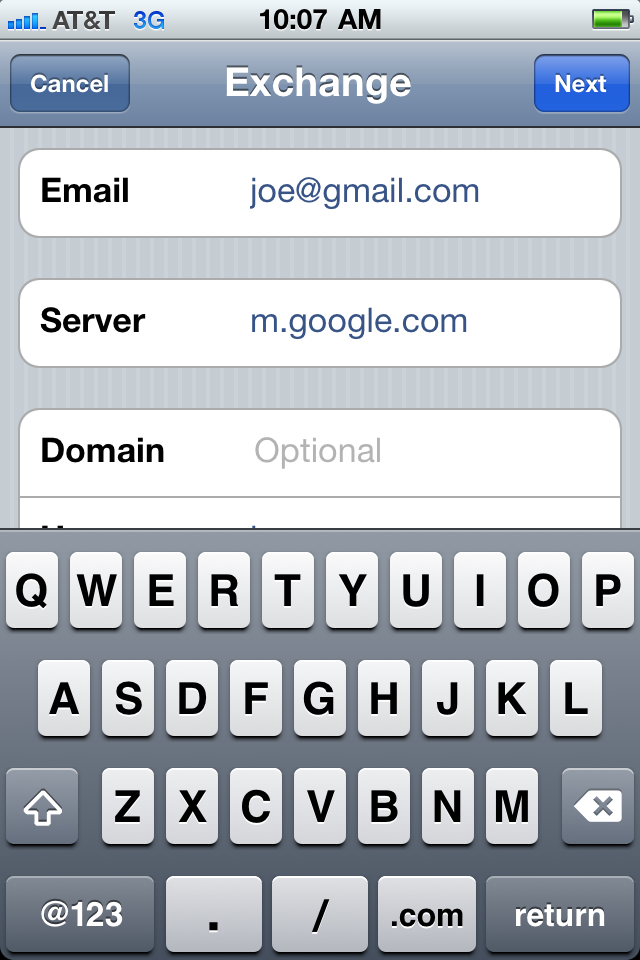
Now I know you're thinking, "Cody, I already have my Gmail setup on my iPhone," and you're probably right. But if you set it up as an actual Gmail account and not under the 'Exchange' account profile, you might be missing out on some cool features. Setup as an Exchange account, your Gmail can automatically sync your contacts, your calendars, and even push your email! The best part is, it's so easy, let me show you how...

How to Jailbreak iPhone 4.3 GM with PwnageTool Bundles

Apple's new iOS 4.3 software will launch officially March 11th. For App Store developers iOS 4.3 GM edition (final) is available now. This tutorial will show you step by step how to  jailbreak your iPhone 4.3 GM Edition with PwnageTool Bundles. Unlike the plug and play ease of GreenPoison, this method will require a few extra steps, but nothing too difficult.

These instructions are for mac OS X users only, but a windows jailbreak shouldn't be too far off. This is also a tethered jailbreak, meaning that every time you restart your iPhone, you will need to be plugged into your computer. It's also important to note that although this is the final beta release, it is still a beta, so please proceed accordingly.  Now on to the tutorial!

Improving Apps: How You Can Help

There are few things more frustrating than discovering a bug or a crash in an app or tweak you just downloaded. But instead of writing a poor review or swearing off the iPhone altogether, you can actually do something to help fix the problem.

Most developers encourage feedback and would like to pinpoint the exact problem so that they can increase their sales. Here are a few steps you can take to help developers quickly fix their apps so that you can use your apps in the way they are described to work.

MyGreatFest Will Be The World’s First iDevice/Jailbreak Convention

MyGreatFest is going to be the world's first jailbreak and iCommunity convention. The event will take place on September 17, 2011 in London, UK.

The conference is still being organized, but the MyGreatFest team promises that their convention will be an educational and fun experience for any iDevice user. They already have the one and only Jay "saurik" Freeman confirmed as a keynote speaker for the convention (he invented jailbreaking). So, we know they mean business.

How to Jailbreak iPhone 4.2.1 with PwnageTool

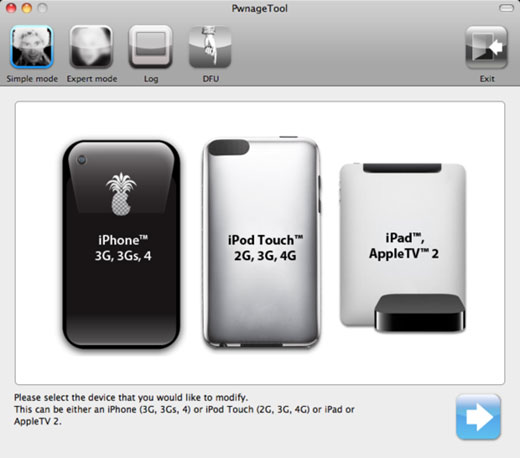
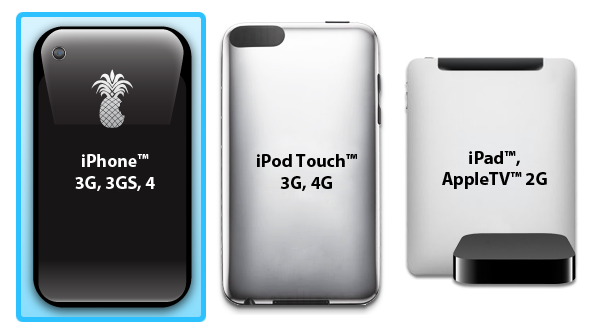
The Dev Team just released PwnageTool 4.2, a jailbreak for iOS 4.2.1 for iPhone 3G, iPhone 3GS, and iPhone 4 (AT&T and Verizon), as well as the iPad, Apple TV, and iPod Touch 3G and 4G.

PwnageTool will allow you to jailbreak your iPhone on the latest iOS 4.2.1 while preserving its baseband, thus allowing you to unlock with UltraSn0w, assuming you are still on baseband 01.59.00.

This step by step guide will show you how to jailbreak your iPhone 4.2.1 with PwnageTool, a Mac-only jailbreak for iPhone...