How to

Tutorial: How to Jailbreak your iPhone 4.2.1 with GreenPois0n

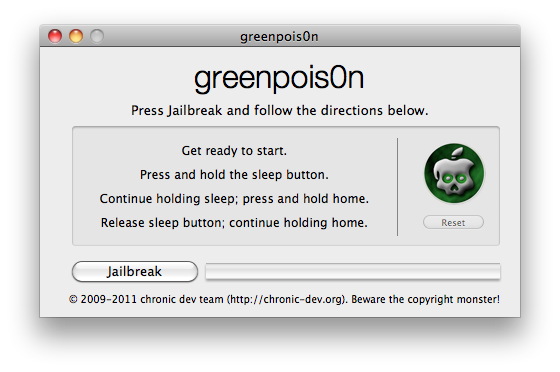
The GreenPois0n untethered jailbreak for iOS 4.2.1 was released a few minutes ago and I already took it for a spin on my older iPhone 3G sporting iOS 4.2.1.

This step by step guide will show you how to use GreenPois0n to jailbreak your iPhone iOS 4.2.1. It's worth noting that this version will not hacktivate your iPhone and that so far, there is only a Mac version...
How to Uninstall Unstable Apps When Cydia Won’t Open

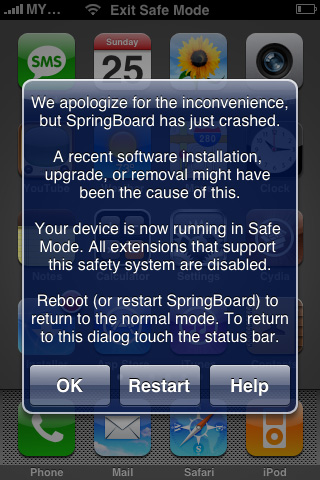
Sometimes we install apps out of curiosity only to discover that they are unstable on our device. In some cases, it's an app developed for a specific iPhone or iPad model. In other cases, the app is only compatible with certain firmware versions. Other times you may have installed conflicting tweaks.

Whatever the reason may be, here is a fix for a constantly crashing Springboard with no way to open Cydia to uninstall unstable apps. If your iPhone boots to the lock screen, but crashes if you do anything beyond that, this guide will help you to remove problematic packages without Cydia.

The Dev Team Updates RedSn0w Beta Untethered Jailbreak, Fixes Skype Issues

Another day, another update from the hard workers on the Dev Team. Right after releasing RedSn0w 0.9.7b5, they've turned around and released RedSn0w 0.9.7b6. The good news about this latest beta is that it fixes the issues with Skype, which made the app crash as soon as you tried to open it.

Now that the Bluetooth issues have been fixed, and Skype has been fixed, what's next for The Dev Team's untethered jailbreak solution for iOS 4.2.1?

RedSn0w 0.9.7b5 Untethered Jailbreak Fixes Bluetooth Issues

One of the biggest reasons that I chose to stick with the tethered RedSn0w 0.9.6 release for my iPhone 4 is because of the beta version's ongoing problems with Bluetooth support.

Up to this point, all of the beta versions of RedSn0w 0.9.7 -- an untethered jailbreak released by the Dev Team -- have thus far been devoid of Bluetooth capabilities. When using the beta, the Bluetooth option simply stated "Not Available."

With the Dev Team's latest update to the RedSnow beta, the Bluetooth hurdle has finally been eliminated, and now you can enjoy an untethered jailbreak with full Bluetooth support...

How to Untether Your iPhone 4.2.1 Jailbreak with RedSn0w

The long-awaited RedSn0w untethered jailbreak for iOS 4.2.1 was released earlier today by the iPhone Dev Team. As we mentioned before, it is still a beta version, which means it is very unstable and causes a few noteworthy bugs.

We're aware that some of you are true dare devils so we thought it'd still be a good idea to post a guide on how to untether your iPhone. This step by step tutorial will show you how to untether your iPhone 4.2.1 using RedSn0w. This only works for the iPhone 4, iPad, and iPod Touch 4G...

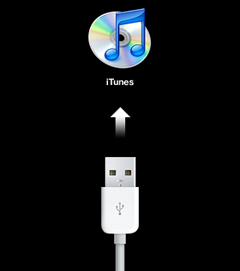
How to Put Your iPhone in DFU Mode

I am asked constantly how to put the iPhone in DFU mode. I always answer people and explain them how to do it but I figured after all this time, writing a post about how to put your iPhone in DFU mode was long overdue.

In most cases, you'll need to put your iPhone in DFU mode during the jailbreak process. It's pretty easy but it's all about perfect timing...

How to Unlock Your iPhone 4.2.1 with UltraSn0w

The Dev Team has updated their UltraSn0w iPhone unlock for iOS 4.2.1. UltraSn0w 1.2 will unlock iPhone 4 baseband 01.59.00 and iPhone 3G/3GS basebands 04.26.08, 05.11.07, 05.12.01, 05.13.04 and now 06.15.00.

If your iPhone 4 is not on baseband 01.59.00, you will not be able to unlock it. If your iPhone 3G or 3GS is on one of the baseband version mentioned above, then you can follow the instructions below...

How to Forward Your iPhone Voicemails to Google Voice

Yesterday my iPhone notified me I had 14 voicemails within the last 6 days. Why didn't it notify me of the new voicemails as they came? I have no idea. I'd be lying if I said I wasn't really pissed at my iPhone. Not only had I missed important voicemails that I should have received days ago, but it wasn't the first time this had happened to me.

Like every normal person of the 21st century, I went to Twitter and started bitching about it. Within a few minutes I received replies from people telling me I should let Google Voice take over my iPhone. I already use Google Voice but I don't want it to completely replace my normal line. Then someone told me I could actually replace my iPhone voicemails with Google Voice voicemails by forwarding my iPhone voicemails to Google Voice.

After doing a bit of research, this made complete sense to me and I decided to give it a go...

How to Install Android on Your iPhone [No Computer Required]

We've seen our share of guides on how to install Android on the iPhone before. They're not terribly complicated, but they're not that straightforward either. Most importantly, they aren't as easy as installing an app as they usually require a computer to complete the install process.

This is now a thing of the past. With the release of Bootlace 2.1, you can now install iDroid on your iPhone without the need of a computer! All you need is a jailbroken iPhone and a couple minutes of your time...

How to Speed Up Cydia

One of the big downsides of Cydia is how slow it is. It usually takes a couple minutes from the time you launch Cydia to the time you can actually download something. Well, it doesn't have to be that way anymore... There is a simple and quick trick that will incredibly speed up Cydia by removing ads and screenshots in each package.

That means you won't see any ads anymore, but that also mean you won't be able to see app screenshots. That's something I'm willing to sacrifice if it can save me a few seconds here and there. Here is what to do to speed up Cydia...

Tutorial: Jailbreak iPhone 4.1 with PwnageTool

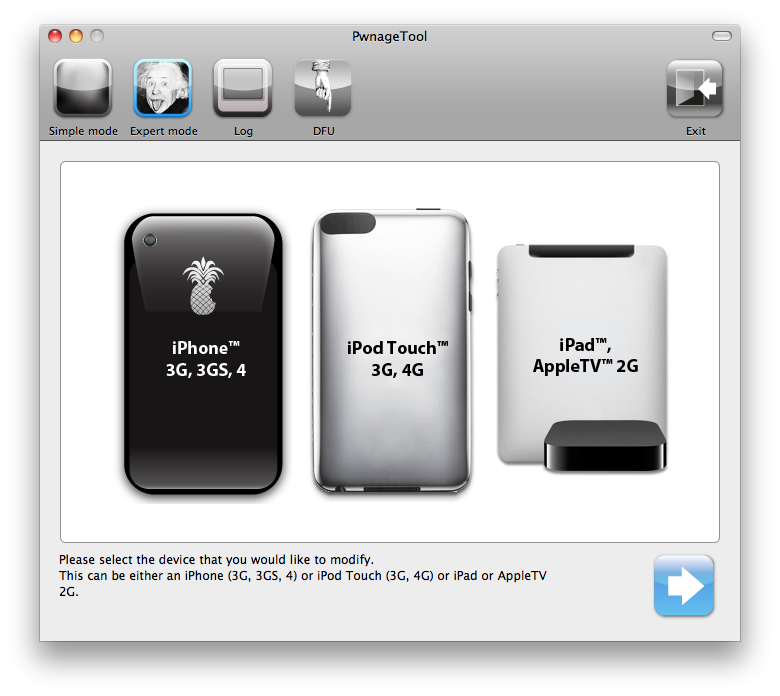
This guide and tutorial will show you how to use the freshly released PwnageTool to jailbreak your iPhone 4, iPhone 3GS, or iPhone 3G. There has been a couple jailbreak tools for iOS 4.1 released recently but only PwnageTool will preserve your baseband allowing you to update to a jailbroken 4.1, while still preserving your baseband so you can unlock.

PwnageTool is available for Mac only. If you don't have a Mac, try to find a friend who does, and simply use his computer to cook the firmware. This guide was written using an iPhone 4 but the steps are the same, no matter what iPhone model you have (only the firmware downloaded will change).

This being said, make sure to follow this guide to jailbreak your iPhone iOS 4.1 with PwnageTool. As always when hacking your iPhone, you are proceeding at your own risks...

Tutorial: How to jailbreak your iPhone Using GreenPois0n

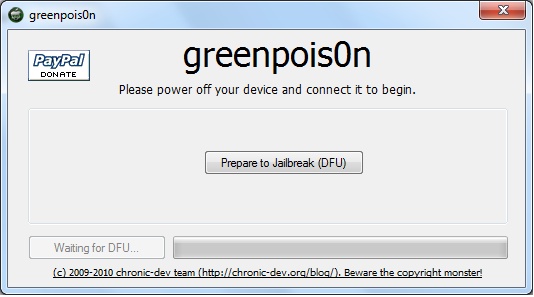
This step by step GreenPois0n guide and tutorial will show you how to jailbreak your iPhone 4.1 using GreenPois0n, the new jailbreak by Chronic Dev Team. This GreenPois0n guide will work for the iPhone 3GS, iPhone 4, iPad, iPod Touch 3G, and iPod Touch 4G.

GreenPois0n is is available for Windows, Mac, and Linux.

Although we encountered a few issues here and there, we were able to jailbreak our iPhone 4 successfully using greenpois0n. Once you get around a few hiccups, the process really isn't all that difficult.

Check inside as we step through the jailbreak process with greenpois0n using a Windows machine. The steps are exactly the same no matter what platform you use.