How to

How to create an Apple ID without a credit card

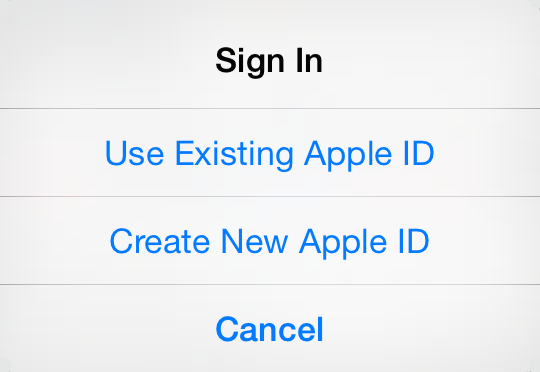
Having an Apple ID is a prerequisite to do just about anything related to Apple services. If you want to buy music on iTunes, download apps in the App Store, or use iCloud, you must have an Apple ID.

A few years ago, linking a credit card to an Apple account was mandatory. But Apple has changed its stance and has been letting users create an Apple ID without a credit card for a while now.

Whatever your reason might be to do so, we are going to show you how to create an Apple ID without a credit card...

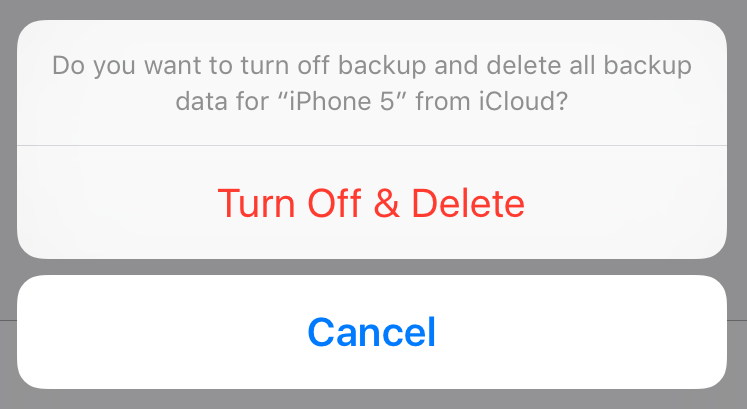
How to delete old iPhone backups

Manually backing up your iPhone or iPad, or taking advantage of iCloud automatic backups, is the best way to guarantee that you will be able to get all your data back in the event something goes wrong.

Whether you choose to backup via iTunes or iCloud, you might want to delete this backup at some point. Maybe the backup file got corrupted, or maybe you're running out of storage space on your Mac or in iCloud. Or maybe you have an entirely different reason to delete your iPhone or iPad backup file.

Whatever the reason is, we've got you covered. In this post, we will learn how to delete an iPhone backup from a Mac and we'll also see how to delete a backup file from iCloud.

How to quickly switch between Mavericks and Yosemite beta

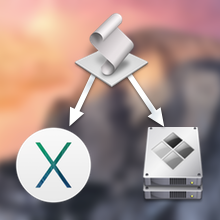
Following Apple's release of a public beta of OS X Yosemite, iDB reader Antony Verros sent us some code he wrote in AppleScript, which allows users to quickly restart a computer and automatically boot up in the installed OS of choice. For anyone who installed the OS X Yosemite beta on a separate partition, this is an easy solution for booting up into Yosemite or Mavericks without having to hold down the Option key on boot to select the desired partition. The script can even be tweaked to work with BootCamp.

While it's mostly a matter of time-saving convenience, this method can prove to be quite advantageous over time, particularly for users who find themselves frequently switching between OSs, whether it be a Yosemite beta, Mavericks, or Windows 7. Having an easily accessible application for booting into another OS while making a sandwich or refilling a cup of coffee, versus having to wait around to hold down Option, can be highly useful...

How to get your frayed Lightning cable replaced for free

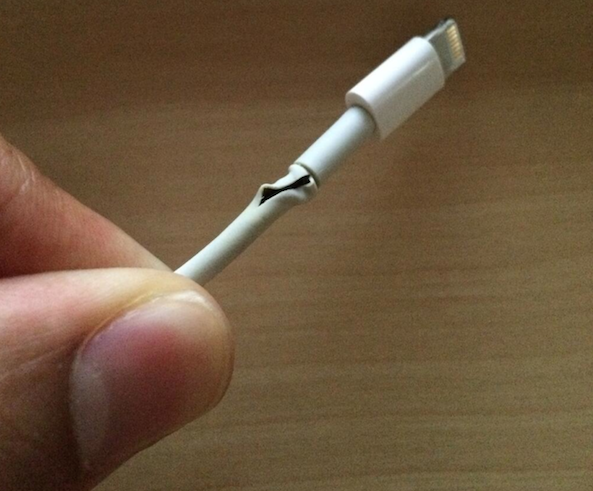
Why is this 6 month old cable already falling apart? That's the question my wife asked one day, referring to the Lightning cable she has plugged by her side of the bed to charge her iPhone at night.

As much as I tried to find a good reason, there was nothing I could say that would actually explain why this fairly new cable was already fraying. The only explanation I could give her was that these cables are crap.

It's not like we're rough on these cables either. We actually take good care of them. My wife's charger, for example, has never been anywhere but her bedside, just being used at night. This is not the kind of usage you'd think would be so detrimental to a cable supposed to last several years.

Since I believed this cable was still covered by my iPhone warranty, I decided to take it to Apple and see if they would replace it.

Can’t redeem Yosemite beta code? Here’s a fix.

Apple today opened the floodgate by posting the public beta of its upcoming OS X 10.10 Yosemite software, which launches officially sometime this Fall, and already a bunch of people took to Twitter over an error message saying the redemption code has already been used.

Each copy of Yosemite beta requires a promotional code which must be redeemed in the Mac App Store to download the installer. Is there anything you can do about this error message?

Yes, there is - and a remedy couldn't be simpler. Read on...

How to get HBO and HBO Go without paying a ridiculous $100+ cable bill

For all the talk about television networks and cable providers jumping into the 21st century with apps for accessing premium entertainment on the go, through just about any device, cable cutters are all to painfully aware of one huge caveat - you have to be subscribed to your cable or satellite television provider in order to enjoy premium television shows on your devices.

HBO, by and large the most prominent provider of original television shows, has an excellent HBO Go service available on multiple platforms, but again - you need to be a cable customer which means paying a ridiculous cable bill of hundred bucks per month or more.

But it doesn't have to be this way. Turns out you can in fact enjoy shows like Game of Thrones, True Detective, The Leftovers, Silicon Valley and more, without committing your soul to a cable provider. You only need to know the magic word to keep HBO without paying for the additional 500 channels you never watch...

How to jailbreak iOS 7.1.2 untethered using Pangu

Good news ladies and gentlemen. iOS 7.1.2 is out and it's jailbreakable right now with the Pangu untethered jailbreak. That means that yes, you can update to iOS 7.1.2 and rest easy knowing that it's jailbreakable out of the box.

If you've yet to jailbreak using Pangu, be sure to follow our jailbreak tutorials which lie after the break. We have tutorials for both Windows and Mac OS X. Step inside to learn how...

How to jailbreak iOS 7.1.x with Pangu 1.1 on Windows [video]

The highly anticipated Pangu 1.1 update was just today released for both Windows and Mac users. Obviously, the big news here was Mac compatibility, as Mac users were left without a usable version after the initial Windows-only version of Pangu 1.1 was released.

But Windows users should be happy too, as version 1.1 of Pangu brings with it English text that makes it easier to follow along in the jailbreak process. The update also gets rid of the nefarious checkbox that allowed pirated software to be easily installed on your device.

Pangu 1.1 is a streamlined version of the original tool. If you've been on the fence about using it, then perhaps this latest update will ease your concerns. Check inside to view our step-by-step jailbreak tutorial for Pangu 1.1 on Windows.

How to jailbreak iOS 7.1.x untethered with Pangu on Mac OS X [video]

Pangu for the Mac was just released today, and it brings with it the ability to jailbreak iOS 7.1.x untethered. The Windows version, which was released last week to much fanfare, has already allowed many people to enjoy the fruits of jailbreaking iOS.

I think it's safe to say that the Mac version has been highly anticipated since word of Pangu first hit the Internet. For those of you who remained patient, your patience has paid off. You can now jailbreak iOS 7.1 and iOS 7.1.1 using your Mac. Check our our full video walkthrough inside for all of the details.