In this tutorial, we’ll share some troubleshooting tips to follow if you can’t hear the sound coming out of your iPhone or iPad or if the sound is muffled or distorted.
What to do if your iPhone sound isn’t working or is muffled

In this tutorial, we’ll share some troubleshooting tips to follow if you can’t hear the sound coming out of your iPhone or iPad or if the sound is muffled or distorted.

In this guide, we will share some not-so-obvious tips for the Apple TV Remote and help you use it to its full potential.
Apple gives you a number of options if you need to troubleshoot software and hardware issues that might be plaguing your Mac. If you cannot determine the root cause of your problem by isolating issues in macOS, your first port of call should be macOS' built-in recovery tools.
But that may not be necessarily enough and Recovery Mode may be unable to help you get your Mac back to working order.
As the last option, you can boot your Mac in a hardware diagnostics mode, which on newer Macs is called Apple Diagnostics or Apple Hardware Test on older models. In this tutorial, we'll show you how to enter Apple Diagnostics or Apple Hardware Test mode to identify the potential source of a hardware issue.
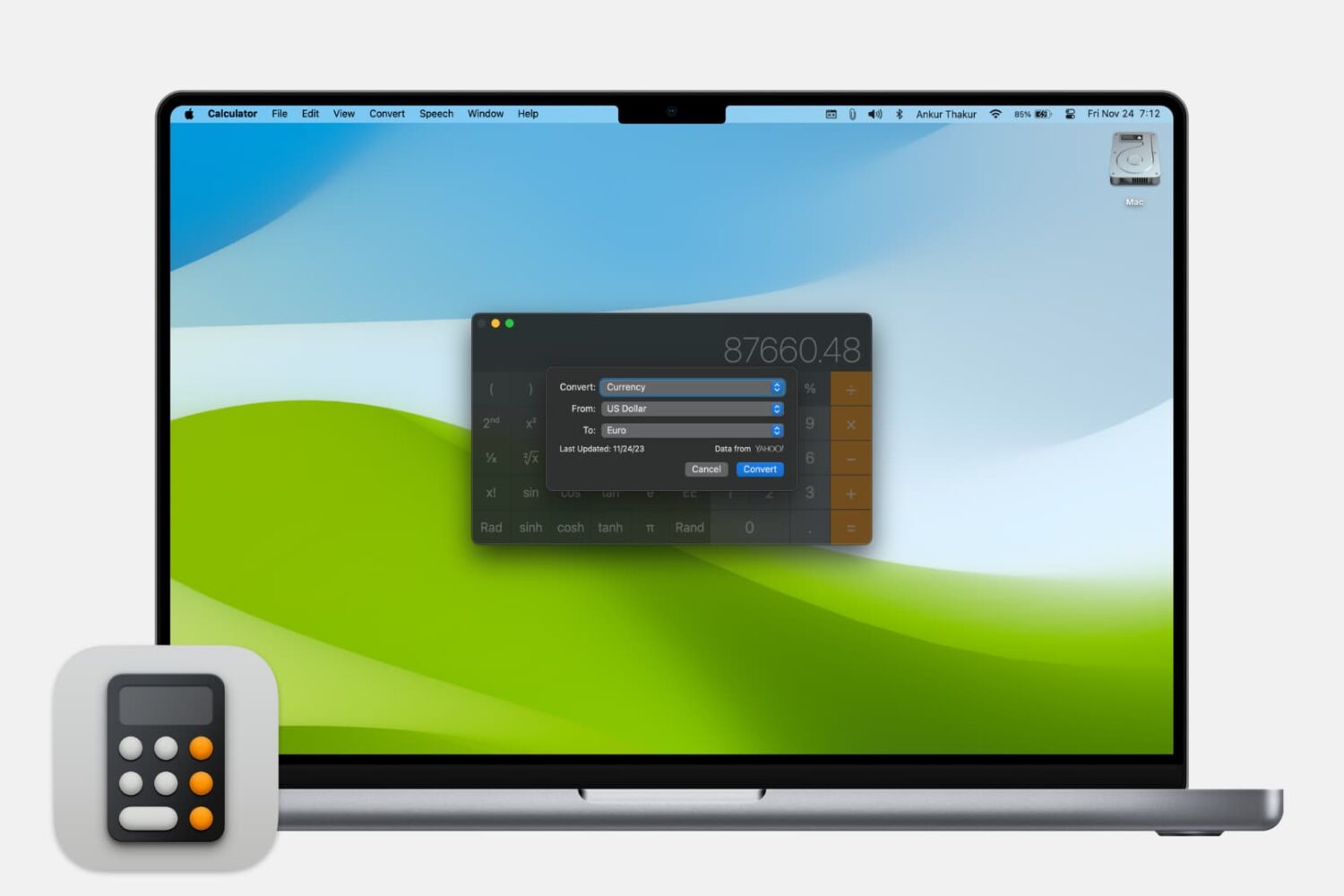
Learn how to use the Calculator app on your Mac to quickly convert a unit of measurement to another.

In this piece, we’ll help you troubleshoot several Apple Watch issues if your smartwatch seems to experience problems and doesn’t work as intended.

In this quick tutorial, we’ll show you how to save a PDF you received on WhatsApp to another app like the Apple Files app, and also guide you on sending a PDF to other people via WhatsApp.
After sharing a bunch of time-saving 3D Touch shortcuts and gestures in stock applications such as Messages, Safari, Mail, Music, Camera, Maps, Phone and iBooks, we now take a closer look at 3D Touch goodies in Reminders, one of the most frequently used stock apps on my iPhone.
Although 3D Touch shortcuts and gestures in Reminders aren't as developed as in other stock apps, they're handy. For instance, you can add a reminder to your lists from the Home screen.
And within the app, 3D Touch can be used to quickly create time or location-based alerts for your reminders. This tutorial covers all the ways you can use force-based 3D Touch gestures in the Reminders app.

When you visit a website on your computer, such as iDownloadBlog or Google, you're using domain name system (DNS) protocol to exchange information between your computer and the server providing you with that website.
Depending on the DNS server you're using on your Mac or iOS device; you might not be experiencing the best speeds and web securities that you could be.
In this piece, we'll tell you why you may want to consider switching to a new DNS and show you how to use a custom DNS on your Mac, iPhone, or iPad.

Learn about a small, easy-to-remember tip that lets you increase or decrease the screen brightness and volume in even smaller, fine-tuned increments than normal.

This tutorial shows you how to set a firmware password on your Intel Mac to further increase the security of your computer.

Tired of being pinged about invites and activity notifications generated by apps and games you've added to your Facebook account? Want to mute those app alerts, but keep the notifications from Facebook games you actually care about flowing?
You've come to the right place.
iDownloadBlog recently told you about a master switch that instantly stops all game invites.
Additionally, we taught you how to stop apps from spamming your Facebook Timeline and shared how to stop receiving game invites from specific Facebook friends.
In this tutorial, we'll discuss disabling activity notifications for specific apps and games sans those that you do care about.

In this piece, we'll share with you 10 useful Finder keyboard shortcuts that you can use to quickly navigate around the filesystem on macOS.