Cydia

Cydia news and information: read the latest development about Cydia, including jailbreak tweaks.

How to Bypass Time Warner Cable App Restriction on Jailbroken iPads

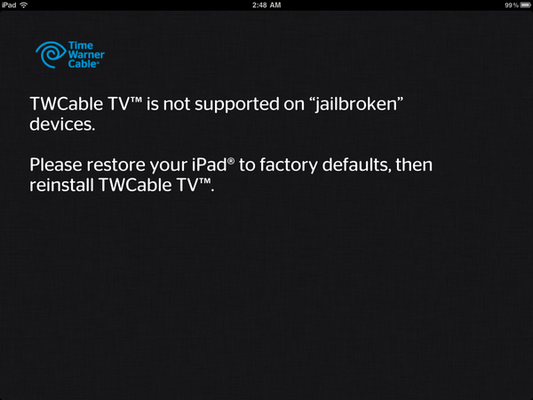
Last week we told you about how Time Warner Cable was restricting owners of jailbroken iPads to use their application. If you launch their app on a jailbroken iPad, you will get a message informing you that "TWCable TV is not supported on jailbroken devices."

At the time, I speculated that this measure was to prevent non TWC subscriber to use the application, and I still believe this is the reason behind the block. As usual, the jailbreak community was quick to react and a .deb file was made available on the same day, allowing jailbroken iPads to use the app anyway...

SlideCenter: SlideShow Widget for Your Notification Center

We've seen some useful custom widgets come out of the jailbreak community in the last few weeks- UISettings and StatusGoogle to name a few. But we've also seen some not-so-useful offerings, like ScreenLocker. Who needs another way to toggle the display's lock orientation?

Although some widgets might not be as useful to some as others, it's still cool that they're available. iOS 5 has only been out a month, so it's just nice that developers are churning out tons of stuff for us to play with. That being said, here's SlideCenter...

38 Jailbreak Apps Every iPad User Should Have

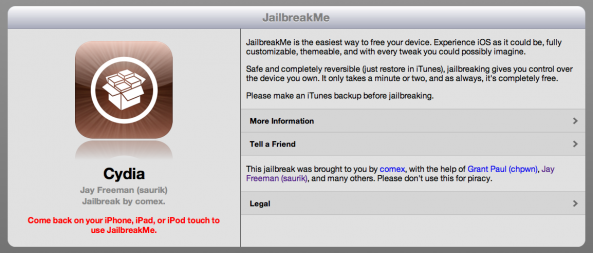
Now that you've jailbroken your iPad 2 with JailbreakMe, you're probably wondering what cool jailbreak apps and tweaks to install from Cydia.

If you'd like a little help with making your iPad 2 the best jailbroken device it can be, we've collected a list of 38 jailbreak apps that every iPad user should have...

StatusGoogle: Google Search Bar for Notification Center

We figure that most folks that haven't opted to try jailbreaking iOS 5 by now aren't going to. Perhaps you are waiting on an untethered jailbreak, or for more iOS 5 support from your favorite Cydia apps. But for those of you who have been waiting for more trivial reasons, check this out.

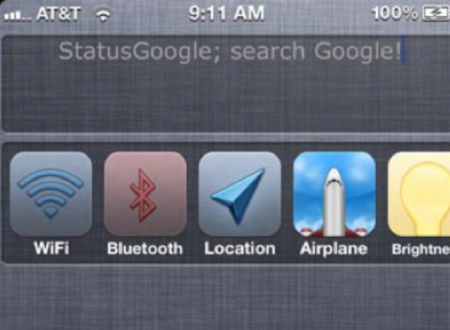
If the previously available custom widgets haven't caught your eye yet, let me show you StatusGoogle. The utility installs itself into your Notifications Center drop down menu, and allows you to initiate a Google search inside any app with a swipe of your finger...

JailbreakMe 3.0 Conflicting with BiteSMS

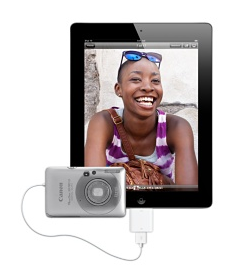
A couple of days ago we reported that the iPad Camera Connection Kit stopped working after using JailbreakMe 3.0. It looks like another issue has reared its ugly head which looks to affect jailbroken devices on a wider scale.

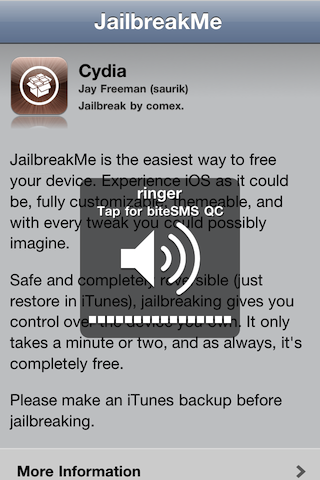
Reports are surfacing that the popular jailbreak tweak BiteSMS is conflicting with JailbreakMe 3.0. Confirmed on the BiteSMS forums, that sending a text message through BiteSMS' quick reply feature will crash your device and send it into an infinite boot loop. The only solution to remedy this as of writing is to restore your iDevice...

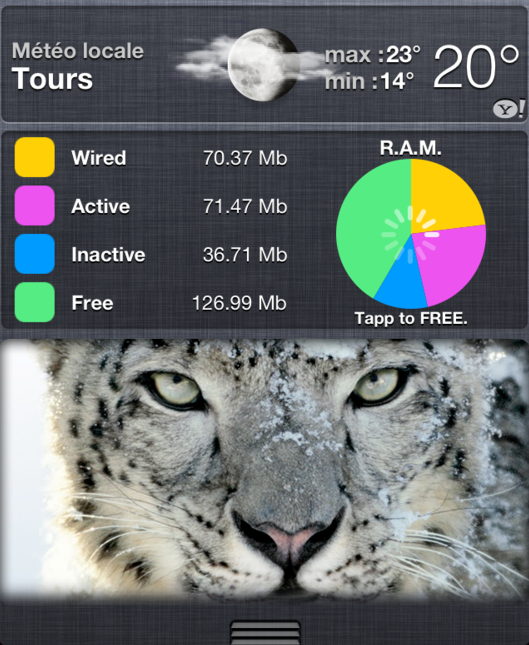
OmniStat: System Details in Your Notification Center

We've seen a slew of iOS 5 widgets over the last couple of days. For those who don't know, Apple released a beta version of their new iOS software a few weeks ago, and the jailbreak community has marked their territory in the Notification Center drop down menu.

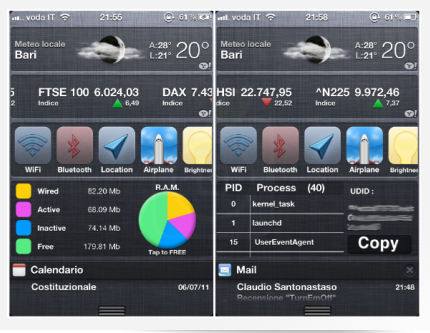
So far there's been no word from Apple yet on whether or not 3rd party developers are going get to use the space to create custom widgets, but that hasn't stopped jailbreak developers. One of the latest widgets to surface is OmniStat...

Comex to Fix Issue with Camera Connection Kit on iPads Jailbroken with JailbreakMe

Yesterday we told you about an issue that could be reproduced on iPads jailbroken with JailbreakMe when trying to use Apple's Camera Connection Kit. If you own an iPad jailbroken with JailbreakMe, you can't use the Camera Kit for the time being.

Comex has been aware of the issue, and today he announced on Twitter that he has a fix coming up this Friday. According to Comex, the fix will be available in Cydia as a new package to install...

Apple Plans to Fix JailbreakMe PDF Exploit in Next iOS Update

After a long wait, Comex released JailbreakMe 3.0. And now a huge number of iOS devices have already utilised the hack.

The jailbreaking method, which simply requires a user visit a website and press a button, is aimed at jaibreaking iOS devices running version 4.3.3, as well as being the first jailbreak available for Apple's iPad 2.

With experts warning that the same method Comex uses could also be used in a malicious context, it was only a matter of time until Apple looked to plug the PDF exploit that the jailbreak relies on....

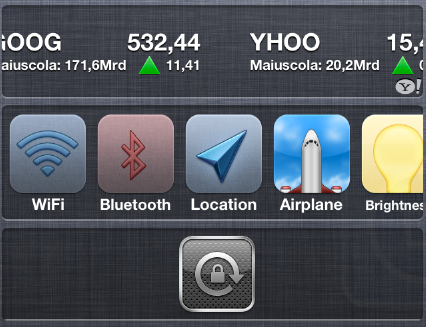
ScreenLocker: A Simple Screen Orientation Widget for Notifications Center

It seems as though it's been a while since we've seen a new widget for iOS 5's Notification Center. When the beta first launched, it was like we were seeing one a day if not more. Now it seems more like one per week.

Assuming Apple doesn't allow 3rd party widget development right away, it would be a safe bet to assume we will see a lot more of these pop up in Cydia once iOS 5 is released (mostly due to Apple's current NDA on iOS 5). But to help tide us over until then, here is ScreenLocker...

TinyUmbrella Updated for iOS 5 Beta 2

Just a heads up for you guys, notcom has announced his latest update to TinyUmbrella - now supporting iOS 5 Beta 2.

TinyUmbrella is widely used by many, predominantly in the jailbreak community to save their SHSH blobs. To put it simply, if you don't save your SHSH and Apple stops signing for that particular firmware, you won't be able to restore your iPhone to older firmware versions through iTunes...

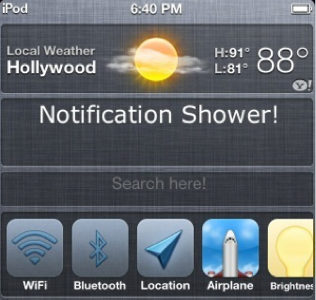
NotificationShower: Customizable Text Field for Your Notification Center

It's about time we started seeing some more Notification Center widgets roll in. After a few weeks of silence on the iOS 5 jailbreak front, iPhoneItalia has tipped us off that BigBoss has set up a new iOS 5 repository with multiple new entries.

We've already told you about ScreenLocker, the Orientation Lock button for your Notification Center. Now we'll go over NotificationShower. This widget is very similar to SBSettings' Fast Notes toggle, as it allows you to quickly jot down reminders...