Cloud

Google prepping new app for backing up your Mac to Drive

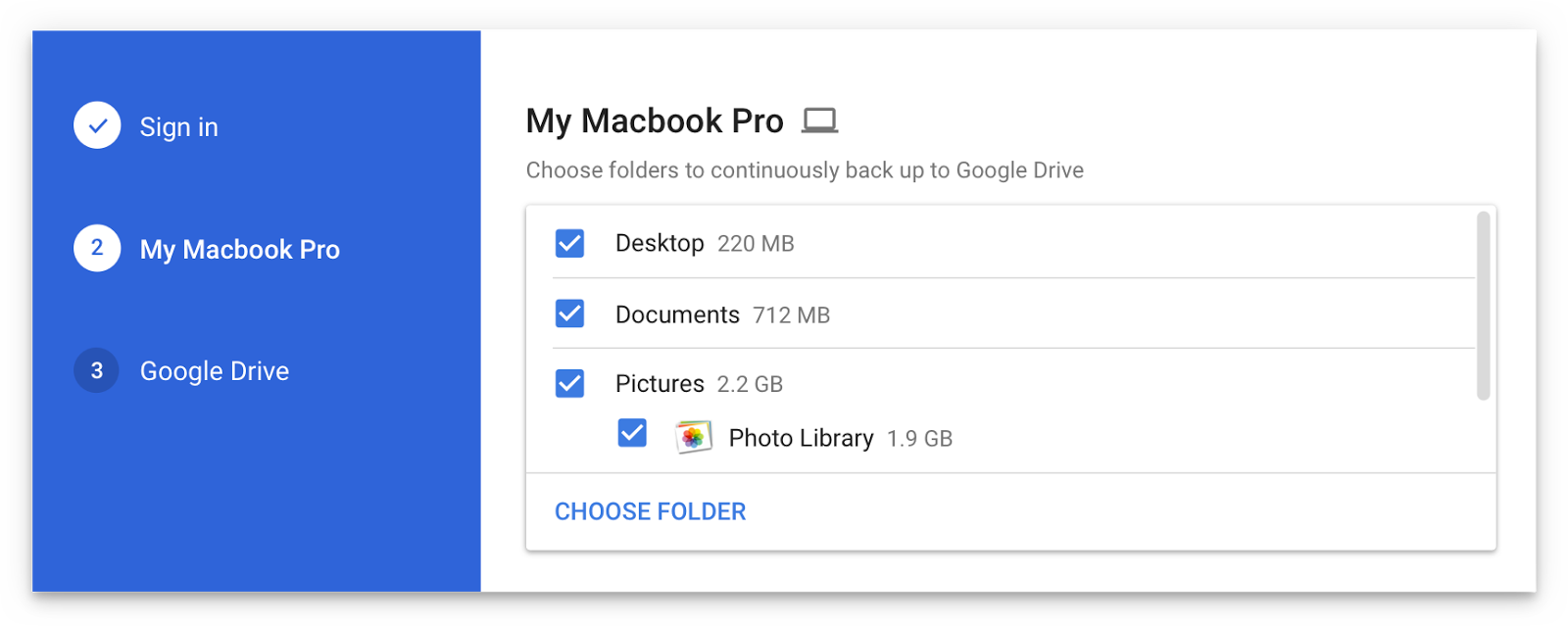
Are you a fan of Drive, the search giant's cloud-storage service? If so, a new app from Google will soon let you back up any folder(s) on your computer to Drive and keep them in sync.

This is welcome news because Drive's current desktop client does not allow for selective sync of any folders that don't live inside of the Google Drive folder on your Mac or Windows PC.

The forthcoming Backup and Sync app is better integrated with your computer than the existing client and will replace it on Wednesday, June 28.

According to the search firm, Backup and Sync is intended to “help everyday users back up files and photos from their computers, so they’re safe and accessible from anywhere”.

As mentioned, you'll be able to continually back up any items found in custom folders on your computer, like the Desktop, Photos, Documents and so forth.

Backup and Sync will replace Google's existing desktop uploader for Photos, too.

Basically, you could use the new app to back up and sync your entire Mac account's home folder to Drive and use Google's powerful search engine via Drive's web interface to quickly identify that needle in the haystack you were looking for.

However, you'll probably need to upgrade your cloud storage to keep your Mac safely backed up to Drive. Each Google account gets 15GB of free Drive storage versus Apple's 5GB free tier.

If you need more storage, you can upgrade to one of the paid Drive tiers:

100GB for $1.99 per month 1TB for $9.99 per month 10TB for $99.99 per month

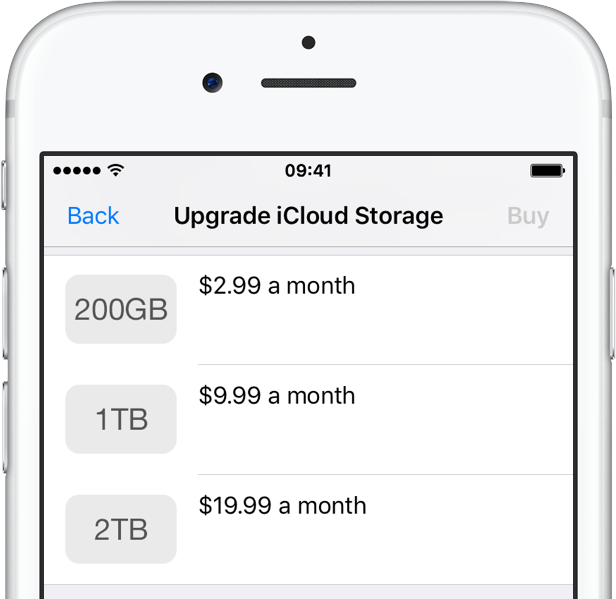
And here are Apple's recently refreshed iCloud storage upgrades:

50GB for $0.99 per month 200GB for $2.99 per month 2TB for $9.99 per month

Google Drive for Mac and Windows is available via google.com/drive/download.

Google Drive for iPhone and iPad is a free download from App Store.

Do you use Google Drive? If so, are you looking forward to backing up your Mac to the Google cloud? If not, what's your preferred online service for storing files, documents and other data?

Tell us in comments!
Box introduces macOS client for its cloud syncing service

Cloud-storage service Box has (finally?) decided to provide a native macOS client app for its Apple customers. The new app, currently in public beta, is available at no charge at box.com/resources/downloads.

With the Box Drive app, users can access Box files on their Mac, natively integrated into the Finder, as well as easily share and collaborate on documents and more. You can edit like you would any local file and have the app save it automatically to the Box cloud, with the enterprise-grade security protecting everything you do.

According to the company, the app includes the following features:

The cloud doesn’t fit on your hard drive. While it's super convenient to sync files to your desktop, the amount of syncing you can actually do is limited by your hard drive space. So while you'd like to access ALL your files (especially your team files), more often than not, you end up syncing only a subset of your files, which limits the amount of work you can actually do straight from your desktop. Storing work on your desktop is risky business. IT teams have been pulling their hair out for years, because they haven’t had proper visibility or control over how files are being accessed, shared, and managed. Plus, if your computer was ever lost or stolen, there wasn’t much you could do about the work files that went along with it. Network files shares were great—20 years ago. Teams are clamoring for greater mobility, easier collaboration, and better compliance–and network shares just can’t keep up. Not to mention the constant maintenance, unpredictable growth, storage sprawl, and never-ending costs that come with them.

https://www.youtube.com/watch?v=Hl6eKWkTYVI

Apple's new Files app on iOS 11 features built-in support for a number of cloud-storage service, including Box, Dropbox, Google Drive, OneDrive, iCloud Drive, Adobe Creative Cloud and more.

Issues with your Apple Music subscription or iCloud storage? You’re not alone

As acknowledged on Apple's System Status webpage, an unknown percentage of Apple Music subscribers have been experiencing issues with their subscriptions since Tuesday, ranging from the inability to download tracks for offline listening to being unable to connect to the service at all.

According to complaints on Reddit, some folks are also being greeted with a “Cannot Connect to iCloud” error message when attempting to upgrade or downgrade their iCloud storage plan.

Dropbox for iOS gains bulk renaming of photos, offline folders & recent save locations

Popular cloud-storage service Dropbox has refreshed its iPhone and iPad application on the App Store with three new features: bulk-renaming of photos, offline folders and recent save locations. In addition, the company announced a major infrastructure push enabling faster sync speeds thanks to several new proxy servers established across the globe, including accelerators in California, Texas, Virginia, New York, Washington, the UK, the Netherlands, Germany, Japan, Singapore and Hong Kong.

Google Drive becomes Android migration tool with contacts, photos, videos & calendar sync

Google wants to make it even easier for Apple fans to switch from iOS to the Android platform so it's turning the mobile Google Drive app into a migration tool of sorts with new features that let you upload and synchronize your contacts, photos, videos and calendar events.

The search giant also provides a Quick Switch Adapter with its Pixel smartphones that allows users to quickly transfers data directly from an iPhone to their Pixel phone.

Google Drive is available at no charge from the App Store.

Apple to unify its separate cloud services teams to improve Siri, Maps, iTunes, iCloud & more

Bloomberg's Mark Gurman is reporting today that Apple is in the process of unifying its separate cloud services team in an effort to foster tighter collaboration between them, better compete with Google and Amazon in the cloud space and improve Siri, Maps, iTunes, iCloud and other services.

Eddy Cue, Apple's boss of Internet Software and Services, will oversee the effort to move cloud service engineering teams to a single campus as Apple continues shifting its cloud to its own infrastructure.

Dropbox gains document scanner, secure file sharing and other productivity improvements

Dropbox today announced a major update to its mobile and desktop clients across platforms, including the ability to scan documents in the mobile app, create Microsoft Word, PowerPoint and Excel files on the go, share files securely with others using access privileges and much more.

On the downside, Dropbox's existing Camera Sync feature has been removed from the mobile app so you now must manage photos using the desktop client. Dropbox for iOS is available at no charge via the App Store. The Mac client must be downloaded directly from the Dropbox website.

OneDrive implements 3D Touch previews for files and folders

Microsoft issued an update to OneDrive, its free of charge mobile cloud-storage client, adding some new features.

In addition to a fresh coat of paint and a revamped app icon, OneDrive for the iPhone, iPod touch and iPad was bumped in the App Store yesterday to version 7.1 with support for Peek and Pop in-app gestures for previewing content with 3D Touch on the iPhone 6s and iPhone 6s Plus.

In the refreshed app, you can now peek at any folder or file by pressing it lightly, or pop right into it by pressing a little deeper.

How to download files and documents to iPhone or iPad

Download documents and files on iPhone and iPad

Downloading and saving files or documents to a computer is something we don't think about. Click, click, done. It's saved on the hard drive and ready to be accessed when needed. On iOS, it can get a little more complicated than that.

How do I download a file to my iPhone? Where do I download it to? These are questions I've recently been asked, but also problems I have faced myself. In this article, I'll try to share different options for you to download files to iPhone or iPad.