Camera

iPhone 4 vs iPod Touch 4G: Speed, Display, and Camera

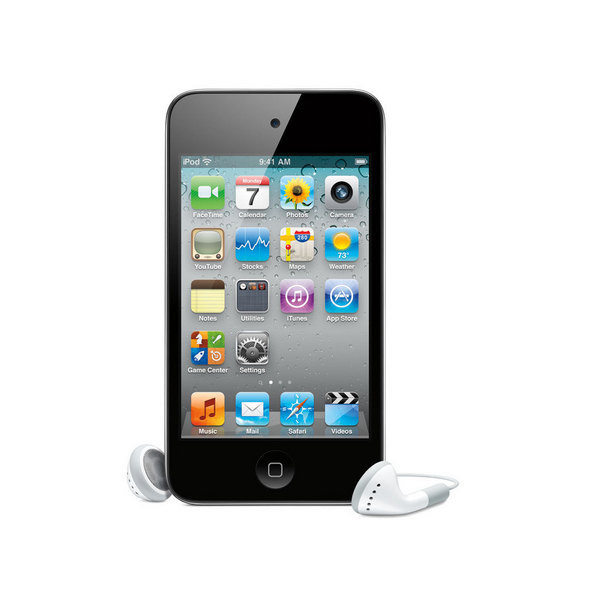
The new iPod Touch 4G comes up with a lot of new hardware making it a bit closer to being "an iPhone 4 without a phone". But really, do you know how the new iPod Touch compares to the iPhone 4?

The guys over at letemsvetemapplem.eu have conducted some tests that show that besides being a few months younger than the iPod Touch 4G, the iPhone 4 still kicks ass...

HDR Camera Enabler Brings HDR to Your iPhone 3G or 3GS

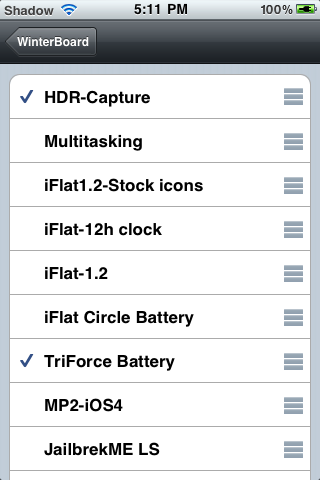
HDR Camera Enabler is a new application available in Cydia that supposedly brings the HDR camera feature to your iPhone 3G or iPhone 3GS. I said "supposedly" because there is no way to test this mod until a jailbreak is available for iOS 4.1.

I really find it odd that this mod was released when there isn't even a jailbreak to support it. I guess it's all based on "theories" and it can't have possibly been tested out yet. Only time will tell whether it works or not...

Australian Photographers Host a Photo Contest Exclusively for the iPhone 4

I wondered when a contest would emerge that featured the iPhone 4, which I figured would be focused on films. Turns out I was wrong in sense that the Australian Commercial and Media Photographers held a competition for photos taken on the new phone.

TUAW reports that the only other rule was that the pictures must be took using Hipstamatic, an App Store entry that offers old styles of lenses and film emulators. Any other manipulation and they'd bounce you down to New Zealand to box a kangaroo...

Will iOS 4.1 Fix the iPhone 4’s Camera Issues?

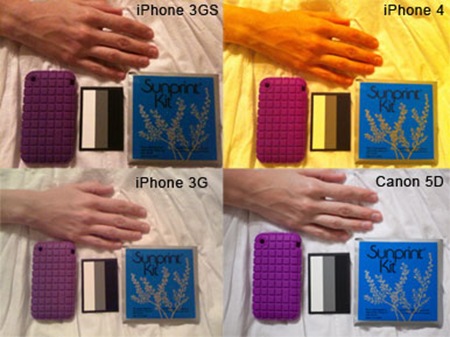
There were certainly no shortage of complaints when the iPhone 4 was released, or perhaps there was no shortage of coverage relating to every issue users experienced. Whatever perspective you take there was an issue that didn't receive much attention compared to the rest. There seemed to be a couple problems relating discoloring of photos in certain light.

TUAW reported on it briefly while forums seem to run wild with complaints. This wasn't the only complaint regarding the camera as Apple's discussion board showed us. Other users seemed to be getting a green blob appearing in their photos with the intensity of the discrepancy occurring while indoors with florescent style lighting.

Screenshots of iOS 4.1 Show HDR Photography & HD Uploading Abilities

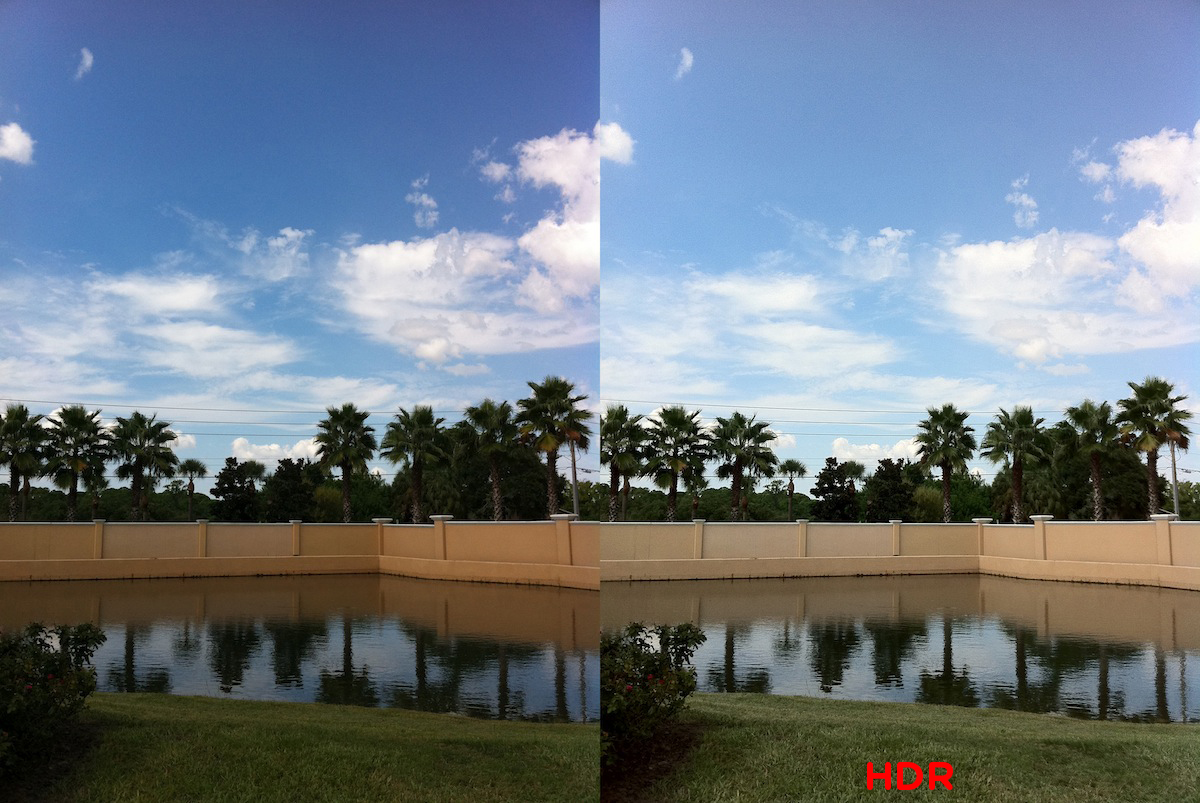
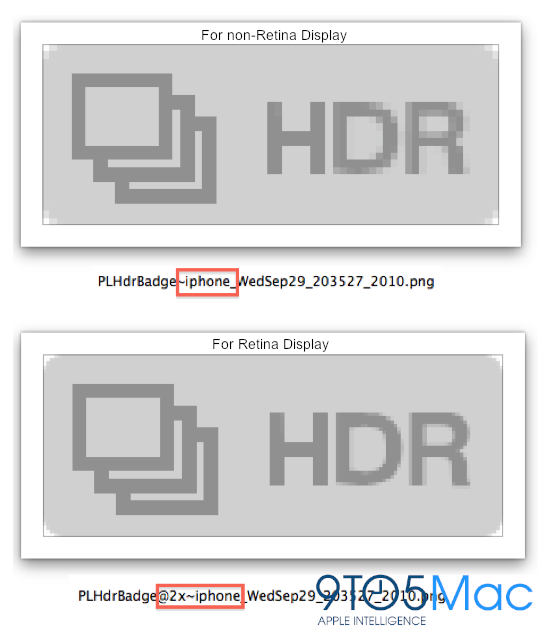
The release of iOS 4.1 will come next week sometime but Gizmodo has gotten ahold of some screenshots that show off the new operating system's fanciest feature. As Steve Jobs announced today the new OS will enable high dynamic range photography, otherwise known as HDR.

For those who are unaware of the premise behind HDR, the feature takes multiple images to create a more colorful splash and sensation for the final product. Whether your a highly tuned photographer or just like snapping shots with your iPhone you'll be able to experience the benefits of having such an ability within your native camera app...

Is the iPod Touch For People Who Don’t Want an iPhone?

Apple's event today wasn't filled with too many surprises. The iPod Touch was beefed up in features that included many of the predicted and leaked abilities that were floating around. Mimicking nearly all of the features of the iPhone 4 makes me wonder now more than ever if the Touch is specifically designed for those who don't want an iPhone.

Adding FaceTime and Retina Display to the Touch gives it both of the best features from the iPhone 4. The speedy A4 chip will make the two devices close to equal in processing time, something that the iPhone previously ousted the Touch in considerably. So what's the difference?

Upload HD Video From Your iPhone With 720tube

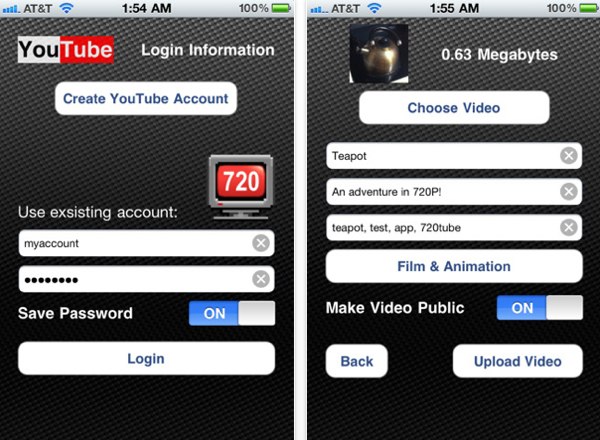
Apple is infamous for creating amazing devices that have one too many steps involved in utilizing them fully. The video camera on the iPhone 4 is a great example of this. Uploading HD video to YouTube was a hassle to master. Not anymore  because 720tube lets you do just that.

You choose your video from your camera roll and login to YouTube both from within the app. Then just add a title, description and other information about the clip like you normally would. Upload and enjoy...

Hey Apple, Lighten Up on Camera+ [Rant]

It's Friday, and (as usual), I feel like ranting before the weekend. On Wednesday we reported that Camera+ had "snuck" in a feature in its application, allowing the user to shutter using the volume buttons. This ability has been atop of the request list of many iPhone owners, in regards to Apple's native camera app. As we predicted, Apple put the kibosh on the useful addition, less than a day after it was made public by various outlets. Apparently Apple took offense to the developers at Taptaptap for actually listening to what the consumer has to say.

More often than not I usually side with the way Apple handles its business. Some have even *gasp*, called me a fanboy of sorts. I'm cool with that. What I'm not cool with is the disregard of public opinion about not only a harmless feature, but a very useful one added to a magnificent application.

Camera+ is no fly-by night app. In fact, it recently reported earnings of over $500,000.00, after Apple's 30% cut, in 60 days! Not a bad chunk of change for 2 months worth of exposure. I'm not suggesting Apple should change its policy because an app is making lots of money, as much I'm asking them what the big friggin deal is? It seems that those in charge got their panties in a bunch because Camera+ had previously tried to include the feature legitimately, but were denied because it was claimed the feature "was too confusing". Thanks for identifying (and in turn, insulting) our level of intelligence, Apple.

I understand that there has to be guidelines and enforcement surrounding the entries into the App Store I can even understand hidden circumvention that undermine policies, such as Handylight (which allowed users to tether for free), needing to be dealt with. Camera+'s "easter egg" wasn't included in the app itself. Those wishing to implement the volume button shuttering had to type an address in their Safari URL, and could also remove the ability doing the same. It was optional, until Apple decided to play enforcer.

There have to be rules, and I get that. But just because a rule exists doesn't mean it isn't a silly rule. Camera+ only "broke" policy because Apple told them their feature wasn't easily enough understood. Ironically enough, its Safari-based addition was easy enough to understand by enough people for Apple to kick the app out of the store.

So lighten up, Apple. Camera+ is and was one of the better applications out there. It enhanced the brilliant ability of both the iPhone 4's camera, and Retina Display. Go hassle some of the developers who promise to "find your friend's phone", or the fortune tellers. In fact, stop the hassling of non-abrasive implementations, and then there won't be these silly rules to break in the first place. Otherwise, be prepared to lose millions to Cydia, who I imagine would welcome such revenue. Just sayin'...
Camera+ For iPhone Sneaks in Volume Button Shutter Hack (For Now)

First let me say that Camera+ is in my top 5 of amazing iPhone apps. On the iPhone 4, this application allows you to maximize your photography abilities to a whole new level, when it comes to taking pictures on a phone. The developers at Taptaptap have snuck in a feature via Safari, that allows you to shutter photos using the volume buttons. Quite handy when you're using a paid app designed to take stable snapshots.

Apple rejected their public attempt, saying “Your application cannot be added to the App Store because it uses iPhone volume buttons in a non-standard way, potentially resulting in user confusion. Changing the behavior of iPhone external hardware buttons is a violation of the iPhone Developer Program License Agreement. Applications must adhere to the iPhone Human Interface Guidelines as outlined in the iPhone Developer Program License Agreement section 3.3.7” Apparently Apple doesn't think we are smart enough to operate the camera via physical buttons.

Fear not though. Just type “camplus://enablevolumesnap” (don't use quotations), into your iPhone's Safari URL box, and Camera+ version 1.2.1 will enable the feature. Want it removed? Just type “camplus://disablevolumesnap”, and you're back to its original state.

Like always when it comes to a developer circumventing Apple's ultimate authority, this won't last long, I'm sure. So you better grab it now, before it's banished into the violators oblivion. I can't help but again think of how many other, less popular apps, have hidden features sneaked into their applications.

[Smoking Apples]

Snappy: the Fastest Camera App for iPhone

Have you ever missed a great picture because your iPhone camera app was to slow to launch? If so, then read on because Snappy might be the answer to your frustration.

Snappy is a jailbreak app available from Cydia that allows you to quicky launch the camera app simply by tapping and holding the status bar.

Look at this demo to see how Snappy works.

Snappy is the kind of app that makes me wonder why Apple hasn't implemented this yet. I mean, it's pretty basic, yet very useful.

Have you tried Snappy yet? What's your take on it?

How to Turn Your iPhone Into An iPad Camera

It's too bad that a great device like the iPad doesn't have a camera. Fortunately, there's an app that will turn your iPhone into an iPad camera. It's not the perfect solution, but it should do the job...

All you need to use your iPhone as a camera for iPad is the Camera for iPad app. After installing the app on your iPad and iPhone, simply launch it on both devices and they will find each other via Bluetooth. Your iPad will then show what your iPhone camera is seeing.

Intuitive controls let you zoom with a pinch or rotate with a swipe. You can just tap the button to take a high resolution photo that is saved onto your iPad.

Camera for iPad isn't just for the iPad! You can connect an iPhone to an iPod Touch, or even connect one iPhone to another, and choose which is the sender and which is the receiver.

Camera for iPad is available from the App Store for $0.99. While I haven't personally tried the app, MichaelB who tipped me on this confirms it works like a charm.

What do you think?

Who Said the iPhone Camera Sucks?

I said the iPhone camera sucks so many times that I can't even count. Lately though, I have rediscovered the CameraBag app and I have been playing with it. I say "rediscover" because I had completely forgotten about this app and stumbled on it again by accident.

If you don't know CameraBag, basically it's an app that allows you to apply some cool filters to your pictures.

Here are a few images I tweaked with Camerabag (pix from my Australia and Thailand trip)

While CameraBag can't improve the quality of the images, I think it does a great job at getting the most out of them.

CameraBag is available from the App Store for $1.99. I know there are other apps in the Store that pretty much do the same job but I'm too lazy to look for them. If you know any, please let us know by leaving a comment.