Camera

The 10 Best App Store Apps of 2010

The App Store has never been a very quiet place. 2010 was no exception; thousands upon thousands of new apps were submitted to the App Store. Most of them aren't worth mentioning, but there have been some exceptional apps that have risen to the forefront of what the App Store has had to offer throughout the year 2010.

We've covered a lot of App Store apps this year on iDB, with the goal of keeping our readers in the know.

Now, we’d like to take some time to reflect on our favorite App Store apps of 2010. Being included on this list doesn’t necessarily mean the app was released in 2010, it just means that it was amongst our most utilized of this year. Drumroll, please…

Yet Another Camera App Sneaks Into the App Store With Added “Perks”

A mere 8 days prior to Camera+ making its way back to the App Store after many months of banishment, a similar app up to the same old trick has made its way into the iPhone's ecosystem.

Surely the developers of Quick Snap have to know by now that using physical volume buttons for anything but volume can earn their app a lengthy timeout, but seeing as this is such a brash move in light of the recent events, we're going to have to side with the developer and claim ignorance...

Camera+ is Back in The App Store

The Camera+ fiasco has been an interesting one to follow. The popular photography app was a sensation when it was first released in the App Store. Then, it was pulled. Just like that. The app was updated with a backdoor to allow a volume button camera shutter, which apparently Apple didn't like.

At the time of it being pulled, Camera+ was considered the crème de la crème of photography apps. Most felt as though Apple should have lightened up on Camera+ by not pulling the app for simply adding a cool and innovative feature. The problem was that Camera+ violated Apple's guidelines on how an app can interface with the iPhone's controls.

We recently reported that Camera+ had announced that its return to the App Store would be very soon. After many months of silence, Camera+ is back and better than ever...

Camera+ On Its Way Back After Volume Button Shutter Debacle

The entire situation that went down with Camera+ probably ranks near the top as one of the weirdest events of 2010 for iPhone owners. This rings especially true if you happened to own or were considering purchasing Camera+ at the time of its banishment.

Essentially the story went like this, tap tap tap -- the app's developer -- snuck in a hidden method to enable the volume buttons to function as physical shutter buttons for the iPhone's camera. Apple didn't like this, and as expected, removed all traces of Camera + from the App Store...

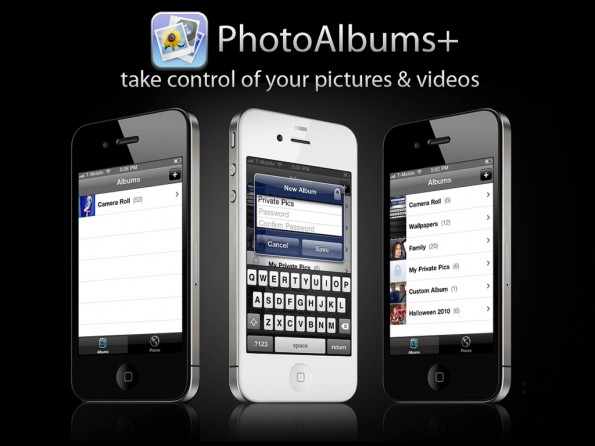
PhotoAlbums+ Makes Managing Your iPhone Photos a Walk in the Park

Call me crazy, but I'm convinced that there's a special roundtable meeting each week at Apple where all they do is sit around projector and examine what jailbreak apps released the previous week.

I can hear it now; "Uh, yeah, and uh, PhotoAlbums+! Yeah, uh, that looks like something we should have had from the, uh, very beginning, let's use that!"

Okay, so that probably doesn't happen, but PhotoAlbums+ is the latest example in a long line of Cydia store releases that will inevitably appear in an upcoming release of iOS. Why do I say this? Take a look inside and see what makes this tweak a no brainer for Photo Album users.

Glif, Now Available for Order

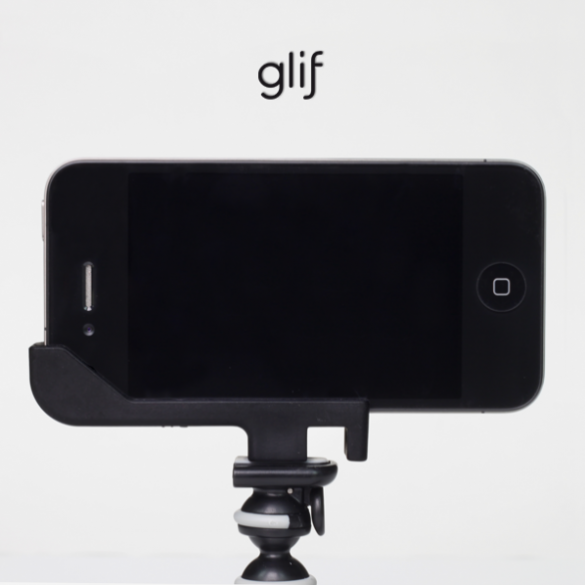
Remember when we told you about an upcoming iPhone accessory called the "Glif"? Well, this highly anticipated all-in-one tripod/mount for the iPhone 4 has finally become available for order.

The product's creators summarize their invention,"The Glif is a simple iPhone 4 accessory with two primary functions: mounting your iPhone onto a tripod and propping up your iPhone at various angles."

If you use your iPhone for causal photography or for viewing videos, this accessory is a must buy...

Tutorial: The Easiest Way to Enable HD Video Recording on the iPhone 3GS

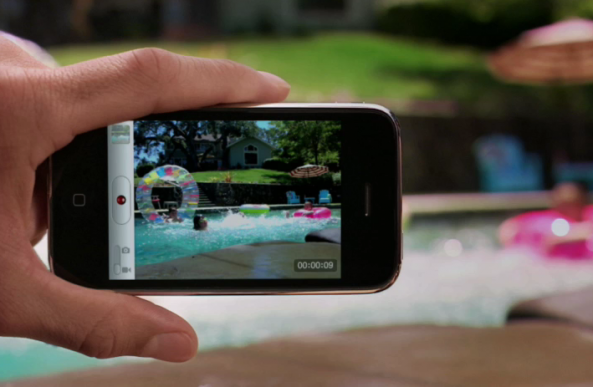
We recently linked to a Cydia app that was rumored to enable HD video recording on the iPhone 3GS. Apparently, that app didn't work. There is, however, an easy way to enable HD recording through some file modifications on your iPhone 3GS.

The 3GS has had the ability to shoot in HD since it was released. Apple, for whatever reason, places a software limitation on the 3GS video recording capabilities. The ARM Cortext processor inside the 3GS is more than capable of handling 720p video encoding. I'm going to walk you through the easiest way to enable HD video recording on your 3GS...

Enable Photo Privacy with SwapCamRoll for iOS 4

Never mind the reasons why you want to hide some pictures, we're just telling you this jailbreak app makes it easier to do. SwapCamRoll is an app for iOS 4 that essentially gives you two camera rolls on your iPhone. Only one is active at a time while the inactive one hides on the "flip side", completely inaccessible on the phone until you activate SwapCamRoll. (You can navigate to either folder through SSH though).

So if you have some er, private pictures that you don't want others to see when they're scrolling through your photos, then you can create an entirely new camera roll that can be swapped out for the default. For some, it just might be the app you never knew you needed!

So how does it work? The app is pretty bare bones, but does have some options that may be confusing to new users. Read on for the breakdown:

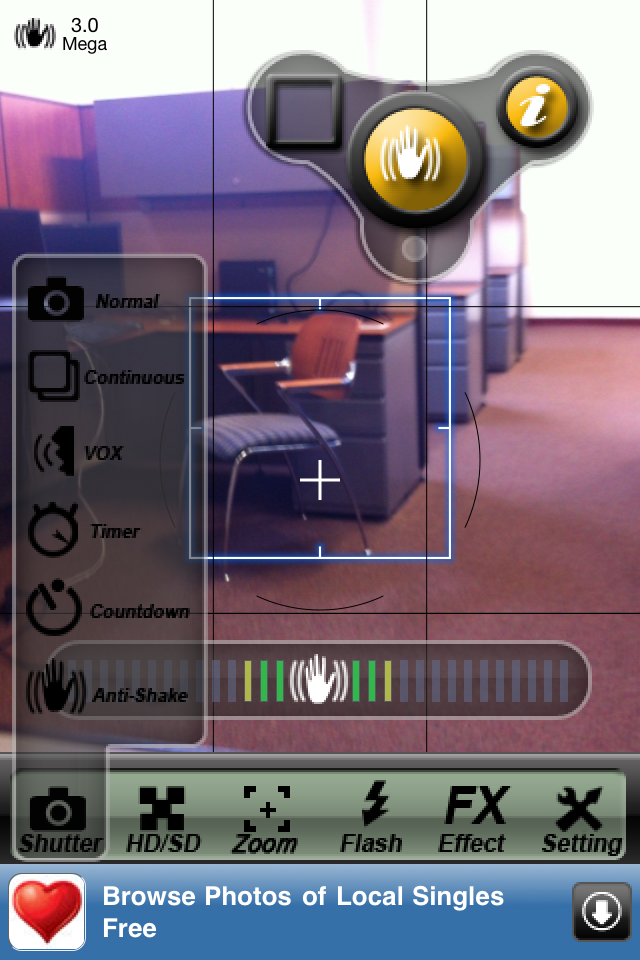
Review: Camera All in One

Camera All in One is a new app for the iPhone by Joypiece software. Camera All in One gives you so many more functions for your iPhone camera that the stock camera app does not.

Ever wanted your iPhone camera to have Face Detection or Anti-shake? Well now it can with this great app. Other features include Voice shutter, Self timer, Countdown shutter, continuous shutter and soft flash for night time picture taking... 

Instagram: A Beautiful Photography App And Social Network

Instagram is a new camera app for the iPhone with a focus on social networking. The app offers some wonderful, lomo-like filters to make your photos not look so crappy. There are dozens of photography apps that do this well, so what makes Instagram special?

Sharing your photos through social networking is a huge part of Instagram. The app’s developer, Kevin Systrom, descibes Instagram as not merely a camera app, but  “a community focused on helping you collect, organize, and share the images of your life from your mobile phone.” Instagram packages this community very elegantly. The look and feel is clean and fast, and there aren’t any gimmicks...

HDR Capabilities Coming to the iPhone 3GS?

Is HDR photo capabilities coming to the iPhone 3GS? It seems like it looking at the discovery 9 to 5 Mac made of what appears to be a future HDR feature in the 3GS. As you can see in this image, there are two icons for the HDR feature inside the SDK. One clearly is for the iPhone 4 Retina Display, and the other is for an iPhone without the Retina Display, which most likely is the iPhone 3GS.

This seems to be pretty good news if it is indeed for real. On the other hand, it could very well be a feature that Apple decided to drop at the last minute which would mean the 3GS will never get HDR...

Use the Volume Button of Your iPhone to Take a Picture

Some of you may already know FastSnap, an application that was previously available on Rock, which was recently migrated to Cydia. FastSnap allows you to easily capture a photo or video inside the camera.app using the volume button of your iPhone.

FastSnap also comes with a few other handy settings. With FastSnap you can also silent the shutter sound when taking a picture. This feature can be enabled from the Settings menu. To quickly launch the default camera app you can also drag your finger over the top Status bar...