Beta

How to jailbreak iOS 6 beta 2 with RedSn0w

As you may have guessed, you can jailbreak iOS 6 beta 2 with RedSn0w 0.9.13dev1. This is a tethered jailbreak, and since the iPhone Dev Team has not updated RedSn0w to work with this latest firmware version, you will need to point to the prior beta firmware in order to jailbreak iOS 6 beta 2.

Check inside for the full step by step tutorial to learn how to easily jailbreak your iOS 6 beta 2 installation.
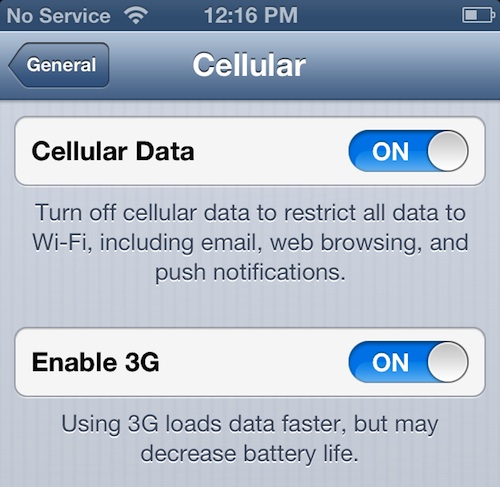
iOS 6 beta 2 brings back ‘Enable 3G’ toggle

Apple rolled out iOS 6 beta 2 to developers this morning, exactly two weeks after releasing the original. We've installed the new firmware, and have been looking everywhere for any significant changes.

While we haven't found any major new features yet, we have noticed a few subtle differences. We've already mentioned the animated install icon, but there's one more addition that folks might find useful...

Apple pushes out iOS 6 beta 2 to developers [updated]

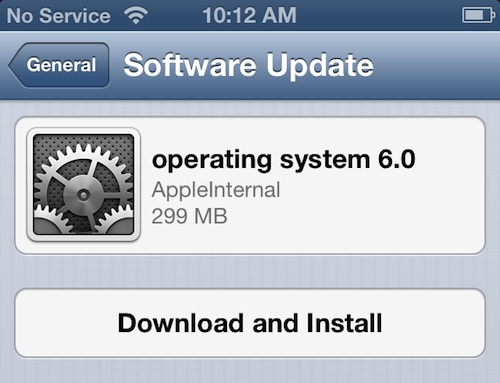
Apple has started pushing out iOS 6 beta 2 to developers this morning. It doesn't appear to be available on the company's dev site yet, but we are seeing it hit our devices via OTA.

We're installing the update now and will let you know if we spot any changes in the new software. One minor difference we've noticed already, is that the gears in the icon (shown above) now spin during installation.

Update: added full change log and a video of the spinning gears animation

Update 2: iOS 6 beta 2 is now available for download in the dev center...

Why you shouldn’t count Apple’s Maps out just yet

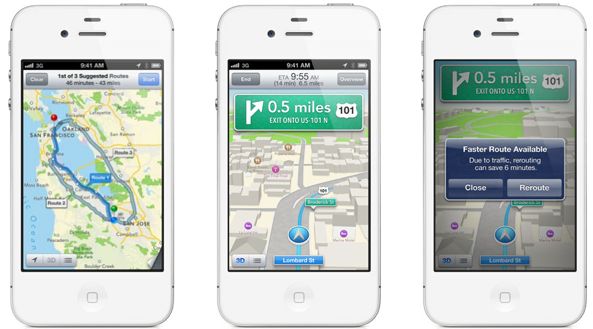
The iOS 6 portion of Apple's WWDC keynote last week was headlined by its all new mapping software. As predicted, the company unveiled a completely rebuilt Maps application with 3D city views and other features.

The app is available in the recently-released iOS 6 beta, and so far, it has yet to impress. On top of missing popular features like Street View and transit directions, it also appears to be missing a ton of street data.

But don't count Apple's Maps out just yet...

How to install Cydia on iOS 6 beta

Last week a tethered jailbreak was released for iOS 6 running on the iPhone 4, iPhone 3GS, and iPod touch 4th generation. While it was great to have a jailbreak so soon, the jailbreak didn't include any GUI tools like Cydia, only SSH and afc2 support were added.

Fortunately, now that we have SSH access, we can transfer and install pretty much anything on our jailbroken iOS 6 devices, including Cydia.

Check inside for the full video tutorial that shows you how to install Cydia on iOS 6 beta...

iOS 6 beta now available for download

Can't wait to get your hands on iOS 6 and its new awesome features? The good news is that if you are a developer, it is available for download right now from the Dev Center.

Get your downloading on and let us know if you find something cool in iOS 6.


Purported iOS 6 beta download links leak ahead of WWDC

An intriguing post from the folks over at WeiPhone.com, a Chinese tech forum, is making the rounds on the internet this morning. The post claims to contain a list of official download links for iOS 6 beta and other unreleased software.

With WWDC starting tomorrow, we definitely expect to see developer betas released sometime in the next 24 hours (happened with iOS 5 last year). But if these links are legitimate, then we're all in for some big surprises...

How to run Absinthe 2.0 on OS X 10.8 Mountain Lion

It has been brought to our attention that Absinthe 2.0 doesn't work normally on OS X 10.8 Mountain Lion. When you click on the app icon to open it, nothing happens, and the Absinthe interface doesn't load. That's not entirely a surprise considering that Mountain Lion is still in beta, but more than a few of you have expressed troubles with the issue.

Likely, this was just an oversight by the hard working folks behind the Chronic Dev Team, and it will probably be fixed in an updated version of Absinthe. Until then, it's incredibly easy to work around this problem and run Absinthe 2.0 successfully to untether jailbreak your iOS 5.1.1 device. We show you how inside...

A look at TwitkaFly’s new Facebook plugin

Earlier today I had the opportunity to spend some time with the new Facebook plugin for TwitkaFly — the popular jailbreak tweak available on Cydia.

TwitkaFly is a tweak that allows you to send Twitter updates from anywhere by means of a user-configurable Activator action. It is also one of the most well supported tweaks that I know of, which speaks volumes for moeseth, its developer.

This new plugin will allow you to update your Facebook status, send a tweet, or do both at the same time. If you'd like to see how it works in action, then by all means take a gander...

We’re giving away three ‘Lima’ beta invites

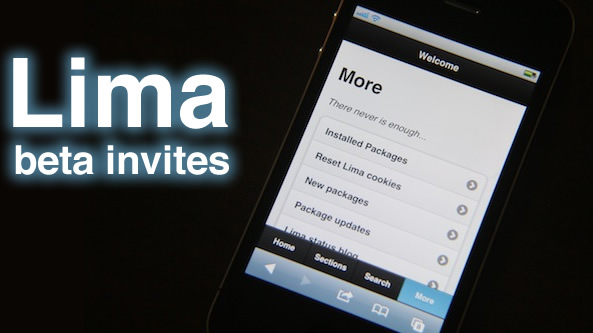
Last week we brought you an in-depth look at Lima — the web-based Cydia alternative for jailbroken iOS devices. Needless to say, we were thoroughly impressed by what we saw.

If you're anxious to get your hands on Lima, then here is your chance. As promised, we're giving away three Lima beta invitations.

Want one? Check inside for the details...

How to enable fast Notification Center background blurring

Looking for an instantaneous method for blurring the background after invoking Notification Center?

If so, then perhaps Ryan Petrich's longwinded FastBlurredNotificationCenter will suit your needs.

This is a free jailbreak tweak available on Petrich's beta repo, which causes an instant blur effect for Notification Center.

Inside we have a brief video of it in action, along with the link you need to score a free copy for yourself...