Apps

Apple to start requiring apps to use iOS 8 SDK, offer 64-bit support in February

Apple sent out a notification to developers today, giving them a heads up on a few upcoming changes to its App Store submission policy. Posted in its developer portal, the bulletin says that beginning in February of next year, iOS applications must meet two new requirements.

Starting February 1, 2015, new apps and updates must be built using the iOS 8 SDK (software development kit), and they must include 64-bit support, otherwise they will be rejected. Apple made a similar announcement around this time last year for iOS 7 app optimization.

Apps with support for Apple Pay

Alongside today's launch of Apple Pay, the App Store is featuring a running list of apps that have been updated to include support for Apple Pay purchases. These apps can accept payment on any iPhone 6, iPhone 6 Plus, iPad Air 2, or iPad mini 3 with iOS 8.1 installed and Apple Pay configured.

A number of apps have received updates with support for seamless purchases with Apple Pay, and several more apps will follow suit in the near future. We've complied a list of apps, complete with links, that support Apple Pay and will be adding to it as updates are released, so check back soon. If you know of an app that supports Apple Pay but isn't featured here, please let us know in the comments below or via email at tips@idownloadblog.com.

Google Play Newsstand adds iPhone 6 support

Google Play Newsstand (formerly Google Currents), the search giant's official Flipboard-inspired software for the iPhone and iPad, received a small update Monday bringing native display support for the iPhone 6 and iPhone 6 Plus.

In addition, the new version features an improved download progress interface for offline content and contains unspecified bug fixes. Google Play Newsstand is available as a free download from the App Store.

TechCrunch reports that the search giant will also update the official Google Play Music client for iOS and Android later today with Songza-style functionality.

As you know, Google purchased Songza earlier this year. Like Apple-owned Beats, the service specializes in finding the right music to fit your mood.

Apple Store app updated with Apple Pay support

Folks looking to test out the just-launched Apple Pay service, but don't have the option to try it in-store, can download the latest version of the Apple Store app. Apple just posted an update for the digital storefront that adds support for the new one-touch mobile payment service.

Folks who have a compatible Apple Pay device, who have updated to iOS 8.1, can set it up either through the Passbook app or in Settings. Once you have a card on file, apps updated with support for the service will offer Apple Pay as a payment option during the checkout process.

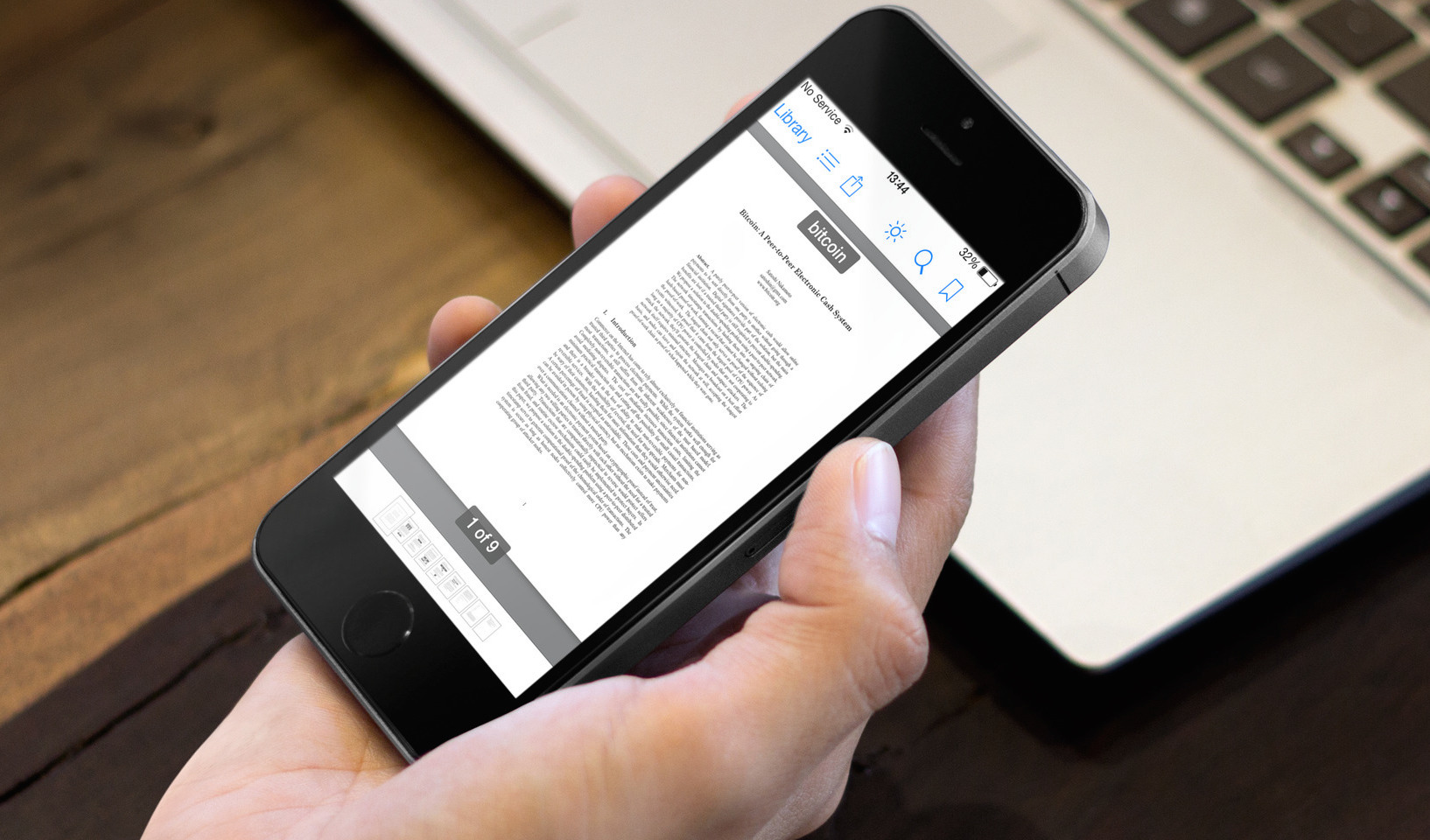
GoodReader gains Touch ID protection, iCloud Drive enhancements, new iPad features and more

Following a recent update which added basic support for iCloud Drive, enabled Handoff and implemented support for the iPhone 6 and iPhone 6 Plus screen sizes, Yuri Selukoff's excellent file manager and PDF reader, GoodReader, got updated Monday with a slew of new features and goodies.

Available as a free update to existing users, the new GoodReader 4.6 now lets you protect the app with Touch ID fingerprint authentication, open and annotate documents kept in your iCloud Drive without copying them into the app's private storage and more.

Flickr updated with iOS 8 Share Extension, native iPad interface with unified search and more

Yahoo's Flickr photography service this past weekend issued an update to its iOS app bringing, at last, native interface on iPads, a new Share Extension on iOS 8 so you can post photos to Flickr from any third-party application which support system-wide Share sheets, the ability to access and edit photo details in the mobile app, use unified search across your photos, albums, groups and Flickr photos and more.

Flickr 3.2 is available free in the App Store.

Dropbox for iOS updated with support for iPhone 6 and Touch ID

Great news for Dropbox users this evening, as it appears the online storage service pushed out an update for its iOS client this weekend. Dubbed version 3.5, the new build of the app brings about support for the higher resolution displays of the iPhone 6 and 6 Plus, and other enhancements.

In the change log, Dropbox lists a fix for previewing RTF files on iOS 8 and other general stability and performance improvements. It also notes that users with an iPhone 5s or later, running iOS 8 or later, now have the option to unlock their Dropbox accounts using Touch ID fingerprints.

The best PDF management apps for iPhone and iPad

Thanks to technological advancements like the iPhone and iPad, we no longer have to cut down as many trees in order to keep productivity going. With the features that many PDF readers have, you can download a document, sign it, and return it to the sender without having to print out a single piece of paper.

If your list of PDF files is growing by the minute, you might need a dedicated app for keeping them organized, while still allowing you the ability to annotate and edit. We’ve got a list of what we think are the best PDF management apps for iPhone and iPad that will let you edit, annotate, or even sign PDF documents.

Copy & Paste is a handy clipboard manager widget

Sometimes, I want to quickly access a very specific or short bit of text, like a phone number from an email that I don’t want to save to my contacts, or a quote from a movie that I want to remember to share with a friend. I will usually copy text and save it in my Notes app, but there is now an easier way to store multiple copied pieces of text without having to even open an app.

Copy & Paste | Clipboard Widget is a simple app with one very useful feature. Copy any bit of text or image and it will automatically be saved in the Today section of Notification Center. You don’t even have to keep the app open in Multitasking for it to work.

Apps of the week: Helix, NBA 2K15, Alien Blue, and more

Well, all of Apple’s new product announcements are done for the year, unless they spring another one on us within the next couple months. Now that you’ve got your new iPhone 6 and are about to get your iPad Air 2, you’ll be ready to sit this winter out with all the apps and games your heart desires. If you are looking for something fun to add to your new device, we’ve got a list of apps and games we think you’ll find very interesting.

Tumblr launches new desktop app in the Mac App Store

Tumblr today released a new desktop application for OS X Yosemite in the Mac App Store. Complementing the micro-blogging site's iOS client, the new app allows users to browse Tumblr, post to their own blogs, and perform various other actions.

The UI is very minimalistic, and goes great with the new design language in Yosemite. The app also takes advantage of a few OS X features such as Full Screen mode, and the Share button—you can post to Tumblr from almost anywhere on your Mac.

Wunderlist for iOS gets 1Password integration, Mac app gains Handoff, Today widget and more

Wunderlist, an increasingly popular cross-platform to-do and task manager by German developer 6Wunderkinder, got updated both for iOS and OS X with cool new features.

The iOS edition now includes support for 1Password signing and the ability to see your to-dos in iCal while fixing UI issues on iPad and more.

The Mac edition has received a substantial Yosemite-ready refresh adding a more productive Today widget in the Notification Center, interactive push alerts, a more powerful “Add to Wunderlist” feature along with the complete Handoff experience for seamless moving between devices and more.