Apps

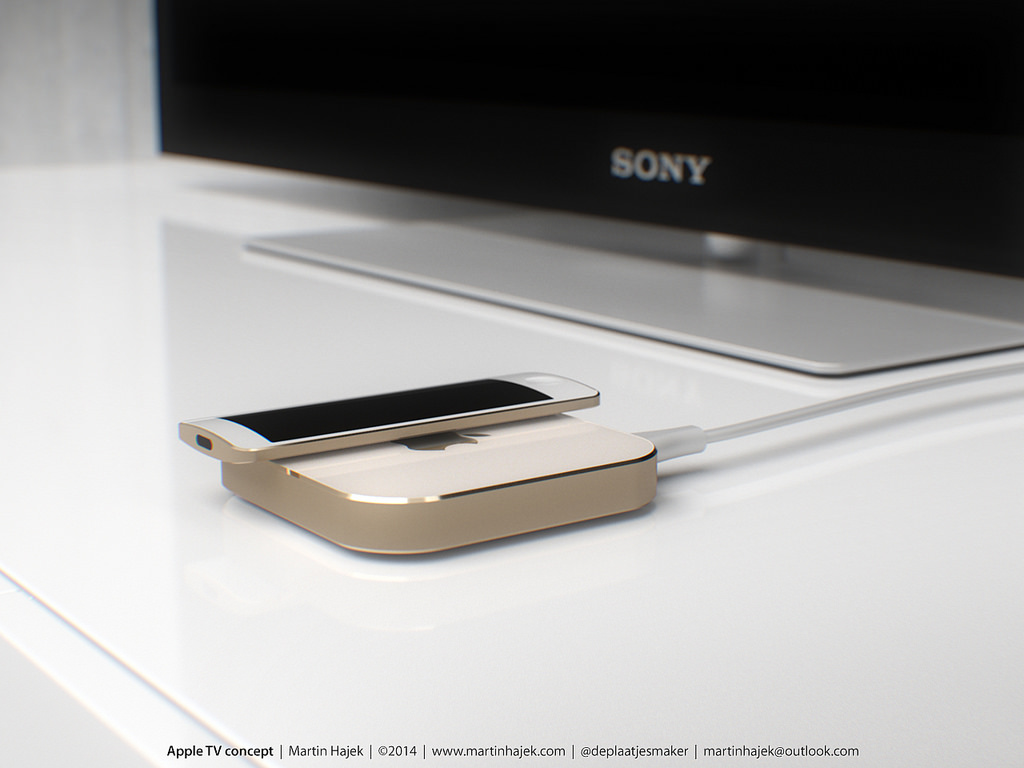
Maximum size of an Apple TV app limited to 200MB, apps must store all data in iCloud

It's interesting that we haven't seen any major triple-A games shown off as part of today's on-stage demos of third-party applications for the new Apple TV.

Now it's clear why: the existing multi-gigabyte iPhone and iPad games such as the Infinity Blade trilogy, Asphalt 8 and many more must be refactored to fit the inexplicable 200MB limit for an Apple TV app.

This means that assets like new levels and worlds will be retrieved on demand from the App Store, indicating Apple is positioning its new box as a casual gaming device for your living room rather than a full-on gaming console.

Apps and games make their way to Apple TV

Apple on Wednesday announced a new version of the Apple TV, and it is awesome. It has a redesigned remote control, a refreshed interface, and support for voice commands via Siri. But what really pushes the device over the top is its support for native apps and games.

As expected, the next-generation set-top box features an App Store, and Apple invited some developers up on stage today to give us an idea of its potential. The game you see above is a Wii Sports-like motion game, called Beats Sports, from Rock Band developer Harmonix.

eBay 4.0 for iPhone and iPad drops with redesigned UI, easier access to top deals, promotions & more

Online retail giant eBay is celebrating its 20th anniversary today. To mark the occasion, the company has released a long-expected revamp to its iPhone and iPad bidding app in the App Store.

For starters, eBay 4.0 for iPhone, iPod touch and iPad, a free download, sports a revamped appearance along with an all-new app icon. At long last, the app is now universal and provides an easier access to top deals, promotions and events, “balanced with streamlined ways to access the powerful eBay features you’ve come to rely on.”

Wunderlist picks up emoji, list icons, new setting and other perks in latest update

Wunderlist, the popular to-do list and tasks software that Microsoft purchased this summer, has received a few new features for the iPhone and iPad in its most recent update issued Monday, available at no charge in the App Store.

Wunderlist 3.3.1 now allows you to turn your list name into an emoji character icon. Due Dates and Reminders have been revamped and a new option added to settings to disable Smart Due Dates.

Amazon Prime Music gains search suggestions, curated collections, sleep timer and more

Following a major update to Amazon's video-streaming client for iOS which now allows offline playback for Prime movies and television shows, the online retail giant today gave its Prime Music app a little love, too.

The new Amazon Prime Music 5.0 for iOS introduces curated collections featuring hand-picked music, search suggestions to make music discovery even easier, a brand new sleep timer feature and more.

Review: this is my ‘Next Keyboard’ for iPhone

In my December 2014 preview of Next Keyboard I wrote the app had the potential to become “the first iOS keyboard done right”.

What started out as the most funded app project on Kickstarter by Toronto-based award-winning studio Tiny Hearts Apps has become a reality.

I'm pleased to report that Next Keyboard is now available for download in the App Store.

Rather than mindlessly pile features one on top of the other like many other developers do, Next enables efficient typing in a stylish environment that's easy on the eyes, without distracting you from the task at hand.

It's got everything you've come to expect from a software keyboard, including predictive typing, lightning fast editing, playful stickers and colorful themes, instant access to all the emojis you love, including stickers, and much more.

I've spent some quality hands-on time with Next Keyboard, here's what I found.
Flick Kick Football goes free as Apple’s App of the Week

Apple has selected Prodigy Design's "Flick Kick Football" as its App of the Week for this week. This means that from now through next Thursday, you can download the popular football arcade game for both your iPhone and iPad, for free—a solid savings of $1.99.

For those unfamiliar with the title, Flick Kick is a simple football/soccer game that has you scoring goals as quickly and as stylishly as possible by swiping your screen. It has multiple game modes, charming retro graphics, and the physics are smooth and accurate.

Google releases standalone Street View app for iPhone and iPod touch

A month ago, Google promised to release a standalone Street View mobile app “early next month.” Today, the Internet giant has made good on that promise as the all-new Google Street View app just hit the App Store (actually, it soft-launched in August 2014, but today's update feels like a whole new app and anyone can use it now).

Available for the iPhone and iPod touch, it lets you browse and enjoy Google's awesome street-level photography.

With this software, you can move and pan around by dragging your finger on the screen and even upload your own 360-degree photography to Google Maps to share your photo spheres with the world.

Google Photos for iOS gains photo reordering, selective backup, better sharing and more

Less than two weeks following a refresh that brought out a Timehop-like feature for rediscovering your photos from the past, Google Photos for the iPhone and iPad on Thursday received another noteworthy update.

The new Google Photos 1.3 for iOS introduces four distinct improvements to your photo-management workflow, like the ability to reorder photos in your library and another one letting you selectively back up individual photos and videos.

Skype issues a thorough revamp of iPhone and iPad app with new features

Microsoft-owned Skype on Thursday announced a major redesign of its mobile application for the iPhone, iPad and Android devices. The new Skype 6.0 for iPhone and Skype 6.0 for iPad (still two separate downloads) features a sleeker look that the company says was “built for both the iPhone and iPad,” includes simpler navigation, a more powerful search and improved multi-tasking when switching between call and chat screens.

Review: WatchWeb for Apple Watch kinda brings web browsing to your wrist

Like the Apple TV, your Apple Watch lacks the built-in Safari browser. Even though the case can be made quite easily for surfing the web on a big screen TV from the comfort of your couch, who in their right mind—and why— would want to squint at the tiny screen to read webpages?

No one, that's right. But still, what if you could browse the web from your wrist? If you argue that an Apple Watch web browser is a terrible, terrible idea, I'm with you.

But what if there was a way to quickly look up information, sports scores or anything else on the Apple Watch that Siri can't do for you? Enter WatchWeb, a web browser of sorts for the Apple Watch by Conifer Apps.

It's a novel idea that certainly has legs, but boy is it iffy. I had mixed results during my hands-on time with WatchWeb so read on my review for the full reveal.