Accessibility

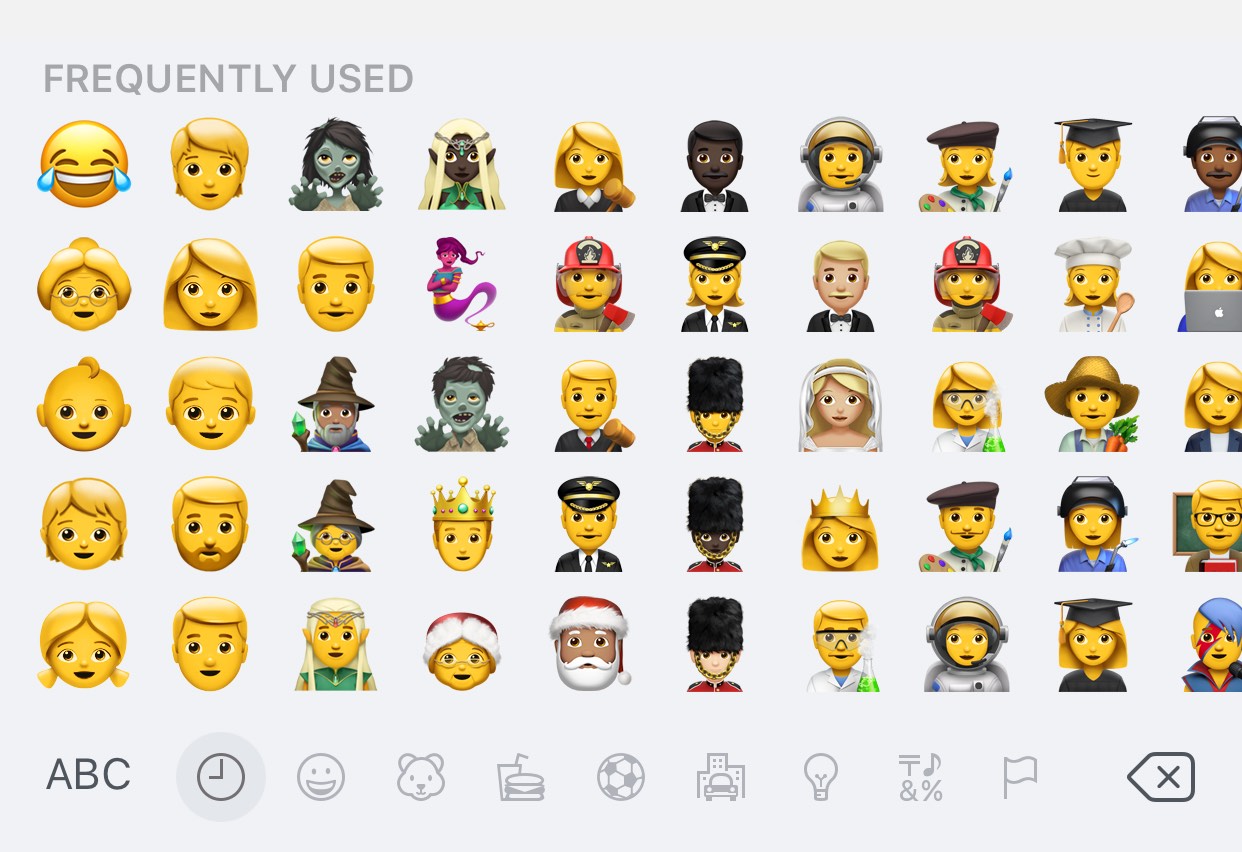
This tweak makes the iOS keyboard display 50 Frequently Used Emojis

If you send and receive Emojis from your iPhone or iPad often, then you’re probably familiar with the iOS keyboard’s “Frequently Used” section.

The Frequently Used section hosts the top 30 Emojis you use most often for faster access, but with a new free jailbreak tweak called MoreFrequentlyUsedEmojis by iOS developer A_H_Rabie, you can now increase that number to 50.

Lock down your apps and improve notification privacy with PrivaSee

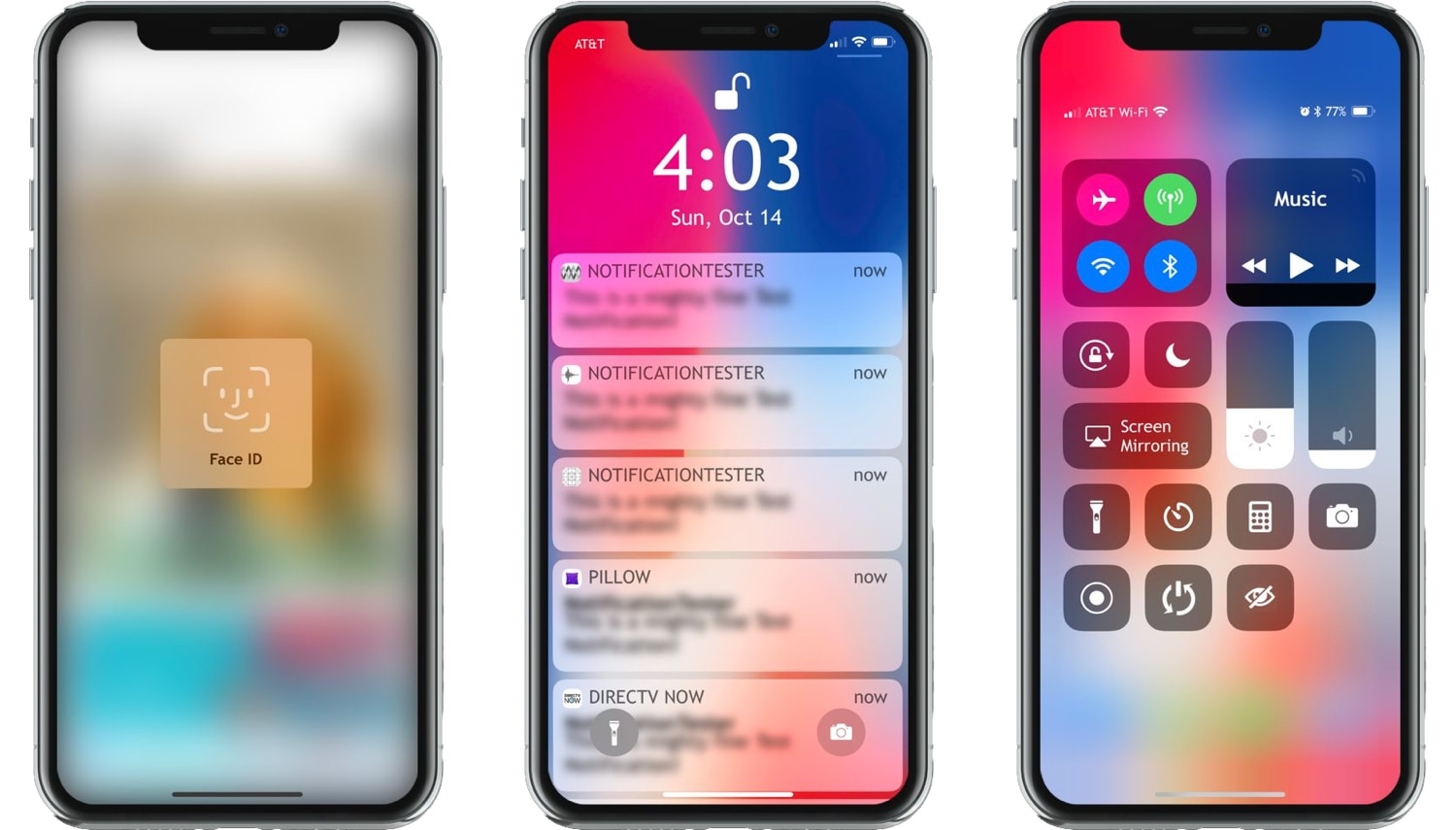
If you’re like most people, then your privacy is important to you. Fortunately, a new jailbreak tweak called PrivaSee by iOS developer smokin1337 can augment your iPhone’s privacy features with an elegant blur effect that can only be dismissed with the help of biometric authentication.

PrivaSee does a variety of things to help improve your privacy throughout your daily workflow. Not only can it lock other people out of apps on your device, but it can protect the contents of incoming notification banners until you’ve authenticated yourself with Face ID or Touch ID.

Make critical notifications stand out from the rest with Priority

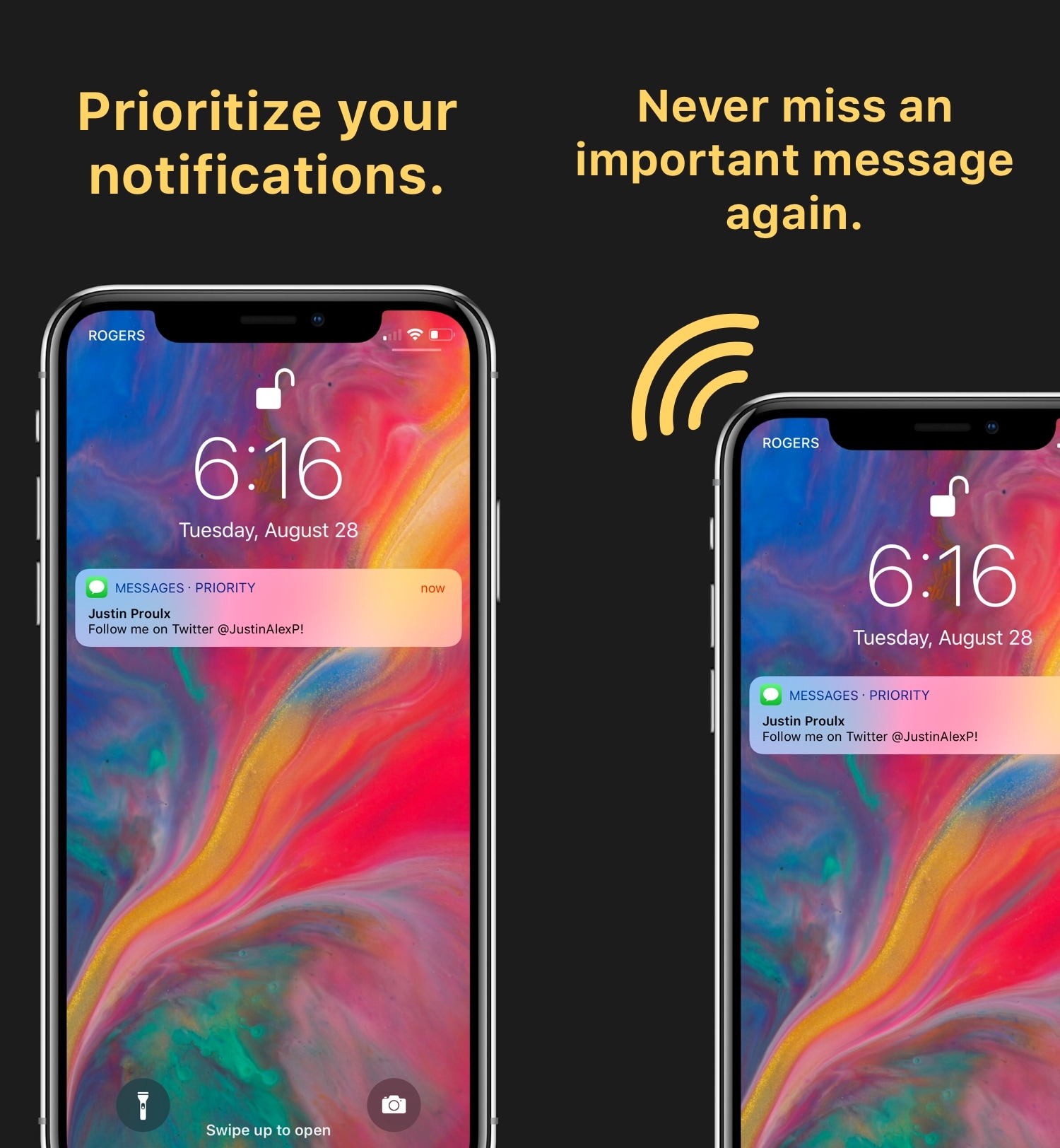
If you’re like me, then you might consider some of your notifications to be more important than others. But because of how iOS handles them, it’s easy for the most important notifications to get buried underneath all the noise from the rest of your apps.

Although Apple’s notification system isn’t perfect, a new jailbreak tweak called Priority by iOS developers Justin Proulx and Ayden Panhuyzen brings it one step closer. It can help you discern critical notifications at a glance without compromising those from other apps.

ShortLook is an OLED-friendly notification system for iOS

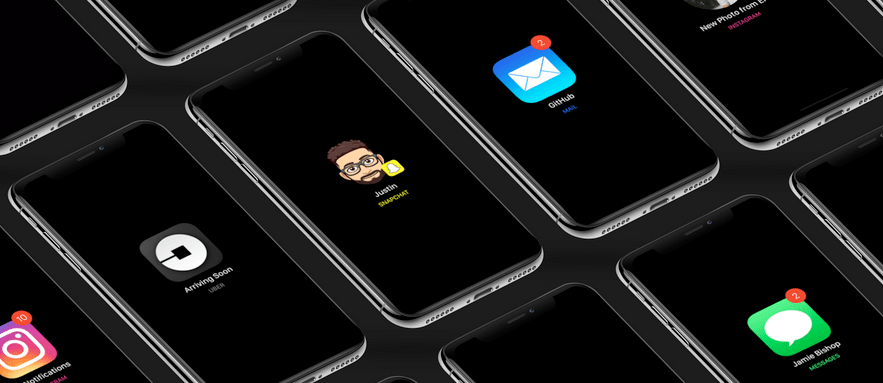
If you’re looking for a new way to receive notifications from your favorite apps, then you might take an interest in a new jailbreak tweak called ShortLook by iOS developers Ayden Panhuyzen, Jamie Bishop, Justin Proulx, and Jose Hernandez.

ShortLook represents your incoming notifications with a fresh coat of paint. While they’d typically appear as banners on your Lock screen, ShortLook depicts them as customizable glyphs that are then centered on a black or transparent background.

NoMoreSkinToneSuggestion prevents iOS from nagging you about skin tones for Emojis

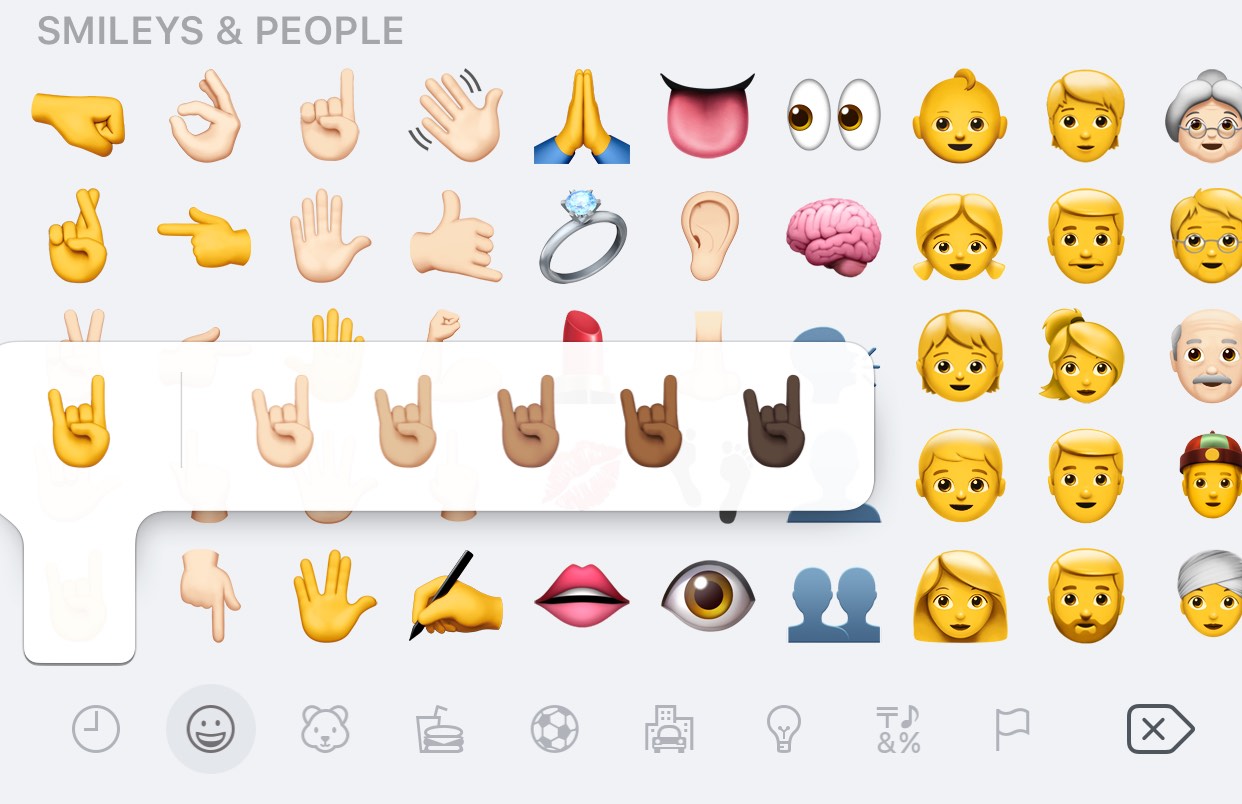
Certain Emojis, especially those depicting hand gestures, support a variety of different skin tones, which are configured on a per-Emoji basis. If you’ve never set a skin tone for a particular Emoji before, then you’re likely to encounter the interface shown above when tapping on it.

While there’s nothing wrong with choosing a skin tone for your Emojis, it’s rather annoying how iOS asks you to select a skin tone for each Emoji individually instead of remembering your choice for all of them. Fortunately, a new free jailbreak tweak dubbed NoMoreSkinToneSuggestion by iOS developer A_H_Rabie prevents iOS from asking about skin tones once and for all.

FastDeleteX skips the “Recently Deleted” album when deleting pictures from iOS

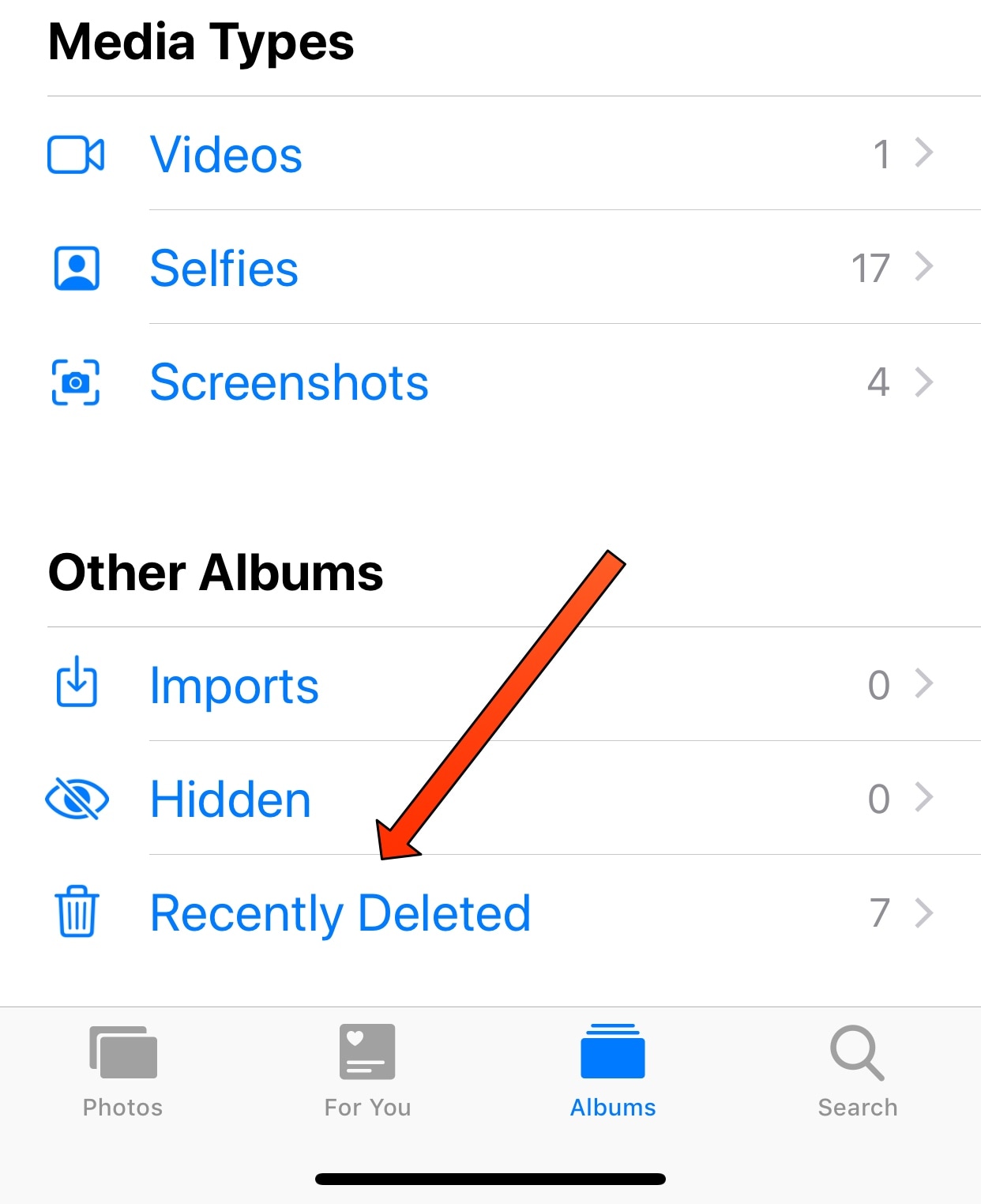
One of my pet peeves concerning photo deletion on iOS is that everything you delete gets sent to the “Recently Deleted” album in the Photos app rather than being permanently deleted. The result is that you end up deleting everything for a second time to remove it from your device.

Albeit a safety measure in case you change your mind or delete something by accident, this feature creates more work than some people want to deal with. Fortunately, a new free jailbreak tweak called FastDeleteX by iOS developer Mohammad Ghzayel solves this problem for anyone who feels the same way I do.

Send Separately streamlines bulk messaging without the headache of group conversations

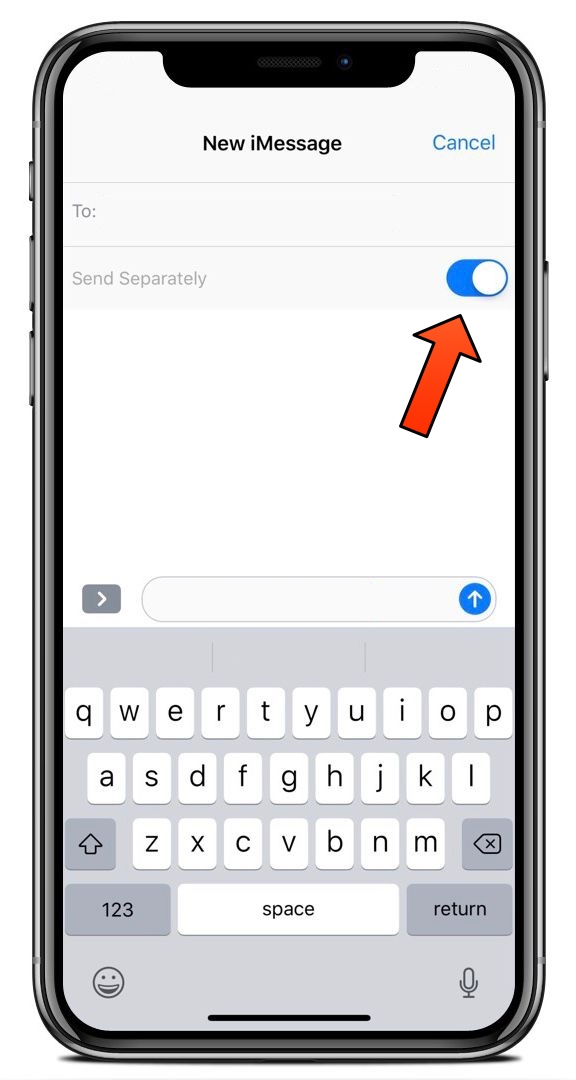
Upon refreshing your Cydia sources, you may happen upon a new free jailbreak tweak called Send Separately by iOS developer NeinZedd9.

Although it seems like a subtle tweak at first glance, don’t be fooled. Send Separately can potentially save you a ton of time and frustration when sending bulk messages to friends and family, such as during holidays or special events.

This tweak automatically dismisses Siri when she sits idle for too long

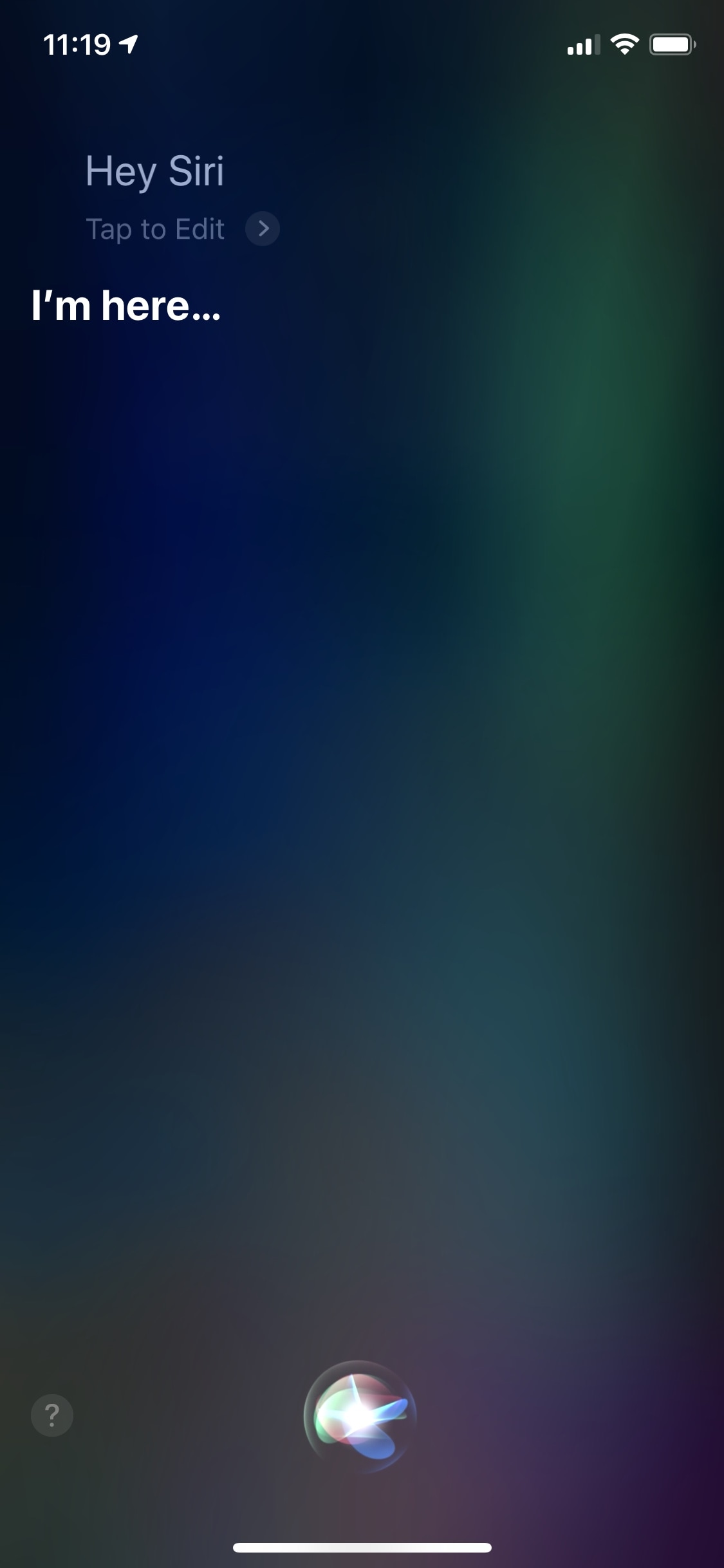
Depending on how you use Siri throughout your workflow, you might find a new free jailbreak tweak called AutoDismissSiri by iOS developer Andreas Henriksson to be an advantageous supplement to your jailbroken handset.

Just as the tweak’s name implies, AutoDismissSiri adds a timeout period to the Siri interface. That said, if Siri would idle on your device for a specific amount of time, then the interface closes automatically.

LendMyPhone brings Guest Mode-like functionality to iOS 11

Macs come with a Guest Mode right from the factory, but the iPhone and iPad do not. This becomes an issue when you’re asked to share your device with friends and family, as it puts your own privacy at risk.

But all these concerns stop a new jailbreak tweak called LendMyPhone by iOS developer Luke Muris, which brings a well-planned Guest Mode to jailbroken handsets.

NavAway intelligently hides the navigation bar relative to scrolling direction

Upon refreshing your Cydia sources this week, you should take note of a new free jailbreak tweak called NavAway by iOS developer Wh0ba.

Just as the tweak’s name suggests, NavAway makes your iPhone’s navigation bar magically disappear as you scroll down in specific scrollable applications. When you begin scrolling back up in the app, NavAway intelligently reveals the navigation bar again for your convenience.

This tweak breaks down cellular data usage from uninstalled apps

Unlimited data plans are everywhere these days, but a significant percentage of the population still uses capped plans. Anyone in the latter category likely pays closer attention to their monthly data usage than unlimited users do. But in any case, iOS’ native cellular data monitoring system leaves a lot to be desired.

Fortunately, a new free jailbreak tweak called ShowGoneCellularData by iOS developer Kevin Muller can help. This tweak compels iOS to display detailed cellular data usage stats for apps you’ve previously removed.

Notepad lets you type notes to yourself directly from the Lock screen

Random events happen throughout the day, sometimes prompting you to jot things down in your Notes app, so you don’t forget them. But wouldn’t it be great if you type notes to yourself without having to unlock your handset?

Notepad is a new jailbreak tweak by iOS developers NeinZedd9 and Ayden Panhuyzen that makes this possible. The tweak adds an easily-accessible note-taking interface directly to the Lock screen so you can begin typing notes whenever you need to.