Tutorial

Learn how to master your Apple devices with our comprehensive tutorials. From iPhone and iPad to Mac, Apple Watch, AirPods, and more, our expert guides will help you unlock the full potential of your Apple products. Discover new features, tips, and tricks each day to enhance your user experience.

What to do if iTunes doesn’t recognize your iPhone or iPad

If you ever sync your iPhone, iPod touch, or iPad with iTunes, then more than likely you've experienced hiccups at some point in time where iTunes has been unable to find or recognize your device.

You have it plugged in, but for whatever reason, it just doesn't show up in iTunes. What gives?!

In this piece, we'll go over what to do if iTunes doesn't seem to recognize your iOS device when you plug it in to your computer so that if and when it happens to you, you'll be prepared to tackle the situation.

How to turn off AMBER, Emergency, Public Safety, and Test alerts on iPhone

AMBER Alerts, Emergency Alerts, Public Safety Alerts, and Test Alerts on iPhone

Your iPhone comes equipped with government notifications, such as AMBER, Emergency, Public Safety, and Test alerts. These time-sensitive notifications are pushed out to individuals by their carriers based on their location and can be useful for a variety of reasons. On the other hand, if you don’t think you’ll be using them anytime soon or you get sick of seeing them on your device, you can always disable them.

How to add location to photos and videos in Photos for Mac

With Photos for Mac, Apple pulled an iWork: that is, the re-imagining of how you should organize and manage your photos across devices originally wasn't as feature-complete as the now phased-out iPhoto used to be.

That's especially the case if you consider the need to edit location for some photos in your library: it wasn't before the OS X 10.11.3 El Capitan software update that Photos for Mac got this ability.

How to remove games you’ve uninstalled or no longer play from Game Center

With Game Center, you can play your favorite games with friends who have an iPhone, iPod touch, iPad or Mac. Game Center is also where your global leaderboards, achievements, challenges, high scores and other data are stored for each Game Center-compatible game you play.

Some people also find this particular feature a major nuisance over being bugged with notifications and invites for the games they no longer have installed on their device.

Thankfully, you can easily remove any game that you no longer play from Game Center with a quick swipe.

Tip: use this secret Siri Remote shortcut to manually send tvOS diagnostic logs to Apple

Much like other Apple devices, your Apple TV lets you elect to have tvOS periodically send usage data to Apple and share crash logs with developers. When Share with App Developers is enabled underneath the Diagnostics Data heading in Settings → General → Privacy, your Apple TV will send diagnostic and usage information to Apple.

This data is used for the sole purpose of improving Apple's products and services. None of the collected information identifies users personally but those who are concerned about their privacy will likely have this feature disabled, just in case.

There are cases when Apple might ask you to send them these log files manually—for instance, when using the Apple TV's hidden remote diagnostic feature to help an advisor troubleshoot any problems you may be plagued with.

Thankfully, tvOS has a secret Siri Remote shortcut to override your Privacy settings and manually send those crash logs and diagnostic data straight to Apple.

10+ things to do if your Mac won’t switch on

MacBook powering on and showing the Apple logo with a progress bar below it

Most of the time, when you want to use your Mac, you can just press the power button or lift the MacBook screen, hear a startup sound, and your computer will begin booting, so you can use it.

Sometimes, however, you don’t get so lucky. There may be a time when you go to use your Mac, and it doesn’t turn on at all.

As reliable as Macs can be, they can hiccup occasionally. In this piece, we talk about what you can do to troubleshoot if your Mac won’t power on after you press the power button.

How to reveal and use tvOS’s hidden remote diagnostics mode on your Apple TV

Nearly five years ago, Apple started taking advantage of a new feature that lets customers send diagnostic data to an Apple advisor to help troubleshoot any problems they might be having, without having to take their device to an Apple Store Genius.

This remote diagnostic mode, which has since been implemented across all iPhone, iPod touch and iPad devices, is also available on the fourth-generation Apple TV. In this quick tutorial, you're going to learn how to access and take advantage of tvOS's hidden Diagnostics screen on your Apple TV.

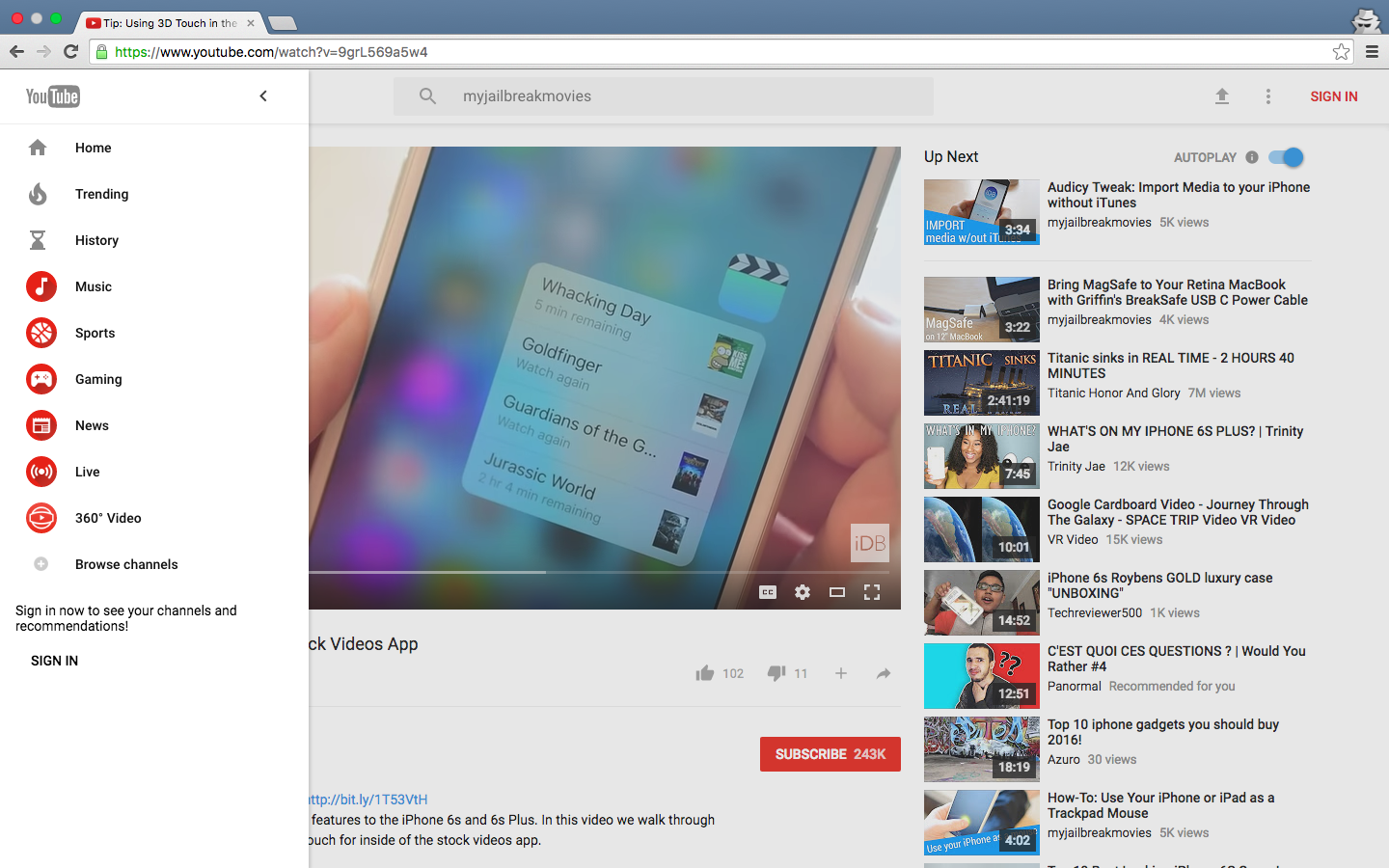
3D Touch tips and tricks for the stock Videos app

In this day and age of YouTube streaming and on-demand video, the stock Videos app feels a little outdated and way too limited in terms of features though it gets the job done.

With the Videos app, you can watch movies, televisions shows and music videos that you bought or rented from the iTunes Store, as well as enjoy your personal clips synchronized from iTunes on your computer.

On the iPhone 6s and iPhone 6s Plus, using the Videos app is a little more engaging thanks to 3D Touch. In this tutorial, we'll let you in on 3D Touch shortcuts and gestures that are available  in the Videos app.