Apple is launching an updated version of Shortcuts later this year, which includes a handful of new elements to help improve the feature.
Shortcuts in iOS 13 get conversational, suggestions, and a built-in app
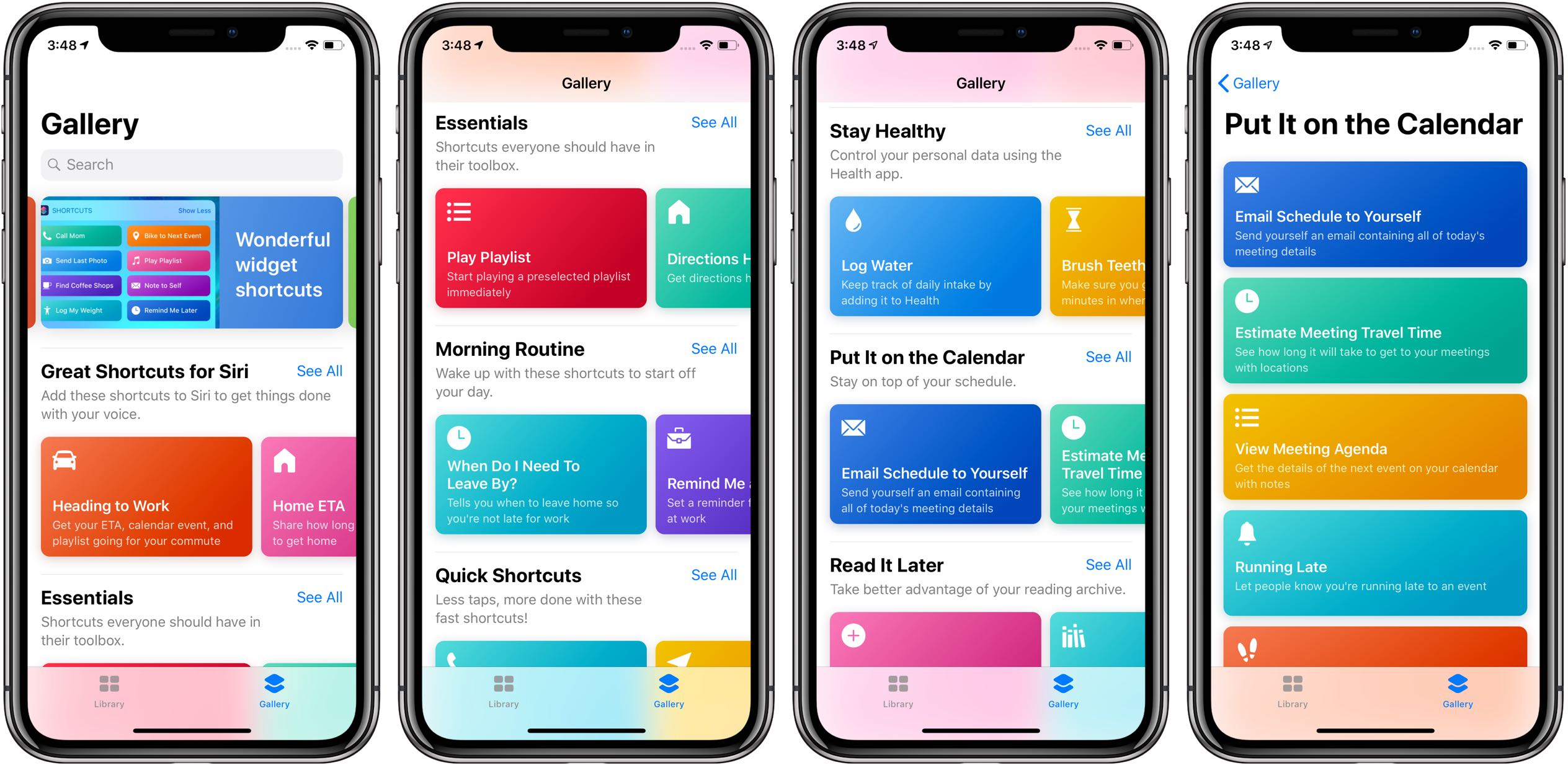
Apple is launching an updated version of Shortcuts later this year, which includes a handful of new elements to help improve the feature.

If you love keyboard shortcuts for navigating Safari, Mail, or Finder on your Mac, then this list is for you. We’ve compiled handy keyboard shortcuts that help you quickly move through your Dock and the apps that you keep in it.
Here are 13 Mac keyboard shortcuts to make better use of your Dock.

If you have a lot of tweaks installed on your jailbroken iOS handset, then you probably have a plethora of dedicated preference panes lurking in your Settings app. With that in mind, it can be useful in a pinch to have shortcuts to the preference panes you use the most.
With the aforementioned concept in mind, we’re excited to show you a newly-released free jailbreak tweak called QuickPrefs by iOS developer AnthoPak, which makes some of your most-used jailbreak tweak-centric preference panes in the Settings app easier to access.
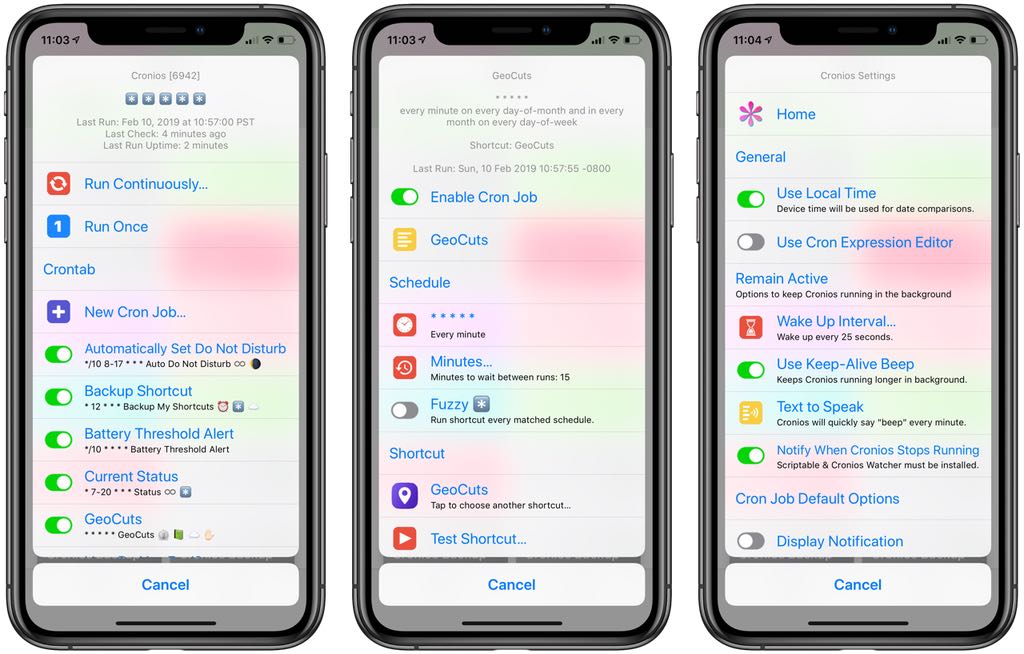
Wouldn't it be great if your shortcuts could run on an automatic schedule, in the background, without any further intervention on your part? Cronios makes that possible by bringing some impressive scheduling powers to your iOS automation scripts.
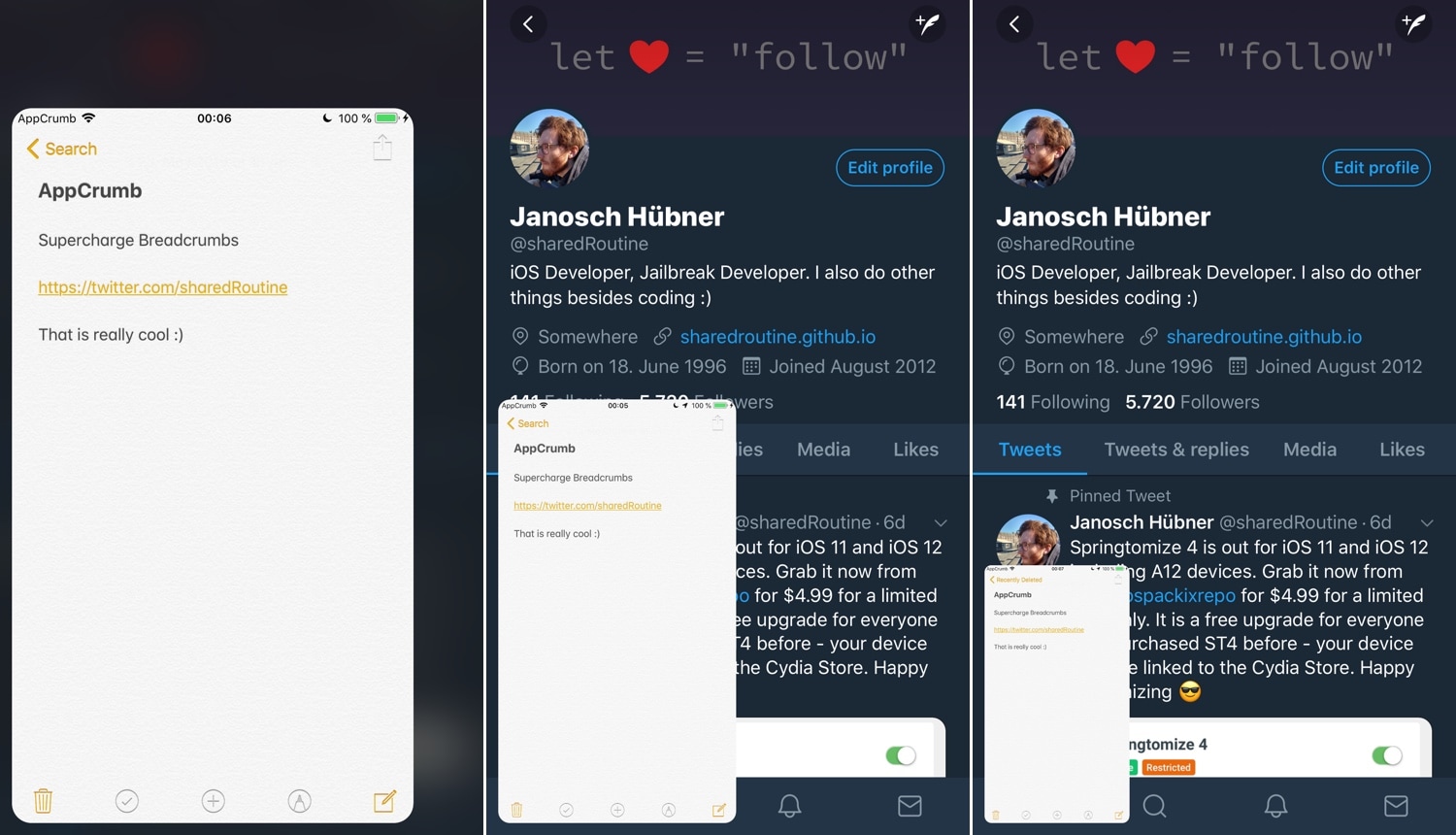
Sometimes when you tap on a link on your iOS device, your handset bumps you from one app to another. Under these circumstances, iOS puts an interactive shortcut in the Status Bar known as Breadcrumbs so that you can return to the previous app, but Apple could have done so much better in this department.
If you’re in agreeance, then you might want to peek at a newly-released jailbreak tweak called AppCrumb by iOS developer sharedRoutine. It improves Apple’s Breadcrumb links by replacing the standard Status Bar shortcut with a more full-fledged windowed app experience.
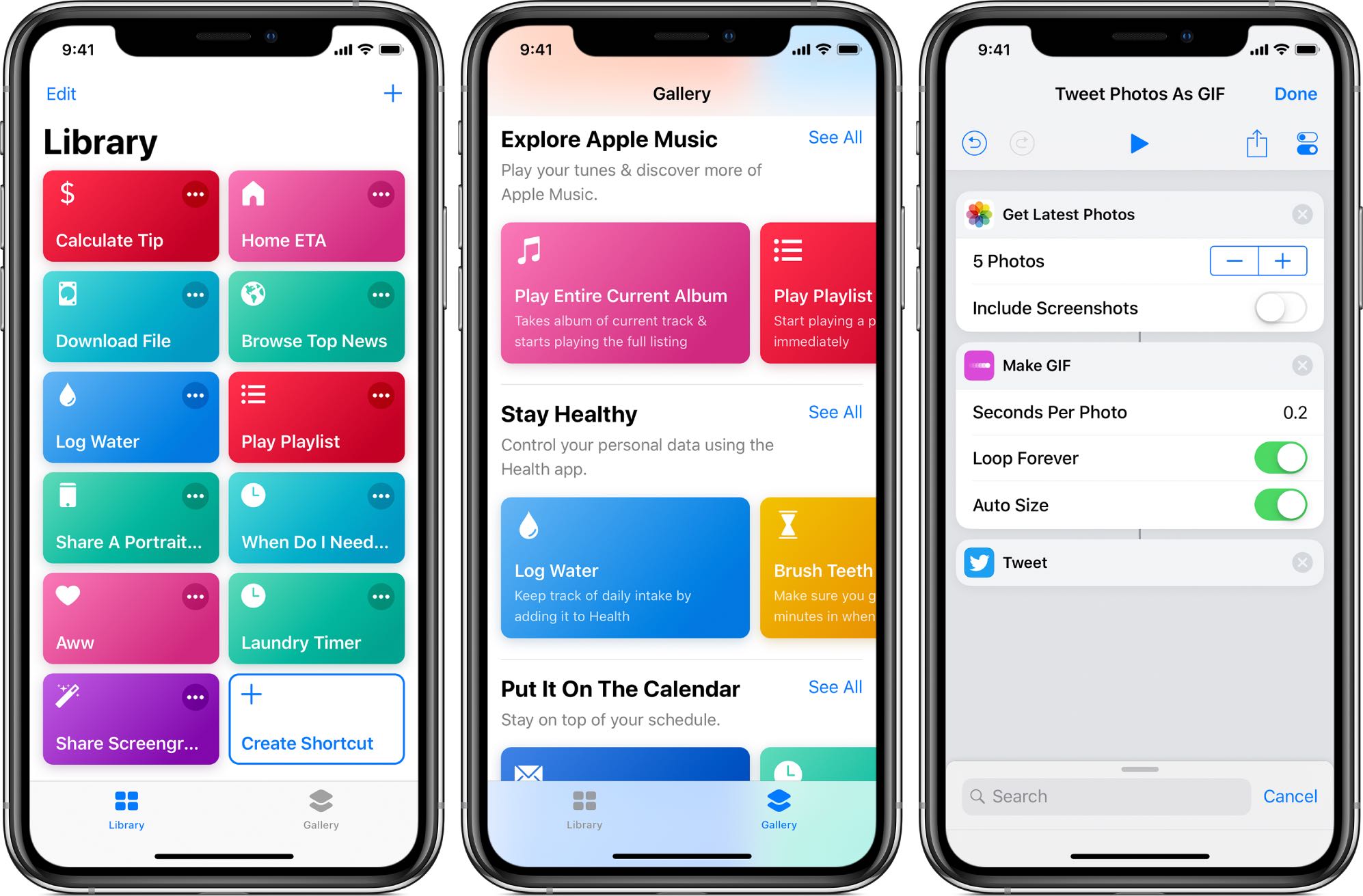
Apple's not made distributing scripts for its Shortcuts app particularly easy as there's no central repository where people could upload and share their own shortcuts with everyone else.
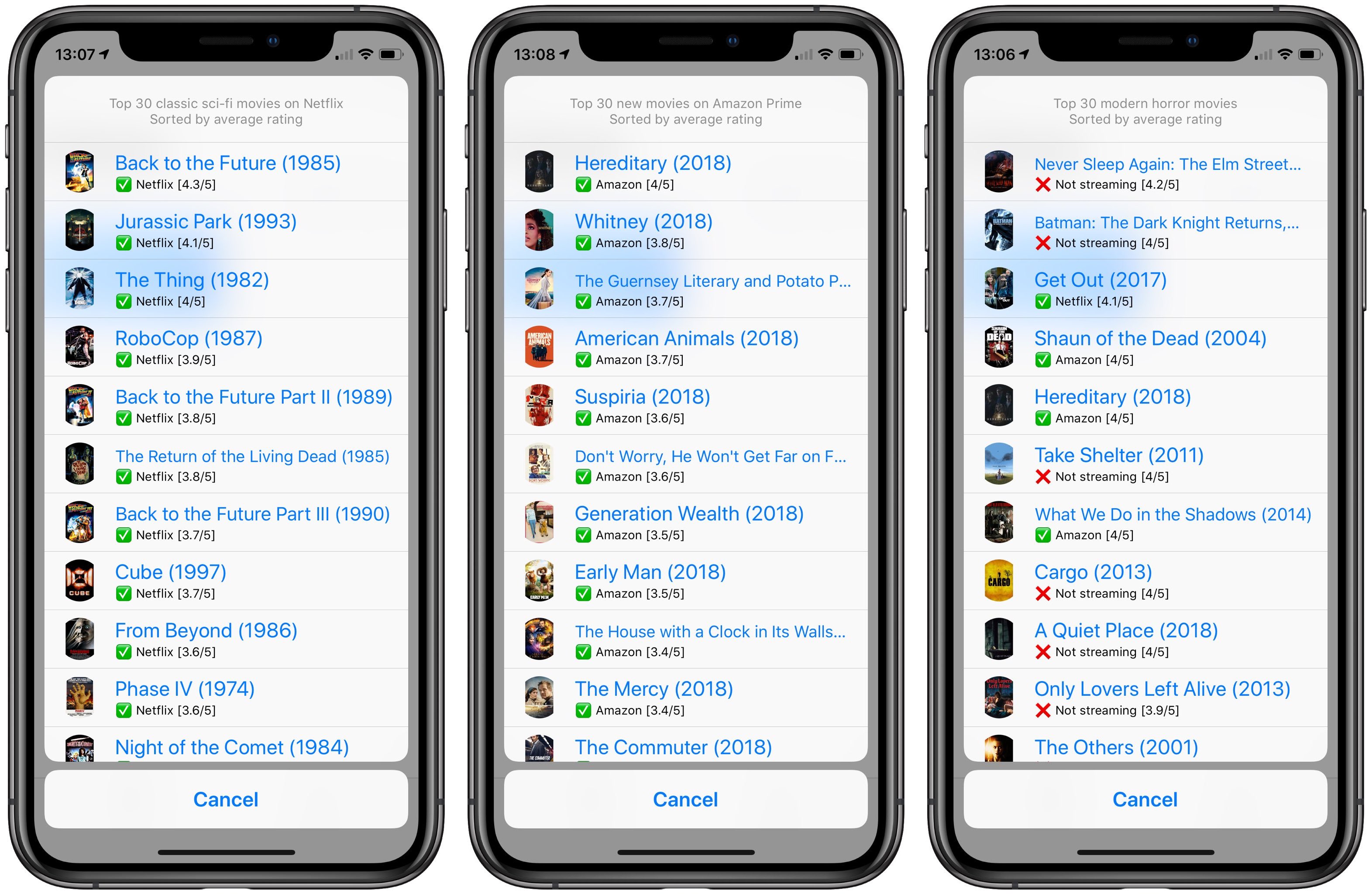
When it comes to movies and TV shows, popular streaming services offer more content than you could ever watch in a lifetime. Hence, finding the very best movies and TV shows is essential. If you've ever struggled to pick what to watch on Netflix or Amazon Prime, this handy shortcut lets you effortlessly find the best movies streaming on those services.
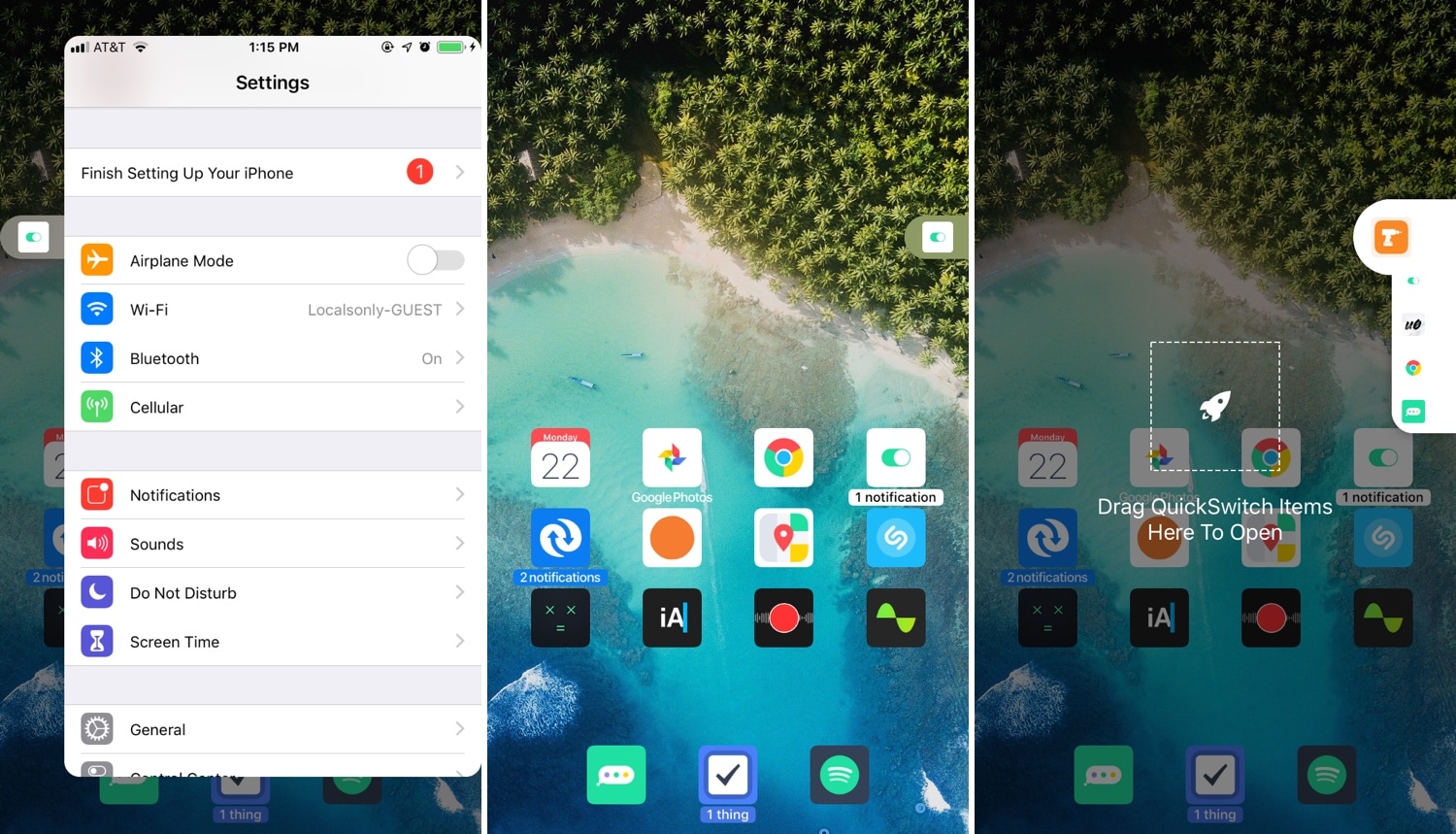
Multitasking is something that the iOS platform has always fallen short on, and that’s precisely why we’re excited to talk to you about a newly-released jailbreak tweak called PullOver Pro by iOS developer c1d3r.
As you might’ve noticed from the screenshot examples above, PullOver Pro is exactly what it sounds like. The tweak adds a small grabber to the side of your display that you can interact with to gain quick access to your favorite or most recently-used apps.
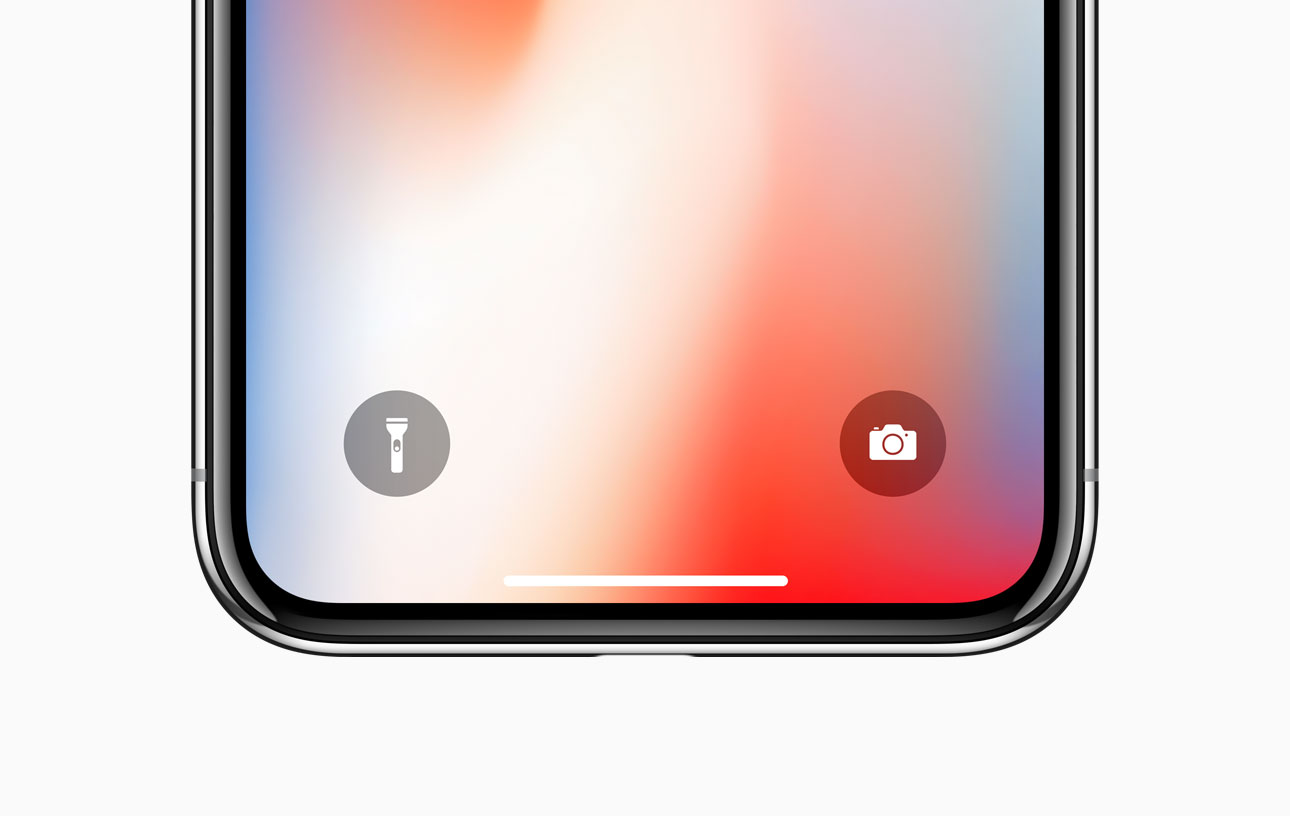
If you own any of Apple’s notched handsets, such as the iPhone X, XR, XS, or XS Max, then you’re already familiar with the two small shortcuts that appear on the bottom left and right of your Lock screen for the Flashlight and the Camera.
These shortcuts are incredibly useful in a pinch, and yet Apple never thought to provide them for users of older, non-notched handsets. Fortunately, you can now change that with the help of a free jailbreak tweak called ShortcutEnabler by iOS developer NoisyFlake.
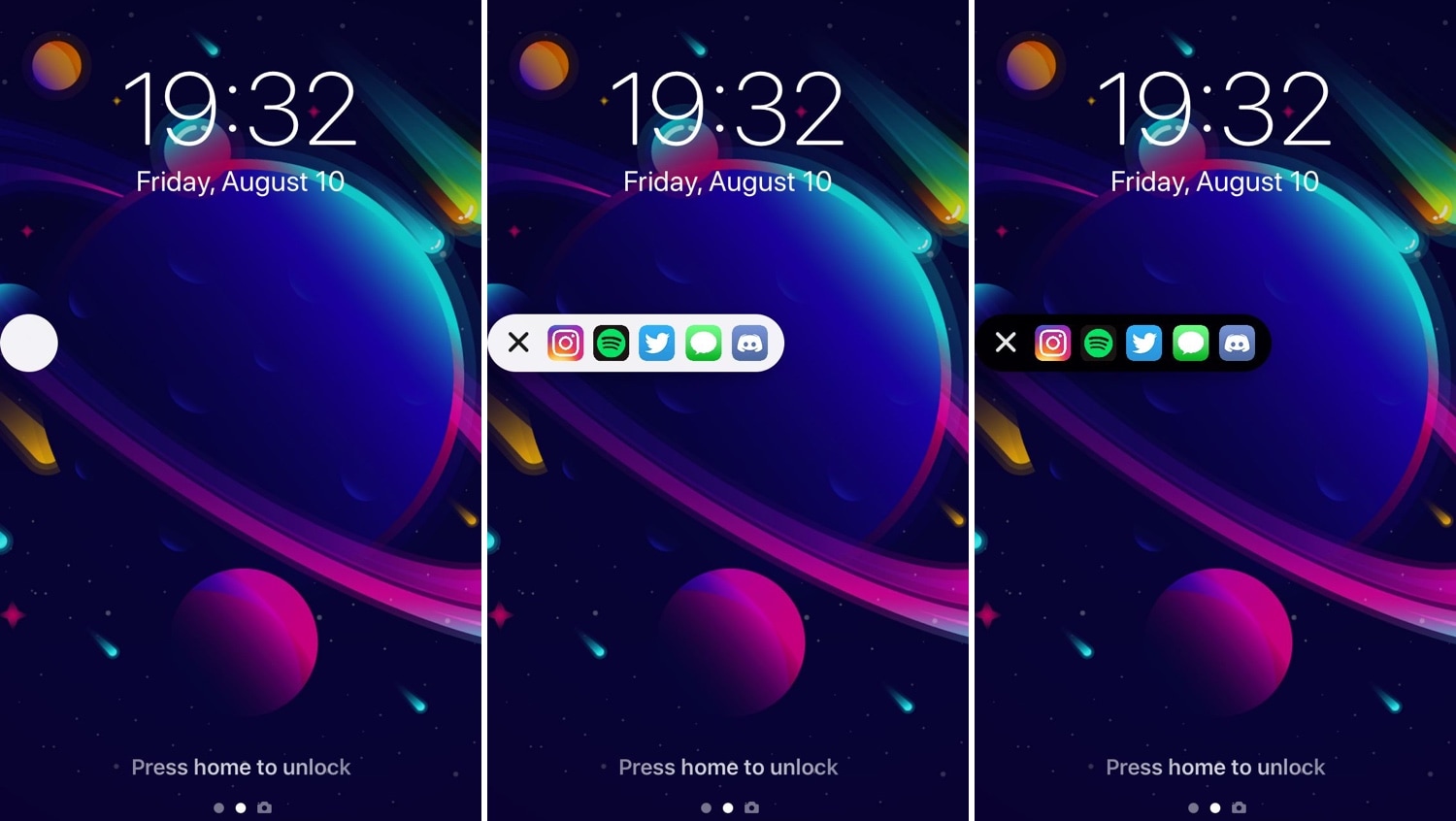
I’ve always been a fan of application shortcut-centric jailbreak tweaks, and that’s one of the reasons why I’m excited to show you a new release called AppShortcut by iOS developer donbytyqi.
AppShortcut is a customizable system-wide application shortcut interface that provides you with quick access to your favorite apps whether you’re on the Lock screen, Home screen, or in the middle of an app already.
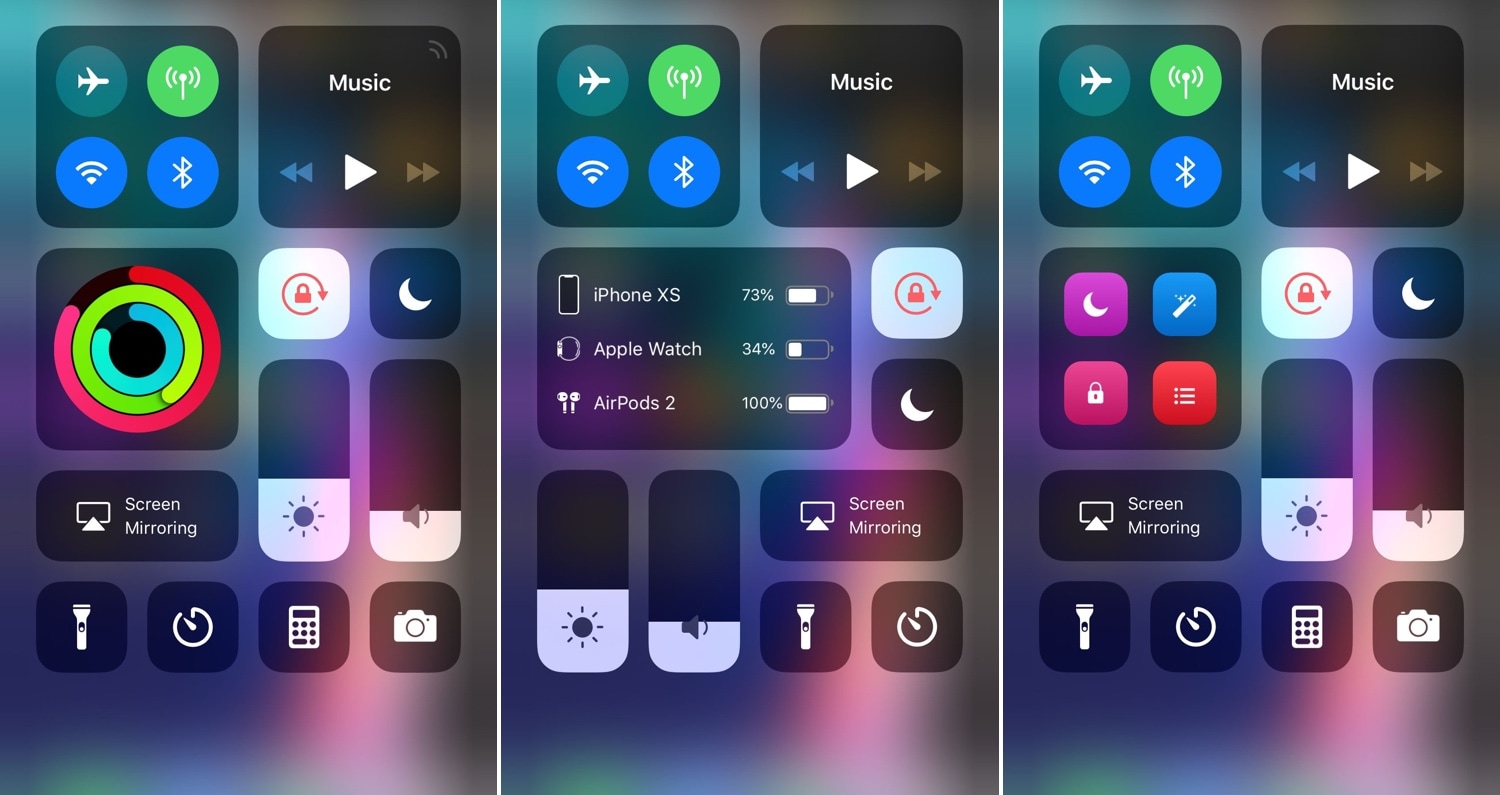
Making the Control Center interface modular was perhaps one of the greatest things Apple ever did to improve the iOS experience. On the other hand, Apple left a few things out of the interface from the start and hasn’t yet opened the platform to third-party developers for custom toggles and shortcuts. With that in mind, it certainly pays off to have a jailbreak.
A new jailbreak tweak called Modulus by iOS developer LaughingQuoll brings a slew of new third-party modules to the Control Center interface, and at first glance, each of the new modules seem to be rather impressive.