Reminders

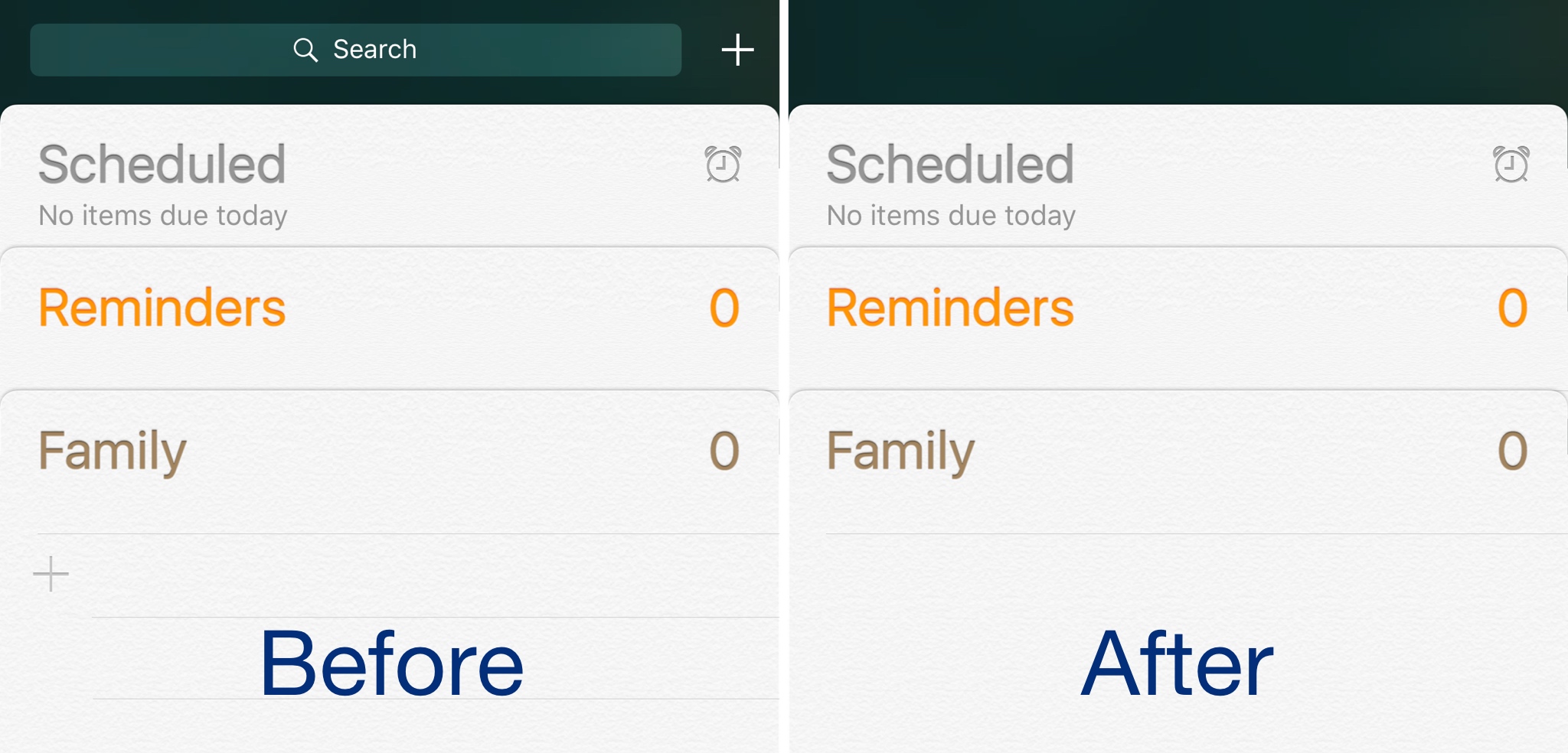
This tweak hides the search bar from the Reminders app

Frequent users of Apple’s Reminders app know how useful it can be for organizing a busy thought process, but some people don’t like that they can’t customize it.

Those with jailbroken devices have a little more customization leeway, and new free jailbreak tweak called HideReminderSearchView by iOS developer CydiaGeek lets jailbreakers flex those muscles.

Frustrated with Reminders? Taskful could be the answer to your woes

Not all tasks are created equal. No doubt you either have taken the trash out or you have not, but there is a vast number of daily challenges that are conquered in increments, tasks that can be taken on for an hour, then sidelined at their half way point and ultimately capped off in the afternoon. Users of Apple’s Reminders app might know the struggle to approximate a progression-based task to the binary reminder framework we are provided: ever tried to make the Reminders app nudge you every day until you have hit the treadmill five times per week, or let's say read ten chapters of your book? For all intends and purposes, it’s cumbersome.

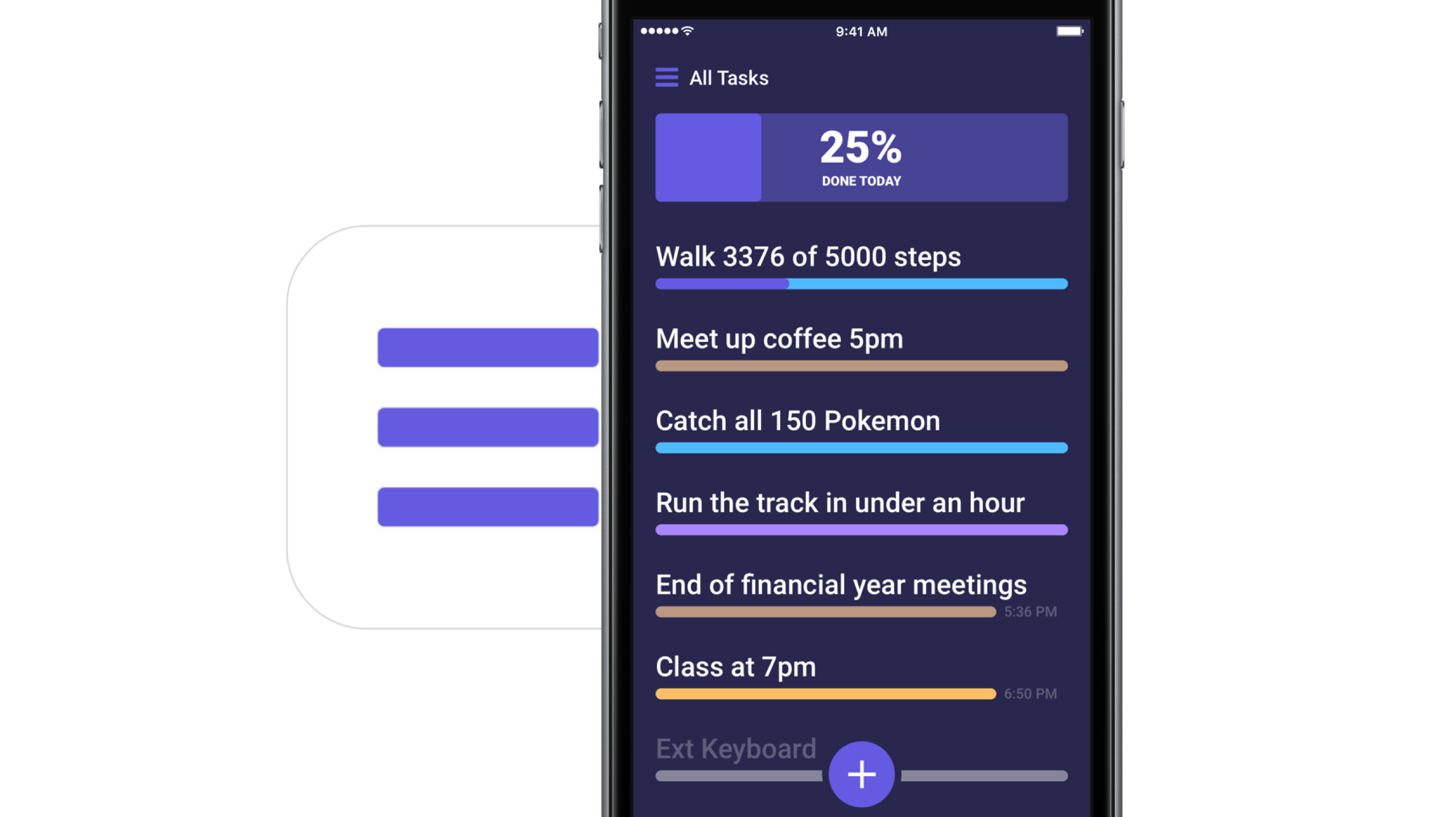
Taskful sets out to remedy the pain of that. It also lets the user select only certain days of the week to remind you of due tasks (e.g. weekdays) and will smartly display the items relevant to you on a specific day and, more crucially, blank out tasks set for a future date. Needless to say this can be priceless for people quickly throwing their hands up when faced with a dauntingly long list of tasks. To bolster the sentiment, the app also automatically breaks up longer tasks into daily chunks.

How intelligent is this thing really?

Naturally, for a smart task manager to really hit its stride, it takes equally smart data input. Such being the case, you’re going to want to learn the nitty-gritty of Taskful before judging the application’s utility. So let’s briefly talk about the mechanics of it:

On the face of it, Taskful and Apple’s Reminders app share some structural traits. That is, both offer category based sorting of items, in which each category (Urgent, Finance, Work) is represented by a color of your choosing. That’s about where the similarities come to an end however, because on Taskful, filing away a task properly is swiftly accomplished by swiping left and right to change the background color of your note during creation. At the same time, the app will analyze your task as you scribble it down and immediately glean information such as dates and numbers.

Based on its reading, smart bubbles right below the draft will interpret your input and suggest measuring sticks for your task. You can tap and confirm or manually alter them. To exemplify, use a number like '4' in your task, now mark the little ‘Amount: 4’ bubble magically popping up beneath the text and as a result, the reminder needs to be tapped four times to be considered finished by Taskful. Until then, a big and rewarding progress bar will grow in 25% increments every time you come one stop closer to your goal.

Along the same lines, Taskful is also capable of acting as a quirky step tracker. On launch, the app asks permission to read and write HealthKit data, meaning the app can track your step count and remind you to get off the couch if you haven't ticked the ‘walk 600 steps’ reminder at night.

It goes without saying that these are just two hands-on examples of how to put Taskful to good use, not so much selected at random but rather intentionally to demonstrate the app's versatility. What's more is that it comes with a good deal of UI customizations such as a built-in dark mode. In other words, both in scope and depth Taskful decidedly one-ups Apple’s Reminders. And above all else, it feels good to look at one unifying 'All Tasks' tab, something Reminders’ stacked business cards look sort of makes impossible.

Competing in the world of task managers and to-do lists is a tough gig on the App Store, yet it appears as though Taskful has found the sweet spot to prevail. It is also earning the right accolades along the way, with Apple just recently featuring the app in the ‘Apps We Love’ category in various countries including the US, Australia and New Zealand.

Taskful is available on iPhone and iPad, the latter of which just added split screen support to round the package off nicely. If you want to give the app a whirl, it is currently priced at a reasonable $1.99.

Link to App Store: Taskful ($1.99)
Fantastical gains iOS 10 rich notifications, iMessage stickers, iPhone 7 haptics & more

Developer Flexibits today issued a major new update to its popular calendar and reminders app, Fantastical 2.8 for iPhone and iPad. Beginning with this version, the app no longer works on older iOS editions and now requires iOS 10 or later, developers have said Wednesday.

On iPhone 7/Plus, Fantastical now supports enhanced haptic feedback. They've also added a convenient sticker pack for iMessage that you can enable or disable manually in the Messages app.

Using the Reminders app on Apple Watch

Apple Watch offers a standalone Reminders app, and as you'll soon learn, it can be just as functional as the iPhone app.

The introduction of an official Reminders app on Apple Watch was great because this little app on your wrist will help you get through all your errands throughout the day and keep track of your busy life.

The app is used with Siri since there is no keyboard to input text on the Apple Watch like there is on your iPhone. With that being said, using the Reminders app may feel a little awkward at first, but it should become a second nature to you in no time at all.

Fantastical for Mac gains native Exchange support, printing, iCloud shared calendar alerts & more

After shipping Fantastical 2 for Mac a year ago with tons of new features and a revamped user interface for OS X Yosemite and later, developer Flexibits today pushed version 2.2 of its calendar, reminder and to-do productivity app on the Mac App Store.

Fantastical 2.2 for Mac brings powerful new features to the experience, starting with full support for Microsoft Exchange accounts with native account syncing, invitation responses, availability lookup, categories and people lookup.

Other enhancements include availability information in calendars, support for printing with multiple layouts and a host of other under-the-hood refinements.

Keep track of all the things you need to do with 3D Touch shortcuts in Reminders app

After sharing a bunch of time-saving 3D Touch shortcuts and gestures in stock applications such as Messages, Safari, Mail, Music, Camera, Maps, Phone and iBooks, we now take a closer look at 3D Touch goodies in Reminders, one of the most frequently used stock apps on my iPhone.

Although 3D Touch shortcuts and gestures in Reminders aren't as developed as in other stock apps, they're handy. For instance, you can add a reminder to your lists from the Home screen.

And within the app, 3D Touch can be used to quickly create time or location-based alerts for your reminders. This tutorial covers all the ways you can use force-based 3D Touch gestures in the Reminders app.

Original Fantastical for Mac is now officially over, Fantastical 2 is 20% off until January 10

The original Fantastical, the popular calendar and reminders app which basically launched developer Flexibits back in 2011, has received its final update in the Mac App Store. While support for Fantastical 1 is now officially over, Fantastical 2 for iPhone, iPad and Mac will of course continue to be updated, maintained and supported for the time being.

“After more than four years of free updates and support, it’s time to focus our efforts, energy and resources on Fantastical 2,” Flexibits said.

You can now add to-dos to Google’s Calendar app using a new Reminders feature and 3D Touch

Google's standalone Calendar app was released in the App Store in March of 2105 and today the software is getting some interesting new features: Reminders, 3D Touch support and a cool Star Wars skin for those who have opted to join either the Dark or Light side of the Force at google.com/starwars. Reminders in Google Calendar make it easier to keep track of your to-dos alongside your events—in one place, no need to juggle between different apps.