Jailbreak

Check out the most comprehensive jailbreaking coverage on the internet, including the latest news, apps, tweaks, and detailed tutorials about everything jailbreak.

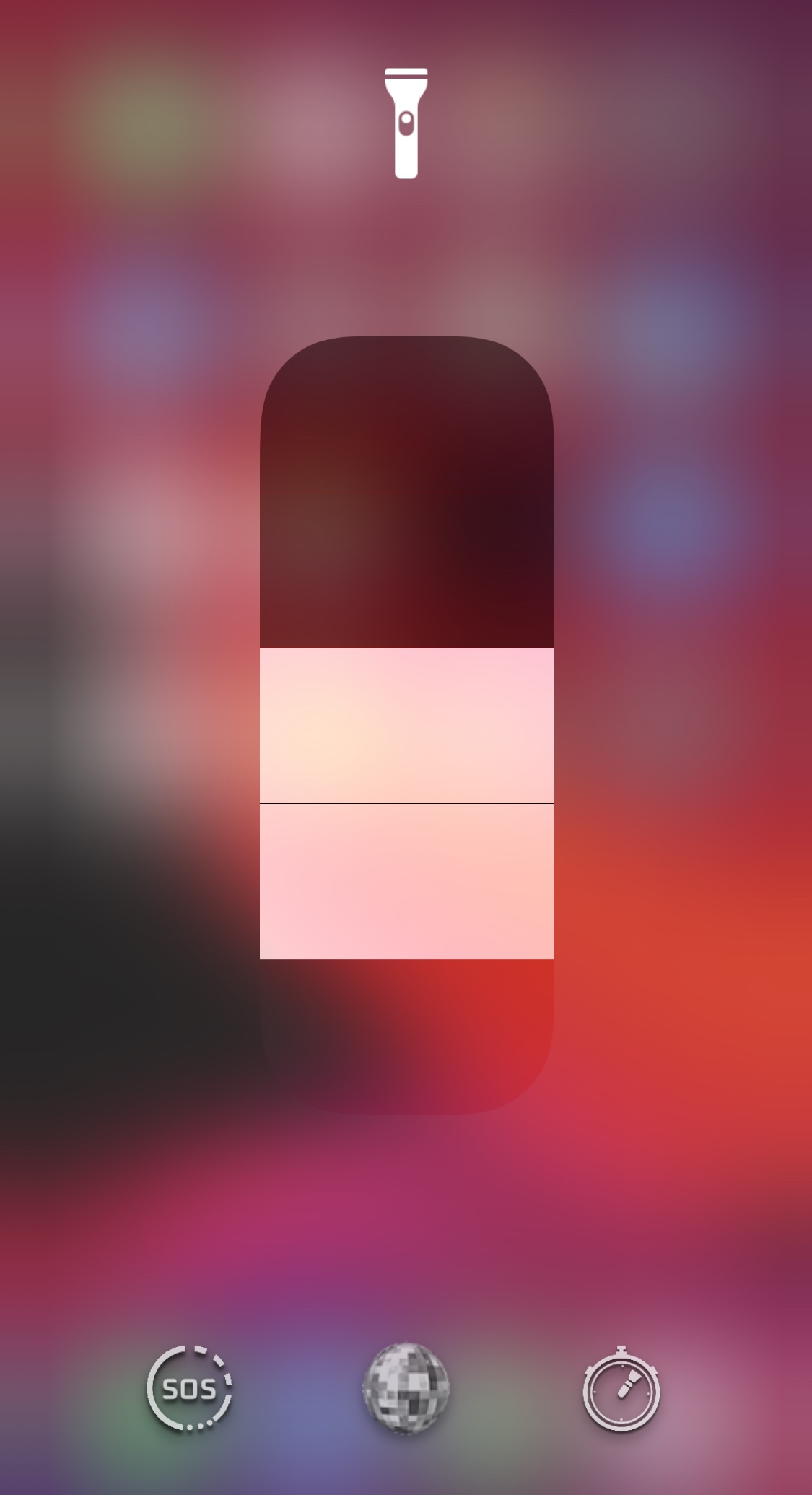
Tenmetsu makes the iPhone’s rear-facing flash more like a pro flashlight

In addition to being a phone and an internet communications device, the iPhone could be described as a digital multitool. A great example is the handset’s rear-facing LED flash, which doubles as a flashlight when we find ourselves stranded in the dark.

Out of the box, a stock iPhone supports use of the aforementioned LED flash as a flashlight via the Lock Screen Quick Action button or the dedicated Control Center module. Users may also adjust the LED brightness in steps if they wish. Unlike a lot of flashlights on the market today, however, the iPhone’s LED flash seems lackluster in the feature department. That’s where a new jailbreak tweak dubbed Tenmetsu by iOS developer Plat-Ykor comes into play.

Exploit PoC targeting up to iOS 13.7 released

Matrix code hacked iPhone.

If you’ve been paying any attention to the iOS & iPadOS security research side of things recently, then you might’ve caught wind about a kernel bug discovered by Mohamed Ghannam (@_simo36) that held the capacity to pwn iOS & iPadOS 14.1 and below. Unfortunately, Ghannam later revealed that the bug didn’t work on iOS or iPadOS 14, and instead that it would only support variants of iOS & iPadOS 13.

While the aforementioned circumstances were indeed a bummer for those who’d been looking forward to a potential exploit release for iOS & iPadOS 14, the good news is that Ghannam officially released a kernel exploit proof of concept (PoC) dubbed 'OOB Events' on Wednesday with instructions for achieving kernel task port (tfp0) on iOS & iPadOS 13.7:

Checkra1n v0.12.0 released, supports A10(X), iOS 14.1 & 14.2, and more

The checkra1n team updated its venerable jailbreak tool to version 0.12.0 this Sunday afternoon, adding a plethora of improvements that are certain to garner attention from the community.

The team took to Twitter this afternoon to reveal that checkra1n v0.12.0 is an update that many iOS 14 users probably won’t want to miss, and given the exciting content of this update, it’s easy to see why:

Jailbreak tweaks of the week: Diamond, Sphere, VolumeMixer, and more…

As the final day of the weekend rears its ugly head, the good news is that we're back with another jailbreak tweak roundup showcasing all the latest releases from this past work week.

This roundup will encompass releases from Monday, November 2nd to Sunday, November 8th. As usual, we'll start things off by talking about our favorite releases first and then wrap things up with an outline of everything else afterward.

Diamond re-imagines the iPhone’s Dock and Status Bar in a big way

Two things that remain mostly the same since the very first iPhone launched in 2007 are the Status Bar and the Dock. Despite a few minor tweaks and adjustments by Apple over the years, they haven’t changed much, and it’s apparent that many users demand more from these essential interface elements.

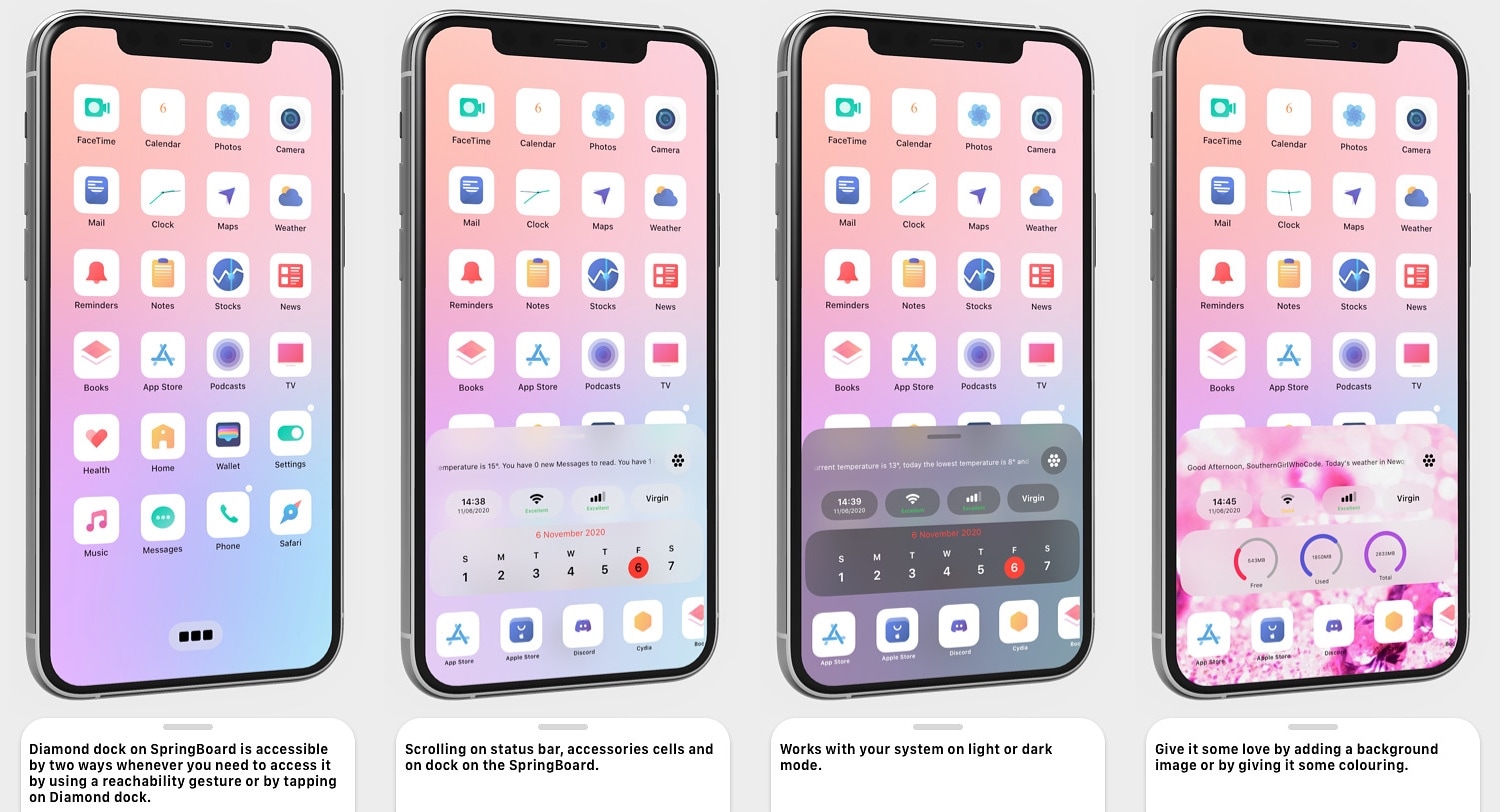
Diamond is a newly released jailbreak tweak by iOS developer SouthernGirlWhoCode that re-imagines these interfaces on the iOS platform, and it does so by combining some of the most important features of the Dock and Status Bar into a single, aesthetically pleasing interface that can be customized in a bevy of different ways.

Kernel bug for iOS 14.1 and below raises hopes for exploit, and perhaps jailbreak

Matrix code hacked iPhone.

Apple unleashed iOS & iPadOS 14.2 to the masses yesterday afternoon, and while most iPhone and iPad owners gleefully updated to take advantage of more than 100 new Emojis and six new wallpapers, the updates also appeared to beef up their respective platforms’ security.

Security improvements are generally a good thing for users; however, they can be red flags for proponents of the jailbreak community since software exploits are the very things that make jailbreak tools possible. With that in mind, it may come as no surprise that jailbreak developers repetitiously remind the community to stay in the lowest possible firmware, as this can increase one’s chances of jailbreak eligibility.

Got a jailbroken Apple TV? You may soon get to enjoy Guardian Firewall’s VPN on it

For a company that appears to tout privacy as much as they do, it’s both astounding and questionable as to why Apple doesn’t permit VPN functionality on its Apple TV platform out of the box. Fascinatingly, VPNs can be installed and used on almost every other Apple device aside from the Apple Watch, including the iPhone, iPad, iPod touch, and even the Mac.

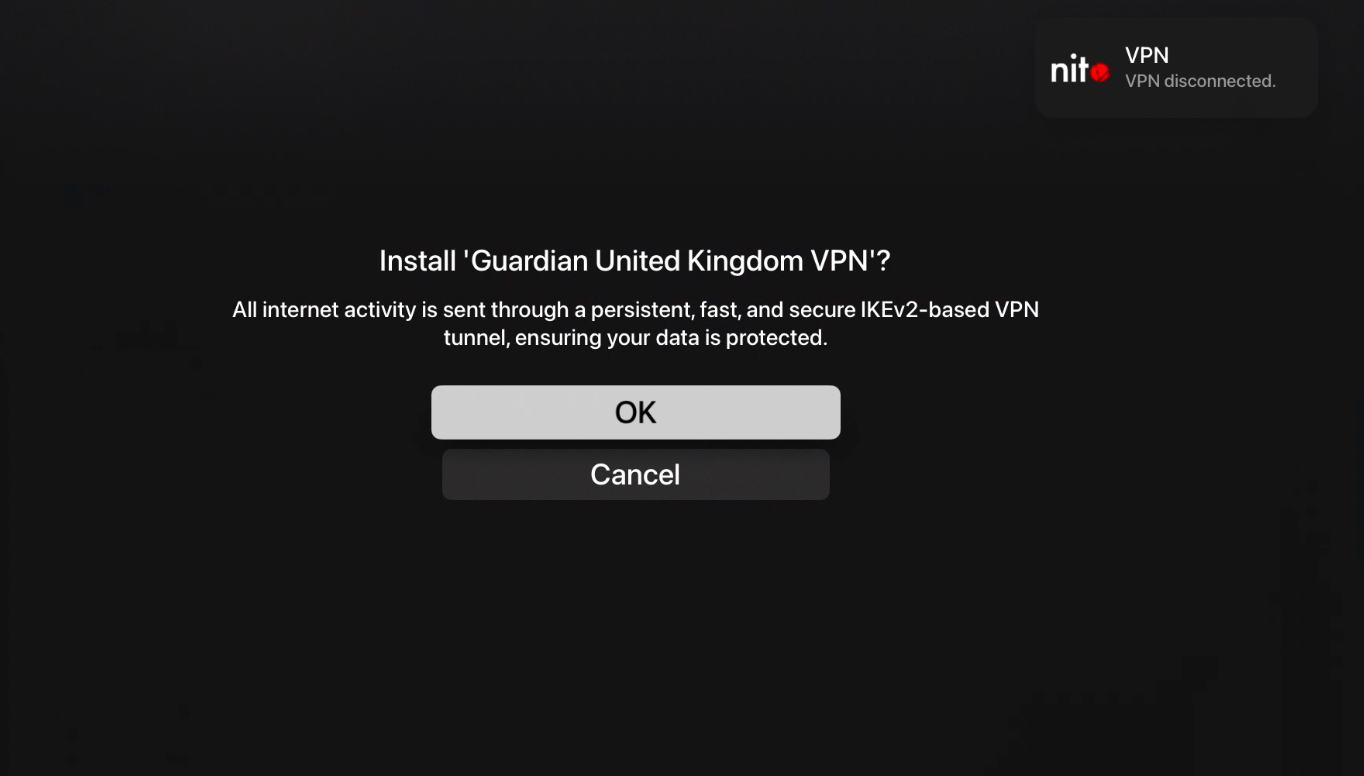
There’s no question that this silly limitation has brushed some Apple TV users the wrong way. On the other hand, there may be hope for those holding out. In a teaser Tweet shared this Thursday afternoon, Guardian Firewall founder and CEO Will Strafach said that the first VPN (and firewall) for tvOS is in the works and could be released for jailbroken Apple TVs in the future:

Sphere brings a Chat Heads-inspired multitasking UI to jailbroken iPhones

Apple makes it a breeze to switch from one recently-used app to another on your iPhone, but one area where this particular platform has always left a lot to be desired is the multitasking department.

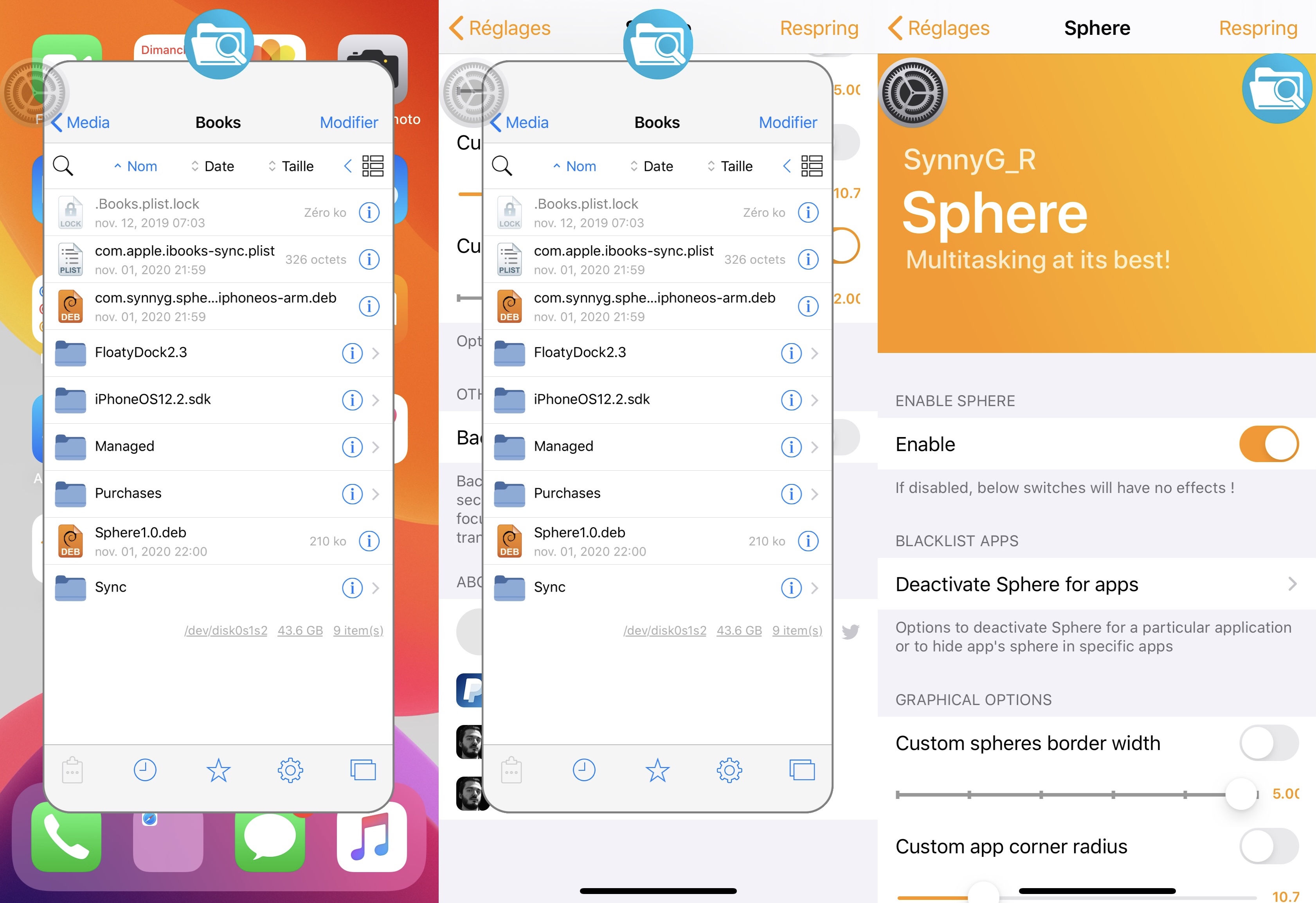
Jailbreak tweak developers have created a myriad of novel iOS multitasking concepts over the years, but one of the latest examples to land on a mainstream repository is a tweak called Sphere by iOS developer SynnyG.

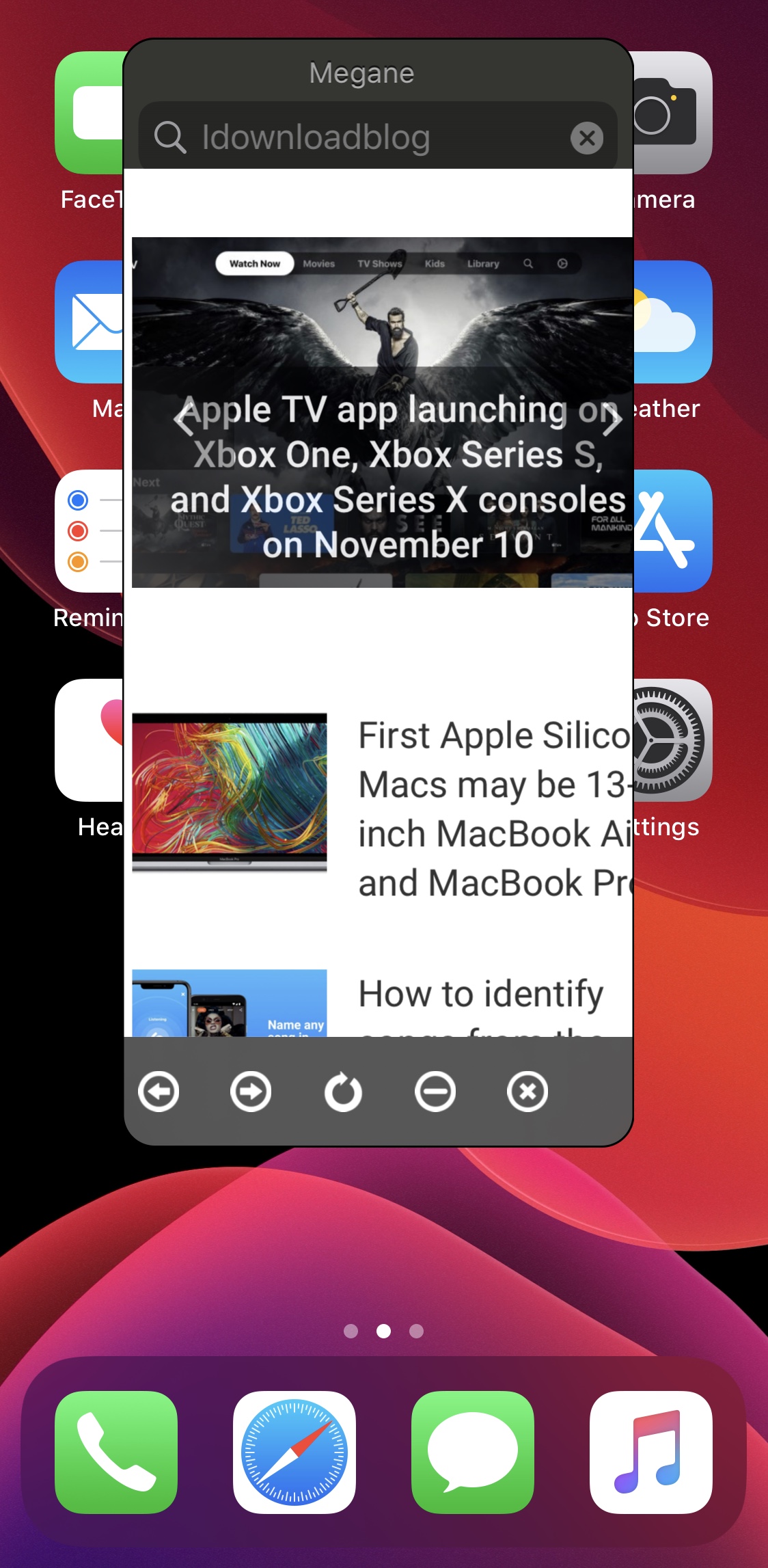
Summon a floating web browser from anywhere in iOS with Megane

Any time you feel like browsing the web, it’s essentially as easy as launching the Safari app and beginning a web search or asking Siri to search the web for you. But if even these two methods are too much effort for you, or you’d rather stay in the app interface you’re already in instead of closing that app to visit Safari, then we might have just the right solution for you.

Enter Megane, a newly released and free jailbreak tweak by iOS developer sugiuta that allows users to summon a floating web search interface like the one shown in the screenshot example above from just about anywhere in iOS with a gesture of their choosing.

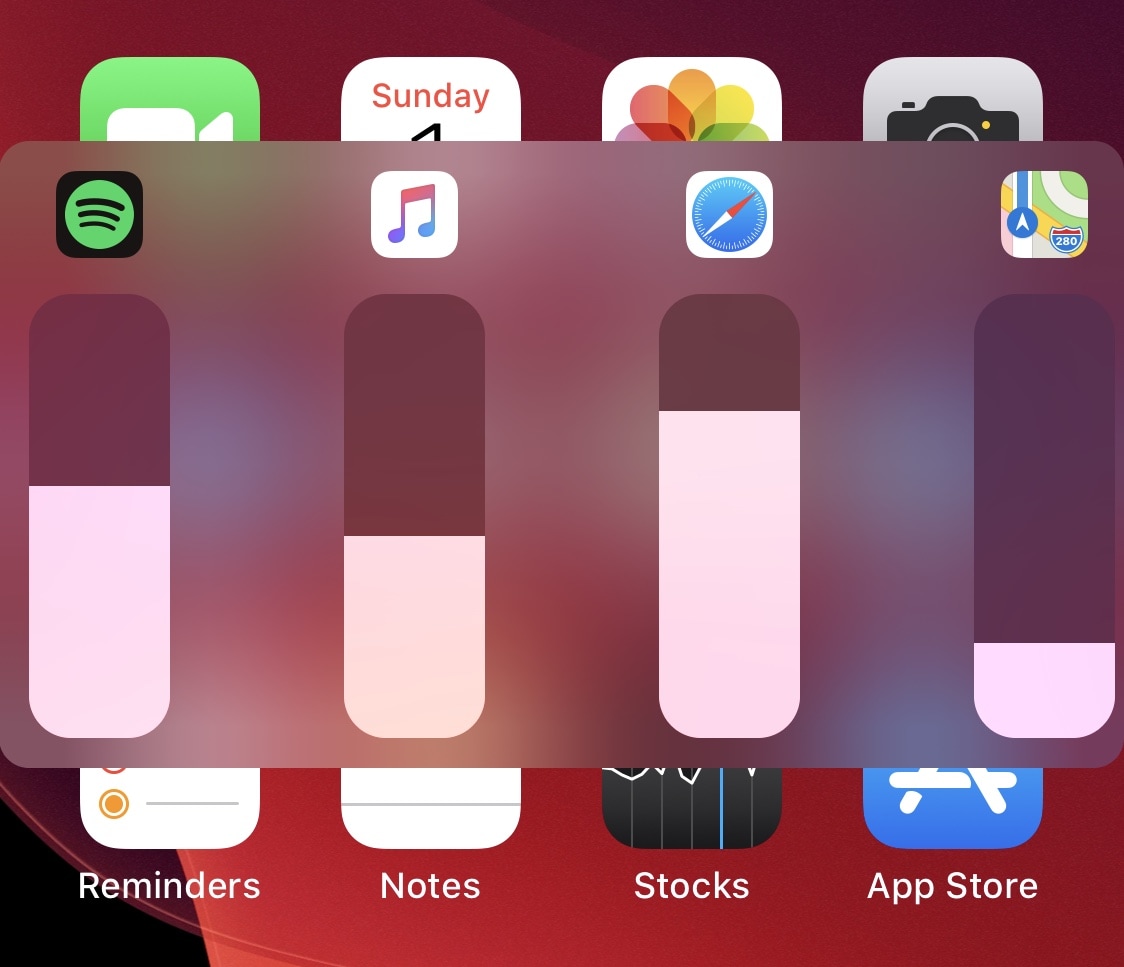
VolumeMixer permits individualized volume levels for each app on your iPhone

One of the things I’ve wished Apple would build into iOS and iPadOS for the longest time is the ability to control individual apps’ volume levels independently of one another. By that, I mean that I might want a higher volume level saved for my Music app as opposed to my Phone app, or perhaps a higher volume for my YouTube app saved as opposed to my favorite game apps.

While this isn’t currently a feature on stock handsets, the good news for those seeking functionality like what was described above is that a newly released and free jailbreak tweak called VolumeMixer by iOS developer Brend0n makes the concept into a very real feature.

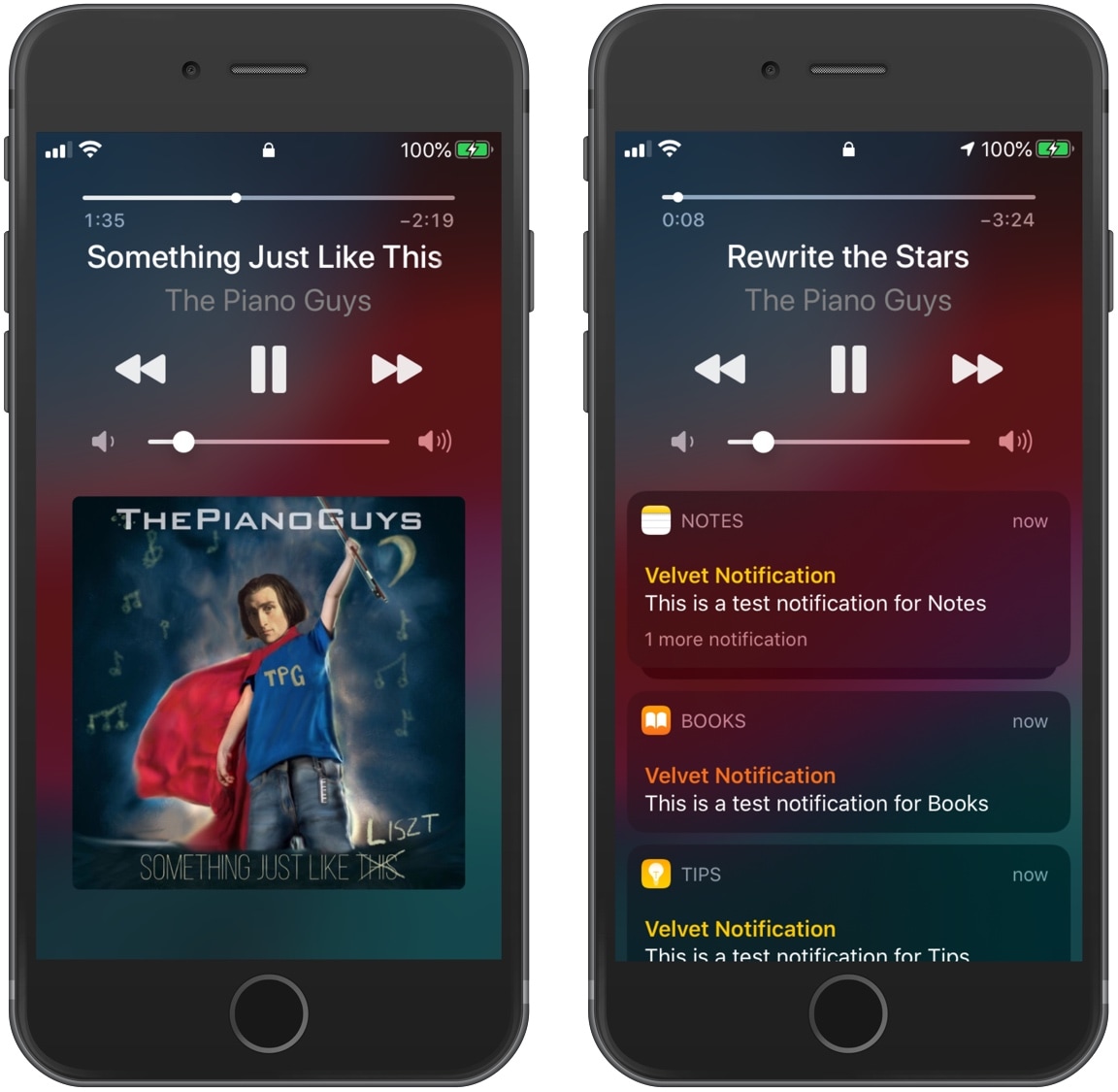
Miss iOS 9’s Now Playing interface? This tweak resurrects it on jailbroken handsets

The iOS platform received a myriad of changes over the years, with many of those being functional changes and a smaller number being purely cosmetic. Perhaps one of the most iconic changes can be attributed to iOS’ Now Playing interface, which has evolved an awful lot since the days of iOS 9.

Unfortunately, not everyone appreciates all of the latest changes, and some even wish that the iOS 9 Now Playing interface would make an unlikely comeback. The good news, however, is that a new and free jailbreak tweak called NineMusic by iOS developer Minh-Ton can make this happen, at least on pwned handsets.

Jailbreak tweaks of the week: Escape, Max Photo Zoom, Pocket Protector, & more…

If you're a jailbreaker and you're searching for the latest and greatest ways to customize your iPhone or iPad, then you've come to the right place. This roundup will go over all the latest jailbreak tweaks released between Monday, October 26th and Sunday, November 1st.

As usual, we'll kick things off by talking about our favorite releases first; after that, we'll produce an outline of everything else. So without further ado, let's get started!