Google

Google’s mobile app gains keyboard shortcuts, busiest hours in search results & more

Google's native search app for iPhone, iPod touch and iPad today received a pretty significant update on the App Store, bringing the app to version 15.0.

People who use an external keyboard with their iPad can now use time-saving shortcuts within the app to search faster and navigate the app more easily.

Other improvements in this release of the Google app include busiest hours in search results and dynamic font sizing enhancements.

The Google app is available free on the App Store.

How to watch YouTube in VR mode on iPhone

Google Cardboard may be the simplest, most affordable way to experience virtual reality content on a smartphone, but up until recently Google's mobile YouTube app only supported Cardboard on Android.

Beginning with YouTube for iOS version 11.18, iPhone owners can watch YouTube in virtual reality mode on their device.

Here's how you can experience YouTube in VR mode on your iPhone.

Google I/O 2016 is kicking off on Wednesday: keep tabs on it with official iPhone app

Google I/O, the search giant's version of Apple's Worldwide Developers Conference, is kicking off this year on Wednesday, May 18, at the Shoreline Amphitheater in Mountain View, California and what better way to keep up with the conference than an iPhone app from Google.

The official Google I/O 2016 app, like Apple's own WWDC for iPhone app, lets you follow conference news, explore tracks and speakers, watch session videos, enjoy a live stream of the keynote and more, right on your iPhone, iPod touch or iPad.

Google to ditch Flash for HTML5 by default in Chrome come this fall

The slow death of Adobe Flash continues as Google preps to put another nail into the beleaguered technology's coffin come this fall. According to a draft proposal from the search giant, a copy of which was obtained by Venture Beat, Google's desktop browser will default to showing HTML5 content and video, falling back to Flash as a last resort.

Chrome ships with a built-in Flash Player which automatically kicks into action whenever a piece of Flash content is detected on a webpage.

Google’s own Amazon Echo-like accessory, dubbed ‘Chirp’ is landing soon

Amazon Echo

Code-named 'Chirp', Google's upcoming hardware appliance will integrate the company's search and voice assistant technologies akin to the Amazon Echo, and is landing soon, Re/code reported yesterday.

The rumored device should resemble Google's OnHub wireless router, according to several sources.

If the increasing popularity of Amazon's integrated wireless speaker and voice command device is an indication—it's estimated they sold three million Echo units to date—Google's rumored accessory could prove popular with users, especially given Google's expertise in voice and search.

About XPS files and how to open them on a Mac

XPS files are essentially like Microsoft's version of a PDF file. They're easy to create and open on a Windows PC, but when it comes to macOS users, XPS files are anything but plug and play.

In this piece, we'll talk about XPS files and what they're used for, and then we'll touch on how to open XPS files on a Mac easily and for free without having to download any software.

Google Translate app gains offline mode, instant camera translation from Chinese and more

Google's native Translate application for the iPhone, iPod touch and iPad received a major update yesterday in the App Store, bringing version number to 5.0 and introducing some rather interesting advances. For starters, Google Translate now works without an Internet connection, allowing you to translate words, phrases and sentences in 52 of the 103 supported languages when there is no cellular or Wi-Fi connection available.

The instant camera translation feature, called Word Lens, now works with Chinese: it reads both to and from English, both Simplified and Traditional Chinese. This feature is ideal for traveling: you just point your camera at, say, a restaurant sign in a foreign language and witness the appropriate translation appear like magic in live video feed.

How to enable YouTube’s upcoming Material Design face lift ahead of release

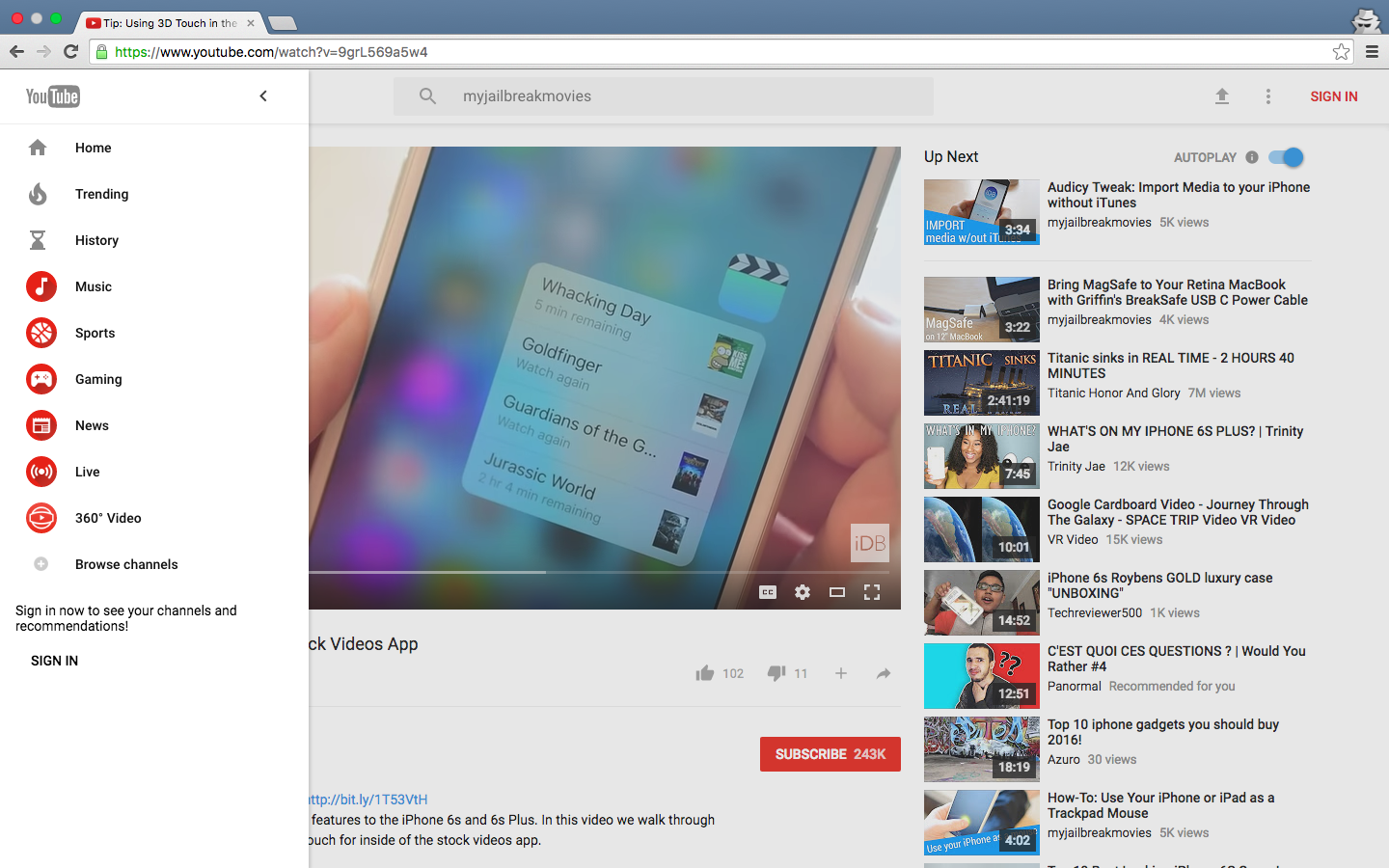
YouTube is getting Google's Material Design refresh pretty soon and it looks pretty neat. Aside from the Upload button being replaced by the upload arrow graphics consistently used across Google's mobile apps, you'll notice a Material Design-inspired search field in the center.

More importantly, YouTube's new looks include the background color on the Channel pages matching the header image, rounded icons in the sidebar, more whitespace around videos in the video player and a few other minor changes.

Chrome users can have an advance look at the upcoming refresh right now. Here's how you can enable Material Design on YouTube ahead of its release, in just a few clicks.