Apple TV

Stay up-to-date on the latest Apple TV news and learn how to get the most out of your device with our comprehensive tutorials and guides. Discover new features, troubleshoot issues, and explore the best apps and games for your Apple TV.

Apple launches public betas of iOS 11 and tvOS 11

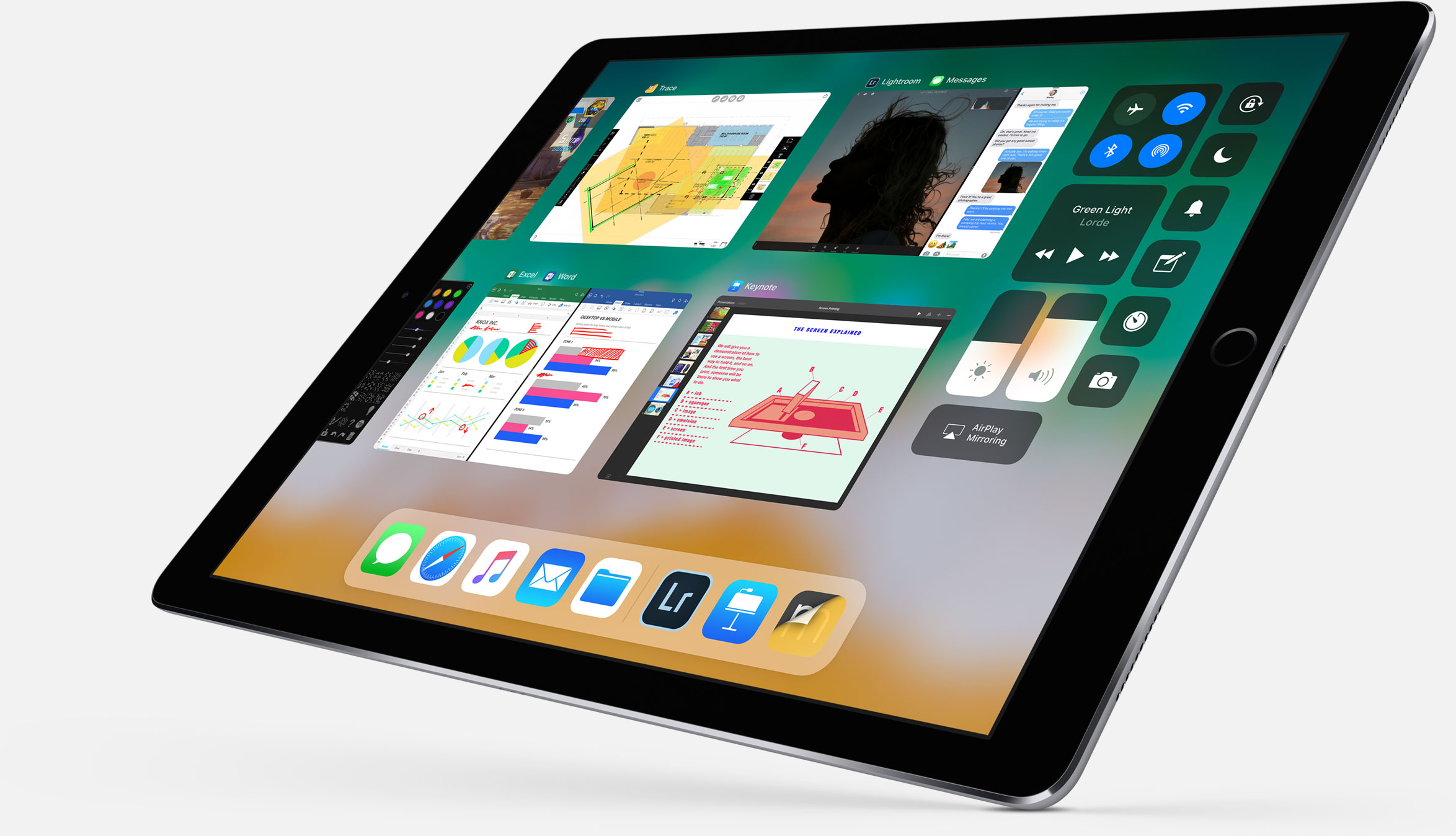
Following the June 5 release of developer-only previews of Apple's four main software platforms at the Worldwide Developers Conference, the Cupertino giant today released first public betas of iOS 11 and tvOS 11.

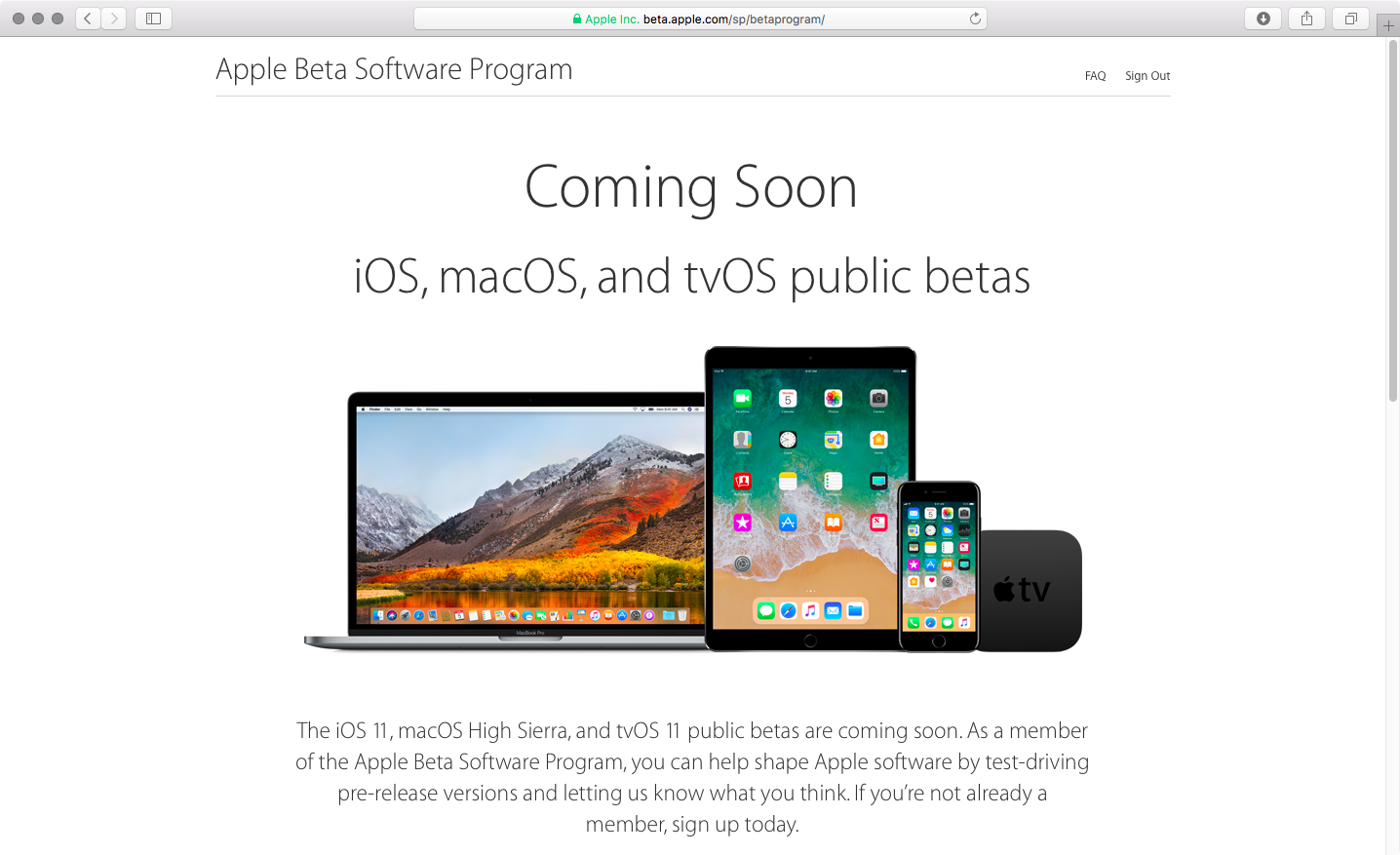
You must enroll in the official Apple Public Beta Software Program (available at no charge) and download a special configuration profile via the website beta.apple.com to your iPhone, iPad, or the fourth-generation Apple TV.

Sign in with your Apple ID through the website to get started. iOS 11 public beta has the same features as iOS 11 beta 2. The same goes for the tvOS 11 public betas.

After installing a configuration profile (click “Enroll Your Devices”), restart your iPhone, iPad, iPod touch or the fourth-generation Apple TV, then and use the built-in Software Update mechanism in the Settings app to download and install the public beta.

watchOS betas are not available to the general public.

https://www.youtube.com/watch?v=TZ5pwZMPRxI

Subscribe to iDownloadBlog on YouTube.

“If you were testing a prior operating system, please re-enroll your device to start testing the next release,” the company notes.

TUTORIAL: How to unenroll from Apple Beta Software Program

Be sure the check out the official system requirements for iOS 11 before installing their public betas. tvOS 11 requires a fourth-generation Apple TV.

Will you be taking iOS 11 and tvOS 11 for a spin, do you think? If so, what features are you looking forward to the most, and why?

Tell us in comments!

Updated builds of iOS 11 and tvOS 11 betas now available

Apple on Monday issued a slightly revised build of iOS 11 beta 2 for iPhone, iPad and iPod touch, as well as an updated build of tvOS 11 beta 2 for the fourth-generation Apple TV.

The new builds appear on select devices only.

iOS 11 Developer Beta 2 Update 1, as it's called, has the build number of 15A5304j, up from the build number of 15A5304i in iOS 11 beta 2 which was seeded to developers five days ago.

According to the official release notes on Apple's Dev Center portal, iOS 11 Developer Beta 2 Update 2 resolves an issue preventing reverting to iOS 10 from iOS 11 beta.

To revert to an earlier version of iOS, follow the instructions shown in Apple's support doc.

As for the updated tvOS 11 beta, the new version has a higher build number of 15J5310h versus build number of 15J5310e for the original tvOS 11 beta 2.

https://www.youtube.com/watch?v=TZ5pwZMPRxI

Subscribe to iDownloadBlog on YouTube.

The revised beta builds may also patch dangerous exploits while addressing performance issues on older hardware like iPhone 6.

iOS 11 cuts off 32-bit devices like the iPhone 4s/5/5c handsets.

The new builds are available over the air via the Software Update mechanism in Settings on iPhone, iPad, iPod touch and Apple TV. As mentioned before, they appear on select devices.

Build numbers for beta 2 of macOS High Sierra 10.13 and watchOS 4 have stayed intact. Public betas of iOS 11, macOS High Sierra 10.13 and tvOS 11 are coming later this month.

watchOS betas are currently unavailable for public beta-testing.

Apple seeds fourth beta of iOS 10.3.3 and tvOS 10.2.2 to developers

Apple on Thursday released a fourth beta of iOS 10.3 for iPhone, iPad and iPod touch, as well as tvOS 10.2 for Apple TV. iOS 10.3.3 beta 4 (build number 14G5053a) and tvOS 10.2.2 beta 4 (build number 14W5751b) are now available to Apple's registered developers and members of the Apple Developer Program through Dev Center.

To deploy them over the air, use the Software Update mechanism in the Settings app. Your iPhone, iPad, iPod touch or Apple TV must have an Apple beta configuration profile installed.

Both iOS 10.3.3 and tvOS 10.2.2 are bug-fix releases with no new user-facing features. They're probably the last point updates as Apple is currently beta-testing the next major versions of its platforms: iOS 11, watchOS 4, macOS High Sierra and tvOS 11.

Apple now allows public testing of tvOS betas on Apple TV

For the first time ever, Apple will now allow non-developers to install and test tvOS betas on their fourth-generation Apple TVs, starting with the first public beta of tvOS 11 to be issued later this month. Before this change, public beta testers could only install iOS and macOS betas.

To take advantage of the upcoming tvOS 11 public beta, you should enroll in Apple's Beta Software Program by visiting beta.apple.com.

It's unclear how public beta testers will install a tvOS 11 beta on their Apple TV.

Currently, developers must download the tvOS 11 beta installer and connect their fourth-generation Apple TV to a computer running iTunes using a USB-C cable. The tvOS software is initially side-loaded on the device through iTunes.

Subsequent updates are then available over-the-air.

“The iOS 11, macOS High Sierra and tvOS 11 public betas are coming soon,” reads a notice on the webpage. “As a member of the Apple Beta Software Program, you can help shape Apple software by test-driving pre-release versions and letting us know what you think.”

You can provide feedback directly to Apple using the built-in Feedback Assistant app.

Apple opened macOS and iOS betas to the general public back in 2014, with the releases of major visual makeovers in iOS 7 and macOS Yosemite.

Video: Top 6 WWDC 2017 announcements

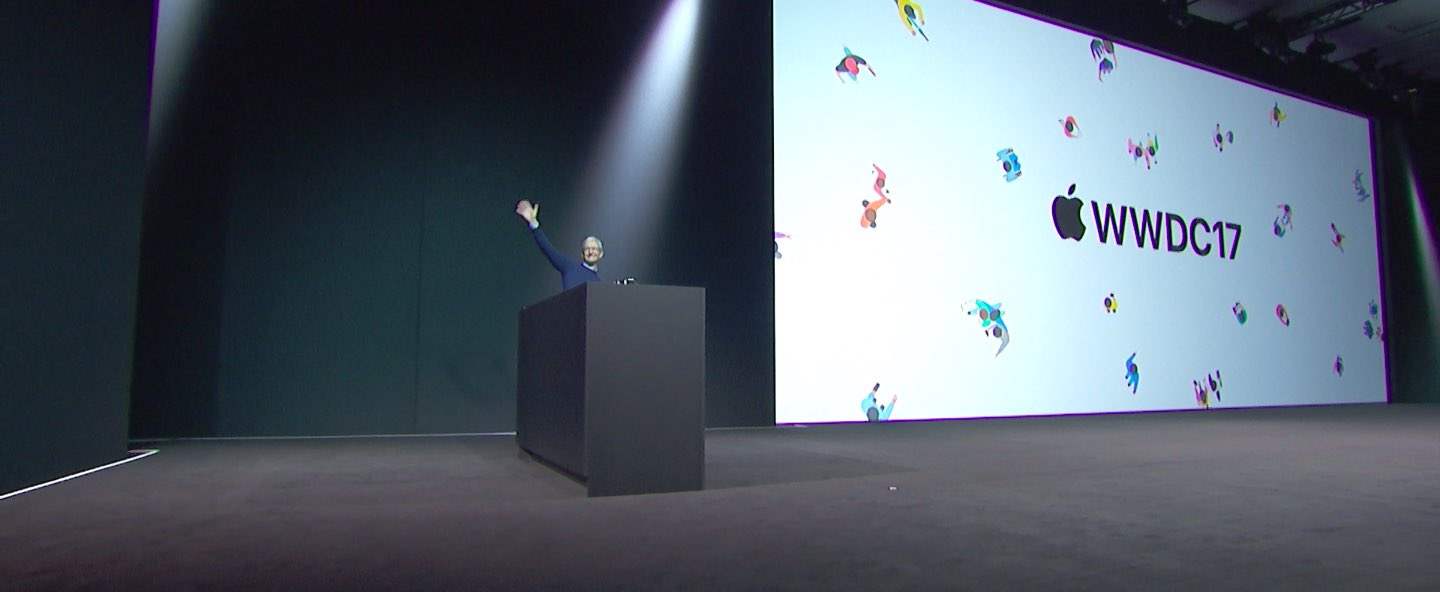
Apple had a pretty big day at yesterday's Worldwide Developers Conference in San Jose, revealing a bunch of new or updated products and technologies that have set the stage for other important hardware announcements this fall.

If you didn't have the time to sit through the entire keynote talk and are wondering about the big takeaways, our video editor Andrew O'Hara has put together a short five-minute video highlighting the top six announcements Apple made during the WWDC 2017 keynote.

Andrew's main topics of interest include:

tvOS 11 with Amazon's Prime video-streaming app coming to Apple TV watchOS 11 with all the major improvements for workouts, notifications and more macOS High Sierra and core technologies aimed at AR/VR content creation iOS 11 with all of the improvements for your iPhone and iPad iPad Pro and iMac Pro changes and enhancements HomePod, Apple's high-end Siri-enabled speaker with hi-fi sound

And here's the video:

https://www.youtube.com/watch?v=QQBulSRR9Fc

Subscribe to iDownloadBlog on YouTube

What's your favorite WWDC 2017 announcement so far?

Post a comment below to let us know!

Amazon Prime Video coming to Apple TV

Opening up its WWDC 2017 keynote on Monday, Tim Cook announced that Amazon's Prime Video streaming service will be coming to Apple TV later this summer.

The move was reported a few weeks ago, saying that Apple and Amazon had finally reached an agreement on how to split subscription fees. That same article also claimed that the Apple TV would soon be available on Amazon.com, after a two-year hiatus.

Cook kind of sped through this announcement, with few details. We'll update this post if we learn some more information.

Is the rumored Siri speaker on cannibalization course with Apple TV?

It’s only two more weeks until WWDC '17, which means crunch time for experts and armchair analysts alike. A popular topic of gossip around this time of the year relates to one of Apple's less pompous devices, one that’s been marketed for years as our low-key living room hub, as Siri on the couch and more recently as the silent orchestrator of our smart home.

Fittingly, chatter of that kind is indeed coming to a head again, yet before you rub your eyes and wonder how you could have missed the news of a 5th generation Apple TV, this time the similar sounding rumors swirl around a brand new device, the alleged Siri speaker. My cheap attempt at having you mix up the two devices for a brief moment there admittedly wasn’t a real zinger, however it does typify a potentially sticky situation for Apple: at least on grounds of what we presume to know, we - the customers - would be forgiven for mistaking the two on the fly.

If we indulge in a sketchy juxtaposition of each devices’ (purported) capabilities, it quickly begs the question of what we have been overlooking so far. It is declaredly fishy to make inferences about a device that is all but fictitious to this date, nevertheless there are pieces of information we can glean from competitors' devices like Amazon’s Alexa, as well as telling interview snippets straight from the horse's mouth. Does that make a comparison of the Siri speaker and Apple TV less premature or ill-founded? Probably not, but jotting down what we (think to) know does become insightful when we try to ascertain the spaces the two products are likely going to occupy in the customers’ minds and households. What's the insight? Well, they could have a hell of a lot in common.

Always provided we don’t fail to understand the alleged Siri speaker correctly, the large overlap in features is on all accounts eye-catching. Both devices fundamentally vie for a central spot in your home, both offer to AirPlay (most of) your media, both boast Siri and HomeKit integration. The putative fork in the road is that unlike Apple TV’s focus on visual media, Siri speaker’s backbone will reportedly be advanced Siri capabilities and the simple fact that it will serve as a standalone speaker with formidable acoustic performance.

All these things considered though, is this going to be a unique enough selling proposition? It is clear that no product in Apple's line-up sits as brazenly in the spot of the new arrival as Apple TV does. If this was a game of musical chairs, and the music stopped playing on June 5, Apple TV would be defiantly hogging the one spot designated for the shiny new speaker. Naturally, this opens the door for product cannibalization in either direction, and that's where things get juicy. The implications for both products and their strategies mid to long term are plentiful. In my book, there's three possible outcomes to speak of: the two product lines (keep) selling like hot cakes, them selling like damp and cold cakes, or the two lines merging into one. The determinant? The speaker’s x-factor, or lack thereof.

Which cake are you going to sell, Apple? 

Option 1

The most lucrative (and arguably still most probable) outcome in this tale of two devices is for Apple to quietly have a Siri speaker killer feature up their sleeve. It goes without saying that we’re dealing with hypotheticals and it could plainly be the case that we don’t know jack. In order to establish and sustain strong sales for both Apple TV and the new assistant, the latter would have to come up with some seriously innovative ideas; ideas that make the device indispensable to your household, without raining on your Apple TV’s parade.

What could that look like? In one of our previous podcast episodes of Let's Talk iOS, we have speculated about built-in security features, but realistically your guess is as good as ours. Two distinct devices with two distinct purposes would entail little overlap, and in turn minimal cannibalization.

Option 2

The cold cake theory is that analysts have indeed pretty much figured out the device prior to release and there is no blind spot on our radar. In other words, the overlap is real. Such being the case, potential customers would in all likelihood wind up pitting the two devices against each other and ultimately picking the one that comes closest to fitting their needs.

This route would most definitely spell product cannibalization, since only the hardcore would entertain both devices at home, plus the mere existence of Apple TV could already hamper the launch success of the Siri speaker. By the same token, current Apple TV owners could be swayed towards a more mobile AirPlay station and the existing customer base would effectively be split in halves. Before they know it, both devices could be relegated back to the company’s ominous ‘hobby’ status.

Option 3

Lastly, the new Siri speaker could (organically or forcibly) usurp the role of Apple TV at some point down the line. Once launched, the people will vote with their wallets and it is not a stretch to imagine a smarter, more capable home hub by Apple outsell and eventually dwarf Apple TV. If a chunk of Apple TV owners in addition migrated to the Siri speaker, the product line itself would barely be feasible for much longer.

As a result, Apple could easily equip the more potent Siri speaker with streaming functionalities as soon as the tide has turned in the device’s favor. Customers would no longer have to weigh up two similar-but-different products, but rather purchase the same one and thereafter decide the role it will play in their household. Coffee table device or television box, whatever they see fit.

What's your take?

One way or another, the reported new arrival is going to make massive waves at and after WWDC 17. Are we witnessing the quiet axing of Apple TV or not? What's Apple's secret ingredient for the Siri speaker going to look like? Not much longer until we will know, so place your bet in the comments now!

Apple to announce Amazon Prime Video for Apple TV at WWDC

Amazon Prime Video is finally coming to Apple TV, reports BuzzFeed. Citing sources familiar with the plans, the outlet says that Apple will make the announcement next month at their World Wide Developers Conference.

The move signals that the two companies have reached an agreement to end their years-long feud, which not only kept Amazon's video app off of Apple's set-top box, but also removed the Apple TV from Amazon's storefronts.

BuzzFeed's John Paczkowksi, who has an excellent track record reporting on Apple's future plans, says that the app is expected to go live this summer. Also, as part of the deal, Amazon will resume Apple TV sales at some point.

If true, this will be a significant win for Amazon Prime customers using Apple TV. Currently, there is no way to natively access Amazon Prime Video on tvOS. WWDC will take place in San Jose, California and begin on June 5.

Source: BuzzFeed

How to make SSH persistent on the liberTV jailbreak for Apple TV 4

If you've been tinkering around with your Apple TV 4 jailbroken on tvOS 10 with liberTV, you may have noticed that its built-in SSH client, Dropbear, has a tendency to be purged every so often, requiring it be re-spawned and set up again. This is due to the developer's (admirable) desire to retain all jailbreak-related files in temporary folders on the filesystem, reducing the risk of bricking your device while fiddling with it to near-zero. If you are confident enough to move a few files out of their temporary folder however, you can easily get your SSH client up and running persistently, avoiding those tedious reconfigurations which otherwise occur.

Infuse media player gains supercharged subtitles, 10-bit video playback & more

aTV Flash Black developer FireCore recently pushed a new version of Infuse, implementing vastly improved subtitle support, gorgeous 10-bit video playback and a host of other improvements.

Infuse 5.4 for iOS and tvOS, a free download for existing users, recently celebrated its fourth anniversary. Since making its App Store debut back in 2013 [review], this versatile media-player app for iPhone, iPad and Apple TV has been gaining new features on a regular basis.

10-bit video playback

10-bit videos now look great thanks to some slick new hardware decoding options available in Infuse 5.4. Not only does hardware-assisted decoding on newer iOS devices provide great playback performance, it unlocks hours of extra battery life as well.

Hardware-assisted decoding of the Hi10P video format (H264-encoded 10-bit video) requires Apple's A9 chip or later, meaning this feature is supported on iPhone 6s or later models, all iPad Pro models and the new 2017 iPad model.

Supercharged subtitles

Subtitles have been “entirely revamped” in Infuse 5.4.

The new subtitle rendering engine includes support for subtitles on 3D videos (SBS and TAB), plus subtitle position (AN) tags. The app now accepts many more subtitle formats, including .TXT files (MicroDVD, MPL2, SRT and TMP). As a bonus, the update introduces new options for adjusting text color to your liking and fancy styling and animation effects.

Infuse now uses the secure HTTPS protocol to download subtitles from OpenSubtitles, increasing your privacy. Lastly, Traditional Chinese is now supported for metadata and artwork.

Infuse availability

For a complete list of what's new in Infuse 5.4, visit the official Infuse website.

Infuse 5.4 for iPhone, iPad and Apple TV is a free download from App Store.

Advanced features are available without limitations as a $6.49 per year Pro subscription via the In-App Purchase mechanism. A free one-month trial of Infuse Pro is available within the app.

Alternatively, buy Infuse for iOS and tvOS outright for $12.99.

How to install Kodi on Apple TV 4

Kodi, previously known as XBMC, is an open source media player, and a veritable one-stop shop for all your media needs. Whilst it has been a favourite of Apple TV users for a long time, there is not always a recent tvOS release, and the process to install it has been complex at times. This guide gives the simplest process, without recourse to unofficial distributions.

It doesn't require a jailbreak, and should work on both tvOS 10 and tvOS 9.