Apple TV

Stay up-to-date on the latest Apple TV news and learn how to get the most out of your device with our comprehensive tutorials and guides. Discover new features, troubleshoot issues, and explore the best apps and games for your Apple TV.

Use Apple Maps and plan trips on the big screen with TV Maps for Apple TV

Since learning that Apple's software development kit now includes a new MapKit framework for tvOS, I've been eagerly awaiting to see what Apple TV developers are going to do with it. I salivated at the prospect of Apple Maps on a big screen telly because it sounded too good to be true.

Even better, Apple's SDK supports advanced features like map annotations, adding overlays and performing reverse-geocoding lookups to determine placemark information for map coordinates, among other features.

With TV Maps by Arno Appenzeller—to my knowledge, this is one of the first of MapsKit-enabled apps for the new Apple TV—you can browse Apple Maps from the comfort of your couch. At long last, planning trips on the big screen has become a reality for those of us who're invested into the Apple ecosystem. The experience of using maps on a television is much cooler than you could imagine: this is the first tvOS app that has made me wish that the Apple TV supported hand gestures so that I could explore maps Minority Report-style.

Apple begins enabling web previews for Apple TV apps

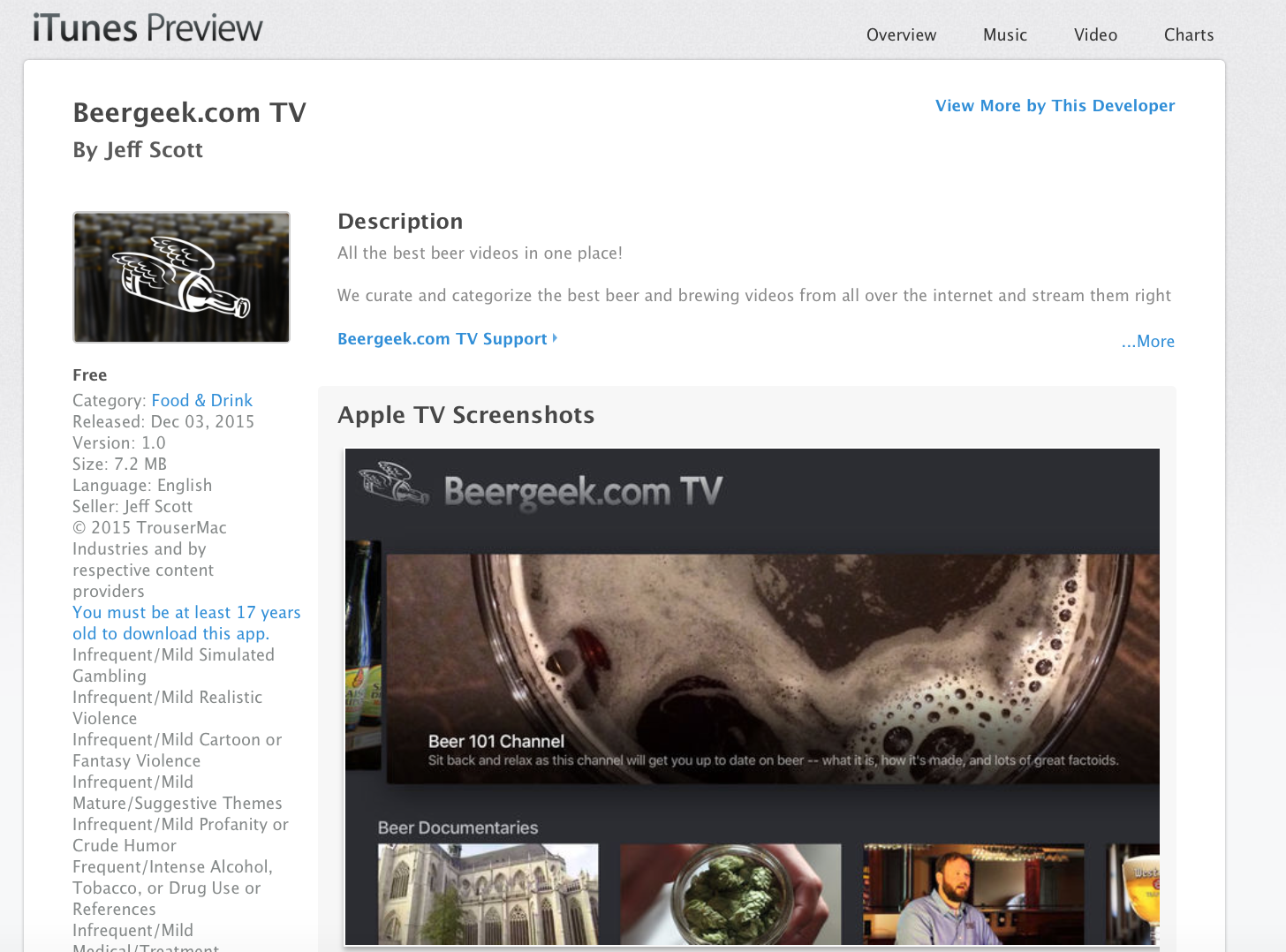
Apple has begun rolling out iTunes web previews for fourth generation Apple TV apps. The move, which was first spotted by Jeff Scott (via MacStories), will allow both users and developers to easily share links to Apple TV apps on the web.

It doesn't appear that web previews are available for all apps yet, and it's unclear which apps it's working for—Apple isn't advertising them anywhere. If you want to see what they look like, here's a link to Scott's app for Beergeek.com TV.

Apple meeting with top talent to develop original programming

Apple has been secretly meeting with top entertainment talent, reports Fast Company. In a lengthy article detailing the streaming ambitions of various tech giants, the outlet says the iPhone-maker has its sights set on building a lineup of original programming.

According to sources, the company quietly set up shop at the Imperial Hotel in Utah during this year's Sundance Film Festival. There, it hosted a series of private events, known as the "iTunes Lounge," where it discussed content deals with actors and filmmakers.

Apple TV’s Siri can now tune you in to live broadcasts in supported apps

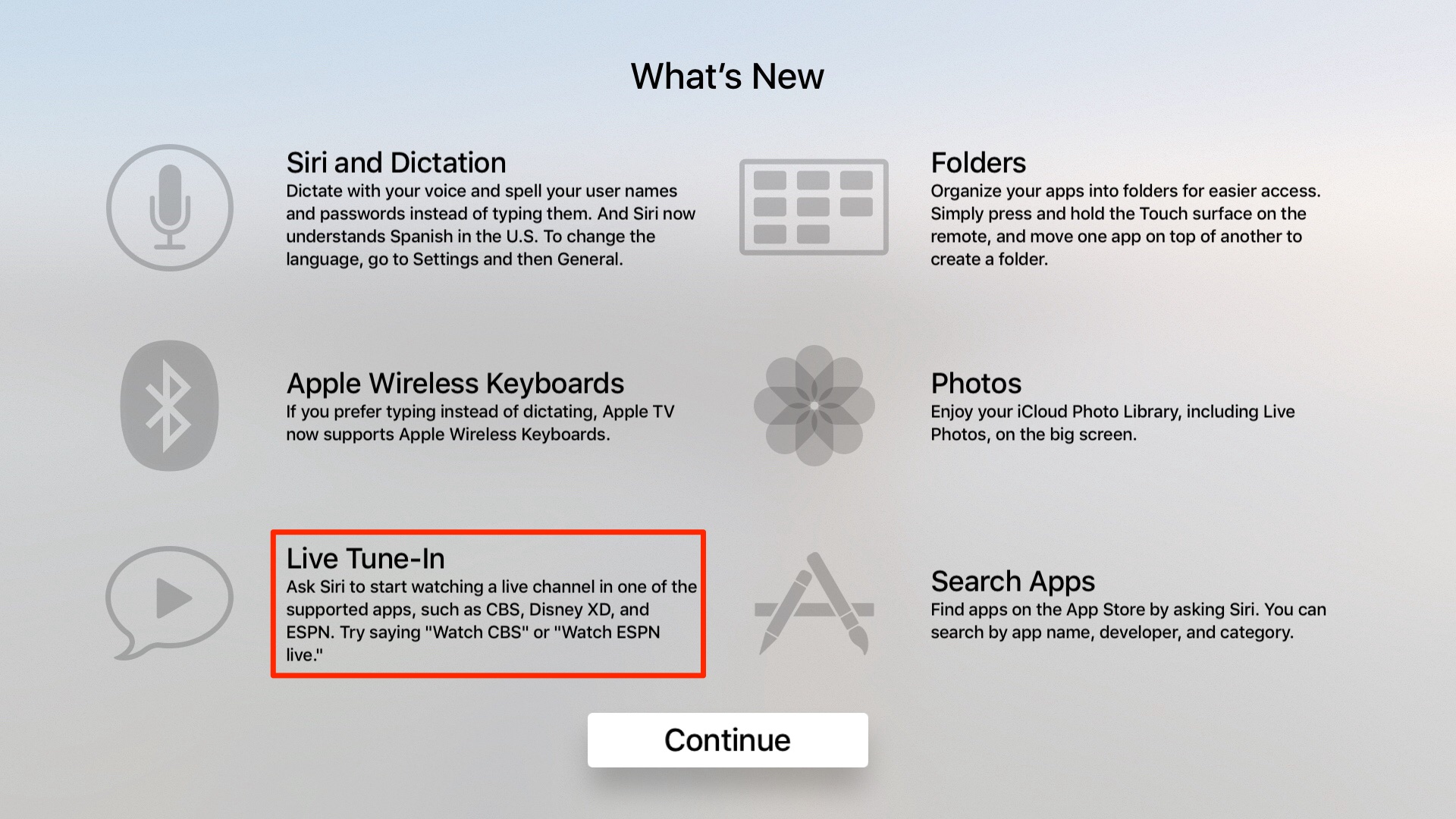
Apple has enhanced the tvOS operating system via a silent backend update that now permits users to ask Siri to tune in to live broadcasts in supported apps such as Disney XD, ESPN and CBS, the latter having gained integration with the Apple TV's universal search feature yesterday.

MacRumors has caught wind of this useful new feature addition on a splash screen that customers see after upgrading their 4th-generation Apple TV to the new tvOS software.

Universal search on Apple TV has gained support for finding CBS shows

Apple continues to add more content sources to the universal search capability of the fourth-generation Apple TV. Last week, for example, it added Starz content to the Apple TV's universal search.

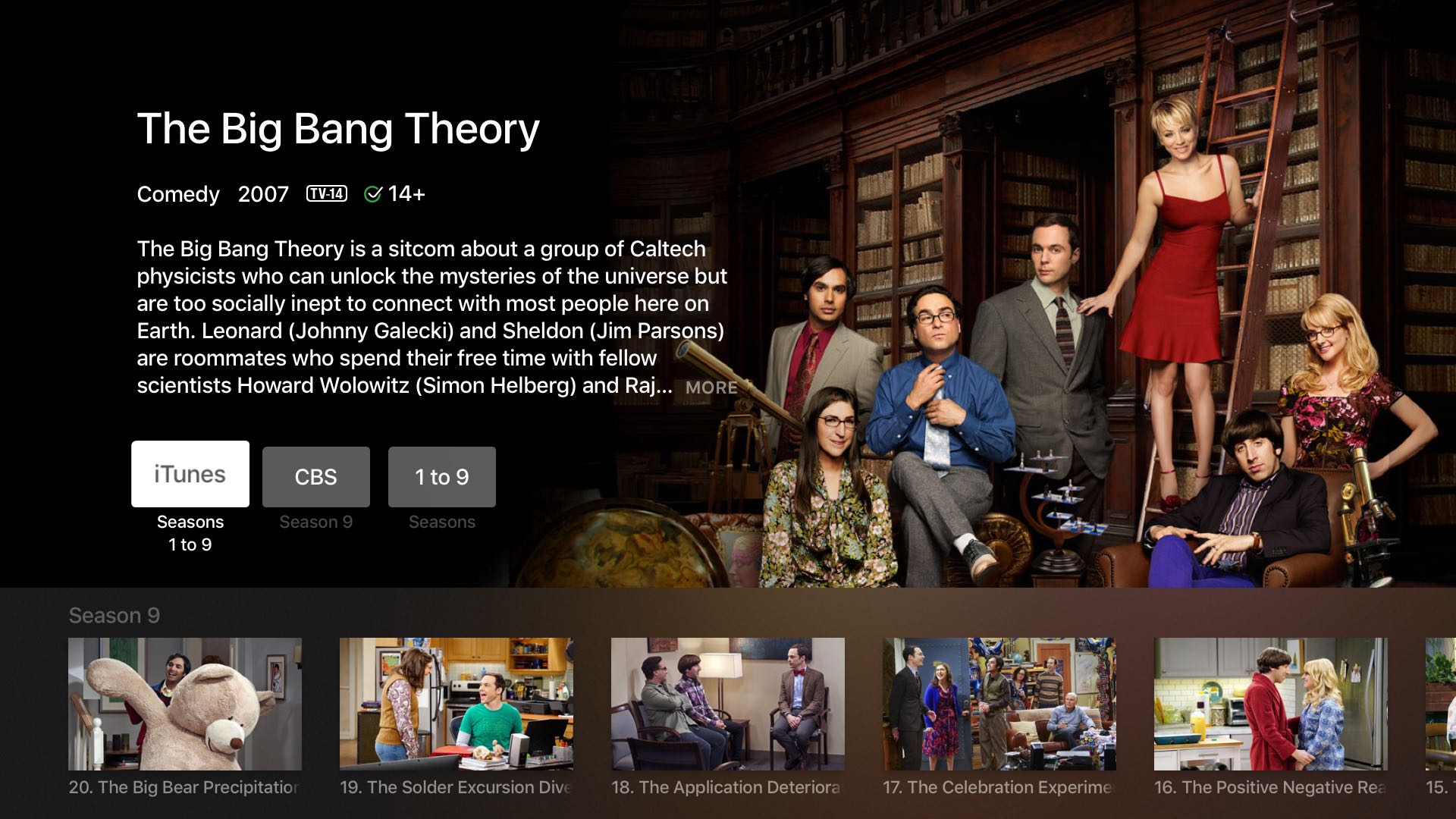
And now, owners of the set-top box who installed CBS's tvOS application can take advantage of Siri to find such CBS shows as “Big Bang Theory”, “NCIS“, “Supergirl” and others, just by using their voice. Apple's support document was updated yesterday to reflect the addition of CBS to the universal search lineup for the fourth-generation Apple TV.

Tip: use this secret Siri Remote shortcut to manually send tvOS diagnostic logs to Apple

Much like other Apple devices, your Apple TV lets you elect to have tvOS periodically send usage data to Apple and share crash logs with developers. When Share with App Developers is enabled underneath the Diagnostics Data heading in Settings → General → Privacy, your Apple TV will send diagnostic and usage information to Apple.

This data is used for the sole purpose of improving Apple's products and services. None of the collected information identifies users personally but those who are concerned about their privacy will likely have this feature disabled, just in case.

There are cases when Apple might ask you to send them these log files manually—for instance, when using the Apple TV's hidden remote diagnostic feature to help an advisor troubleshoot any problems you may be plagued with.

Thankfully, tvOS has a secret Siri Remote shortcut to override your Privacy settings and manually send those crash logs and diagnostic data straight to Apple.
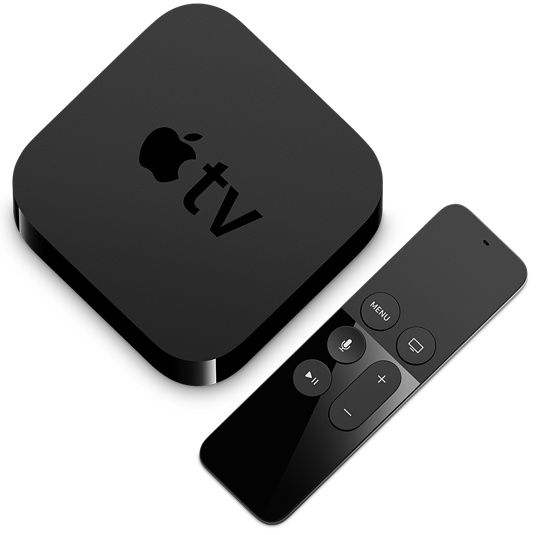
How to reveal and use tvOS’s hidden remote diagnostics mode on your Apple TV

Nearly five years ago, Apple started taking advantage of a new feature that lets customers send diagnostic data to an Apple advisor to help troubleshoot any problems they might be having, without having to take their device to an Apple Store Genius.

This remote diagnostic mode, which has since been implemented across all iPhone, iPod touch and iPad devices, is also available on the fourth-generation Apple TV. In this quick tutorial, you're going to learn how to access and take advantage of tvOS's hidden Diagnostics screen on your Apple TV.

Apple releases new Apple TV ad starring Lakers player Kobe Bryant and actor Michael B. Jordan

Apple on Sunday released a brand new commercial for the fourth-generation Apple TV, titled 'Father Time' and available on YouTube.

The 60-second ad features LA Laker's star Kobe Bryant and actor Michael B. Jordan and focuses on using tvOS's Siri features in conjunction with the Siri Remote to “make it easier than ever to find and enjoy whatever you’re looking for.”

The two men are sitting on the couch in a trailer and Jordan picks up his Siri Remote to ask the personal digital assistant to open the official NBA app.

Then, they start arguing over... Well, just watch the ad.

Apple seeds tvOS 9.2.1 beta 1 to developers

In addition to iOS 9.3.2 and watchOS 2.2.1, Apple on Wednesday released the first beta for tvOS 9.2.1 to developers. To update, you'll have to connect your Apple TV 4 to a computer and install the software via iTunes or Apple Configurator.

Todays release comes two weeks after Apple pushed out tvOS 9.2 to the public. That was a significant update, bringing about several user-facing changes such as support for app folders and Bluetooth keyboards, as well as new Siri features.

Cable network Starz launches $9 per month streaming package for iPhone, iPad and Apple TV

Starz, a premium cable and satellite television network, today announced a brand new video service which permits owners of the iPhone, iPod touch, iPad and Apple TV to stream shows for a low monthly fee of just $8.99 per month.

A companion iOS app lets subscribers download full episodes to watch offline but does not offer live streaming. On the fourth-generation Apple TV, it supports universal search so you can ask Siri for shows to watch, including original ones like “Outlander”, “Power” and the upcoming “American Gods”.

Real Racing 3 gains three new cars, adds fresh new events and more

Electronics Arts and Firemonkeys today pushed a brand new content update to Real Racing 3, their popular racing game for the iPhone, iPod touch, iPad and Apple TV.

Bumped to version 4.2, the game has introduced three new powerful cars: the Hennessey Venom GT—the fastest accelerating production car in the world according to Guinness—along with the 2015 BMW 3.0 CSL Hommage R and 1975 BMW 3.0 CSL.

In addition, players can now take on the all-new Front Runner special event for their chance to win the aforesaid Hennessey Venom GT and participate in other events to bring home that classic 1975 BMW 3.0 CSL or the new 2015 BMW 3.0 CSL Hommage R.

A quick overview of nitoTV for Apple TV 4

Kevin Bradley just released an update to nitoTV a few hours ago, and we've already showed you guys how to install it once your Apple TV is jailbroken. Now Andrew took nitoTV for a quick spin and briefly walks you through some of the things you can install.