Watch Every March Madness Game for Free on Your iPhone

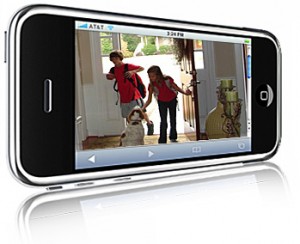
I love college basketball, particularly March Madness. Games go into overtime, double overtime, it's a fight to the finish. I also love my iPhone 4. It literally does everything.

So what happens when you combine my two favorite things? You get NCAA March Madness On Demand. The app that has been bringing every live March Madness game to your iDevice for the last two years is back and better than ever.

Microphone Differences Between Wi-Fi and 3G iPad 2?

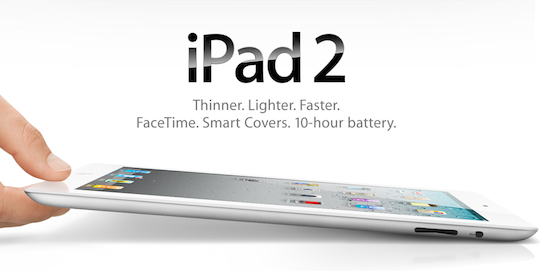
If you're still on the fence about which iPad 2 model to go with, pay attention. The folks over at iLounge have been giving their next-gen iPads a workout. They've written an in depth comparison between the 3 models (Wi-Fi, 3G AT&T, 3G Verizon) and have found some unique differences.

One of the most interesting finds was the difference in microphone quality. In their review they found that the microphone on the Wi-Fi iPad 2 offered considerably better sound quality versus either of the 3G models.

They note that the 3G versions had a bit of an echo and sounded muffled. The microphone on the Verizon model seem to suffer from the issues more severely, but they were clearly evident in both.

What could be causing the deteriorated sound? The answer could be simple. The mic sits right above the FaceTime camera, which in the 3G models is exactly where they stick the plastic antenna strip.

They note the microphone problems were more evident when the iPad's screen is facing the user, such as in a FaceTime call.

If you are still looking for help in making your iPad 2 decision, check out Sebastien's review with sample pics and video.

Has anyone seen these mic issues with their iPad 2 3G? Tell us below!

Apple’s “If You Don’t Have an iPhone” Ads Highlight App Store, iTunes, and iBooks

Apple has released some new ads that focus on the three main e-commerce stores for the iPhone. These short, 30 second promos focus on the App Store, iTunes, and iBooks.

The main focus of these three ads is to show what people who don't have the iPhone are missing. The "If you don't have an iPhone" tag line plays throughout the ad as different features of each store are pointed out. Each ad ends with a little jab: "If you don’t have an iPhone, well, you don’t have an iPhone."

What do you think? The ads clearly get the intended message across. Perhaps a little too boldly? Apple sure knows how to make a poignant little commercial.

[MacStories]

Use Your iPad as a Fridge Magnet

I saw a similar photo online yesterday so I decided to try it to see if it actually worked... and it does! This all works thanks to the 21 magnets that are in the Smart Cover. I tried to pull a little bit on the iPad to make sure it was not going anywhere and you can really tell it's relatively safe. The magnets are strong enough that your iPad is not going to slide down. Likewise, the magnets that hold the Smart Cover to the iPad are pretty strong too.

Somewhat useless but fun to try.

Apple Adjusting iPad 2 Inventory Shipping Strategy?

Analysts are predicting that Apple sold close to a million next-gen iPads during launch weekend. They are so backed up, online orders are showing shipping dates 5 weeks out.

Apple Insider is reporting that the iPad 2 shipments that some stores got this past Tuesday actually arrived Monday. Their source, who claims to be familiar with Apple's retail operations, states that the change is a direct result of previous device launch issues.

Apple's previous strategy has been to get the products from truck to shelf as soon as possible. But apparently it led to inventory inaccuracies and other problems at Apple retail locations. The new 24 hour delay is to give retailers ample time to check the iPad 2 shipments in, calmly and properly.

To the majority of us, an extra 24 hours may not seem like a big deal. But to the faithful that are still lining up at Apple stores every time there's word of an iPad 2 shipment, it can be a lifetime.

Has anyone been able to snag an iPad 2 since launch weekend? Tell us below!

Steve Jobs Sends Out Letter of Encouragement to Japanese Apple Staff

In an email that was reportedly sent out to all Apple employees, Steve Jobs and the rest of the Apple executive team took some time out from their day-to-day activities to acknowledge the pain and suffering in Japan due to the earthquake and tsunami disasters.

According to the email, Apple will supply the needed resources and supplies at employee request, and will arrange delivery; though obviously in the area's current state, logistics could prove to be an issue.

Apple has also delayed the iPad 2's Japanese launch in light of the recent events. To read the entire email from Steve and the rest of the executive team, take a look inside...

iPad 2 Review

It's been 6 days now since I got the iPad 2 and I have to say that I am more than satisfied with it. I wrote a pretty extensive review of the iPad 2 on our sister site, z iPad Blog, which hopefully will be helpful to some of you.

I usually don't cross post anything from one of our sites to another but I thought this review was worth mentioning here on iDB. Besides, most of you probably don't know we also run an iPad blog so this is the perfect occasion to promote this side project of ours. Make sure to check it out and subscribe to the RSS feed or the Twitter account.

Read my iPad 2 review.

IconNotifier: Another Unique Alternative to iOS Notifications

Late last month, developer Peter Hajas introduced MobileNotifier, a complete replacement of Apple's aging iOS notifications system. The jailbreak tweak became incredibly popular, showing how much iPhone owners are longing for a better notifications system.

Following MobileNotifier comes another alternative to the iOS notifications system courtesy of the jailbreak community, called iconNotifier.

Gevey SIM Interposer Provides Unlock For All iPhone 4s

Remember the days of the TurboSIM, and how that was a popular method for unlocking the iPhone 2G in 2008?

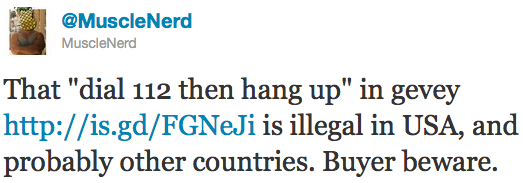
Gevey, one of the companies that was a leading provider of those TurboSIMs has released a SIM Interposer which can unlock the iPhone 4 up to iOS 4.3 by force activating the baseband using the emergency dialer.

Cydia Now Showing iOS 4.3 SHSH Blobs

If you've launched Cydia today, you'll notice that it is now showing your SHSH blob for iOS 4.3 official and beta builds (if you saved them).

Although it is already too late to save your iOS 4.2.1 SHSH blobs, if Cydia isn't showing you've saved your iOS 4.3 SHSH blobs, you may want to fire up TinyUmbrella and save them while you still can. As we've stated before, saving your SHSH blobs can come in handy for future jailbreaks, such as Jailbreak Monte. They are also necessary when you try to downgrade your iPhone to a previous iOS version that Apple is no longer signing.

Sn0wBreeze 2.3 Beta 2 Tethered iOS 4.3 Jailbreak Released

iH8sn0w has pushed another update to his Sn0wBreeze jailbreak solution for Windows. As the only current jailbreak tool for iOS 4.3, Sn0wBreeze 2.3 offers a tethered jailbreak for those unlucky enough to update their firmware to 4.3.

Sn0wBreeze 2.3b2 adds several improvements from the first beta, but nothing too significant. Sn0wBreeze 2.3 is still in beta, and iH8sn0w and team are working hard to create an untethered solution for the popular Windows jailbreak tool...

How to Backup iPhone Game Progress [Without Jailbreaking]

They say game saves are the most prized possessions for gamers. If you play the likes of Angry Birds and Cut the Rope on your iPhone, you surely will worry a bit about losing the game progress when restoring your iOS devices. Unless you restore from a previous backup, which is not always possible, you will lose all the gameplay progress and the levels you had earlier unlocked and gained access to.

Previously, Alex shared a tutorial on how to backup games using a Cydia application called AppLinks. However, that's only available to those with jailbroken devices. Let me show you how to do the same without jailbreaking your iPhone...