Is there a Facebook-Samsung deal in the works?

Is social networking giant Facebook looking for a new deal with South Korean smartphone giant Samsung? Speculation allegedly erupted on that front following a face-to-face meeting between a suit-and-tie Facebook CEO Mark Zuckerberg and Samsung President Shin Jong Kyun.

Although officially, the Samsung head would only say the conversation dealt with possible partnerships between the two firms, reports suggested Facebook may be looking to Samsung to bolster its floundering Facebook First on smartphones...

New Apple patents granted, covering multitouch, iPhone 5 and Lightning

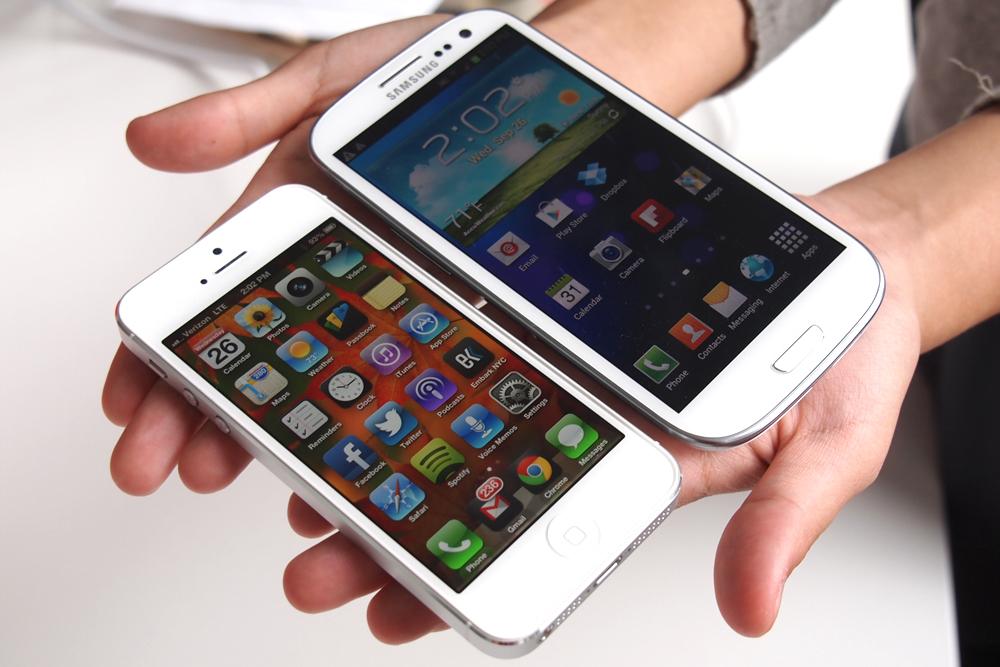
Among the nearly 40 Apple patents granted today by the U.S. Patent and Trademark Office (USPTO) are ones covering multi-touch technology, as well as designs for the iPhone 5 and the Lightning connector. The widest-ranging group of patents involves the multi-touch technology for the iPhone 5 and latest iPads and iPods.

Meanwhile, Apple's Senior Vice President of Design, Jonathan Ive, is given lead credit for designing the iPhone 5...

‘The Quick Brown Fox’ brings new customization options to the stock iOS keyboard

The Quick Brown Fox — it sounds like a weird name for a jailbreak tweak, but you'll quickly realize that it makes sense due to the fact that it adds some cool new features to the iOS keyboard. The Quick Brown Fox adds new features to your keyboard like Auto Twins, which automatically inserts a closing pair of parentheses or brackets when you typing the opening symbols. There's also Auto Space, which automatically places a space behind any configured symbol key.

Lastly, and perhaps most significant, you have Jumping Keys. Jumping Keys allows you to configure certain symbols to automatically jump you back to the alpha keyboard once typed. It works exactly like the apostrophe key works on a stock keyboard, but this allows you to configure apostrophe-like action to virtually any symbol key.

The Quick Brown Fox may sound a bit confusing, but that's what video walkthroughs were made for. Check inside, as we go hands-on The Quick Brown Fox, and showcase how it all works.

‘NCEnough’ smartly resizes Notification Center based on content

Does it annoy you a bit when you have a single notification present in Notification Center, yet you're forced to pull down the entire Notification Center window to view the notification? That's because notifications are pinned to the top on arrival, so even if you have just one notification to view, you must pull down the entire window to view it.

Pulling down the entire Notification Center window to view one notification pinned at the top can tire out your thumb, if you're used to operating your iOS device single handily. NCEnough is a new jailbreak tweak that seeks to eliminate this finger fatigue, and it does so by adjusting the size of Notification Center based on the content contained within. Jump past the break for our full in-depth video hands-on.

‘Knober’ brings gesture based actions to the Lock screen

Knober is a recently released tweak that allows you to perform specific actions using a swipe gesture on the slide to unlock bar. By swiping right, and then left without releasing the Lock screen knob, you can perform one of the tweak's seven built in toggles. Take a look at our full video walkthrough inside for more details on Knober...

‘Activator’ gains collapsible menus, multiple actions

Activator beta updates are becoming like a weekly ritual around here, and we love it. The latest update, Activator 1.7.5 beta 9, was released just three days after the previous beta release. Beta 9 adds four new bullet points to the fray, and two of them are readily noticeable.

This latest version of Activator includes the ability to collapse certain groups that contain a lot of action entries. This will make it significantly less cumbersome to navigate through all of the provided actions. The second, and arguably one of the biggest features to hit Activator in quite some time, is the ability to assign multiple actions to an event. Yes, this means that you can stack multiple actions, as long as they are compatible with one another, and execute them using a single gesture or trigger.

Want to have a look at how this all works? I've demoed it on video inside...

A closer look at App Store in iOS 7

Like all stock apps, the App Store on iOS 7 has been graced with a sprinkle of Jony Ive's magic. Not only does the storefront looks a lot nicer now - gone is the dark-themed look in favor for sleek appearance with lots of white space for easier reading - the app is way smoother and nimbler than on iOS 6.

It also features several enhancements that will appeal to pretty much everyone, from parents and their kids to power users to the likes of Senator John McCain who will love not having to manually update apps on his iPhone. Here's a quick look at all the changes in App Store on iOS 7...

Let’s Talk Jailbreak 15: WWDC hangover

WWDC 2013 is officially finished, and we think it's safe to say that we're all a bit hungover from all of the news and activity. In this episode, we, of course, talk about iOS 7, but we also discuss some of the more prominent jailbreak tweaks from the last week. Releases like Auxo for iPad, Overview, and iOS 7 Control Toggle Icons take the floor in this latest back to basics episode.

Flush out your business plan ideas with Elevatr

Everyone has big ideas for starting their own business or inventing some new product. But, not many people follow through with their ideas. Maybe they forgot what they were talking about after six shots of whiskey. Maybe they already moved on to a new business idea.

Elevatr is a productivity app that lets you write down your business plan in a simple, but useful way. Now, when you say you’re going to open your own barbeque-French cuisine fusion restaurant, you might actually turn that idea into a reality…

Hidden settings in iOS 7 beta show extra gesture, multitasking and folder options

As folks continue to dig through the first beta of iOS 7 that Apple seeded to developers last week, more details regarding the all-new OS continue to surface. Today, hidden settings have been discovered in the software with new gesture, multitasking and folder options.

The existence of these settings seems to suggest that Apple is testing a couple of unannounced features in the beta, including system-wide gestures like edge swipes and corner swipes, and the ability to both hide pre-installed apps and create folders within folders...

New nationwide test shows AT&T LTE network is fastest, Verizon is most reliable

Here in the US, we're fortunate to have a wide selection of wireless providers with LTE networks. Where many countries have none, or just one, all four of our top carriers, and several regional carriers have deployed the technology nationwide.

But with choice comes decisions—you have to decide which LTE provider to go with. Luckily, the folks over at PC Mag have driven over 20,000 miles across the United States testing the country's top four carriers to help you make that decision...

Mailbox app updated with support for portrait orientation on iPad

Folks who have taken a shine to the popular Gmail client Mailbox will be happy to hear that the app was updated today. The new version, which is marked as 1.3.1, brings about the usual bug fixes and one significant new feature: support for portrait mode on the iPad.

The Mailbox team tweeted out word of the update this afternoon, which will finally allow Mailbox users to view and compose email in portrait mode on the iPad. In previous versions, these two functions (as well as others) were limited to landscape mode on the tablet...