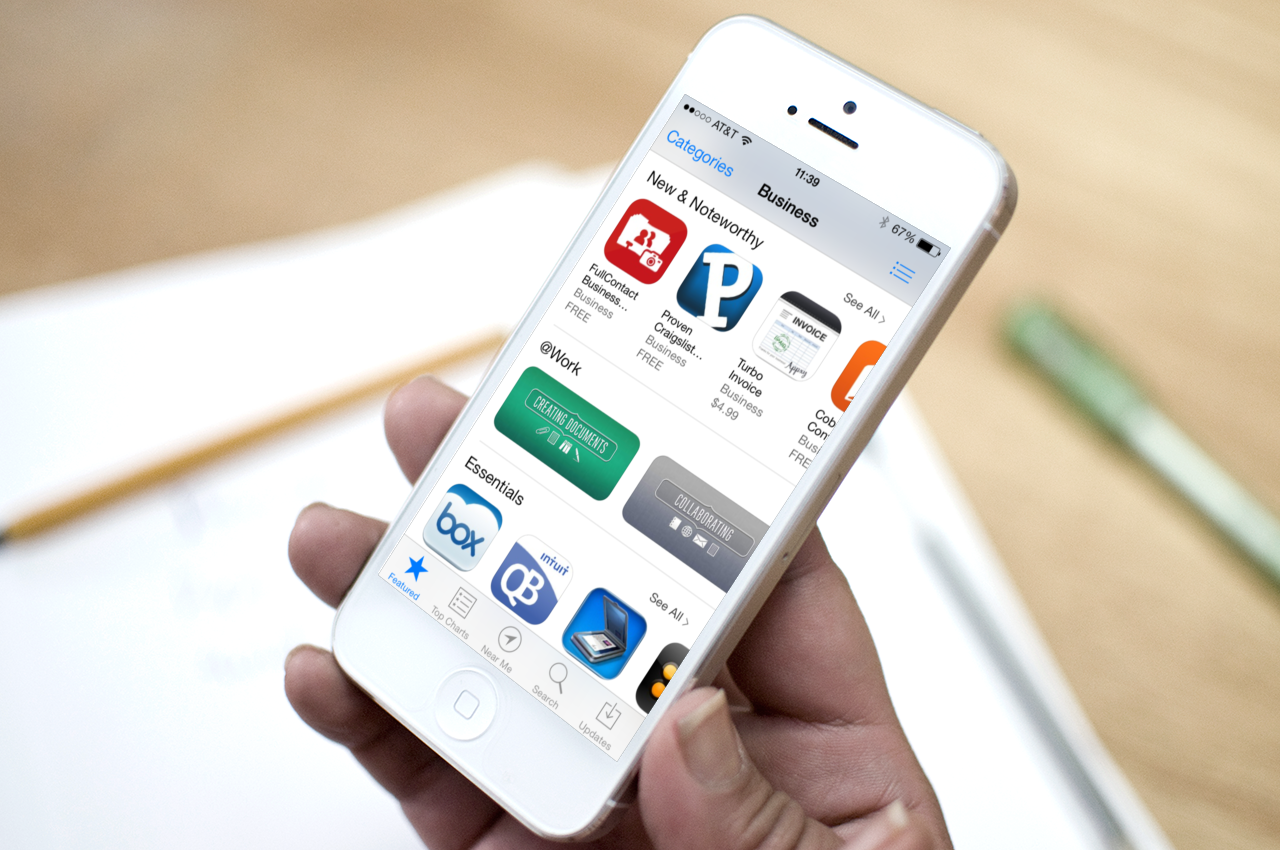
The best apps for creating, editing, and sharing documents on the go

When it comes to productivity, Apple’s iOS ecosystem is chocked full of apps to help you get things done. Microsoft has even provided it's Office Suite for our benefit. There are also many different apps that make it possible for you to access and edit your productivity documents and share them with others.

The App Store has hundreds of productivity apps that will make your working life easy. Here is a list of our favorite apps for creating, editing, and sharing documents on the go.

Word and Excel

Microsoft used to have the market on productivity apps. There was a time when you couldn't get though life without having Word on your desktop. Because of the saturation, many of us are just used to the productivity suite and want to keep with the status quo, which is why it was a pleasant surprise when Microsoft finally launched these apps on iOS. You can create and edit documents using the familiar tools of the desktop versions, but with special care and attention paid to use of the mobile screen. Word and Excel are both available for free.

Pages and Numbers

You can't talk about Microsoft's productivity suite without mentioning Apple's version, especially on a website that covers Apple products almost exclusively. Apple's version is tied more directly to the iOS ecosystem, and is therefore better for iPhone, iPad, and Mac users. You can create and edit documents and take advantage of advanced editing tools, like tracking changes, adding comments, and highlights. Your projects are saved in iCloud and you can access them from any iOS device, as well as Mac or PC, via iCloud Drive. Pages and Numbers both cost $9.99.

Google Drive

Google has permeated our everyday lives. There was a time when you needed an invitation to get a Gmail account. Now, practically everyone has one. And, with it comes Google+, which gives users access to the cloud-based document creation services, Google Drive. With the iOS app, you can access all of your files in Drive, including photos, videos, PDFs, spreadsheets, and more. You can also set permission parameters and share your files with others right from the app. All of your work is saved automatically and backed up in Google's cloud, so you'll never lose your edits. This app is available for free.

Notability

Whether you are sitting in the classroom and listening to a lecture on sixteenth century literature, or meeting with your team for a brainstorming session at work, there is no better way to take notes than with this multipurpose app. You can create documents, mark up PDFs, record lectures, tag files, organize notes and save all of your notes in iCloud for easy access anywhere. This app is available for $5.99.

Documents 5

With this file-sharing app you can see your Office documents, read and annotate PDF files, search keywords in documents and edit Text files. You can also view photos, watch movies offline, and listen to music. If you are working on documents with a coworker, partner or friend, share files in Dropbox, Google Drive, and more. This app is available for free.

Docs To Go Premium

Even though there are hundreds of productivity apps that work just as good as Microsoft’s popular Office Suite (some may even say better than), there are still thousands of people who rely on the program in their daily life. If you really can’t give up that ghost, Documents To Go makes it possible to view, edit, and create Word and Excel files from your iPhone or iPad. You can also view PowerPoint, PDF, and RTF files. You’ll even be able to download the free desktop application for two-way file syncing with your Mac or PC using local Wi-Fi. This app is available for $16.99.

Dropbox

This cloud-based application is one of the most popular in the App Store. Long before Apple offered 5GB of free iCloud storage, Dropbox was making it possible for users to save and share folders full of photos, music, movies, and more. You start off with only 2GB of space, but can easily earn an additional storage space by linking your photo sync, getting others to sign up, or adding multiple devices. You can easily share files to others with a Dropbox account, but you can also send a link for your files to people who still haven’t signed up for the cloud storage service. This app is available for free.

SugarSync

Similar to Dropbox, this app lets you sync documents, photos, videos, music and more. You can access your files from any computer or mobile device using either the compatible app or directly through the SugarSync website. You get 5GB free right off the bat. Share files and documents privately by inviting others to see them, or send a link to share your files publicly. This app is available for free.

GoodReader

The GoodReader app is, by far, my favorite productivity apps for downloading, editing, and sharing PDF documents. If you regularly download large PDF or Text files, you will definitely need this app. You can add magazines, manuals, books, player handbooks, and all manner of PDF files. Plus, you can mark up all files with freehand annotation, highlights, sticky notes, lines and arrows, and more. You can also sync your files with Dropbox, Sky Drive, SugarSync, and more. You can even set up a local Wi-Fi server to send books and magazines to a friend’s GoodReader app directly. This app is available for $4.99.

Evernote

This is another app that you really can’t live without. You can easily create and edit text notes, to-do lists and more. Record audio, search for documents by typing in a specific word of phrase, and organize notes by notebooks. Save web pages for offline reading. Evernote is connectable with iPhone, iPad, and desktop browsers so you can add files and sync documents across all devices. This app is available for free.

Scanner Pro

Are you tired of scanning a document in your office printer hub, sending it to your computer or email address, then downloading it on your iPhone or iPad in order to take it with you on the go? Then, you should try cutting out the middleman by scanning multiple page documents directly onto your iOS device. You can scan receipts, notes, and multipage documents, as well as digitally sign forms with the included annotation feature. Share your scanned documents through email or sync on Dropbox, Evernote, and Google Drive. This app is available for $2.99.

Docusign

How many times per day do you have to sign a document? Do you have an office assistant who is constantly interrupting your telephone conversations with files that need your “John Hancock”? If you regularly sign documents that are sent through email, printed, signed, then resent through another digital format, you need an app like DocuSign. You can sign documents, fill out forms, and create a signature that can be used anytime by your office assistant without having to interrupt you. This app is available for free.

What are some of your favorite productivity apps and why? Please share your recommendations in the comment section below.

Is this Samsung’s new smartwatch?

It appears that Samsung is going to beat Apple to the wearable tech space this week. The company has an 'Unpacked' media event scheduled for Wednesday, September 4, where it's widely presumed to unveil a new smartwatch.

Now, this category is still fairly new, so we really don't know what to expect to see on Wednesday. But if these images from VentureBeat are legitimate, Samsung's Galaxy watch will feature a 3-inch display and a chunky design...

Apple revamps its bug-reporting tool Radar

Apple's Bug Report is among more than a dozen services that were disrupted during a ten-day Dev Center outage earlier this month. The web-based tool, also known under the 'Radar' moniker, gives Apple's registered iOS and OS X developers the official venue to file all sorts of bug reports.

The improved version of Bug Reporter went live after this year's WWDC, but soon got pulled because- oh, the irony - it was riddled with bugs. The old, pre-WWDC Bug Report had long been a running joke.

Seriously, it was so bad that a few hundred developers signed a 'Fix Radar or GTFO' petition demanding that Apple squash pesky bugs and rethink the tool with a more intuitive approach. The redesigned version has now gone live for all developers with an Apple Developer Account, featuring improved searching, attachments and other improvements...

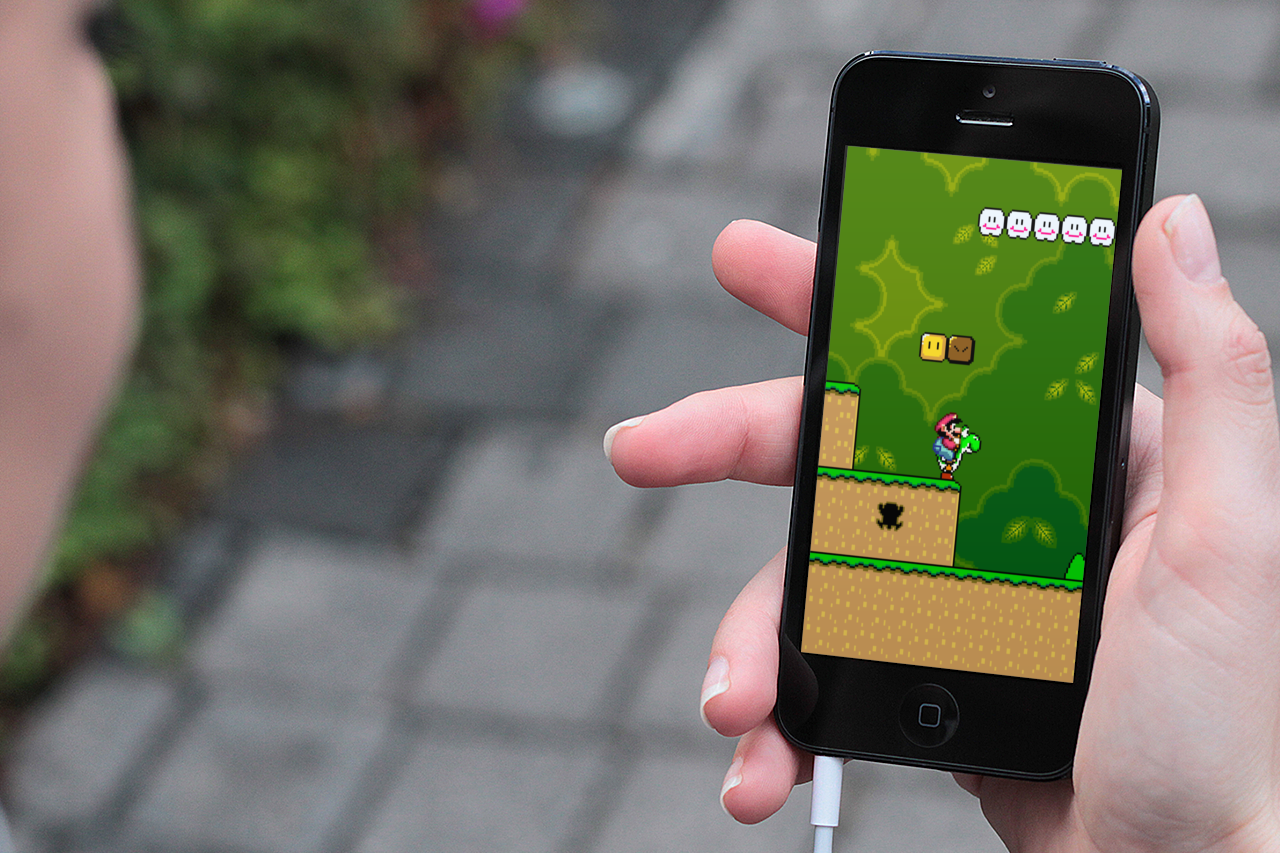
Nintendo should make great games for iOS

Although Nintendo made it clear on multiple occasions that they will not port their games to other platforms, things aren't looking up for the Japanese company that's been slashing prices left and right in a hope it will sell more of its gaming devices.

Apple pundit John Gruber chimes in and shares his views about what Nintendo should do to keep relevant in a market it helped define:

Verizon confirms $130 billion purchase of Vodafone stake in Verizon Wireless

It's official, Verizon has reached an agreement with Vodafone to buyout its 45% stake in Verizon Wireless for $130 billion. The news comes after several months of rumors and speculation, and a report from The Wall Street Journal this weekend.

The deal, which is expected to close by the beginning of next year, is significant for a few reasons. For one, it will put Verizon in full control of the largest wireless carrier in the US. And two, it will rank as one of the largest acquisitions in history...

Activist investor Carl Icahn could push Apple to buy Nuance

A lot of watchers hit the panic button after the billionaire investor Carl Icahn announced taking a "large position" in Apple (think north of $1 billion), which more often than not acts as a Wall Street code-word for impending board/CEO changes and hostile takeovers. But these people needn't worry if an article by the New York Post is anything to go by.

As it turns out, Icahn may be simply looking to leverage his newly acquired influence to force Apple into buying Nuance Communications, whose technology powers Siri's speech recognition. Icahn just recently has conveniently increased his stake in Nuance and now owns 16.4 percent of the company.

Coincidentally or not, the investor said that both Apple and Nuance in his view are currently undervalued...

Baldur’s Gate II: Enhanced Edition is coming to iOS

Baldur's Gate: Enhanced Edition, BioWare’s classic role-playing game set in the Dungeons & Dragons universe, launched on the App Store last December combining the original Baldur’s Gate game, the Tales From the Sword Coast expansion pack, an additional monk character, a new ‘Black Pits’ adventure and lost more content.

The game was yanked from the App Store a few months later due to a number of contractual issues with published Beamdog. It has since returned to the App Store as those problems had been resolved in a mutually satisfactory manner and now we're hearing that the official sequel, Baldur’s Gate II: Enhanced Edition, will launch on the iPhone and Android later this year...

Shazam previews now play right in Twitter

Apart from bringing out the ability to purchase multiple songs at once through iTunes back in June, the music discovery service Shazam has been pretty quiet in terms of its iPhone and iPad app, releasing only a few maintenance updates. Today's version 6.2.1 update changes that.

The just-refreshed application now features way faster song recognition on older devices and brings integration with Twitter, allowing everyone to play tweeted out Shazam song previews right in Twitter, thanks to Shazam's new Twitter Card.

The micro-blogging service recently released an iOS music discovery app called #music so this Shazam update ups the ante in terms of social music discovery. More tidbits right after the break...

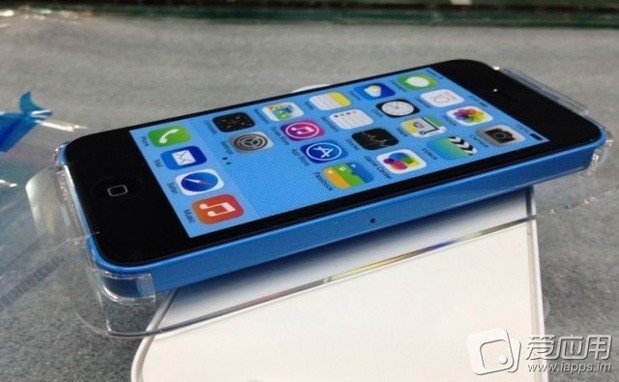
Blue iPhone 5C packaging surfaces online, gets removed at the request of a ‘relevant party’

After sharing blurry photographs of the supposed plastic iPhone 5C showing the devices's packaging and printed manual, the same Chinese source is back at it and now has posted a pair of new images. The photos appear to picture the blue, white and yellow iPhone 5C units in their boxes and a close-up shot of the blue iPhone 5C.

The latter is especially interesting as we're treated to a nice scene of the device's supposedly rounded edges, part of its Unibody enclosure in matte finish. It's quite compelling, have a look below...

Alleged red iPhone 5C running Safari shown off in blurry video

This past weekend, a set of blurry photographs sourced from China claimed to have showed us the plastic iPhone 5C packaging along with color-matched wallpapers and the Quick Start manual.

As we approach Apple's September 10 reveal, a suspicious looking video has now surfaced online showing what looks to be Apple's plastic iPhone running the Safari browser.

Needles to say, the clip is making rounds and has already prompted a pretty heated exchange among the Apple watchers, have a look below...

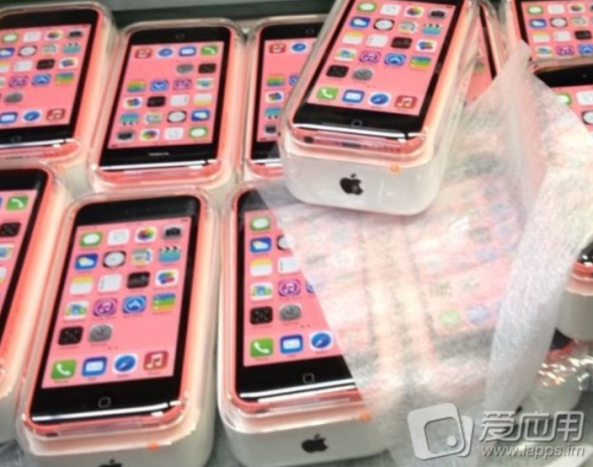
Images of alleged iPhone 5C packaging and manual hit the web

A new image surfaced online this weekend, claiming to depict a dozen iPhone 5C units in their retail packaging. The phone, which is believed to be Apple's long-rumored budget iPhone, is shown in a transparent box similar to that of the iPod touch.

The image was accompanied by two other photos, which also claim to show 5C packaging material. If legitimate, they offer a sneak peek at the handset's user manual, including a device diagram and legal information, and its SIM card ejection tool...

New GlyphPatch tweak patches recently exposed DoS exploit in iOS

Filippo Bigarella has released a new jailbreak tweak this weekend called GlyphPatch. The utility patches the recently exposed DoS exploit which targets Safari's WebKit engine and causes apps to crash when rendering a malicious sequence of characters.

The bug, which was made public last week, affects users on both iOS and Mac and can be triggered through a few different surfaces: SMS, iMessage, the web, and network SSID. But jailbroken iOS users can protect themselves from it with this new tweak...