Let’s Talk iOS 121 discusses tvOS beta, error 53, GarageBand loops, and more

Episode 121: On this week's episode, Jeff, Cody and Sebastien discuss new functionalities in the latest beta of tvOS, including dictation support for search, as well as Siri support for App Store searches. The trio then discusses the now infamous Error 53, rumors of Apple's interest in NFL rights, recent acquisitions, as well as Jeff's awesome guide about getting started with loops in GarageBand. Also, great news for people who love bad news.

Subscribe on iTunes

Support Let’s Talk iOS: Get peace of mind knowing your files are backed up securely in the cloud. Backup your Mac or PC for just $5/month. Go to backblaze.com/iDB.

How to rotate a video on your Mac

Every so often, you may come across the need to rotate a video after you've recorded it with your camera or iOS device because it didn't quite come out how you expected it to.

Fortunately, Apple's QuickTime app, which is built into the macOS operating system on your Mac, is powerful enough to do just that; and it's very easy to do.

In this tutorial, we'll be showing you how to rotate a video in any direction on your Mac using the QuickTime app.

tvOS 9.2 beta 3 preview: Search the App Store with Siri, use Dictation to enter text and login credentials

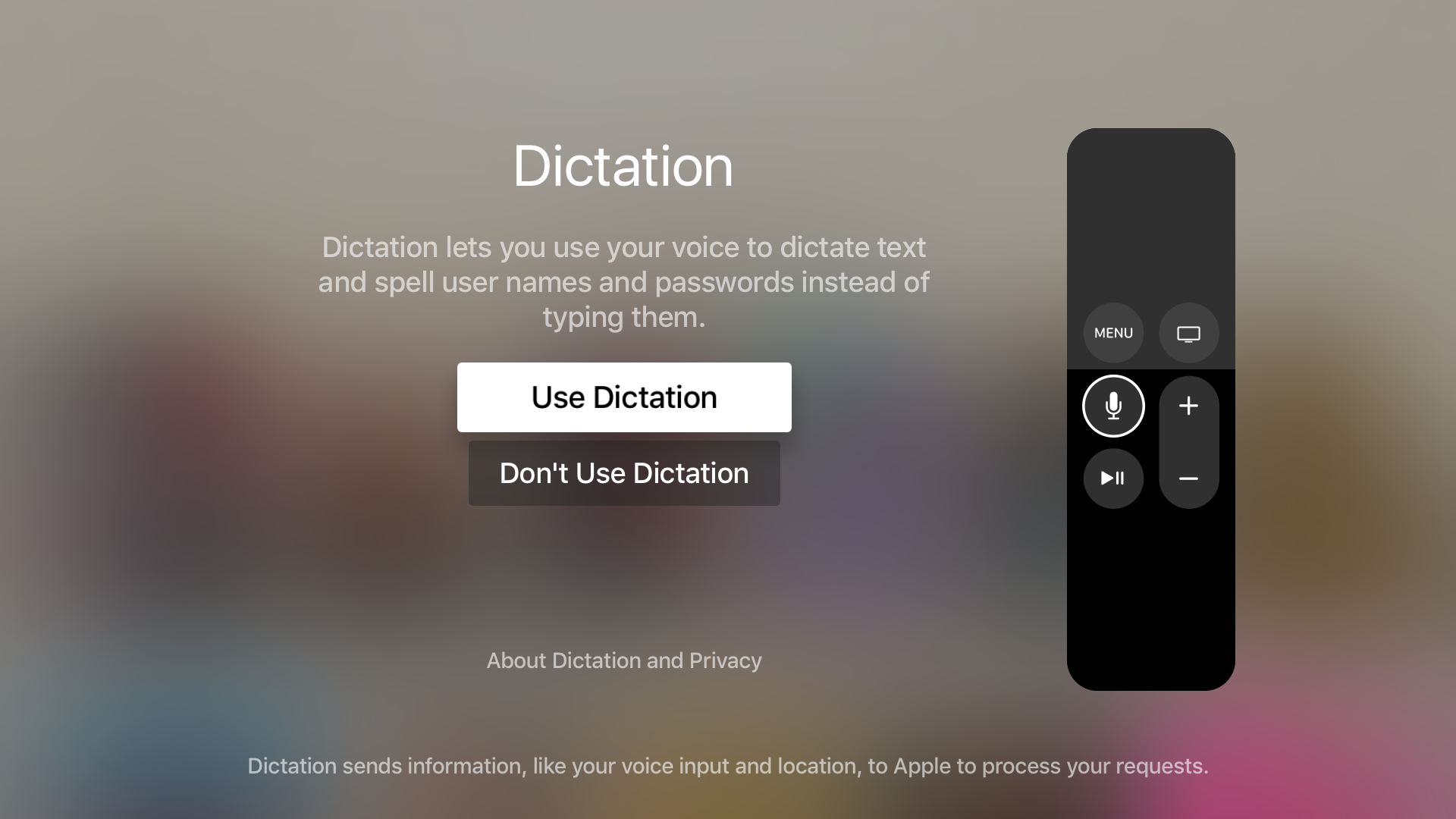
It seems like every time there's a new tvOS beta, an interesting new feature is included for us to talk about. With tvOS 9.2 beta 3, that new feature is the ability to use Dictation on text input fields. It also includes the ability to dictate—character by character—usernames and passwords.

Along with the new Dictation feature, comes support for searching the App Store using voice input from the Siri Remote. Have a look at our video preview that showcases each new feature in action.

How to move Photos library to an external drive

In addition to moving your multi-gigabyte iTunes library to an external drive, a significant amount of Mac storage space can be freed up by moving your photo libraries onto a separate drive.

If you take a lot of pictures with a DSLR camera or your iOS devices and import them in Photos, you'll fairly quickly run out of free space on most Macs.

This tutorial will guide you through the process of moving an entire library of photos to an external drive, preferably to a much larger external hard drive, in a way that won't disrupt your photography workflow.

Apple seeds OS X 10.11.4 beta 3 to developers

In addition to several other releases, Apple on Monday pushed out the third developer beta of OS X 10.11.4. The update is available either via the Updates tab of the Mac App Store for current 10.11.4 testers, or on Apple's developer website as a standalone download.

Today's beta 3 comes two weeks after beta 2 and nearly a month after the original version of 10.11.4 was released. The update is mostly under-the-hood improvements, but it does include a few new features such as support for Live Photos and password-protected Notes.

Apple seeds tvOS 9.2 beta 3 to developers with Dictation support for search and Siri support for App Store search

Two weeks after it seeded tvOS 9.2 beta 2 to registered developers, the third tvOS 9.2 beta has been released, bringing with it Dictation support for onscreen text entry, as well as Siri support for App Store search.

The tvOS 9.2 update is notable for adding several improvements to the Apple TV. These improvements include a native Podcasts app, Bluetooth keyboard support, an improved App Switcher, iCloud Photo Library, Conference Room Display Mode, and more.

If you're a developer, you can find details about the tvOS beta on Apple's tvOS developer page. The tvOS 9.2 beta 3 release comes with a build number of 13Y5198c. We'll be downloading and installing it to provide an update on what new features this latest beta update might include.

Apple seeds watchOS 2.2 beta 3 to developers

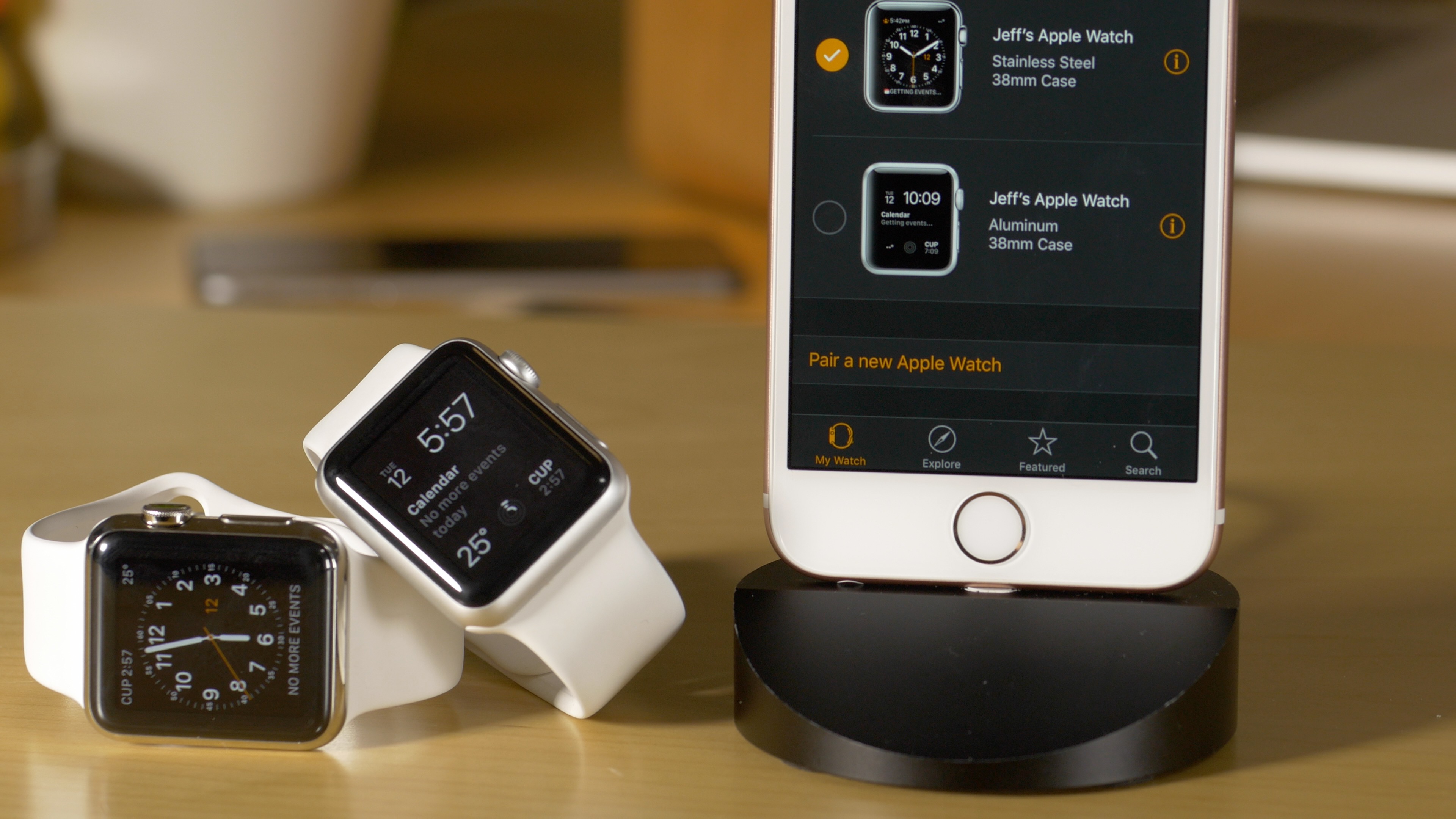
Apple on Monday seeded the third beta for its incoming watchOS 2.2 update to developers. The release is available as an OTA upgrade via the Apple Watch app for those already on 2.2, or as a standalone download from Apple's developer website.

Beta 3 comes two weeks after beta 2, and a month after the original watchOS 2.2 beta was released. The update includes a handful of new features, such as the ability to pair more than one Apple Watch with an iPhone and Maps app improvements.

Apple seeds iOS 9.3 beta 3 with Verizon Wi-Fi Calling and more

Apple on Monday seeded a third beta of iOS 9.3 to its developers. The software is available to members of the Apple Developer Program and can be deployed on the iPhone, iPod touch and iPad devices running a prior beta as an over-the-air download in Settings → General → Software Update.

A standalone installer should be available shortly through Apple's portal for developers.

The new beta has a build number of 13E5200d and adds a new Wi-Fi Calling option for Verizon customers. iOS 9.3 beta 3 arrived approximately two weeks following iOS 9.3 beta 2 and a full month since the original 9.3 beta was seeded to developers. We will update the article with a running list of enhancements in the new beta as we encounter them.

How to make the most of 3D Touch in Phone app

Our 3D Touch tutorial series has so far covered various user interface shortcuts and 3D Touch Peek and Pop gestures in several Apple stock apps like Messages, Safari, Mail, iBooks and Apple Maps.

Today, we're going to discuss how pressure-sensing screens enhance the Phone app, one of the most frequently used stock apps on iPhones. Here's how to make the most of 3D touch and the Phone app.