KGI: iPhone 8 won’t support fingerprint recognition

Revered Apple analyst Ming-Chi Kuo of KGI Securities is back with the latest round of predictions conquering Apple's upcoming iPhones, obtained by StreetInsider.

The biggest takeaway from his latest note to clients: iPhone 8 will adopt a full-screen design with a 5.8-inch OLED screen covering nearly the entire front face of the phone. It should have “the highest screen-to-body ratio of any smartphone currently available worldwide”.

The device will feature a virtual Home button. Kuo doesn't think the virtual button will support Touch ID fingerprint recognition although he didn't unequivocally state that the OLED-based handset won't have an integrated in-screen fingerprint sensor.

An excerpt from his note:

We predict the OLED model won’t support fingerprint recognition, reasons being:

(1) the full-screen design doesn’t work with existing capacitive fingerprint recognition

(2) the scan-through ability of the under-display fingerprint solution still has technical challenges, including: (i) requirement for a more complex panel pixel design; (ii) disappointing scan-through of OLED panel despite it being thinner than LCD panel; and (iii) weakened scan-through performance due to overlayered panel module.

As the new OLED iPhone won’t support under-display fingerprint recognition, we now do not expect production ramp-up will be delayed again (we previously projected the ramp-up would be postponed to late October or later).

The analyst reiterated that the OLED-based device will use 3D sensors for advanced facial recognition, improved selfie quality, 3D mapping and other features.

“To maintain its boutique image, we think the OLED version will offer fewer options for casing colors than LCD iPhone models,” reads Kuo's note.

As for the 4.7-inch iPhone 7s and the 5.5-inch iPhone 7s Plus updates, Kuo maintains that these models will continue to use LCD display technology and retain the front form factor design similar to the current iPhone 7 series.

The OLED-based iPhone 8 and the 5.5-inch iPhone 7s Plus will have 3GB of RAM due to dual-camera requirements, while the 4.7-inch iPhone 7s is expected to only use 2GB RAM because it's expected to have a single camera.

All three new models should come with 64GB and 256GB storage options and have a Lightning port with a built-in USB-C Power Delivery chip for fast charging. The output power of the devices' receiver and speaker will be more consistent than before in order to “create better stereo effects,” the analyst predicted.

“For optimized promotional effect, we think Apple may unveil the three models simultaneously in September, though the launch date of the OLED version may trail that of LCD models, and supply tightness may not improve before the first quarter of 2018,” reads the note.

KGI forecast shipments of the three new iPhone models of 80-85 million units during Apple's fiscal year 2017, with an equal split between OLED-based iPhone and the LCD-based iPhone 7s and iPhone 7s Plus models.

iPhone 8 Full Vision Display concept courtesy of iFanr.

Wallpapers of the week: red inspiration

It has already been a hot summer for the record books. With July kicking off and August yet to come, be sure, the heat is only just getting started. To bring some of that red hot summer fun to your iPhone, take a step inside for a red-inspired wallpaper pack. Now, if only they had released that red iPhone with some sweet red wallpapers!

The top stories of the week on iDB

Like every Sunday, we get to take a look at some of the most popular posts that were published on iDB during the week that just ended. Whether it is a news item, a new jailbreak tweak, a tutorial, or an app review, we sum it all up in one convenient place for you.

As always, if you like what you're reading, please feel free to spread the love by sharing our posts on your favorite social network.

We're usually hanging out a lot on Twitter and Facebook, more rarely on Google+.

Don't forget to listen to the latest episode of our new podcast, Let's Talk iOS:

Subscribe on iTunes

Want to support iDB? Visit our Deals Store and buy something from us.

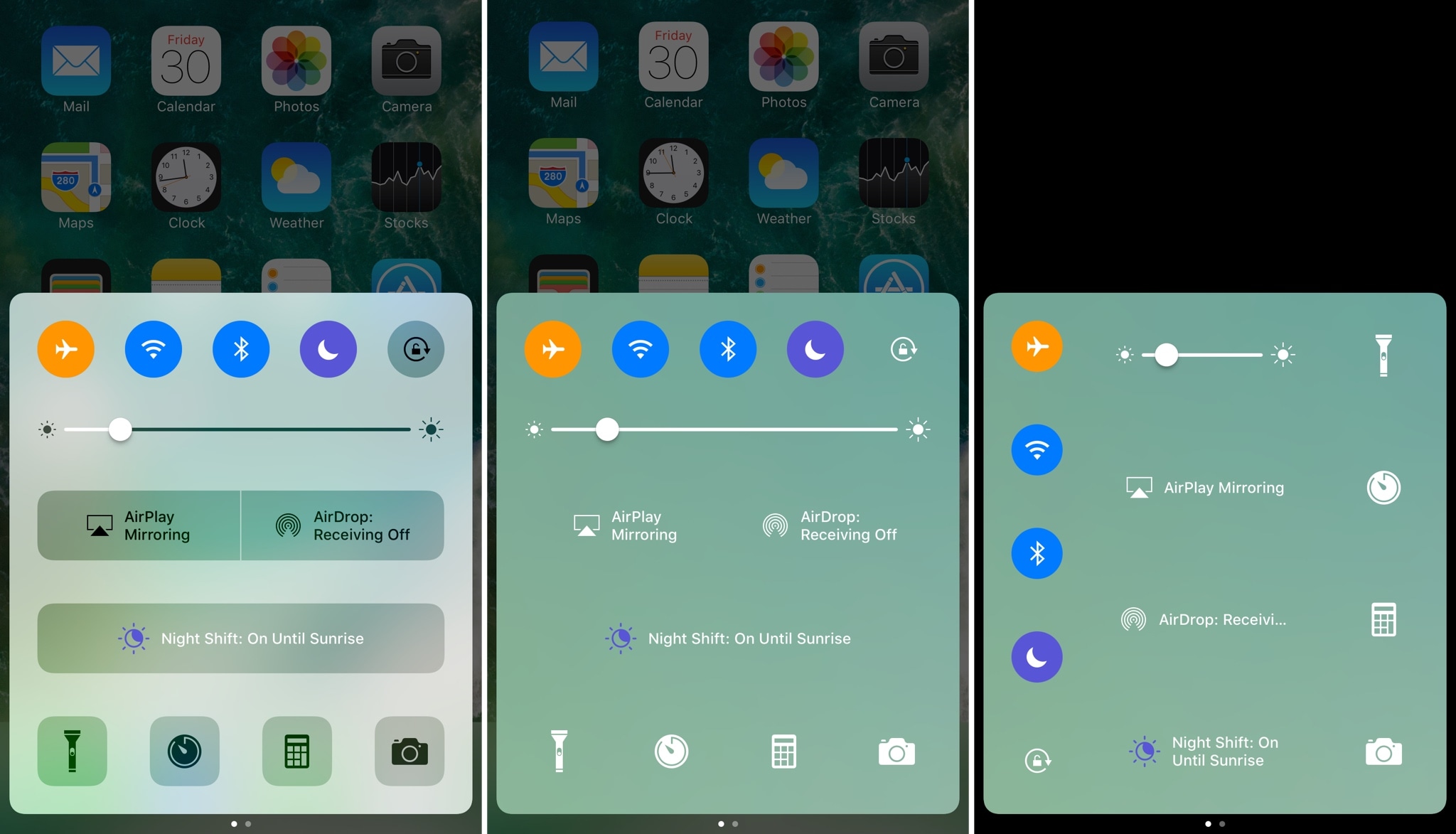
Apply new cosmetics to Control Center with CCSmooth10

One of the benefits of having a jailbreak is being able to give your iPhone a new look and feel that's different from every other average Joe on the block. A new free jailbreak tweak dubbed CCSmooth10 by CydiaGeek takes aim at the Control Center interface with this concept in mind.

This tweak comes with a host of options that can make Control Center look totally different than it does out of the box. Its effects are purely cosmetic rather than functional, but to say you can get some awesome effects out of the tweak is an understatement.

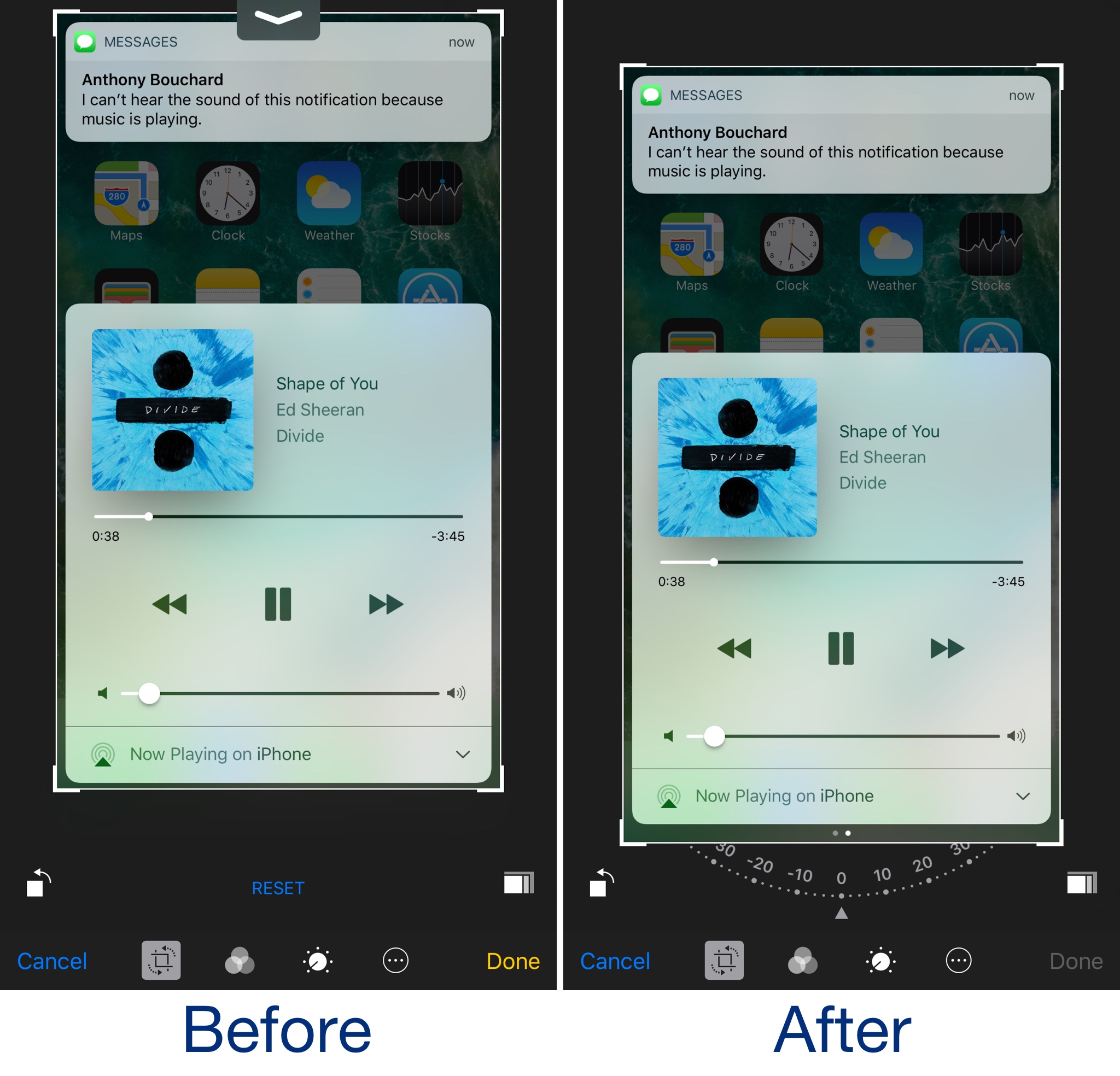
BetterPhotoCrop keeps the Notification Center grabber from appearing as you crop images

I use the image-cropping tools from my iPhone's Photos app on a daily basis, and I've noticed that I accidentally invoke the Notification Center grabber quite a lot while cropping when I attempt to drag down from the top of the image.

BetterPhotoCrop by iOS developer Andreas Henriksson is a new free jailbreak tweak that moves the cropping interface down enough to prevent the Notification Center grabber from being invoked when you drag down from the top of an image to crop it.

AlternateControls 2 brings an Android-style bottom navigation bar to iOS

Available on a wide variety of Android handsets is the bottom navigation bar, and with a jailbreak tweak called AlternateControls 2 by iOS developer Ian Burns, you can bring this functionality to your iPhone as well.

Once installed, the button to the far left will act as a back button, letting you move backwards between interfaces you’ve visited previously, while the center button acts as a virtual Home button and the button to the far right acts as an App Switcher shortcut.

QuietWhilePlaying prevents notifications from interrupting your music playback

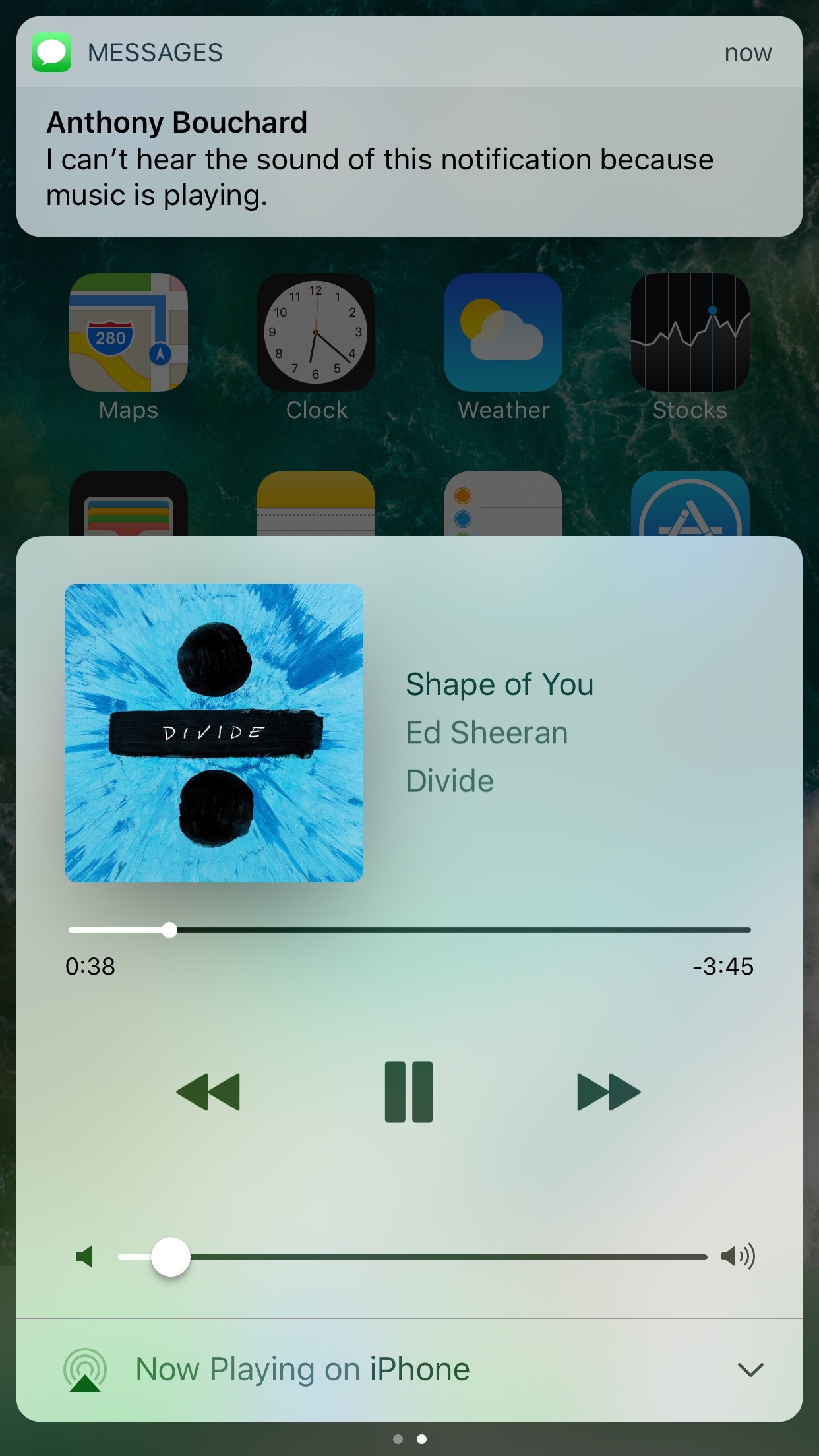
If you have a pet peeve for incoming notifications interrupting your music when you’re trying to sit back and enjoy a song, then installing a new free jailbreak tweak called QuietWhilePlaying (iOS 10) by iOS developer ijapija00 should be next on your to-do list.

This tweak silences the alert sounds and vibrations associated with incoming notifications, no matter which app they're coming from, whenever you’re actively listening to media.

Arty, Frame App, Redacted, and other apps to check out this weekend

This week's edition of our Apps of the Week roundup features a new artsy-photo editor, a new app for making stop-motion and animated videos, and an app for redacting sensitive information in a photo. And as usual, we've selected two great new games for you to check out.

Arty

I know what you're thinking: come on Cody, not another photo editor. But hear me out. Unlike other editors Arty does more than just apply filters. You can use it to create accurate line drawings, zoom in to view and edit tiny details, and pick out colors. It even tracks how long you've been working on your project. Other features include Faber Castell Polychromos color-matching, custom color swatches, shadows, outline, overlay grid, and much more. Turn your device into a Lightbox and trace your image or print your photo to an AirPrint printer from within the app. Arty is available for free.

Frame App

If you're looking for something fun and new to do this weekend, try making a stop-motion or animated film using Frame App. Here's how it works: open Frame App and take a picture. A transparent overlay of the first image will appear on top of your live camera view in a ghost-like manner. Use this ghost image as your guide to easily align and frame your next shot. Take as many photos as you need, then select the ones you like, and staring them together to make your movie. You can edit playback speed, direction and image size, and then export your clip into a GIF or MP4 video. Of course there are other apps that perform similar functions, but I appreciate the simple design here, and the early reviews are glowing. Frame App is available for free.

Redacted

Want to share a hilarious screenshot of your Facebook feed, but afraid to expose your friends or family? Check out Redacted. Yes, I know iOS has built-in image annotation tools and there are countless apps that do this for free, but it's a bit of a chore and it never seems to look right. Redacted makes it quick and easy to redact parts of an image by simply clicking and dragging. You have three options, pixelate, blur and black bar, and once you're done you can share the image to your favorite social network and other apps in the iOS Share Sheet. The app doesn't support PDF files yet, but the developer says it's working on it. This obviously isn't going to be for everyone, but the folks I have shared this app with bought it instantly. Redacted is available for $0.99.

Filmoji

The title explains it all. Filmoji is a game that presents you with a movie title written in emoji, and you have to guess what it is. As you can see from the screenshots, this is definitely a low-budget, indie-style game, but I thought it looked fun and it's nice to highlight lesser-known developers every now and then. I'm sure there's a similar title out there from Zynga (and if not they are probably working on one), but if you want to put your cinema knowledge to the test without a slew of ridiculous IAPs, this game is worth checking out. Filmoji is available for free.

Futurama: Worlds of Tomorrow

Chances are, you've already heard about this game releasing this week, but it was still worth mentioning here. Futurama: Worlds of Tomorrow is the next epic adventure for the popular animated franchise. Play with all your favorite characters, build your own New New York, combat against alien specials and explore unfamiliar planets on a mission to save the universe. The game is based on an all-new story, written by the creators of the original Fox series, and it features actual dialogue from David Cohen and his team. Yes, you're going to have to deal with pesky in-app purchases, but this is about as good as it gets for Futurama fans. Futurama: Worlds of Tomorrow is available for free.

More apps to check out Enhance your iPad productivity with the new Prokeyboard app [sponsored] Apple’s free app of the week: Day One Journal Instagram unveils offensive comment filter, anti-spam tool in 9 languages Frustrated with Reminders? Taskful could be the answer to your woes New demos show how easy it is to bring 3D models to life with ARKit Skype for iPhone gains chat bots, its version of Stories, message & in-call reactions and more You can now edit text files right from Dropbox app Take notes on the fly with Apple Watch and SnipNotes

Ambiance lets your Phillips HUE bulbs take full advantage of your jailbroken iPhone

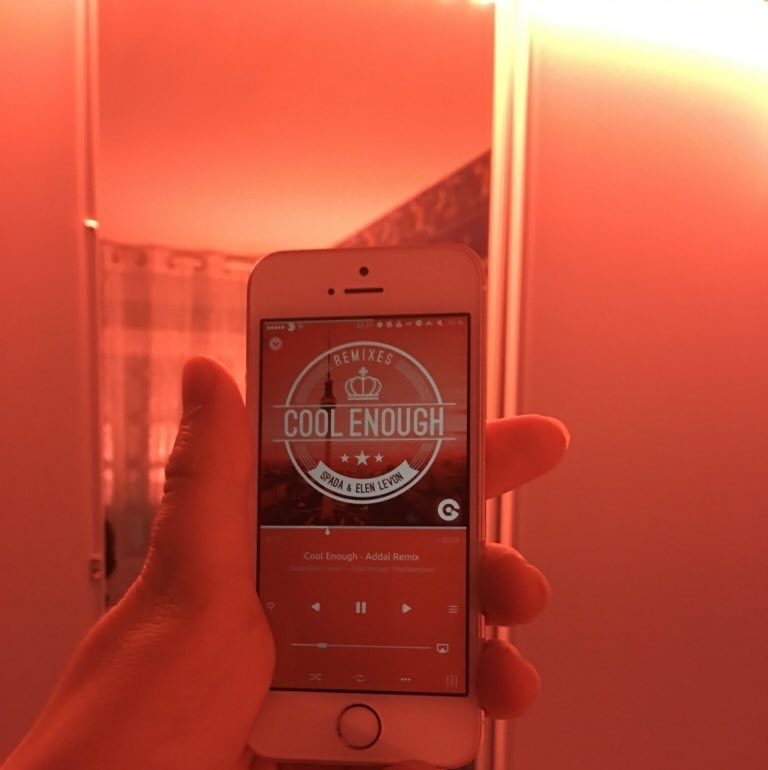
Every so often, a jailbreak tweak emerges that lets you do something out of the ordinary with your iPhone, and a new release called Ambiance by iOS developer Ziph0n is a testament to such tweaks.

Ambience links your jailbroken iPhone and Phillips HUE smart light bulbs together in new and exciting ways, immersing your entire room with color effects based on what you’re doing on your device at a given time.

Apple confirms 3D Touch app switching was intentionally removed from iOS 11

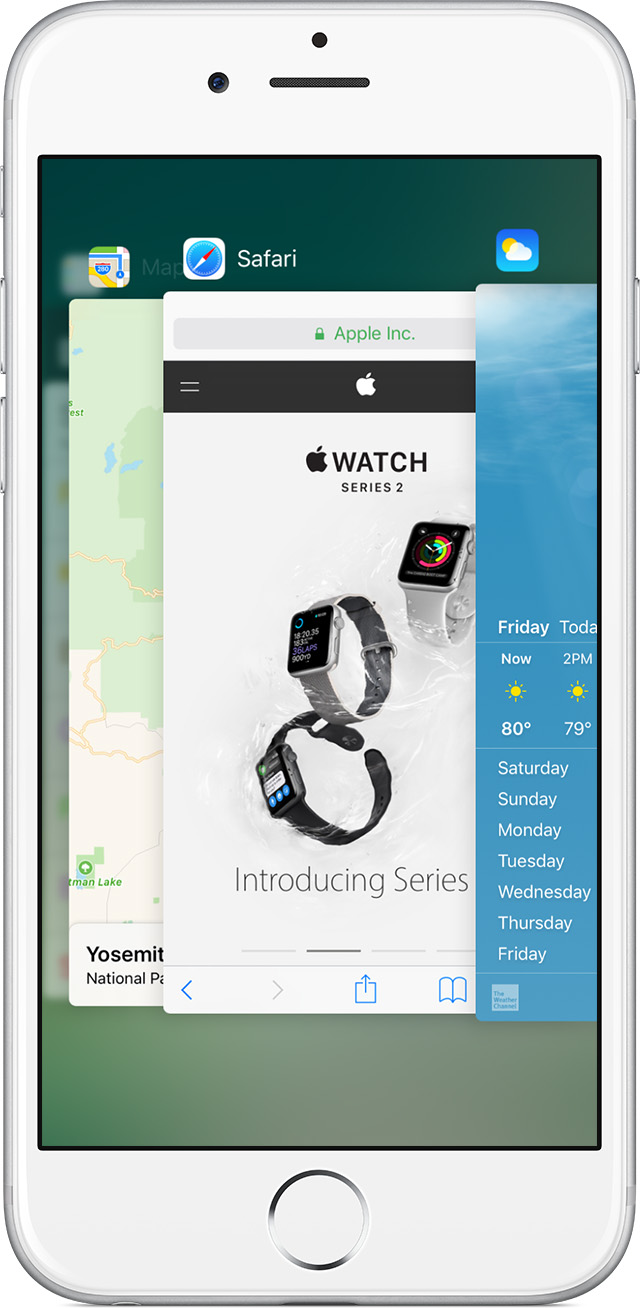
The convenient 3D Touch power-user gesture for quickly opening iOS's app switcher has disappeared from iOS 11 beta. According to Apple Engineering's response to a Radar that developer Bryan Irace recently filed regarding its removal, the gesture was pulled intentionally from iOS 11 beta and might not be coming back in subsequent betas.

On iOS 10 and older, you can view your recently used apps by pressing the left side of the screen with 3D Touch. You can also use 3D Touch to quickly switch to a previous app by pressing the left edge of the screen hard, then swipe right.

Neither gesture works in iOS 11 beta.

When asked about the removal, Irace received the following reply from Apple Engineering:

Please know that this feature was intentionally removed.

The wording confirms it's not a bug—Apple did remove this power-user gesture on purpose.

Here's the screenshot of Apple's response to Irace's Radar.

I have a problem with the wording of the statement.

For starers, it doesn't make it 100 percent clear whether or not they intentionally removed the gesture from iOS 11 beta only for it to return in subsequent betas. We were, of course, hoping it was merely a bug. But the fact that it isn't listed as a known issue in the release notes accompanying the iOS 11 installer is rather telling.

This could be related to iPhone 8.

With major design changes coming to the next iPhone in the form of a nearly full-screen face with a seamless OLED display, the feature's removal might quite possibly indicate a brand new way of accessing iOS's app switcher on iPhone 8.

I wish Apple made it an optional setting rather than remove it completely. That way, people who still wanted it could keep it. On the other hand, Apple has stats on iOS features people use and perhaps numbers for the app switching 3D Touch thing were dismal, who knows?

The fact is, it doesn't make much sense if you use your Plus iPhone model right-handed. Besides, I know many people who accidentally activate it all the time and get annoyed.

Could it have been deprecated by iPhone 8, because it was too easy to trigger accidentally without a bezel around the display? Will iPhone 8's rumored function area at the bottom doubles as an app switcher of sorts? Last but not least, has Apple decided to remove the gesture because very few people were using it or were unaware it existed in the first place?

Tell us what you think in the comments section!