Everything new in iOS 11 beta 3

A third beta of iOS 11 for the compatible iPhone, iPad and iPod touch devices was released earlier today to Apple's registered developers and members of the paid Apple Developer Program.

The accompanying second public beta of iOS 11, which would have the same features as third developer-only beta, should be released through Apple's Beta Software Program later this week, probably tomorrow, allowing non-developers to take the latest beta for a spin on their iOS devices.

Here's everything new in iOS 11 beta 3, based on Apple's official release notes and community findings (which you can contribute to in the comments section).

https://www.youtube.com/watch?v=bixdLWqPIvA

Subscribe to iDownloadBlog on YouTube

New features in iOS 11 beta 3

iOS 11 beta 3 takes advantage of a brand new syncing system for Safari's Bookmarks and Reading List features, which should increase performance and elevate your security. Migration to the new sync system occurs silently after all the devices signed in to your iCloud account are running iOS 11.

Safari content blockers are working again in beta 3. A new API allows native apps who will implement it to log in the user automatically by re-using a previously saved Safari password for the app's web-based version.

Siri in iOS 11 can translate text for you and the third beta adds support for translation requests from English US to Chinese, Spanish, German, French and Italian. New Siri voices for both genders of Brazilian Portuguese, Canadian French, Dutch and Swedish are available in beta 3, as well as new female voices for English and Mexican Spanish.

Plus, the Siri voice for both genders of Japanese and Chinese has been upgraded.

iOS 11's built-in screen recording feature now comes with a new Start Broadcasting option, which seems to do nothing in beta 3 beyond saving the screen recording to the Photos app. We expect subsequent betas will fully implement this feature.

https://twitter.com/iamgroot11/status/884476382129999872

Siri can now get directions when Do Not Disturb While Driving is active.

Elapsed time is now updated when using the system media player's play and stop controls , or when seeking during video content playback. Notifications in the Music app are now working and song metadata now syncs correctly with iTunes.

Messages on iCloud should now be available after a device has been offline.

Safari's view controller, a feature that lets you browse the web within apps complete with Safari features like Reader Mode, now sports an improved interface for 3D Touch previews and default preview actions.

When you open a link in an app that supports Safari's controller, like Tweetbot, you'll notice that Safari's toolbars have been collapse to show just the domain.

iOS 11 beta 3 implements SFAuthenticationSession, Apple's new API for authenticating a user with a web service. For what it's worth, some of my colleagues are experiencing issues using Google services with iOS 11, but this problem does not seem to be replicable for everybody 100 percent of the time.

Top fixes in iOS 11 beta 3

Aside from these outward-facing new features and improvements, iOS 11 beta 3 includes a fair share of bug fixes, under-the-hood improvements and other changes. We'll only mention the most important fixes.

For starters, third-party keyboards should now work if not allowed full access. Audio should no longer drop during Skype calls. The Phone app should no longer crash when a voicemail message is deleted and carrier services like voicemail, messaging, call wait, call forwarding and others on Wi-Fi calling-enabled devices may now work for specific carriers/markets.

Pulling down the notifications shade when the device is unlocked now displays both your current and older alerts without the need for scrolling. An upward swipe for force-quitting apps is back on iPad, replacing the “x” button which appeared in prior betas when an app was held down in the app switcher.

Apps over 100 megabytes should no longer download over your iPhone's cellular connection after acknowledging the warning prompt. Speaking of which, connecting to a cellular network after restarting or powering on your device should now work correctly, as does activating a Sprint cellular data plan on your iPad.

Buttons for Day, Week, Month and Year in the Calendar app now trigger on the first tap.

The Offload App feature now works for apps that are shipped with iOS 11. The Settings app no longer crashes when you delete the Podcasts app or add/delete keyboards, while storage graph and size information now updates correctly.

You can now create a new Photos or Kaleidoscope face for your Apple Watch from the share sheet in the Photos app, as well as share Live Photos via AirDrop. Photographs captured on iOS 11 now show the correct orientation on versions of macOS earlier than 10.13.

In the Watch app, changes to Mail → Include Mail are now saved and watchOS email alerts now use your configured settings.

Tapping Learn More from the prompt that appears when you attempt to launch a 32-bit app now opens the App Compatibility section within the Settings app, as it should.

Apple says 32-bit apps will not run on future betas of iOS 11.

Migrating from your Android phone using Android Migration should work correctly while restoring a device from an iTunes backup will no longer yield white app icons on your Home screen. After restoring from an iTunes backup, you can now authenticate iCloud credentials during the iOS 11 setup process.

When restoring from iCloud Backup in Setup Assistant, you'll see the correct list of backups. Apple says that “certain services” should sync correctly on initial iCloud login.

Using 3D Touch with phone numbers, addresses and so on now works correctly throughout the system. AirPlay has been fixed to work as expected in apps. The SlingTV app now plays back audio and video normally and Kindle books sync as you'd expect.

Facebook Messenger now launches when the Facebook app is not installed. In Amazon Video, the video playback controls now work correctly and navigation bars should look correct.

Last but not least, iOS 11 beta 3 fixes the most annoying thing about the new Control Center where the Wi-Fi toggle would not work properly. Now if you hit the Wi-Fi icon in Control Center, your device disconnects from the current network and temporarily disables Wi-Fi networking (the same goes for the Bluetooth control).

And if your press the Wi-Fi control in Control Center to expand it, it now updates the network name when transitioning between networks. The 3D Touch shortcuts menu for the Camera app in Control Center has been improved as well.

In Apple's new File app, you can now use the QuickLook feature to preview iWork documents while file thumbnails should now display properly.

If you use HomeKit, Siri will finally recognize your smart home setup on devices upgraded to iOS 11 beta. You can now drop PDFs and books into iBooks and audiobooks now appear in your library after purchasing or re-downloading.

Say hello to new bugs

There are still many known issues to be resolved before the iOS 11 software update releases publicly.

For example, syncing 32-bit apps via iTunes may leave a placeholder for the app. In a similar vein, you many be unable to log in to the Pinterest app using your email address.

In Tweetbot, you may not be able to post tweets containing recently taken photos. The excellent VSCO camera app may throw an error when importing photos that have been recently taken.

Under some circumstances, rotating an iOS device may cause Apple Pencil to become unusable.

Restoring from an iTunes backup containing an offloaded app which is also present in the iTunes library on your computer installs the offloaded app and then re-installs it from App Store, which can result in the restored backup taking more space on your device than the size of the backup.

As a workaround, offload the app after the restore process completes.

Submit your own discoveries

If you have managed to detect other user-focused changes or improvements in the new beta not mentioned in the article, post your findings in the comments below and we'll update the write-up as new information becomes available.

You can also submit them via tips@iDownloadBlog.com.

tvOS 11 beta 3 seeded to developers

Aside from releasing third betas of iOS 11 and macOS High Sierra, Apple today also seeded tvOS 11 beta 3 (build number 15J5324f) for the fourth-generation Apple TV to its registered developers and members of the paid Apple Developer Program.

No new outward-facing user features have been added in beta 3.

Non-developers can test tvOS 11 betas by signing up for Apple's Beta Software Program at beta.apple.com. Be sure to sign up through your computer using the same Apple ID you use for iCloud services on your devices, then go to Settings → System → Software Updates on your Apple TV and enable the feature labeled Get Beta Updates.

The Software Update mechanism on your Apple TV will now put up a prompt when a new tvOS 11 beta is available for download.

tvOS 11 includes minor features like the ability to synchronize your Home screen layout across multiple Apple TVs via iCloud, automatic switching between Light and Dark mode based on local time, new background multitasking modes, notification support, custom sound support, layered image improvements, right-to-left language support and other tidbits.

macOS High Sierra 10.13 developer beta 3 rolling out on Mac App Store

Apple today released a third beta of macOS High Sierra 10.13 for Mac systems. macOS High Sierra 10.13 beta 3 (build number 17A306f) is now available to Apple's registered developers and members of the Apple Developer Program on any supported Mac via the Mac App Store's Updates tab.

The full macOS High Sierra 10.13 beta 3 installer can be downloaded from Apple's Dev Center portal. Once installed, subsequent betas will be available through the Software Update mechanism in Mac App Store.

A developer-only preview of High Sierra was released at WWDC in June, followed by a second beta on June 21 and the public beta on June 29. The first public beta of High Sierra has the same features as developer-only macOS High Sierra beta 2.

macOS High Sierra includes Apple's File System, official support for High Efficiency Video Codec (HEVC), also known as H.265, an updated version of Metal with support for VR applications and external GPU enclosures, Safari 11 with new anti-tracking features, support for flight status information in Spotlight, more natural voices for Siri and more.

Stock apps including FaceTime, Messages and Notes have received a few refinements, too.

High Sierra also introduces new core storage, video, and graphics technology, as well as an enhanced Photos app with a new sidebar, curve-based editing and support for third-party apps like Pixelmator and Photoshop.

TUTORIAL: How to unenroll from Apple's Beta Software Program

macOS High Sierra will release for public consumption this fall across supported Mac models.

If you have managed to spot new user features in macOS High Sierra beta 3, tell us on Twitter or via email at tips@iDownloadBlog.com. You can also post your findings in the comments section and we’ll make sure to update the article with new information as it becomes available.

iOS 11 beta 3 seeded to developers

Apple today seeded a third beta of iOS 11 for iPhone, iPad and iPod touch to its registered developers and members of the Apple Developer Program. To deploy iOS 11 beta 3 (build number 15A5318g), use the Software Update mechanism in the Settings app on your device with an appropriate configuration profile installed, which can be obtained from Dev Center.

iOS 11 was originally released as a developer-only preview at WWDC in June, followed by iOS 11 beta 2 on June 21 and the iOS 11 public beta on June 26. The first public beta of iOS 11 has the same features as developer-only iOS 11 beta 2.

Here's Andrew's hands-on walkthrough of the changes in the previous beta.

https://www.youtube.com/watch?v=TZ5pwZMPRxI

Subscribe to iDownloadBlog on YouTube.

iOS 11 sports a redesigned App Store, new iPad multitasking features with the Dock and drag and drop, a Files app, AirPlay 2 with multi-room audio, new Siri capabilities, visual refinements, a customizable Control Center, a redesigned app drawer in Messages and much, much more.

TUTORIAL: How to switch from iOS 11 beta to official iOS release

iOS 11 will release for public consumption this fall across supported iOS device models.

If you have identified new outward-facing user features in iOS 11 beta 3, ping us on Twitter, shoot us an email at tips@iDownloadBlog.com or post your findings in the comments section and we’ll make sure to update the article with new information as it becomes available.

Apple opens UK office dedicated to developing proprietary graphics technology

Apple has reportedly opened a 22,500 square feet office in St Albans in the United Kingdom, right in the neighborhood of its former mobile GPU provider Imagination Technologies which has its headquarters in the adjacent Hertfordshire village of Kings Langley.

It reportedly plans to use the new office to develop its own graphics technology.

According to The Telegraph newspaper this weekend, this could be interpreted as a rather aggressive move aimed at poaching Imagination's most talented engineers. Indeed, Apple has more than a dozen listings for experts in graphics hardware in South Hertfordshire.

Apple's already poached several Imagination engineers, including its COO John Metcalfe.

As The Guardian's James Titcomb wrote:

The development is set to heighten tensions between the companies, exacerbating fears that Apple is seeking a quasi-takeover of its supplier by hiring its employees and weakening the company’s hand as the two tussle over Apple’s plans to ditch the company.

Apple and Imagination have been at odds since April, when the former told the British fabless chip designer it'd stop using its GPU blueprints for its in-house designed mobile processors.

Imagination put itself up for sale last month.

Apple informed Imagination that it has a been working on its own GPU design and told them it would be reducing its future reliance on Imagination’s technology.

Just last week, Apple clarified it actually stopped accepting new intellectual property from Imagination back in 2015, rather than in 2016 as Imagination said to its shareholders.

“We valued our past relationship and wanted to give them as much notice as possible to adapt their future plans,” said an Apple spokesman. “We’re disappointed in their response, which has been inaccurate and misleading”.

New GPU designs from Apple could debut in next year's iOS devices.

iPhone 8 could include “mirror-like” color option

Apple's OLED-based iPhone 8 could be offered in four color finishes when it launches later this year, including a mirror-like reflective version which hasn't been used for iPhones before, prolific smartphone leaker Benjamin Geskin said on Twitter this weekend.

He learned this interesting tidbit from one of his sources. By comparison, iPhone 7 is offered in six distinct colorways: Silver, Gold, Rose Gold, Black, Jet Black and (PRODUCT)RED.

Geskin has been leaking information about Apple's 2017 iPhones for moths, but his track record in the Apple rumor business has yet to be established so treat his latest claim with skepticism. He shared an image of an iPhone 6s in a third-party reflective case, seen top of post, to illustrate what the new color option for iPhone 8 might look like.

iPhone in Canada asked veteran leaker Steve Hemmerstoffer, who has a reliable track record, to comment on Geskins' tweet. He said that this particular rumor could have originated from widely available Chinese clones.

https://twitter.com/VenyaGeskin1/status/883598357658316800

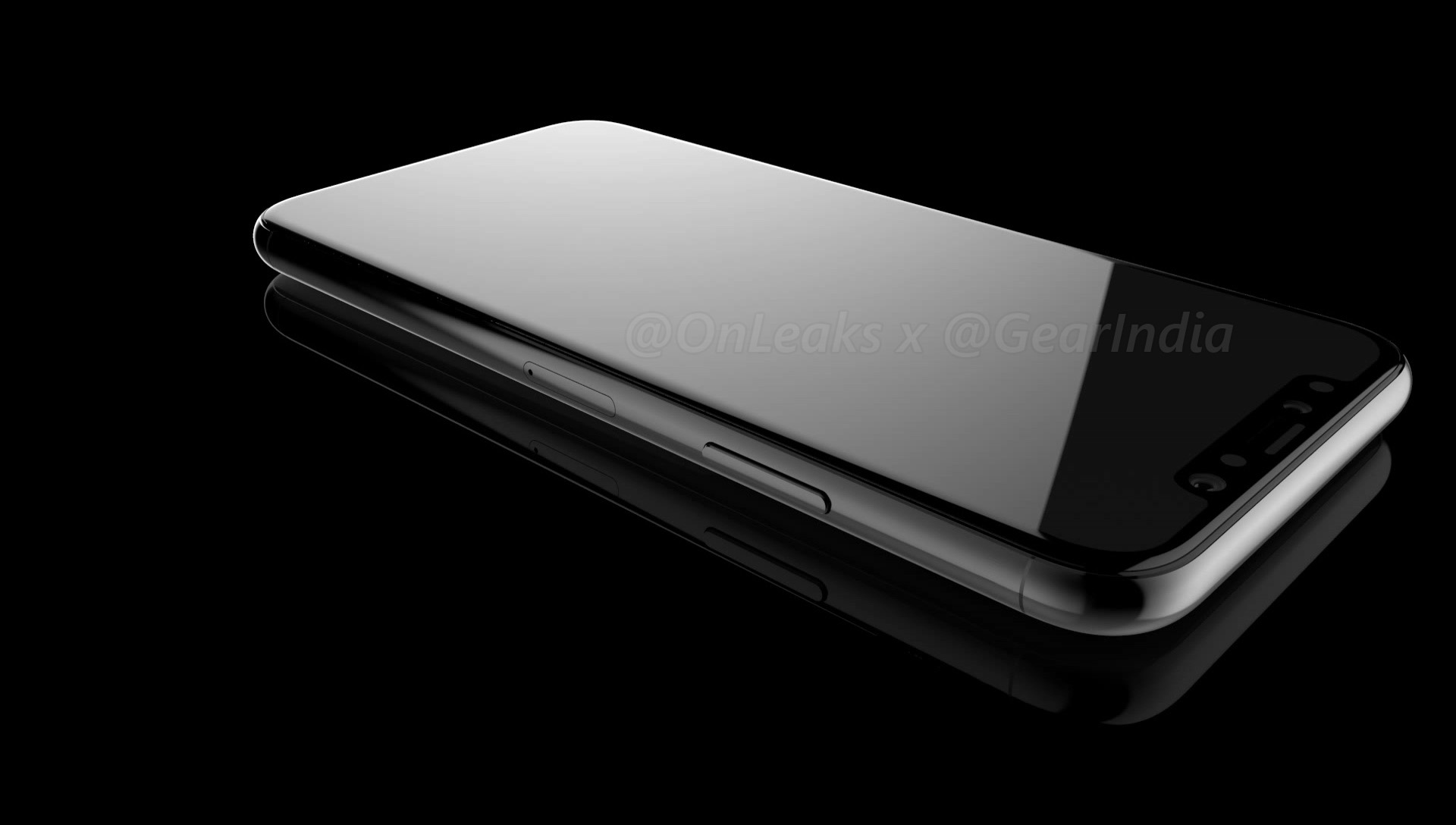
Hemmerstoffer also called out Geskin publicly, saying he shouldn't be taking credit for so-called “leaks” discovered publicly on Chinese social media. In fact, Hemmerstoffer, who runs the OnLeaks account on Twitter, told the publication that Geskin lifted one of his first iPhone 8 dimensions leaks and passed it on as his own with a watermark.

https://twitter.com/OnLeaks/status/881551922599251970

At any rate, iPhone 8 wouldn't be the first phone to include a reflective finish.

That crown belongs to Sony, which made two phones with a mirror-like finish: Xperia Z5 Premium and Xperia XZ Premium. The Xiaomi 6 phone also includes a mirror-like color option..

Four distinct colors for Apple's flagship phone seems a lot if you consider a recent report from trusted Apple analyst Ming-Chi Kuo of KGI Securities, who predicted iPhone 8 would offer fewer casing colors than the iPhone 7s/Plus models to “maintain its boutique image”.

Thoughts?

Amazon and other competitors are hurting iTunes movie sales and rentals

Strong competition from the likes of Amazon and Comcast has halved Apple's market share when it comes to movie sales and rentals, The Wall Street Journal reported yesterday.

The numbers should be taken with a grain of salt because, as the article states, no third parties track market share in the digital-movie business. While that makes exact figures impossible to obtain, Hollywood majors do different amounts of business with Apple and several of them have confirmed “a marked decline in iTunes’ leadership position.”

Sources said iTunes' market share for renting and selling movies has been falling for years, tumbling to between 20 percent and 35 percent from well over 50 percent as recently as 2012.

By comparison, Amazon's market share in that business has recently climbed to around 20 percent, studio executives said. As for Comcast, it now claims about 15 percent of the combined market for movie sales and purchases in the US.

Bernstein Research estimates that iTunes video, music, book and magazine sales in 2016 accounted for an estimated $4.1 billion in revenue, making it the second-largest services business behind App Store sales.

Apple says it's focused on providing users with premium entertainment via video apps on App Store. The company takes a fifteen percent cut on subscriptions sold via App Store.

An excerpt from the article:

An Apple spokeswoman, who didn’t dispute the market-share estimates, said Apple is focused on providing customers with video content across subscription services such as Netflix and HBO, as well as iTunes, where she said movie purchases and rentals have increased over the past year and hit their highest level in more than a decade.

It is no secret that video-subscription services are growing in popularity at the expense of on-demand rentals and movie purchases. Why pay five bucks or more to stream a single movie via iTunes in high definition if you can get a full Netflix or HBO NOW subscription for the price of a single movie download (new movie downloads are priced at $19.99 on iTunes)?

Movies, like music, are meant to be streamed no matter what Apple says about it.

Just like iTunes' market share for digital music purchases has been decreasing as part of the overall industry decline due to the rise of streaming services like Spotify, the same thing is now happening in the digital movie industry.

Apple has offered movies and TV shows on iTunes since 2003.

Apple has been trying for years to persuade Hollywood studios to let it build a so-called skinny bundle of the best channels from the likes of Disney, ESPN and others, to no avail.

Last year, total digital-movie sales and rentals rose a combined twelve percent to $5.3 billion in the US, according to PricewaterhouseCoopers.

Apple will build another data center in Denmark

Apple will build another iCloud data center in the Danish city Aabenraa near the German border, its second in the country, Apple's Nordic director Erik Stannow told Reuters today.

The Cupertino company will spend 6 billion Danish crowns, which works out to approximately $921 million, on the facility which will be powered entirely by renewable energy.

It will power App Store, Siri, iMessage, Maps and other iCloud services. Construction is expected to start before the end of 2017.

Stannow told Reuters in an email:

We're thrilled to be expanding our data center operations in Denmark, and investing in new sources of clean power. The planned facility in Aabenraa, like all of our data centers, will run on 100 percent renewable energy from day one, thanks to new clean energy sources we're adding.

He added that the reliability of the Danish grid is one of the main reasons Apple will operate two data centers in Denmark, a leader in wind power which also has abundant supplies of biomass energy.

If all goes as planned, the facility should go online in the second quarter of 2019.

The iPhone maker is also building a $1 billion data center in Denmark's Foulum, a small town located just outside of Viborg, a city in central Jutland that is home to Aarhus University and agricultural research facilities.

That facility should go online later this year, barring any unforeseen circumstances.

Apple is also building a data centre in Ireland but it's been struggling to get it off the ground because local residents asked the High Court for a judicial review on environmental grounds.

"The proposed data center is currently under judicial review," a spokeswoman said.

Image: Apple's data center in Maiden, North Carolina

Black and white wallpapers for iPhone

To be overly redundant, Wallpapers of the Week, is a weekly wallpaper post, in which we highlight photo quality images for your iOS devices. A popular category in previous posts, the simple elegance of black and white is always a fan favorite. Take a step inside for a small pack of colorless wallpapers.

LockscreenXI brings iOS 11’s Lock screen interface to iOS 10

Some jailbreakers are already drooling over the host of interface changes that come with iOS 11, but we encourage these folks to hold onto their seats. A jailbreak tweak collection dubbed Eleven is nearing full release that will bring many of iOS 11's new interface experiences to jailbroken iOS 10 devices.

The first piece of Eleven, LockscreenXI, brings the Lock screen experience of iOS 11 to jailbroken iOS 10 devices. It was just released in Cydia by its creator LaughingQuoll ahead of all other pieces of Eleven, which are still a work in progress.

‘Modern’ brings a new look to notification banners & Today widgets

If you’re interested in a new and modernized look and feel for your iOS notifications, then a new jailbreak tweak called Modern by iOS developer FromDerik might be worth checking out.

This tweak replaces the horrendously-large stock banner notifications that appear throughout iOS, whether you’re in an app, on the Lock screen, or looking at Notification Center with something better.