Jailbreak

What's the Status of the iPad 2 Jailbreak?

The iPad 2 is one of the most successful Apple products to date in a number of categories. One of those categories is, it has yet to be jailbroken. Now I say that lightly, because I realize that a handful of intelligent folks have hacked their iPad 2s. But nearly 3 months after its release, there is still not a widely available jailbreak solution for Apple's new tablet.

Recently we reported that infamous iDevice hackers p0sixninja and GeoHot were in a friendly competition to see who could break into the iPad 2 first. That unfortunately does not seem to be the case. In a recent online Q & A session with p0sixninja, the hacker confirmed that GeoHot has since declined the iPad 2 challenge due to media attention. I guess you can get a little paranoid after being taken to court by the likes of Sony.

So what now? Comex is out, GeoHot's not in, are we ever going to see a jailbreak for the iPad 2? A ray of sunshine cast down on the Twitter world yesterday, as p0sixninja once again speculated on the status of the new iPad jailbreak. A Twitter follower asked the Chronic Dev team member if the iPad 2 jailbreak would be weeks, months, or years. Apparently the answer is just weeks!

Joshua Hill (p0sixninja) seems to be the most vocal on the status of the iPad 2 jailbreak. After a known exploit was patched by Apple last month, the Dev Team and other hackers have been very quiet about their progress. It'll be interesting to see if Hill and the rest of the Chronic Dev team can deliver an iPad 2 jailbreak within weeks as predicted. I know of many iPad 2 owners that would greatly appreciate it. We'll keep you updated.

Any questions?
How to Jailbreak iPad 4.3.3 with RedSn0w [Tutorial]

Three days ago, we told you that Apple released a new version of their iOS firmware. This update was specifically released to patch the location bug that made everyone so nervous.

We warned both original iPad and iPad 2 owners to avoid updating until we had official word from the jailbreak community that it was ok. We now have confirmation that iOS 4.3.3 is indeed susceptible to the current exploit.

Earlier today, the Dev Team released updated versions of their jailbreak software. Now both PwnageTool and RedSn0w have the ability to hack Apple's new iOS 4.3.3. If you have an original iPad and have been dying to update it to get rid of the tracking file, check out this step by step tutorial:

This jailbreak is only for the original iPad, if you have an iPad 2 click here.

Step 1: Make sure your iPad is on the latest 4.3.3 firmware. It's also a good idea to make sure you are using the latest iTunes.

Step 2: Download RedSn0w 0.9.6.RC15 and iOS 4.3.3 for your iPad from here. I always recommend downloading everything to your desktop to help keep track of things.

Step 3: After launching RedSn0w, find the firmware you just downloaded, and click next. You'll then be given options like customizing your boot logo, once you've selected what you want, click next.

Step 4: Make sure your iPad is off and connected to your computer. Then just follow the instructions to get your iPad into DFU mode.

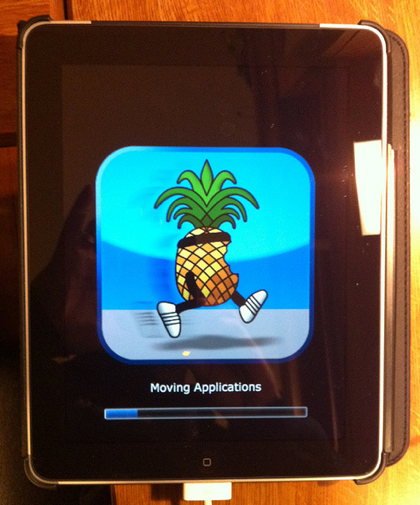
Step 5: Once you are successfully in DFU mode, RedSn0w will start its magic. This can take a while, but after it's done your iPad will restart.

You should now see the Cydia icon on your home screen, enjoy.

Any questions?

The Dev Team Gives iPad 2 Jailbreak Update

Less than 3 days after Apple released the new 4.3.3 firmware, leaders of the jailbreak community have already provided provided several way to hack the new software.

The infamous Dev Team updated their popular PwnageTool and RedSn0w applications to jailbreak all iDevices that support Apple's latest firmware, excluding the iPad 2.

I know, the wait is becoming unbearable. Luckily, the Dev Team gave us an update on the current status of the iPad 2 jailbreak:

The iPad2 jailbreak remains under development. As you may know, the original exploit @comex developed in the first week of the iPad2 release was mysteriously fixed by Apple within days of its development. Partly because of this, don't expect much public discussion of the iPad 2 jailbreak until its actually finished and ready for release (and please avoid asking about it). In all likelihood, it will be a userland exploit like the first (unreleased) one, not dependent on bootrom dumps.

For those of you wondering why hackers have the ability to jailbreak the iPad 2 and haven't shared it with the masses yet, the Dev Team explains:

The first one can't be released even for those with the original 4.3 firmware due to legal (distribution) reasons.

It's good to know the Dev Team has not forgotten about us folks who are starving for a jailbreak solution for Apple's latest tablet. It'll be interesting to see if members of the Dev Team can beat Geohot and the Chronic Dev team to the iPad 2 jailbreak, who are reportedly using a method that requires a bootrom dump.

What do you think?

iOS 4.3.3 Just Went Live, Jailbreakers Stand Down

If you've been living in a cave the last few weeks, you may have missed all of the controversy involving Apple's iOS. A research team uncovered a hidden file deep within Apple's mobile operating system, that kept a record of users' travels. When they broke this information to the public, a lot of curious folks turned to Apple for answers.

The secret file was just a programming glitch, but the public has a tendency to be really concerned about their personal privacy. In the wake of the discovery, Apple decided to patch the bug in a new firmware update, which just went live a few minutes ago.

Original iPad owners who are jailbroken and iPad 2 owners that hope to jailbreak in the future should avoid upgrading to the new firmware. As with any new software update, Apple could have patched the exploit that the current jailbreak is using, and you could be stuck with stock iOS for a while.

Although a jailbreak for the iPad 2 has not been released yet, owners of Apple's latest tablet are encouraged to stay away from the new software as well.  There are members of the Chronic Dev team and others that currently have jailbroken iPad 2s, the exploit is just not ready for the masses. Updating your firmware could disqualify you from the possibility of a future jailbreak.

iOS 4.3.3 was specifically released to erase the file that was recording locations. While I don't think we'll see any surprises in this update, I would still recommend holding off until we have official word from the community that it's safe. We'll keep you updated.

Are you more worried about Apple's location bug or your jailbreak?

GeoHot to Help with iPad 2 Jailbreak?

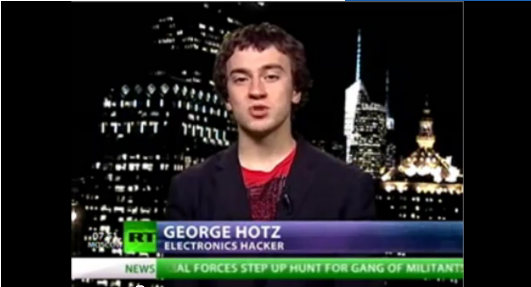
If you don't recognize the name GeoHot, you must be new around here. The infamous electronics expert first garnered public attention when he traded his ground-breaking, unlocked iPhone for a brand new Nissan 350z. Did I mention he was 17 years old at the time?

Since then, the New Jersey native has been in and out of the jailbreak scene, more recently grabbing headlines for dismantling Sony's PS3 system. The electronics giant took the young hacker to court over his PS3 exploit, and since then, GeoHot has been laying relatively low.

Chronic Dev team member, p0sixninja, is hoping he doesn't stay gone for long. The talented iDevice hacker has recently tweeted, "Damn, this one of the slowest progressing jailbreaks ever. I think I kinda miss geohot a bit."

It seems that p0sixninja and other jailbreakers are having a tough time with the iPad 2's A5 processor and associated bootrom. Apparently p0sixninja feels like GeoHot could be of some help, as he publicly challenged him in a race to see "who could dump the iPad 2 boot rom" the fastest. GeoHot has reportedly accepted.

p0six mentions that having a worthy opponent might motivate him to work harder, let's hope he's right. We are now venturing into the 3rd month since Apple launched its latest tablet, and there still doesn't seem to be an official iPad 2 jailbreak in sight. As always, we will keep you updated on the latest iPad 2 jailbreak news.

How to Spot a Failbreaker

For those who haven't been keeping up with the latest iPad 2 jailbreak news, let me bring you up to speed. Last week there was an unknown Twitter user proclaiming that he had created an iPad 2 jailbreak. He uploaded videos and pictures of what seemed to be an iPad 2 running Cydia.

He built up close to 1000 Twitter followers, and even had media outlets (including us) mentioning his work on Apple's tablet. Although we maintained a certain level of skepticism, a part of us wanted to believe the photos and the videos were real.

Some people got so wrapped up in their beliefs, that they blindly downloaded an unknown EXE file from the hacker. He claimed that this was the iPad 2 jailbreak everyone was waiting for. Luckily, it was nothing more than a simple app designed to error out. It could have easily been something much more malicious.

For folks who are looking for help to dismiss future fakes, the Chronic Dev Team have posted a video on their GreenPois0n website that educates the average joe on how to spot a fake video of a jailbreak.

http://www.youtube.com/watch?feature=player_embedded&v=4St2eJA6geQ

The Chronic Dev Team's GreenPois0n software has been a staple in the jailbreak community for the last few years. They are currently working on a real iPad 2 jailbreak, but have stated as recently as last week that it is no where close to being done.

While the fake jailbreak from last week can be written off as a bad prank, the next time folks may not be so lucky. We encourage you to check back here for the latest information on an official iPad 2 jailbreak.

The iPad 2 Jailbreak Situation [Updated]

Yesterday we reported that an unknown hacker by the name of d0nfyxn announced via Twitter that he was almost finished with an iPad 2 jailbreak solution. This was fairly significant because well known iDevice hackers like Comex and p0sixninja have been having problems with Apple's new tablet.

The French hacker announced yesterday that he would be releasing beta software today that could jailbreak your iPad 2. Obviously there were a lot of skeptics, calling the videos and photos that were uploaded as proof of the jailbreak, completely fake. Most people were calling his bluff that he would release anything.

Even MuscleNerd chimed in last night, saying that the only iPad 2 jailbreak available to date is the one discovered by Comex. While Comex was the first to post pictures of a jailbroken iPad 2, he has since announced that he is no longer working on the project.

Well, to everyone's surprise, d0nfyxn actually posted a link a few minutes ago that he claims is an alpha release of his iPad 2 jailbreak software. He notes that it covers all versions of 4.3 firmware, and is only available to Windows users. Is it legit?

While we only have Mac computers here, we more than likely wouldn't attempt to download this file anyways. The file size seems too small to be an application. Known iDevice expert, MuscleNerd, warned the Twitter world that d0nfyxn is a known fraudster and that the download could possibly contain a malicious payload.

We definitely recommend waiting on an official release to come from the Dev Team or at least somebody more reputable than an unknown Twitter user. We'll keep you updated as this situation continues to develop.

Did anyone try downloading the mysterious jailbreak? What were the results?

UPDATE: Once again it's MuscleNerd to the rescue. It looks like he did some investigating and just tweeted a few moments ago that the mysterious file from d0nfyxn is indeed fake. Apparently the tiny app was written to display a message box that says "Failed to connect the device, please try again."

Possible iPad 2 Jailbreak in the Next Few Days?

iPad 2 owners, hoping to jailbreak, have had a rough go of it. Initially, we thought the exploit for Apple's latest tablet would be available soon after launch. Now, 2 months after its release, the latest Apple tablet has yet to have a stable solution.

If you haven't been keeping up with the iPad 2 jailbreak situation, let me quickly fill you in.

Comex posted a picture of his iPad 2 jailbroken last month, but he has since quit working on the exploit. With Comex out, all eyes turned to p0sixninja, who tweeted that he and the Chronic Dev team were working on the exploit. However, he has since commented that the iPad 2 jailbreak has been progressing extremely slowly.

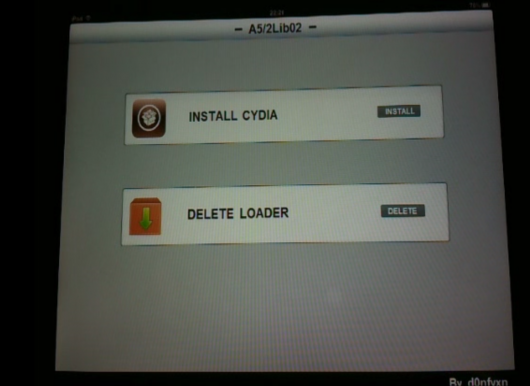
Enter d0nfyxn, an unknown hacker with no previous history of jailbreak-related work. Over the last few days he's been uploading videos and pictures of his iPad 2 running Cydia and Installous, which are well known jailbroken applications.

He's not just bragging about his exploit either, he's promising an alpha release by tomorrow. Only time will tell if he's for real or not.

http://www.youtube.com/watch?v=iraAK5yS2qg

I'm definitely marking this down as a rumor until I see it working for my own eyes, it wouldn't be too difficult to fake something like this. The fact that this guy came out of no where, and has only been a Twitter user for a few days, also makes the whole story pretty sketchy.

We'll keep you posted on how this all unfolds, and let you know as soon as a stable jailbreak is ready.

Is anyone excited about the possibility of an iPad 2 jailbreak?

How to Jailbreak iPad 4.3.2 with PwnageTool

Just like RedSn0w earlier this week, PwnageTool has been updated to support the new firmware 4.3.2 for iOS. As previously stated, there wasn't much reason for folks on the original iPad to update to this latest software.

But for the people that did, PwnageTool is recommended to jailbreak your iPad. It is simple and about as solid as it gets when it comes to jailbreak applications. If you've never done this before, or need a quick refresher, check out the tutorial below.

If you are looking for reasons to hack your iPad, check out our article, The Top 5 Reasons to Jailbreak here.

Important note: PwnageTool is for Mac OS only, for those that use Windows and want to jailbreak, check out our RedSn0w tutorial. Again this jailbreak is only for original iPads, the iPad 2 has not yet been jailbroken.

Step 1. Obviously make sure your iTunes is up to date and your iPad is on the latest firmware (4.3.2). You're also going to need to download the latest version of PwnageTool from here.

Step 2. It's a torrent, meaning you'll need a client like uTorrent to open the file once it's downloaded. After it's installed, open it up and select iPad and Expert Mode and click next. Browse to HD/Users/$urname$/Library/iTunes/iPadSoftwareUpdates and select the 4.3.2 firmware.

Step 3. If PwnageTool likes the firmware you picked, it'll take you to a menu where you can tweak the jailbreak. If you choose Cydia packages, you can preinstall tweaks and apps so when the jailbreak gets loaded onto your iPhone, its already set up.

Step 4. Once you are done tinkering, select the build option and click next. This is where PwnageTool does its magic. It'll take a bit, so be patient.

Step 5. After the custom firmware is done building, PwnageTool will have you put your iPad in DFU Mode, but don't worry, the software walks you through this.

Step 6. If you do it successfully, iTunes should recognize that you have a device plugged in and ask you to restore. Hold down the Option key while clicking restore to get the option to choose your custom firmware. Once it installs, your iPad reboots and you are finished!

Any questions?

Dev Team Releases PwnageTool to Jailbreak iPads on 4.3.2

Apparently the Easter Bunny left something else in our baskets last night besides eggs and candy. The notorious iDevice hackers released an update late yesterday to their PwnageTool software to successfully jailbreak 4.3.2 firmware.

For those who haven't been paying attention to the recent software updates, Apple pushed out 4.3.2 a few weeks ago to correct the iPad 2 Verizon 3G issues. While most original iPad users haven't had a reason to upgrade, some have by either accident or design.

The PwnageTool software has been a staple in the jailbreak community for years, and is usually the most reliable out of all the software options. The Dev Team are well known for not releasing exploits until they've worked out all the bugs.

iPad 2 owners, there's still no word on the jailbreak for Apple's latest tablet. Hackers like p0sixninja have tweeted that this is the slowest progressing jailbreak they've ever seen.

For those who are looking to hack their original iPads with 4.3.2 software, sit tight. We will post an easy step by step tutorial on how to jailbreak your original Apple tablet with the latest firmware shortly.

How to Jailbreak iPad 4.3.2 with RedSn0w

Original iPad owners didn't have much reason to update to the new 4.3.2 firmware released by Apple last week. The upgrade fixed FaceTime issues and the Verizon iPad 2 connectivity problem, but didn't contain any improvements for 1st generation tablets.

However if you did update, or would like to, there is a jailbreak available. RedSn0w was recently updated to support the new software. So for folks that have an original iPad on iOS 4.3.2, let me show you how easy it is to jailbreak it.

This is a simplified tutorial. For a full step by step guide, see the full RedSn0w Tutorial. Just make sure to get the latest version of RedSn0w. This is only for original iPad owners, as there is still no iPad 2 jailbreak available.

Step 1: Make sure your iPad is on the latest firmware, and that you have the newest version of iTunes.

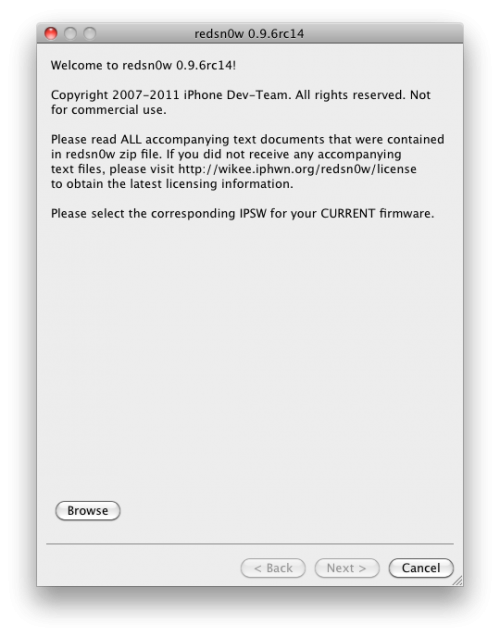
Step 2: Download the latest version of RedSn0w (rc14) here. Download it to your desktop to make it easier to find.

Step 3: Launch the application and follow the on screen instructions, they're super simple.

Step 4: After selecting your 4.3.2 firmware and letting the software do its thing, you'll need to put your iPad into DFU mode. Power + Home button for 10 seconds and then Home button alone for 10 seconds.

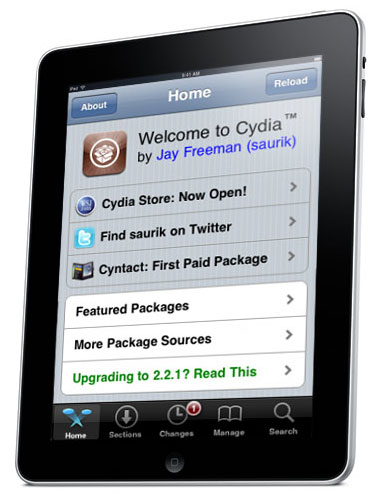
Step 5: If you do this correctly, RedSn0w will work its magic. After it's done, your iPad will restart and you should see the Cydia icon!

Any questions?

Kick it Old School with SNES on Your iPad

Console emulators have been around the jailbreak scene for a long time. Those that aren't familiar with emulators, they basically allow you to play copies of console games, while not on that console.

SNES HD turns your jailbroken iPad into a Super Nintendo system. Not only that, it allows you to connect up to 2 other iDevices to use as controllers.

It's free, and all you need is a jailbroken iPad and iPhone or iPod touch. Wanna try it out? I'll give you an easy tutorial to get you started.

Step 1. Make sure you have a jailbroken iPad and iPhone or iPod touch (both devices must be jailbroken).

Step 2. Open Cydia on both iDevices, and go to the Sources tab. Add the following source by selecting Edit > Add : http://wherethewoozlewasnt.com/cydia/

Step 3. After the sources are done loading, you need to install SNES (HD) on your iPad and ControlPad onto your iPhone/iPod touch. Both apps can be found by searching for them in the Cydia Search tab.

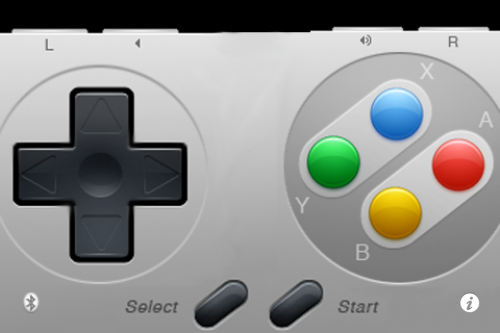
Step 4. Almost done! Make sure bluetooth is activated on both devices, and load up the downloaded applications. You should see an SNES console on your iPad, and an SNES controller on your iPhone.

Step 5. If the controller doesn't connect right away, touch the bluetooth search icon. Once paired, press the power button to start your game!

If you are wondering why you don't have any games, it's because it doesn't come with any. Console games are copyrighted, and it is illegal to host or download them. And we certainly don't condone piracy.

There are, however, several websites that do offer them, but clearly state that you must have the original game in your possession. These copies of the game are known as "backup copies" which are legal to have, I've read.

If you can stomach the pain of locating games, it really is quite worth it. Games are surprisingly playable on the iPhone's touch screen. You can race against a buddy in Top Gear, or take them on in Street Fighter. That's it, now your kicking it old school.

Any questions?