Jailbreak

CSwitcher brings your App Switcher to Control Center

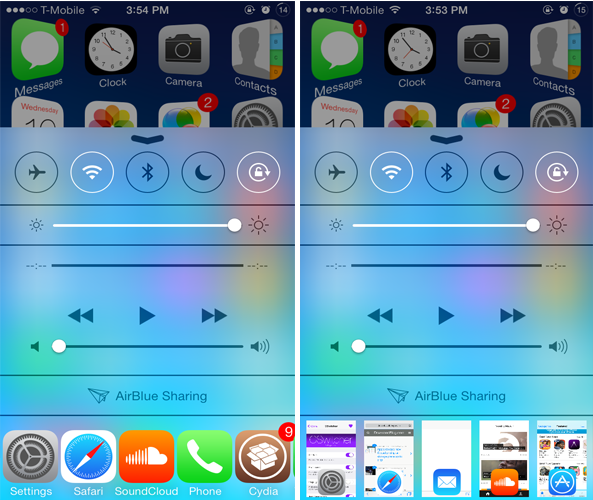
The App Switcher, one of the most frequently used feature on iOS 7, can be accessed by double pressing the Home button. If you ever wanted to access the App Switcher from Control Center, you might want to check out a new jailbreak tweak known as CSwitcher.

Developed by Brogan Miner, CSwitcher replaces the Quick Launch apps in Control Center with the App Switcher, allowing you to take a quick glance at the apps running in the background directly from Control Center as well as close any of them. Personally, since I never use the Quick Launch apps, CSwitcher could be a good replacement.

Message Scheduler for Whatsapp does what its name suggest…

If you frequently use Whatsapp, you might have noticed that the social messaging app doesn't allow you to schedule messages to be delivered at a specific time. Message Scheduler for Whatsapp is a jailbreak tweak developed by Mohamed Marbouh that enables this feature on your jailbroken iOS 7 device.

The tweak allows you to schedules a specific time and date when you want a particular message to be sent to a specific recipient. This can be useful when you want to remind someone of an upcoming event at the right time.

The best jailbreak tweaks for the Status Bar on iOS 7

The Status Bar provides a great deal of information such as the time, battery percentage, network signal and more that is viewable from anywhere within iOS. The problem is, you don't have complete control over what shows in there, and you have even less control about how it appears. As a result, many jailbreak tweaks have emerged on Cydia that help you customize the Status Bar. To help you discover the best ones, we've compiled a list of the best jailbreak tweaks for the Status Bar on iOS 7.

Centered adds a Control Center tab to Notification Center

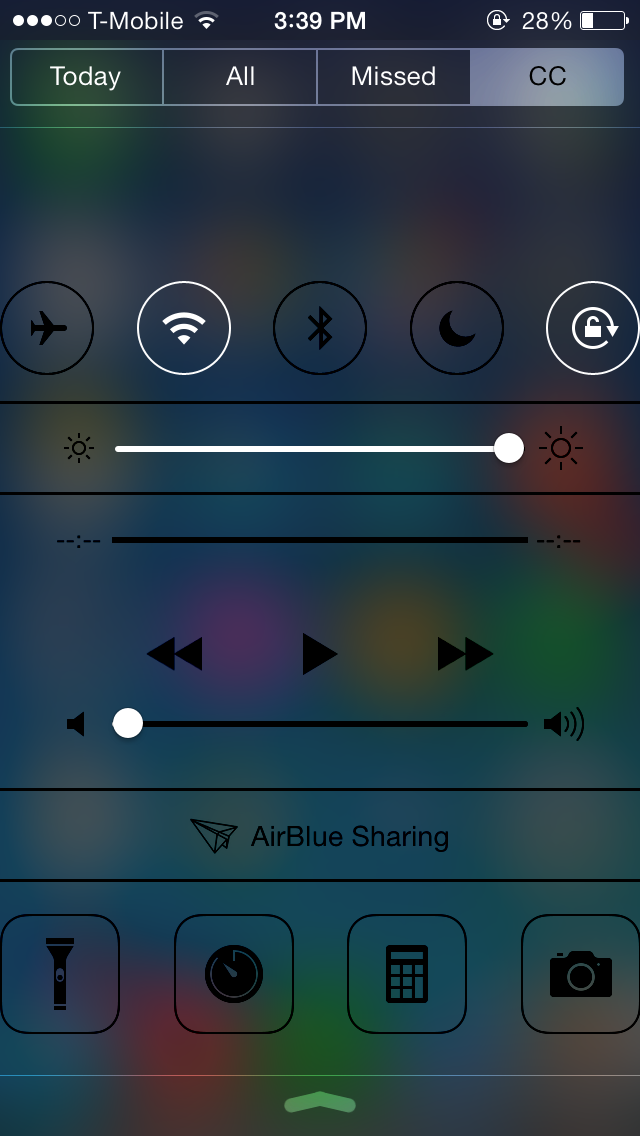
Normally, swiping up from the bottom of the screen will launch Control Center, which provides toggles, quick launch, media controls and more. Centered is a new jailbreak tweak that doesn't provide a new feature but rather changes the way you can access Control Center.

Developed by Noeliel, Centered allows you to access Control Center directly from Notification Center. Everything that was previously accessible from the original Control Center will now be added to a new tab in Notification Center called 'CC' right next to Notification Center's 'Missed' tab.  This allows you to view notifications as well as access Control Center all in one place.

ClassicLockScreen brings over four different Lock screen styles to iOS 7

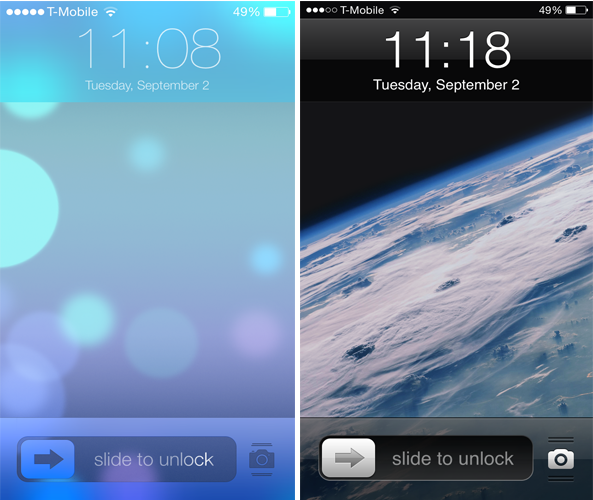
ClassicLockScreen is a brand new jailbreak tweak that debuted on Cydia recently and allows you to replace the current Lock screen style on iOS 7 with one of the four different styles supplied by the tweak.

The tweak offers four different Lock screen styles: classic, 'Modern Mode', 'Dark Mode' and '7.1 Slider Style'. The classic mode ports the exact iOS 6 Lock screen style to iOS 7 and brings back the iOS 6 media control buttons, lock keypad as well as the unlock sound. The Modern and Dark modes feature a stylish 'Slide to Unlock' slider with a blur background and top bar. The difference between the two styles is that the latter sports a darker look.

Wink adds an on-demand Status Bar to your iPhone

The Status Bar provides a great deal of information such as the time, carrier, and much more which can be viewed from anywhere within iOS. Wink is a jailbreak tweak that's been available for a long time on Cydia but didn't receive the attention needed, solely because it is available on the developer's own repo rather than on one of the major repos.

Wink brings an on-demand Status Bar to your iOS device allowing you to view it only when needed. This means that the Status Bar will remain hidden giving you more screen estate.

The best jailbreak tweaks for Notification Center on iOS 7

Compared to iOS 6, Notification Center has been upgraded a little in iOS 7 but there's still some room for improvement. Just like iOS 6, there is a lot of jailbreak tweaks on Cydia that will bring new features to iOS 7 Notification Center and allow you to customize it. These range from providing additional statistics about your device to placing your favorite apps right at your finger tips.

This is why we have compiled a complete list of the best jailbreak tweaks for Notification Center on iOS 7 that will help you get the most out of it.

#PlayMe2 displays the currently playing song’s details in the Status Bar

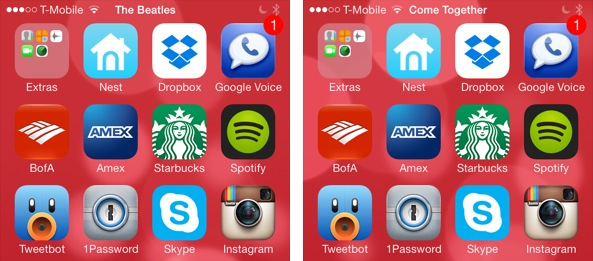
If you've been following iDB, you'll remember that Jeff reviewed a status bar tweak a few months ago known as #PlayMe. The same developer has now released #PlayMe2 which is a more stable version of its predecessor with fewer bugs, but it serves the same purpose.

#PlayMe2 makes your Status Bar more informative by displaying the name of the currently playing song along with the artist name in the Status Bar. The tweak will rotate between the time, song name and artist name in the Status Bar. This allows you to take a quick peek at what music is playing in the background without opening the music app or Control Center.

PlayTask lets you play or pause a currently playing song from the App Switcher

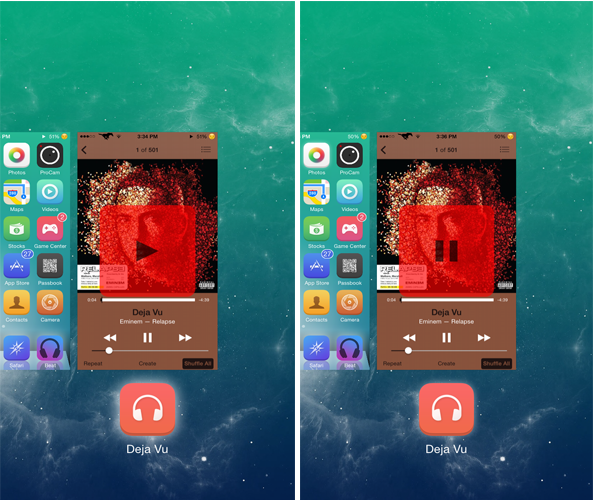
The main purpose of the App Switcher is to display the apps running in the background as well as enable you to close them. PlayTask is a brand new tweak that makes the App Switcher a little more useful by allowing you to play or pause music.

Developed by TheJailPad, PlayTask allows users to play or pause the currently playing song by swiping down the Music app card in the App Switcher. The tweak not only works with the stock Music app but with other third-party apps as well such as Spotify. By default, when you swipe down a music app card in the App Switcher, nothing happens, but with PlayTask, the music will start to play from where you left it or it will pause.

BlurSlide gives a new look to your ‘Slide to Unlock’ slider

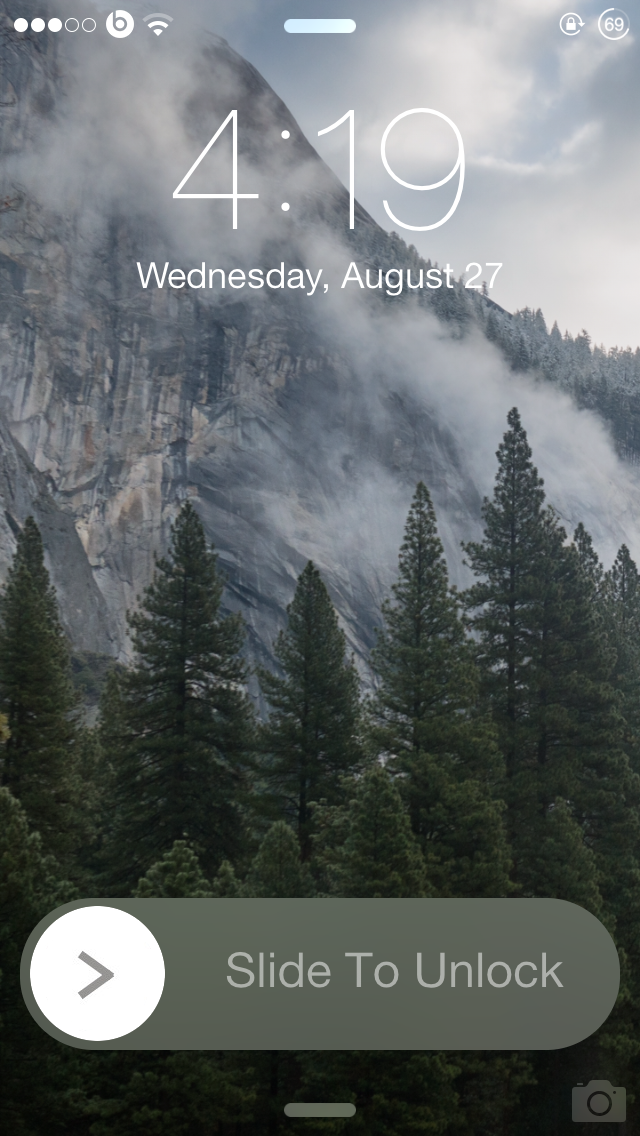
One of the many reasons that users jailbreak their iOS device is to customize the various UI elements. BlurSlide is yet another customization tweak that brings a new look to the 'Slide to Unlock' slider.

Developed by CP Digital Darkroom, BlurSlide allows users to change the original Slide to Unlock design to that of iOS 7.1.x's power off slider style, which features a round movable knob with a blur background. Yet, the best thing about this tweak is that it provides a lot of options to customize the slider the way you want. Although the tweak is still in the beta phase, it worked smoothly without any issues on my iPhone 5s running 7.0.4.

Quickly turn flashlight on and off from the Lock screen with Lumos

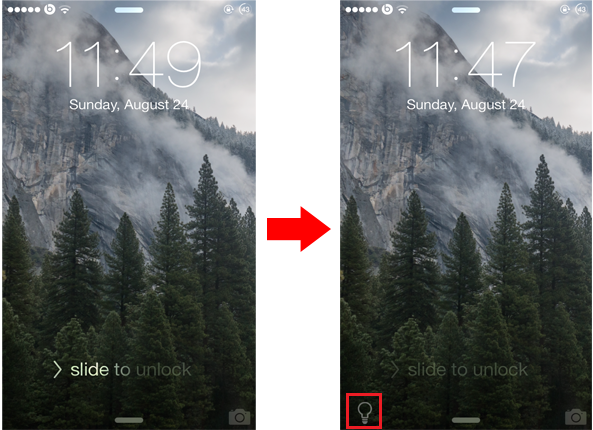
The Lock screen on iOS comes with a tiny camera grabber that is located in the bottom right corner of the screen. Swiping it up will open the camera directly from the Lock screen without requiring you to unlock your device first. If you use flashlight on your iPhone frequently, you might be interested to check out a new jailbreak tweak known as Lumos, which brings a similar feature to the Lock screen, enabling you to quickly start the flashlight.

By default, the quickest way to turn on the flashlight on your iPhone is through Control Center. Lumos goes a step further and provides a much quicker way by adding a tiny icon to the bottom left corner of the Lock screen dedicated to flashlight. Unlike the camera grabber, you'll have to tap on the flashlight icon in order to turn it on, instead of swiping it up. Tapping on the icon again will switch it off.

GhostPrefs adds tons of new features to Snapchat

The popular messaging app Snapchat allows users to share self-destructible photos, videos or message which disappear from the recipient's device after a period of time. The whole point of the app is to ensure that the 'snaps' are not permanent, unless the receiver takes a screenshot. However, when a screenshot of a snap is taken, the other person will be notified and will also be informed how many screenshots were taken. To get rid of this restriction and enjoy new features, you might be interested in checking out a new jailbreak tweak known as GhostPrefs...