Jailbreak

PinHeads WhatsApp ports iOS 14’s conversation pinning UI to WhatsApp

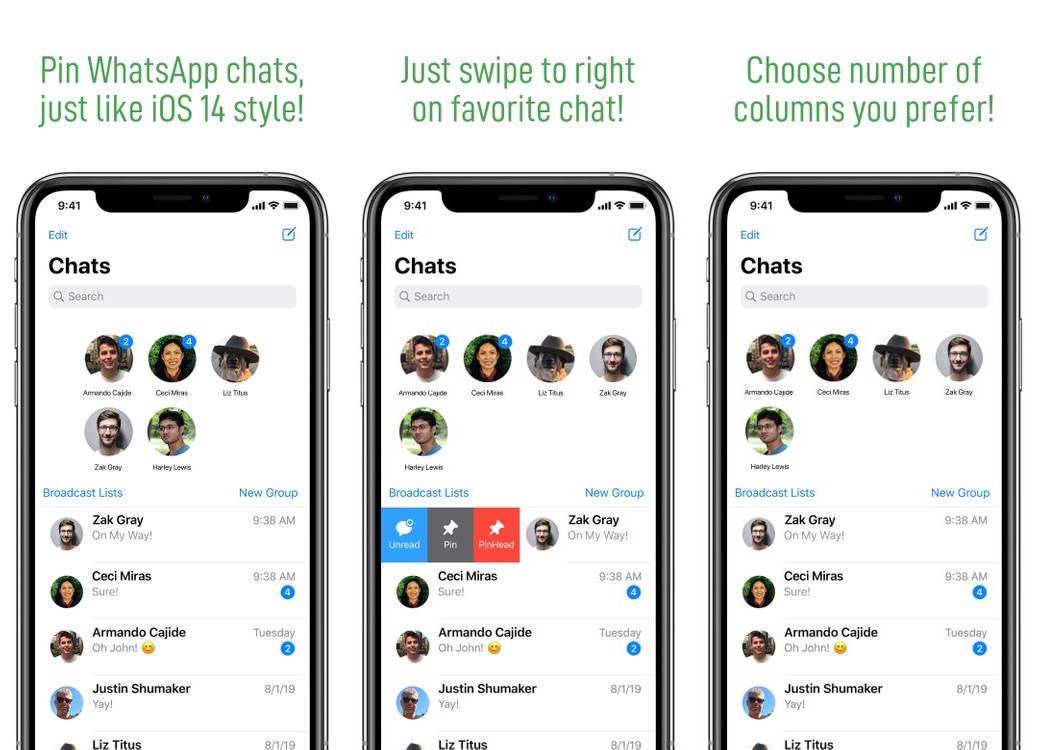
At the start of the month, we showed you a jailbreak tweak called PinHeads by iOS developer Ahmad that ported iOS 14’s conversation pinning capabilities in the Messages app to pwned iOS 13 devices. It was such a hit in the jailbreak community that we quickly saw competing tweak releases aiming to bring the same functionality to users’ handsets. Unfortunately, conversation pinning for third-party messaging apps seemed to be largely ignored… at least until now.

PinHeads WhatsApp is another new jailbreak tweak, also by iOS developer Ahmad, that brings iOS 14-esque conversation pinning capabilities to the third-party WhatsApp Messenger app. As shown in the screenshot examples above and below, the interface is heavily inspired by iOS 14’s native implementation, and as you might come to expect, the tweak’s behavior can be configured depending on the user’s own personal preferences.
This tweak puts a song counter at the top of each Spotify playlist

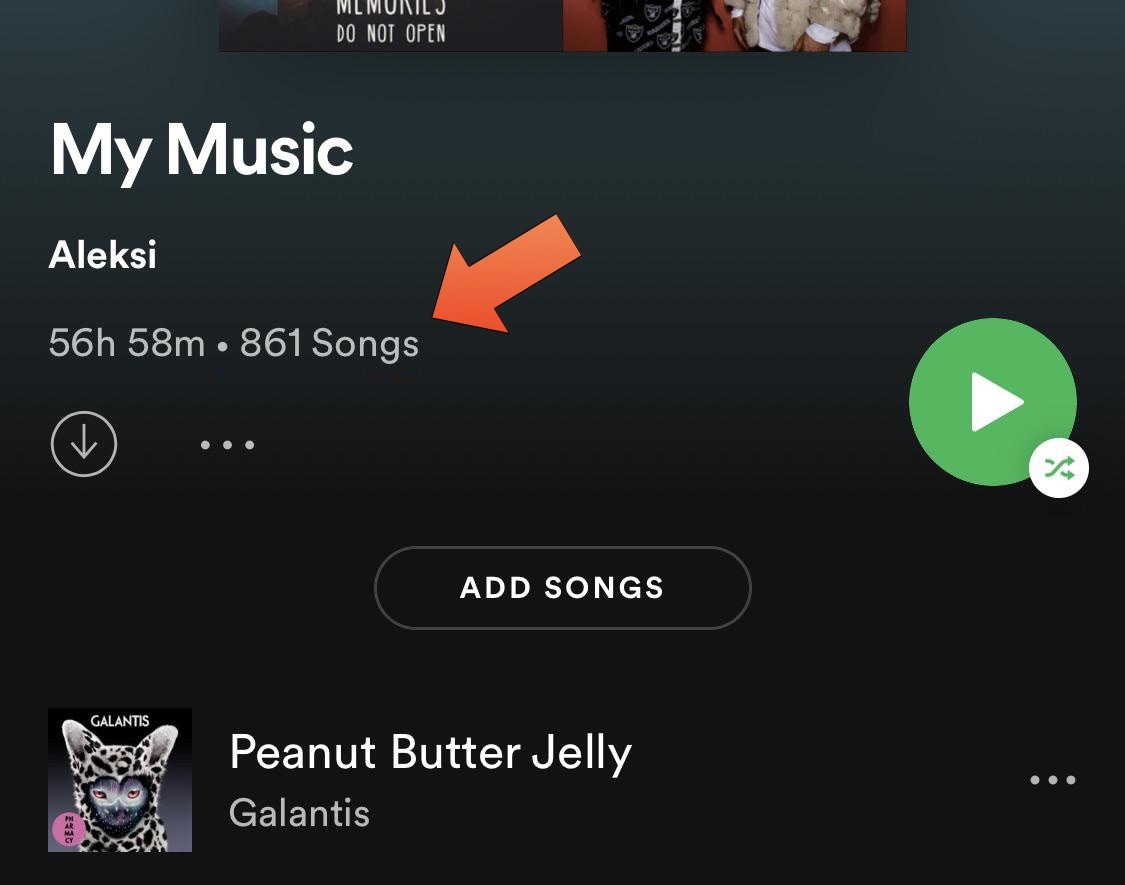
Spotify has long been one of my favorite media streaming apps – perhaps even more so than Apple’s native Apple Music platform. But one thing that has always managed to grind my gears is how the playlist interface doesn’t even so much as display the number of songs you’ve added to it.

Fortunately, a solution for this problem now exists in the form of a newly released and free jailbreak tweak subbed SpotifyPlaylistNumberOfSongs by iOS developer Aleksilassila.

Cydia Substrate v0.9.7105 adds memory enhancements & more iOS 14 support

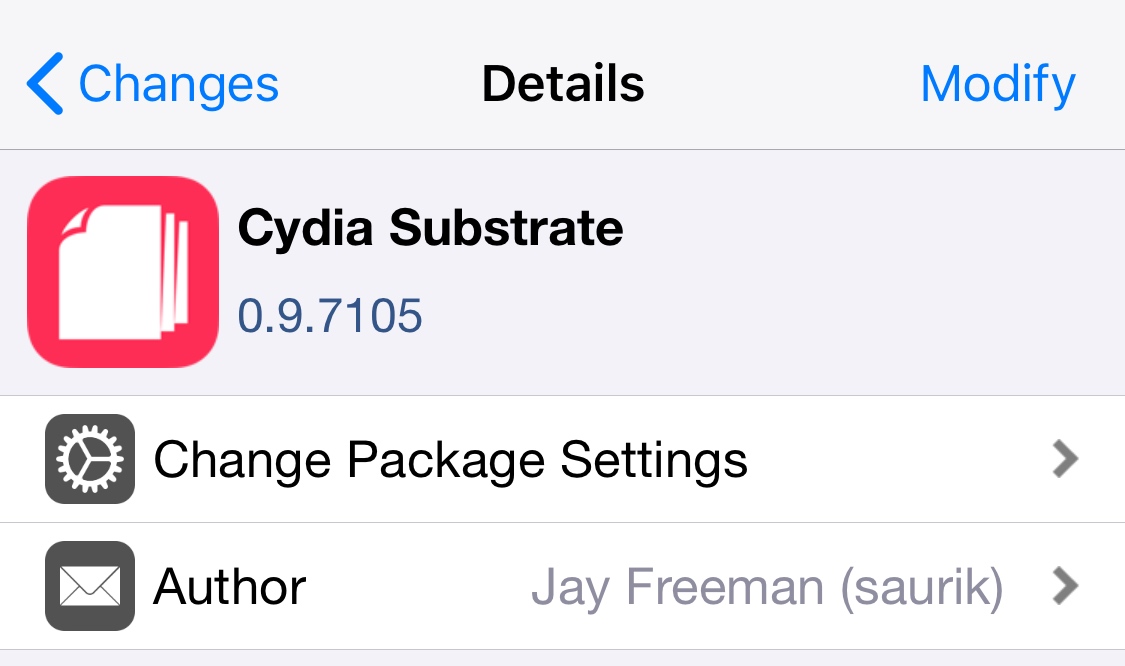
Cydia Substrate, a method of tweak injection that can be used on both the checkra1n and unc0ver jailbreaks, was updated Monday evening to the shiny new version 0.9.7105.

Citing the change log for this particular release, Cydia Substrate v0.9.7105 should be easier on system memory and be less prone to crashing due to a new memory limit threshold system. The full change log from Saurik is quoted below:

Jailbreak tweaks of the week: Aperio, Colorful, iAutoReply, and more…

If your iPhone or iPad is jailbroken and you're in search of the best new add-ons for augmenting your handset's out-of-the-box functionality, then you've come to the right place. This roundup will encompass all the latest jailbreak tweaks released between Monday, July 13th and Sunday July 19th.

As usual, we'll kick things off by showcasing our favorite releases from this past week. Afterward, we'll outline all the rest of the releases so you don't miss a beat.

This tweak lets you view the date in your Status Bar by tapping the time

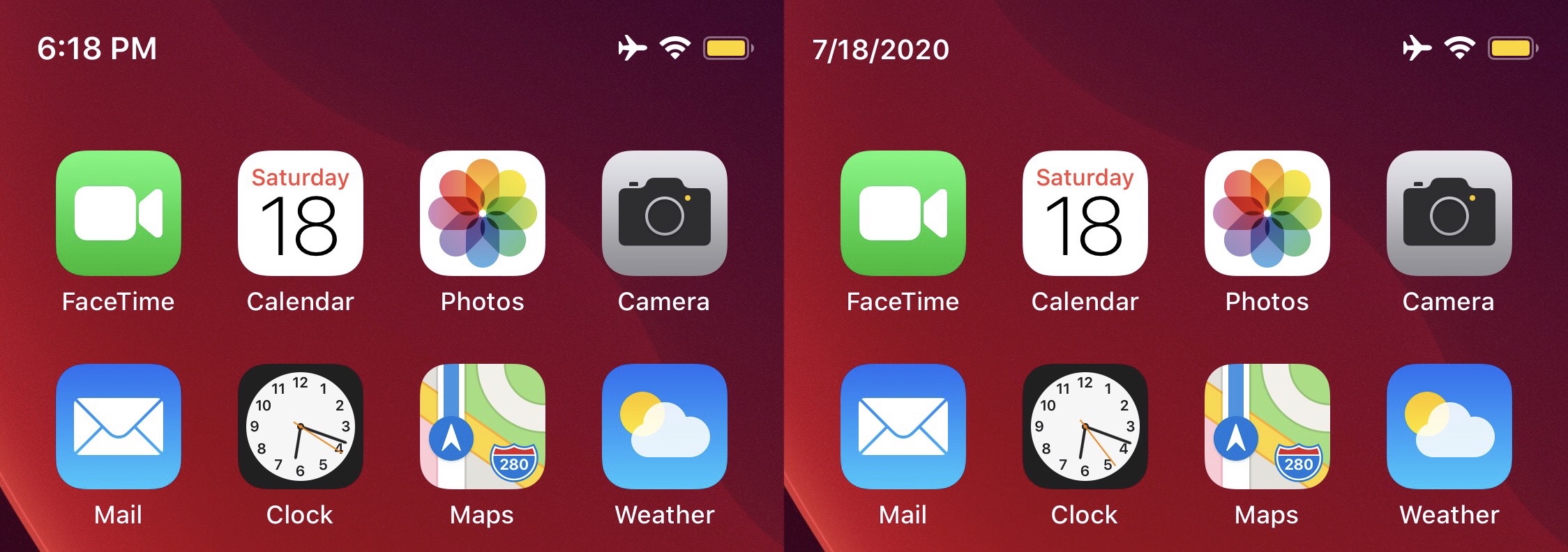
Anyone in the market for adding a subtle touch of satisfying functionality to their iPhone’s Status Bar should be shifting their undivided attention toward the likes of a newly released and free jailbreak tweak dubbed TapTapTipTapTime by iOS developer YulkyTulky.

While the name is a bit of a head-scratcher, don’t let that be the deterrent that prevents you from installing something you didn’t know you needed. TapTapTipTapTime basically lets you tap on the Status Bar’s time display to reveal the current date, and vice-versa.

Effortlessly spoof any jailbroken iPhone’s location on iOS 13 with Relocate Reborn

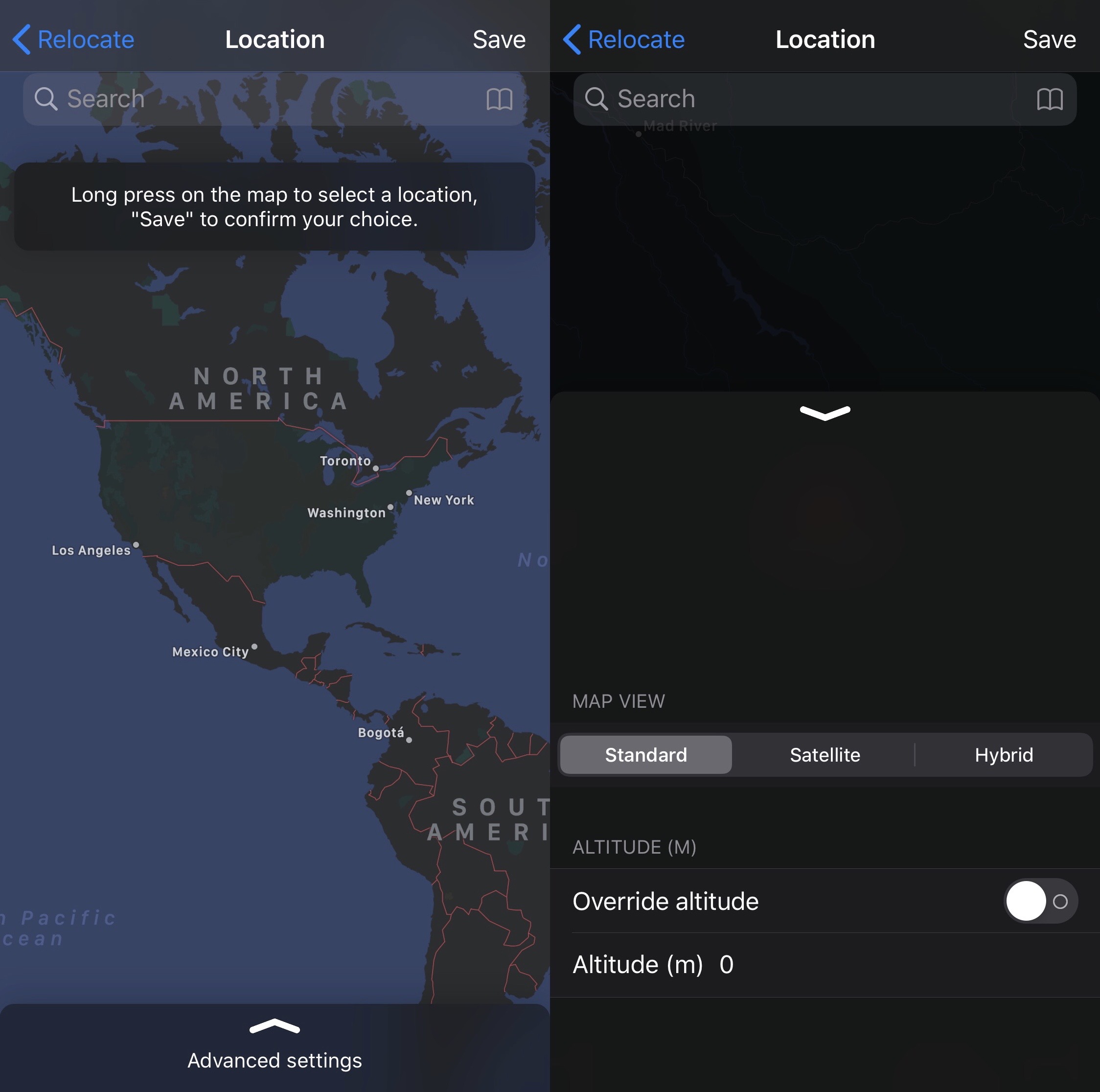
One of the most popular things you can do with a jailbroken iPhone or iPad is spoof your location. A number of jailbreak tweaks let you do this, but perhaps one of the most simplistic of those releases launched last Summer and was called Relocate by iOS developer Nepeta.

After being on an extended jailbreak tweak development hiatus, Nepeta is now back with the community and has launched an updated version of the aforementioned tweak dubbed Relocate Reborn with full support for iOS 13. As you might come to expect, Relocate Reborn is just as easy to use as the original Relocate tweak, but it comes with a number of additional features that you may find extraordinarily useful.

ScreenFreeze thwarts snooping when handing your iPhone to someone to share a photo

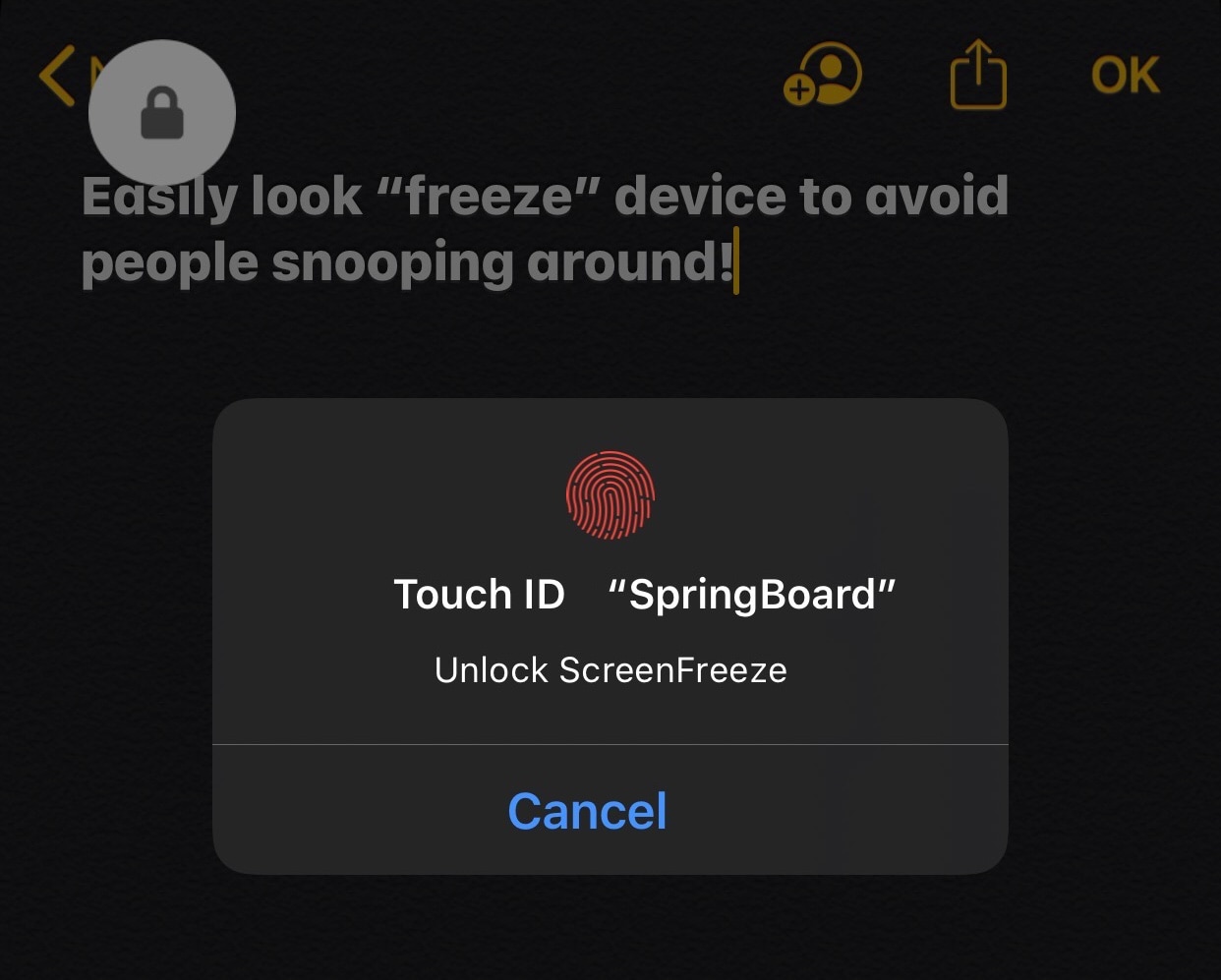
It’s not uncommon at all for someone to hand their iPhone to another person. Albeit a temporary action, this happens when someone wants another person to view a photo or video, try an app or game, or assist them with a troubleshooting matter. As common as this act is, a legitimate concern is what the person will do with your iPhone after you hand it to them.

If you’re among the group of people who get paranoid about someone rifling through your personal data upon handing them your iPhone, and you're certainly not alone, then you’ll probably come to appreciate the likes of a newly released and free jailbreak tweak dubbed ScreenFreeze by iOS developer Greg0109.

Nita complements the Status Bar with an Emoji-driven weather display

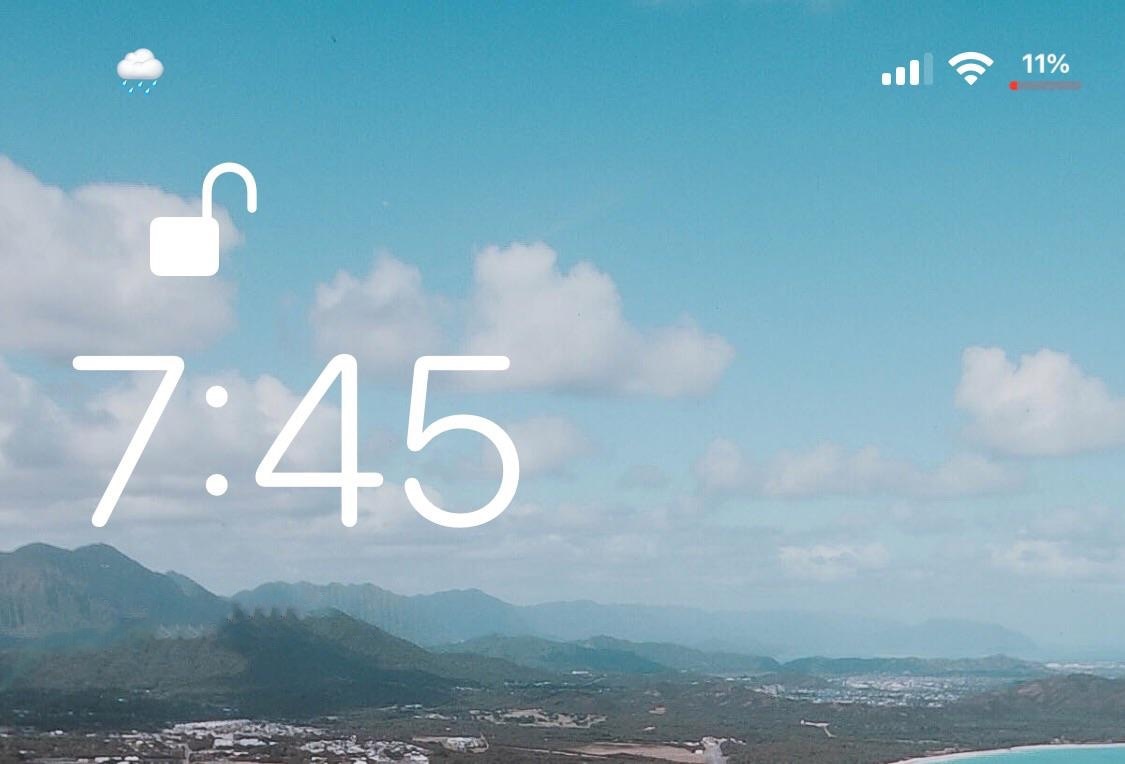
Your iPhone’s Status Bar is supposed to be an all-in-one hub for pertinent information including battery level, signal strength, and other important indicators. That said, wouldn’t it be kind of nice if it included a brief tidbit about the weather too?

Those in agreement with the aforementioned sentiment will almost certainly want to take a moment out of their busy lives to check out a newly released and free jailbreak tweak dubbed Nita by iOS developer Litten. As depicted in the screenshot example above, Nita depicts the current weather conditions outside with the help of a simple Emoji.

New tfp0 exploit supports Apple’s brand-new iOS & iPadOS 13.6 releases

Matrix code hacked iPhone.

When you’re an avid jailbreaker and you hear news about a new exploit that could potentially be used to jailbreak the latest version of iOS, then you tend to get excited about it. This response is only natural, especially given Apple’s rather conspicuous practice of rapidly releasing software updates to patch the very exploits hackers release in order to jailbreak iPhones and iPads alike.

With that in mind, jailbreakers might be particularly thrilled to learn that a new tfp0 exploit has been cooked up for Apple’s brand-new iOS & iPadOS 13.6 release, which was dropped to the public only yesterday afternoon. The news was first shared via Twitter user and security researcher @_Simo36 Thursday morning:

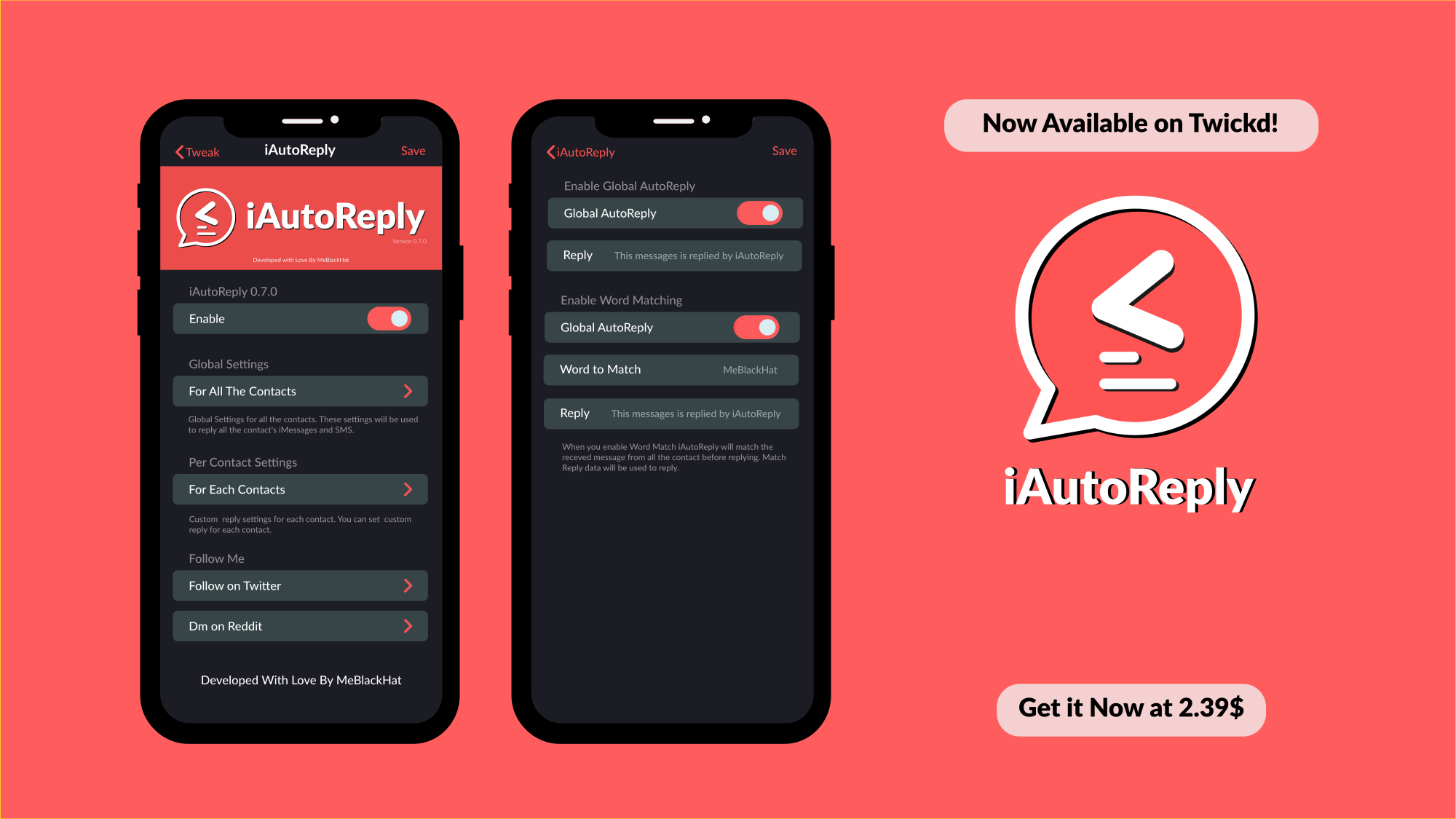
iAutoReply lets you configure automatic responses for text messages & iMessages

If can be tough, if not nearly impossible, to respond to every text message or iMessage throughout the day. This is especially true if you’ve got a lot of friends and a busy schedule. Fortunately, a newly released jailbreak tweak called iAutoReply by iOS developer MeBlackHat is here to help our friends know that their messages aren’t falling on deaf ears.

Just as the tweak’s name implies, iAutoReply offers many flexible features for users who might want to configure automatic replies for text messages or iMessages that they can’t reply to right away. Not only can iAutoReply be configured for global message responses, but it can also be configured to reply to certain contacts in a different way.

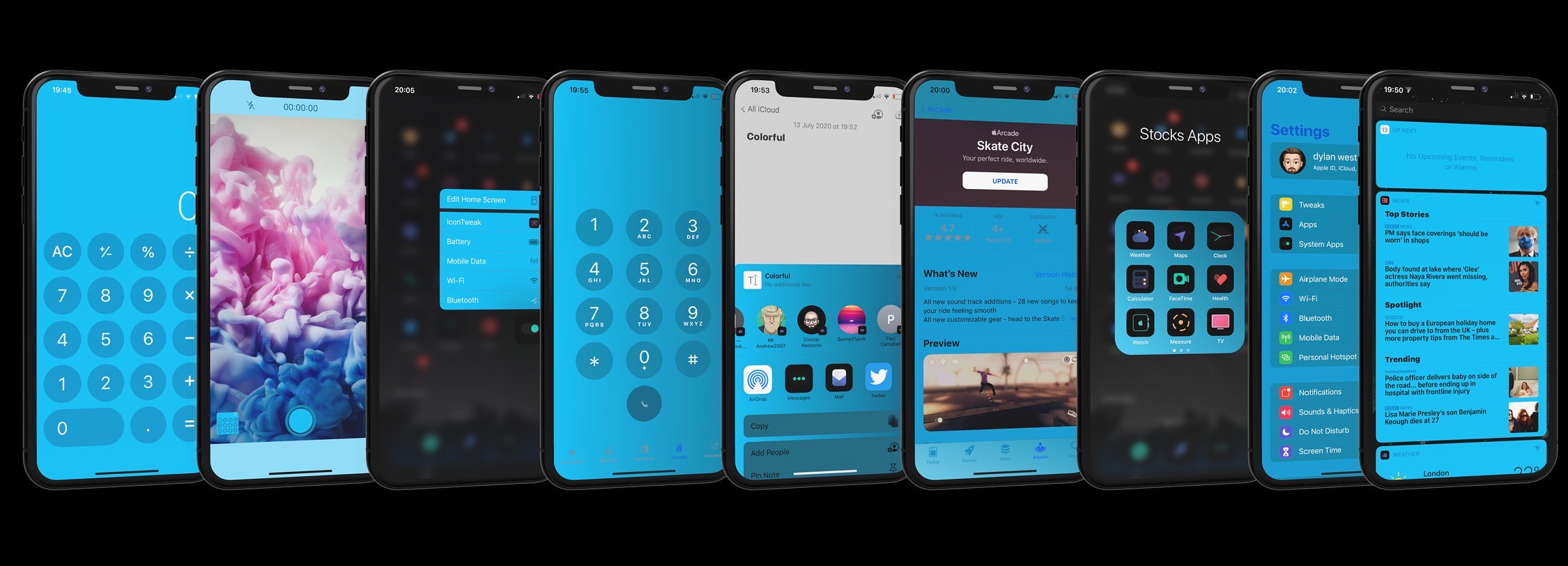
Colorful brings powerful interface colorization to pwned iOS 13 devices

For some jailbreakers, theming and system colorization are two of the most exciting aspects of having a pwned handset at their disposal. Fairly regularly, jailbreak tweak developers release some kind of add-on that allows users to colorize their handset’s aesthetics — some made specifically for certain interfaces, and others made to work system-wide.

A new jailbreak tweak release dubbed Colorful by iOS developer Dylan West (iOSthemem0d) is one of the latter, and it comes with so many options for tweaking your iPhone’s color scheme that you can captivate the interest of your peers regardless of what interface you might be looking at on your handset.

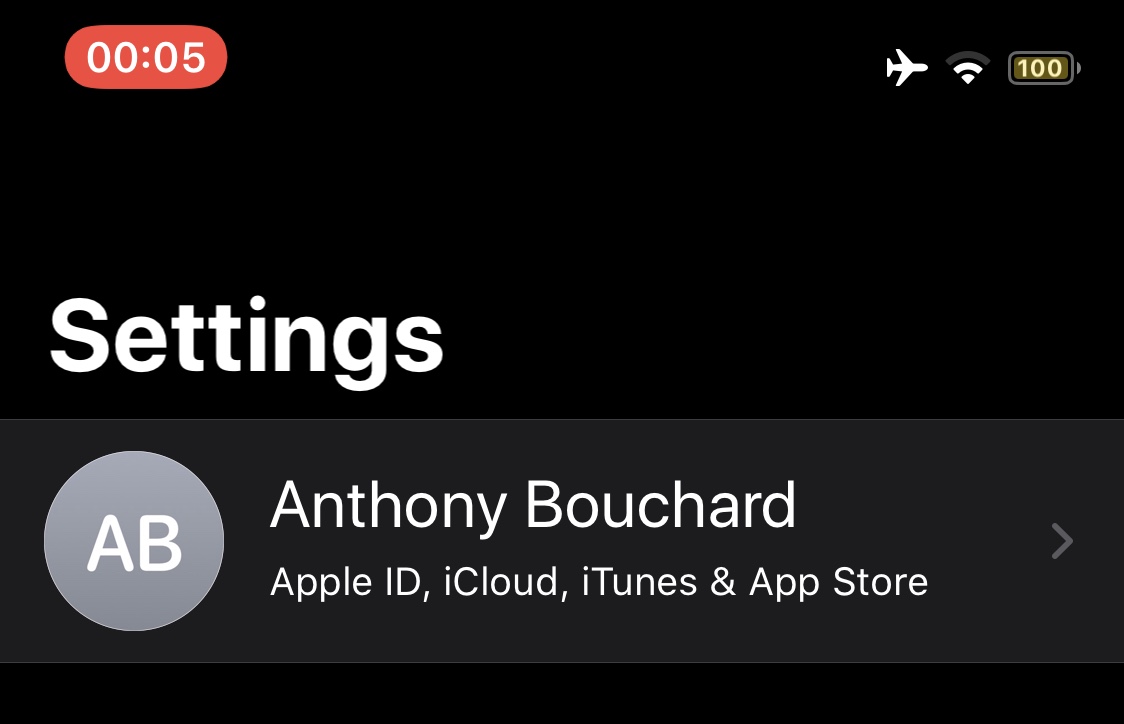
This tweak adds a screen recording length indicator to the Status Bar

Whenever you initiate a screen recording on a notched iPhone, a red pill-shaped indicator appears over the Status Bar’s time display. This is useful for reminding you that your display is recording so you remember to stop it at some point, but iOS developer h4ckua11 had another idea for improving the screen recording indicator that would go on to become a new and free jailbreak tweak dubbed ScreenRecording Time.

As shown in the screenshot example above, ScreenRecording Time merely replaces the current time display in the red pill-shaped screen recording indicator with a timer denoting the length of time that the screen recording has been in effect. In other words, it reminds you of how long your screen recording is before you end it.