iPhone News

iOS 8 and the future of jailbreaking

It seems to be a recurring topic every year when Apple unveils a new version of iOS: did iOS 5 just kill jailbreaking? Will jailbreaking survive iOS 6? What’s left to jailbreakers with iOS 7? Did iOS 8 just make jailbreaking irrelevant?

These are some legitimate questions to ask, especially in regards to the fact that Apple, as you would expect, always adds new features to iOS, making jailbreaking a little less appealing. At least that's how it looks on paper, because in reality, it’s not so clear.

A few major online publications have already chimed in about how iOS 8 is making jailbreaking pointless, usually with no real understanding of what jailbreaking truly is about. So I thought it’d be a good idea to lay down some balanced thoughts about iOS 8 and the future of jailbreaking...

This week on iDB: the best WWDC since WWDC

Like every Sunday, we get to take a look at some of the most popular posts that were published on iDB during the week that just ended. Whether it is a news item, a new jailbreak tweak, a tutorial, or an app review, we sum it all up in one convenient place for you.

As always, if you like what you're reading, please feel free to spread the love by sharing our posts on your favorite social network.

We're usually hanging out a lot on Twitter and Facebook, more rarely on Google+.

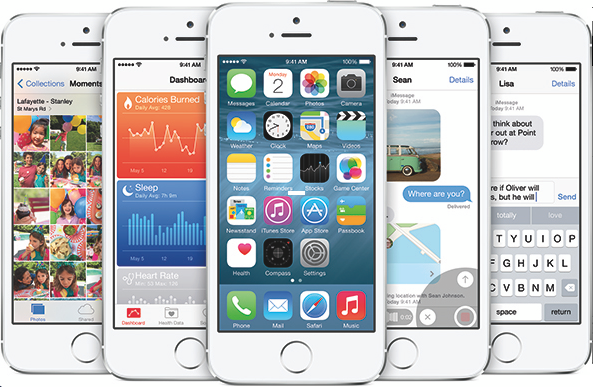
The ultimate WWDC 2014 keynote roundup A breakdown of all the major new features in iOS 8 35 new features coming to iOS 8 iOS 8 launches in Fall, beta release available today A full breakdown of major OS X Yosemite features Early signs look good for iOS 8 jailbreak 15 jailbreak tweaks that iOS 8 made obsolete Here’s what it’s like to install iOS 8 [Video] iOS 8 is compatible with iPhone 4S, iPad 2 or later The best new features from the Messages app in iOS 8 [Video] Download iOS 8 and OS X Yosemite betas now How to install OS X 10.10 Yosemite beta on a separate partition The best recipe apps for iPhone and iPad Wallpapers of last week: iOS 8 and OS X Apps of the week: Rival knights, Phantom Flower, Camera Fx8 Free, and more Download the iOS 8 and OS X Yosemite wallpapers

Don't forget to listen to the latest episode of our new podcast, Let's Talk iOS:

Subscribe on iTunes

And of course, make sure to catch up with the new episode of Let's Talk Jailbreak:

We’re social! Find iDB on Twitter, Facebook, Google+, App.net, YouTube, and in your RSS reader. Also make sure to subscribe to our new podcast!
Patent troll VirnetX could win 1% of iPhone and iPad revenues

In March, U.S. District Judge for Eastern Texas Leonard Davis awarded patent holding firm VirnetX with an ongoing 0.98% royalty on iPhone and iPad revenues. Apple has been fighting vigorously to avoid that outcome, but its last-ditch efforts have been unsuccessful. On Friday, the U.S. Patent Trial and Appeal Board denied a creative strategy that Apple used to challenge the patents… 

iOS 8 internal settings reveal Control Center and Lock screen customization options

Apple introduced several user-facing features in iOS 8 earlier this week, but it appears that there could be more than meets the eye. iOS developer Hamza Sood has tweeted two screenshots that show iOS 8 internal settings for customizing Control Center. In particular, there are toggle switches for adding, removing or reordering the app shortcuts and toggles in Control Center. There is even an option to record the screen from the swipe-up menu… 

WSJ profile describes Dr. Dre as a perfectionist, compares him to Steve Jobs

The Wall Street Journal has written a profile on Beats co-founder Dr. Dre titled "Apple's New Beat: What Steve Jobs and Dr. Dre have in Common." That headline may sound blasphemous to die-hard Apple fans, but the comparisons they draw are interesting.

Though Jimmy Iovine has done most of the talking since Apple acquired his Beats Electronics last month, Dr. Dre played an equally important role in the company's success. He's a workaholic and a perfectionist, with a disdain for deadlines and marketing research...

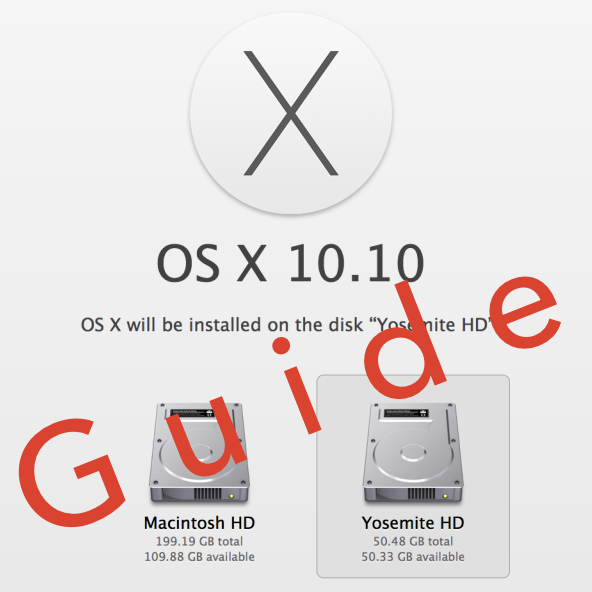
How to install OS X 10.10 Yosemite beta on a separate partition

When Yosemite was first announced with all of its awesome features, I exclaimed on iDB's group chat session that I would be installing the OS as soon as it was available for download. Sebastien quickly rebuffed my excitement and told me how unreasonable it was to install a beta OS on my main machine, and especially so while I'm out of the country. After being a bit disappointed (that wasn't what I wanted to hear at all...I mean, SMS texting on OS X!) I eventually came to the realization that he was right.

But then, I remembered that I didn't need to settle. I could easily create a partition on my Mac and keep Yosemite completely separate from my main (and stable) Mavericks install. It had been a while since I had last messed around with disk partitioning in OS X, but it didn't take long before I was installing the Yosemite beta on the same Mac where my primary Mavericks install lays its head down at night.

The benefits are multi-faceted. Number one, you get to try out Apple's new OS right now. Number two, you don't have to worry about buggy beta software cramping your style; after all, you're still running your main OS on the a separate partition. Number three, it can be done quickly, and with little to no downsides (as long as you have the disk space to spare). Check inside for our full tutorial that shows you how to install OS X 10.10 Yosemite on a separate partition on your primary Mac.

Gameloft posts new E3 trailer for Modern Combat 5: Blackout

After going nearly a year after its initial announcement without talking about the title, Gameloft is finally starting to open up about Modern Combat 5: Blackout. We've learned a number of new details about the game over the past couple of weeks, and today we have an epic new E3 trailer to share...

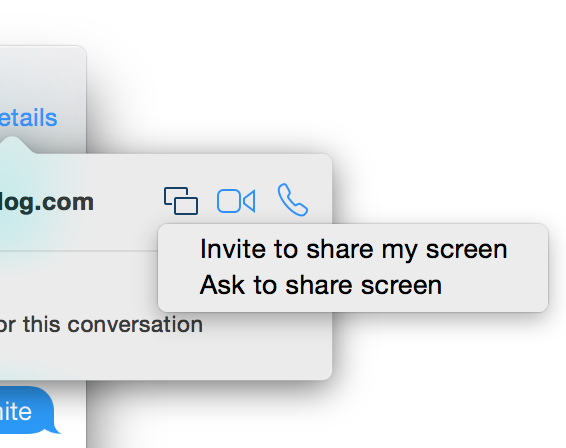
Yosemite includes the ability to initiate screen sharing via the Messages app

There's a plethora of new features to be found in Yosemite, and one of the latest has been found in the Messages app. Along with the ability to initiate FaceTime audio and video calls directly from a Messages app conversation, comes the ability to initiate screen sharing.

Users will be able to either request a screen sharing session from another user, or initiate their own screen sharing session directly from the Messages app. Check inside for more details.

IGN names ‘Deus Ex: The Fall’ its Free Game of the Month

Great news gamers, IGN has named Square Enix's popular 'Deus Ex: The Fall' its Free Game of the Month for June. The game launched on iPhones and iPads last summer to many positive reviews, and it normally retails for $6.99.

For those unfamiliar with the title, Deus Ex: The Fall is an action-based role playing game, set in the cyberpunk world of 2027. It's well known for its console-quality graphics, advanced gameplay elements, and in-depth storyline...

Gameloft’s Rival Knights jousts its way into the App Store

How about some good ol' fashioned medieval jousting? Your wish is Gameloft's command! Introducing Rival Knights, a free-to-play iPhone and iPad knight combat game with eye-candy looks, motion-captured animations, tons of content, asynchronous multiplayer mode and some serious bone-breaking action.

Optional In-App Purchases don't kill all the fun nor do they seem to break your freemium experience beyond repair.

It gets even better: you'll absolutely love Infinity Blade-like graphics and action sequences reminiscent of some of the best Rebellion Games titles. Long story short, you really can't go wrong with this one so accept your challenge and take part at the King’s tournament to prove your mettle.

Grab it free in the App Store and jump past the fold to see it in action for yourself...

AT&T’s prepaid GoPhone service expands to tablets, including iPad 3 and iPad mini

AT&T’s prepaid wireless service for smartphones, marketed under the GoPhone moniker, now works with cellular-capable first-generation iPad mini and third-generation iPad with Retina display (also known as iPad 3).

The nation's second-largest wireless operator said Friday that owners of a limited number of  select tablet models can now purchase cellular data on a month-to-month basis, for the first time...

Apple’s new Adaptive Display framework hints at larger iPhone

Just in case there weren't already enough signs pointing towards the launch of a larger iPhone or two later this year, a new Adaptive Display framework in iOS 8 is a telltale clue that wider and taller screens could be on the horizon. As reported by The Guardian, the developer protocol is called UIAdaptivePresentationControllerDelegate, and works with a presentation controller to determine how to respond to size changes in apps.

If that sounds like a bunch of garble, allow me to explain in slightly more simplified terms. Apple has improved two frameworks called UIKit and AppKit, making it easier for developers to support multiple screen sizes and orientations. Apple does have multiple screen sizes, ranging from 3.5-inch and 4-inch iPhones to 7.9-inch and 9.7-inch iPads, and the consensus is that 4.7-inch and 5.5-inch iPhones will soon crack the list.

This screenshot on Apple's WWDC sessions page could be a subtle hint…Â