iPhone News

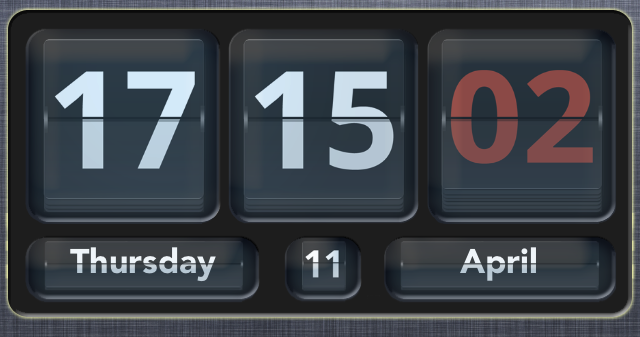
How to add an animated clock to Notification Center

Flip Clock is a jailbreak widget that allows you to add an animated flipping clock to Notification Center. The tweak features a nice helping of options to configure the look and feel of the clock to your personal liking.

Once Flip Clock is installed, simply enable it in Settings > Notifications in order to display it within your Notification Center. The tweak also works with packages like LockInfo for placing the widget in more places than just the Notification Center panel. Check out a few more tidbits about this great looking jailbreak tweak after the break...
Badger beta updated with support for all apps and more

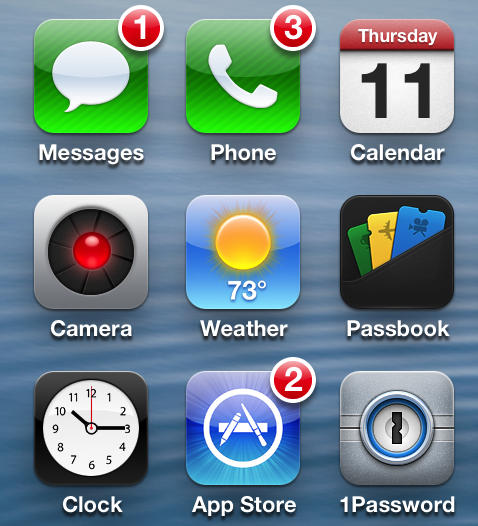
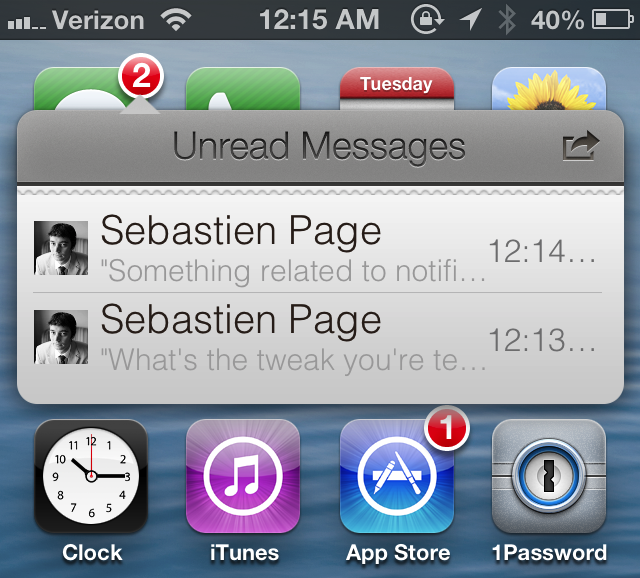
Badger — the highly anticipated jailbreak tweak that let's you view notifications right on the Home screen — has been updated. The tweak, still in beta, continues to receive incremental updates as it inches closer to a public release.

In our very first look at the tweak, Badger was extremely limited, only allowing users to view notifications for the Messages app. After the recent updates, Badger now allows users to view notifications for every app installed on the device, and more.

Filippo Bigarella donates over $5,000 from proceeds of his jailbreak tweak LivelyIcons to charities

Back in mid February, we brought you coverage on a jailbreak tweak called LivelyIcons. It was a tweak, created by Filippo Bigarella, that let you have animated app icons on your Home screen. The animations were nice, but the big news about LivelyIcons' was Bigarella's promise to donate some of the proceeds to cancer research.

To be honest, I had almost forgotten about the tweak until Bigarella sent out a tweet today updating the progress of the earnings and donations. Judging by the numbers, it looks as if LivelyIcons was a huge success. Check inside for the details...

QuickShoot Pro: a great way to quickly snap photos and videos

Have you ever missed an ideal snapshot as you waited for the Camera app's animation and UI to finish loading? I think it's safe to say that all of us have missed a perfect photo as a result of having to wait on the iPhone's Camera app. Things have gotten considerably better in this regard as hardware speeds have improved, but it's still not exactly perfect.

QuickShoot Pro is a jailbreak tweak that seeks out to solve the issue by letting you snap photos and videos directly from the Home screen. It accomplishes this feat using a couple of different methods. The first method requires you to double tap on the Camera app icon for a photo, and a triple tap on the app icon for video. By doing this, a photo or video is taken without the Camera UI, hence resulting in a faster composition.

The second method is a simple Activator gesture. You can setup an Activator gesture for taking a photo or starting a new video. QuickShoot Pro features quite a few options that can be used to configure the tweak to your needs and liking. It's not going to completely reduce the wait time associated with taking a new photo, but it's certainly faster than the stock method for taking photos and videos. Take a look inside as we break down QuickShoot Pro in our hands on video walkthrough...

Gameloft’s free to play Dungeon Hunter 4 hits iOS

http://www.youtube.com/watch?v=dxAw-0lxH28

French publisher Gameloft, one of the most prolific iOS games publishers, has joined Electronic Arts in offering latest triple-A titles for free, a major shift in strategy in recognition of the free-to-play concept. Today, Gameloft's Dungeon Hunter 4, a major new release, has hit the App Store as a free download.

The Diablo-like title is classes as a role-playing game set in the land of Valenthia and you're tasked with saving the mortal realms from darkness. It includes the usual assortment of potions, daggers, swords, monsters and character classes such as Sentinels, Imps (compared in savagery to a wolverine) and what not...

I’m sorry Verizon CEO, but you didn’t talk Steve Jobs into bringing LTE to the iPhone

Apple has long been criticized for not making an LTE iPhone at a time when most Android handsets boasted high-speed cellular networking capability. Verizon CEO Lowell McAdam has come out of the woodwork to take credit for personally persuading Apple's late co-founder Steve Jobs to add LTE connectivity to the popular smartphone.

He also shared interesting stats regarding the technology, saying that half of all wireless traffic on Verizon's network is now related to video content. McAdam remarks he's expecting that video will comprise two-thirds of all wireless traffic on the Verizon network by 2017, thanks to the company's capital expenditure in deploying LTE technology. As for his comment regarding an LTE iPhone, I'm not buying it and here's why...

Slides from the evad3rs’ Hack In The Box 2013 presentation now available for download

Interested in some detailed analysis of the evad3rs' mobile exploit strategies? If so, then look no further than the slide presentations from the 2013 HITB Security Conference in Amsterdam.

The presentation, entitled Swiping Through Modern Security Features, features low level details on the exploit strategies used by Pod2g, Planetbeing, Musclenerd and Pimskeks. Take a look inside for the full download link.

How to quickly share notes on Twitter and Facebook

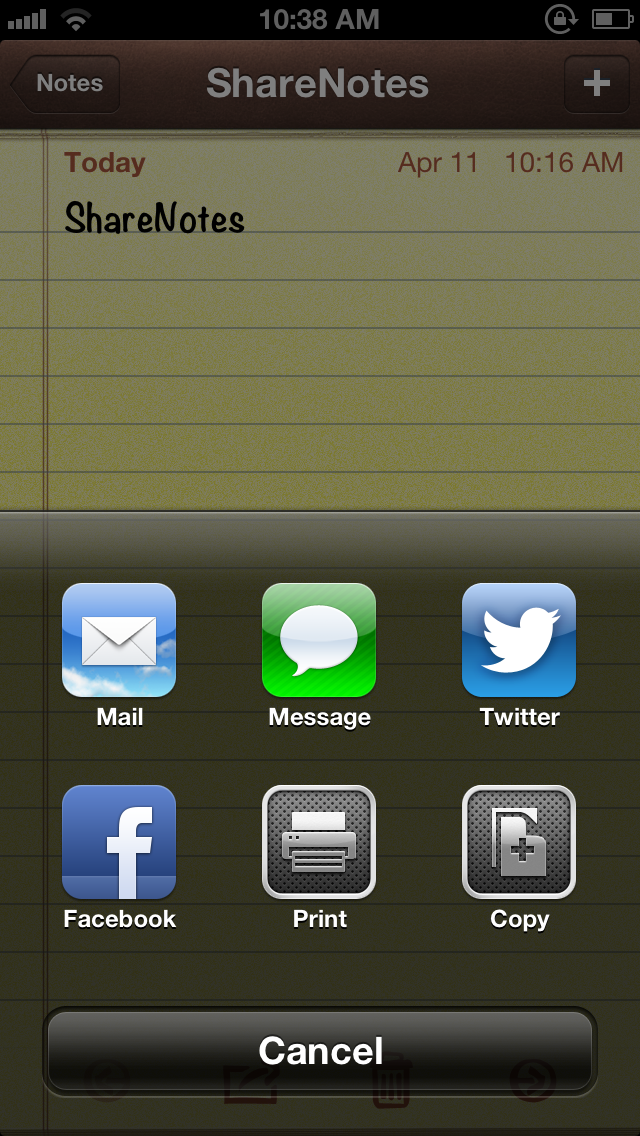
ShareNotes is a new jailbreak tweak that allows you to share notes on Twitter and Facebook using iOS' built in share sheet. The sheet is accessible via a tap on the share button in the Notes app, and it features two new buttons for Facebook and Twitter sharing once this tweak is installed.

The stock sharing options for notes are quite limited; you can only share notes via Mail or Messages. This jailbreak tweak opens things up a bit. Take a look inside for screenshots and more info...

First budget iPhone part allegedly leaks: dual-head vibration motor

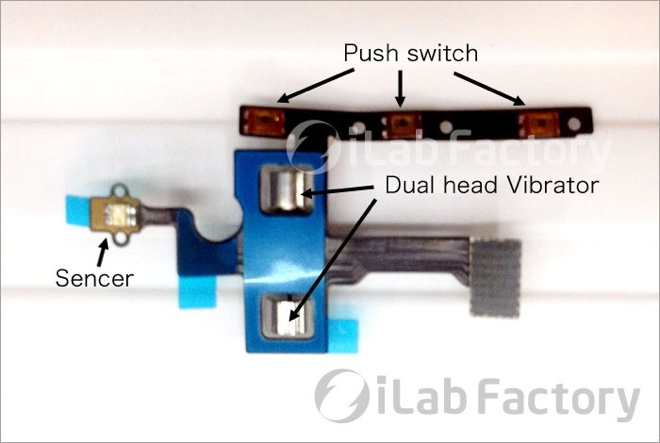
In what could be the first physical evidence of a part that may or may not be related to Apple's rumored less-pricey iPhone, a reliable Japanese blog has posts an interesting image of a ribbon cable with a dual-head vibration motor, obtained by repair shop iLab Factory. While the flex cable looks like it connects to the iPhone's standard volume rocker and mute switch, it's the rotation motor which raises hope that this particular part could belong to the budget iPhone...

iHelicopters unveils do-it-yourself Mini Brick Cars

https://www.youtube.com/watch?v=0Y6XDAfLN8I

In an interesting extension of its lineup of RC-controlled iOS toys, iHelicopters today launched Mini Brick Cars, an interesting do-it-yourself project that should appeal to your kids. As the name suggest, a Mini Brick Car is actually a package containing a bunch of mini bricks which allow you to create any type of vehicle that can be controlled via your iPhone, iPod or iPad using a dedicated controller app. The kit costs $59.95, including free shipping to any destination in the world...

Major Real Racing 3 update is out: cloud saves, new Chevy cars, 100+ events

http://www.youtube.com/watch?v=UwJzQ8Z6ghY

As promised, super publisher Electronic Arts and developer Firemonkeys just rolled out a major update to the awesome free-to-play Real Racing 3, bringing out over a hundred new events and two Chevy vehicles. The one feature I've been waiting for is an improved game saving capability: in Real Racing 3 version 1.1, your progress is now saved and synced across all your devices via the cloud.

This finally lets me to kill a few minutes on my iPhone while standing in the line at a bank and then continue playing right where I left off on my iPad. More tidbits and some nice screenies right below the fold...