Apps

How to convert iPhone HEVC videos to H.264 with VideoProc [sponsor]

The Mac and Windows app VideoProc by multimedia software developer Digiarty is among the most comprehensive video converters out there. Not only does it transcode foreign video formats including MKV, DIVX, FLV and WMV to iOS-friendly formats, but also lets you convert videos in the High Efficiency Video Coding (H.265) format captured with your iPhone to the more compatible H.264 codec, which lets you play them back on older devices.

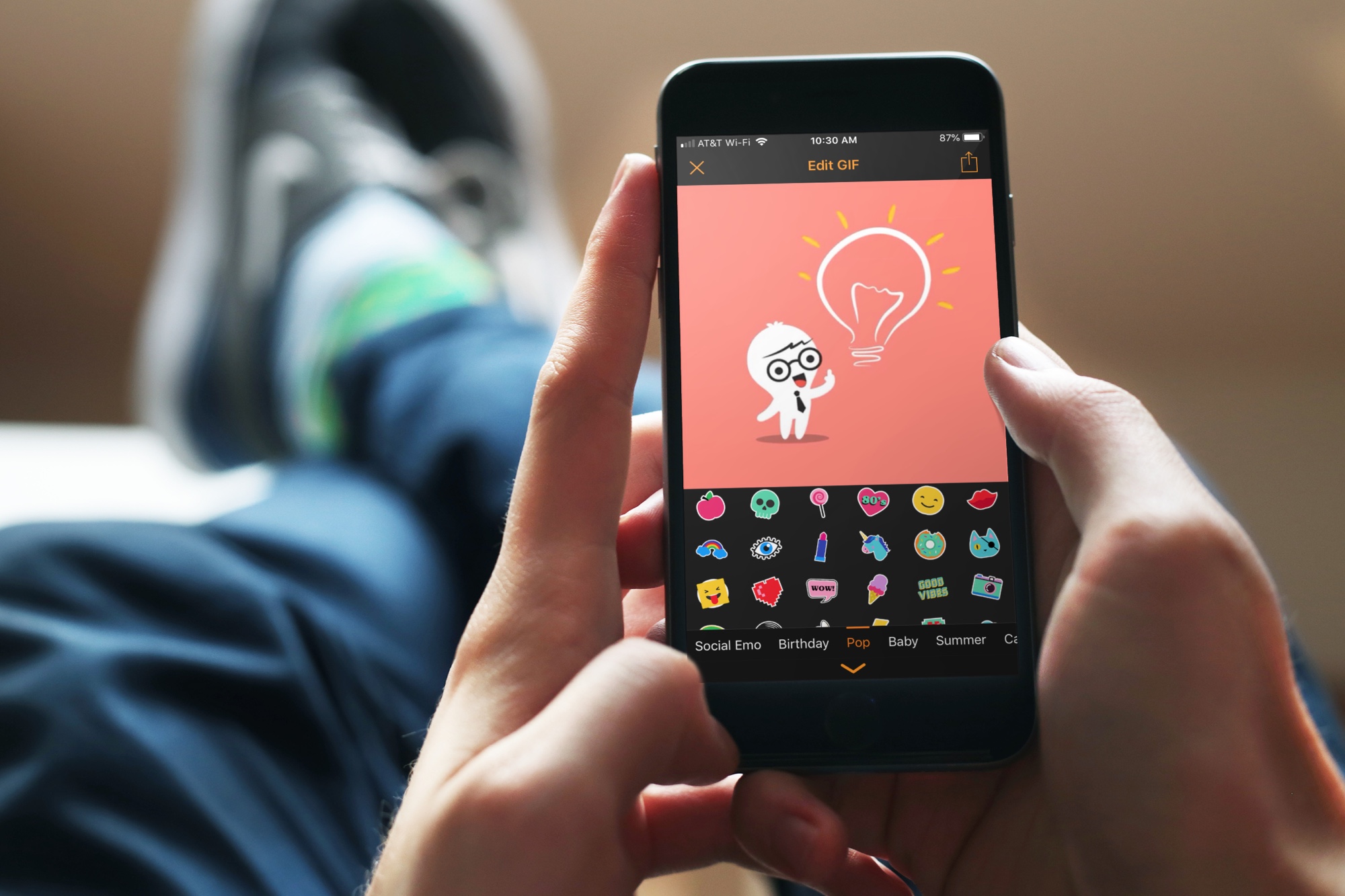
The best free apps for creating animated GIFs on iPhone

animated GIF apps iphone - GIF Maker

There are GIFs everywhere. We see them, save them, and share them from Facebook, Twitter, and even those we receive in Messages or Mail. So, if you want to have some fun, make something memorable, or just get creative with your photos and videos, why not make a GIF of your own?

These are the best free apps for creating animated GIFs on iPhone.

Twitter is testing a new tag to help you distinguish genuine accounts from copycats

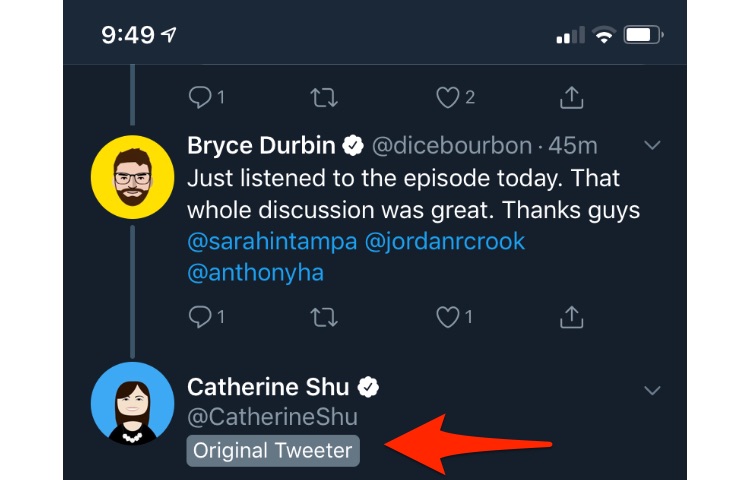
In another attempt to nuke fake news out of orbit and help you distinguish the real Elon Musk or Donald Trump from their false copies, Twitter is testing a new "Original Tweeter" tag.

The company yesterday confirmed the test to TechCrunch, saying that the new label has rolled out to a “small percentage” of iOS and Android users across multiple markets.

Sara Haider, Twitter’s Director of Product Management, said:

Twitter’s purpose is to serve the public conversation. As part of this work, we’re exploring adding more context to discussions by highlighting relevant replies—like those from the original tweeter.

Not only does this new feature make it easier to distinguish the person who started a thread, it also helps curb certain types of abuse on the platform.

Accounts masquerading as other Twitter users has been an annoying problem for sure. That being said, any effort to curb this kind of behavior deserves a thumbs-up, wouldn't you agree?

Just be careful not to confuse the new "Original Tweeter" tag with Twitter's existing blue verified badge which lets people know that an account of public interest is authentic.

As you probably know, Twitter's somehow managed to botch the roll-out of verified badges.

At first, the little blue badge was exclusive to celebrities and well-known users with millions of followers. But when the company expanded the program beyond public figures, it found itself in trouble after it verified accounts belonging to conspiracy theorists and Neo nazi groups.

Because of those woes and missteps, the company's verified account program is currently on hold and not accepting any new requests at this time.

On a related noted, we reported yesterday that Twitter's Night Mode, which enables a darkened interface, might soon introduce a pure black setting following user complaints that the app's Night Mode theme was too blue-ish and not dark or black enough.

So, has this new "Original Tweeter" tag appeared for you yet?

Let us know by leaving a comment down below.

Twitter’s Dark Mode is about to get a lot darker

Twitter's optional Night Mode, introduced in mid-2106, isn't dark enough for many customers who were asking for a pure black interface rather than a dark-gray theme. Thankfully, the firm is aware of this #FirstWorldProblem issue and has promised to do something about it.

As TechCrunch reported yesterday, in response to a complaint from a customer who told Twitter's boss Jack Dorsey that the app's Night Mode theme isn’t dark enough but more of a blue-ish or gray-ish shade, Dorsey acknowledged that’s going to be fixed.

https://twitter.com/jack/status/1087093262664364032

Darkened interfaces aren’t just softer on the eyes but also look gorgeous on OLED panels that typically display far greater contrast than the LCD screens. Apple provides an officially sanctioned system-wide Dark Mode on Macs, but not on iPhones and iPads.

TUTORIAL:How to get Dark Mode on virtually any website

Due to the popularity of dark themes in apps, many popular apps have now implemented an optional darkened interface, like a number of iPhone apps now support darker themes, including Outlook, Twitterrific, Wikipedia, Bear Notes, Apollo, YouTube and many more.

App Store's curated list of the top Dark Mode-like apps

For more apps with a Dark Mode-like appearance, be sure to check out Apple's own list of the top apps that feature dark or pure black interfaces. The third-party website Darkmodelist.com highlights 70+ iPhone apps with custom dark themes along with screenshots.

In my personal opinion, Twitterrific has probably the best implementation of a Dark Mode-like interface of any app. Aside from your choice of Light or Black theme (the latter offers two sub-settings, Dark and Black), the app offers an automatic theme-switching option based on the time of day. Or, you can just swipe left or right with two fingers to switch themes manually.

Twitterrific has light, dark and pure black themes.

Aside from battery benefits on OLED screens, Dark Mode interfaces reduce the amount of sleep-disrupting blue light, helping lessen device addiction and improve sleep.

Even The Wall Street Journal did a write-up on dark themes in apps, arguing that dark or pure black interfaces should become a standard setting across all apps and devices.

https://twitter.com/mims/status/1087001557940535296

Dark Mode fans have been holding their breath for a proper system-wide Dark Mode setting in iOS. Though it could introduce it with iOS 13 after it debuted Dark Mode in macOS Mojave last year, as with everything Apple—nothing is certain until Apple officially announces it.

And given that 2020 iPhones may use OLEDs exclusively, including a successor to the LCD-based iPhone XR, it'd make sense to bring Dark Mode to iPhone and iPad with iOS 13 this fall.

Should iOS implement a system-wide Dark Mode, do you think?

Let us know down below in the comments.