Learn how to adjust a photo’s color, contrast, saturation, sharpness, size, resolution, and more using the Preview app on your Mac.
How to change a photo color and size in Preview on Mac
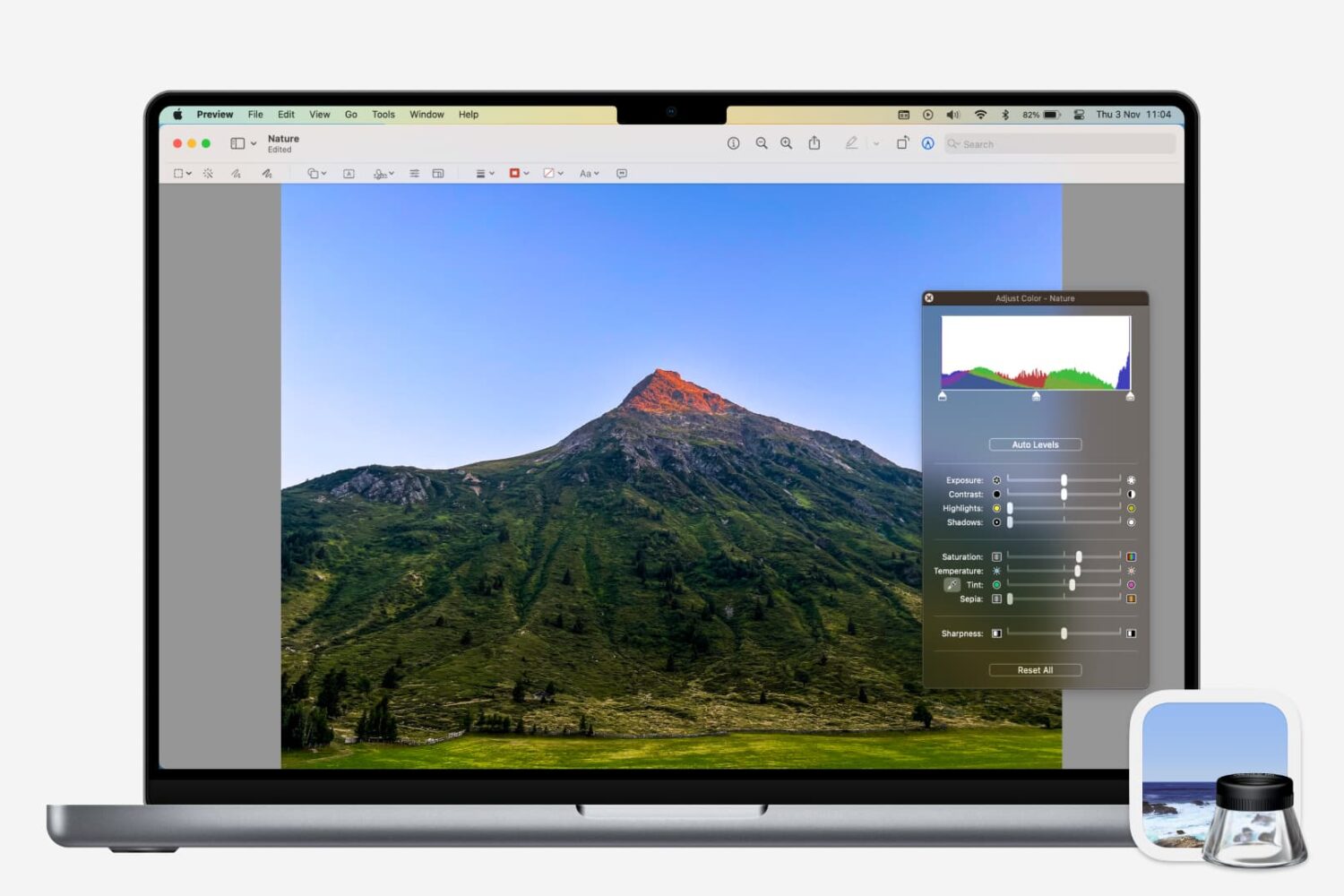
Learn how to adjust a photo’s color, contrast, saturation, sharpness, size, resolution, and more using the Preview app on your Mac.

Whether you want to keep copies of scans in Notes or just add one as a reference, here’s how to manage your scanned documents in the Apple Notes app on Mac.

When you work from home, there are a lot of distractions. And while you certainly have interruptions in a physical office or workplace, those you have at home are just a bit different. So if you aren’t used to working at home every day, you need to prepare for these disruptions.
To help you readjust after an interruption and concentrate better on your work, we’ve assembled a list of Mac apps to help you focus. These apps use different techniques and combinations of them such as the pomodoro timer and Eisenhower Matrix methods.
If you need some assistance getting used to working in a home office, these apps should help.

In this tutorial, we will show you how to customize the settings for podcasts and show episodes in the Apple Podcasts app on your Mac.
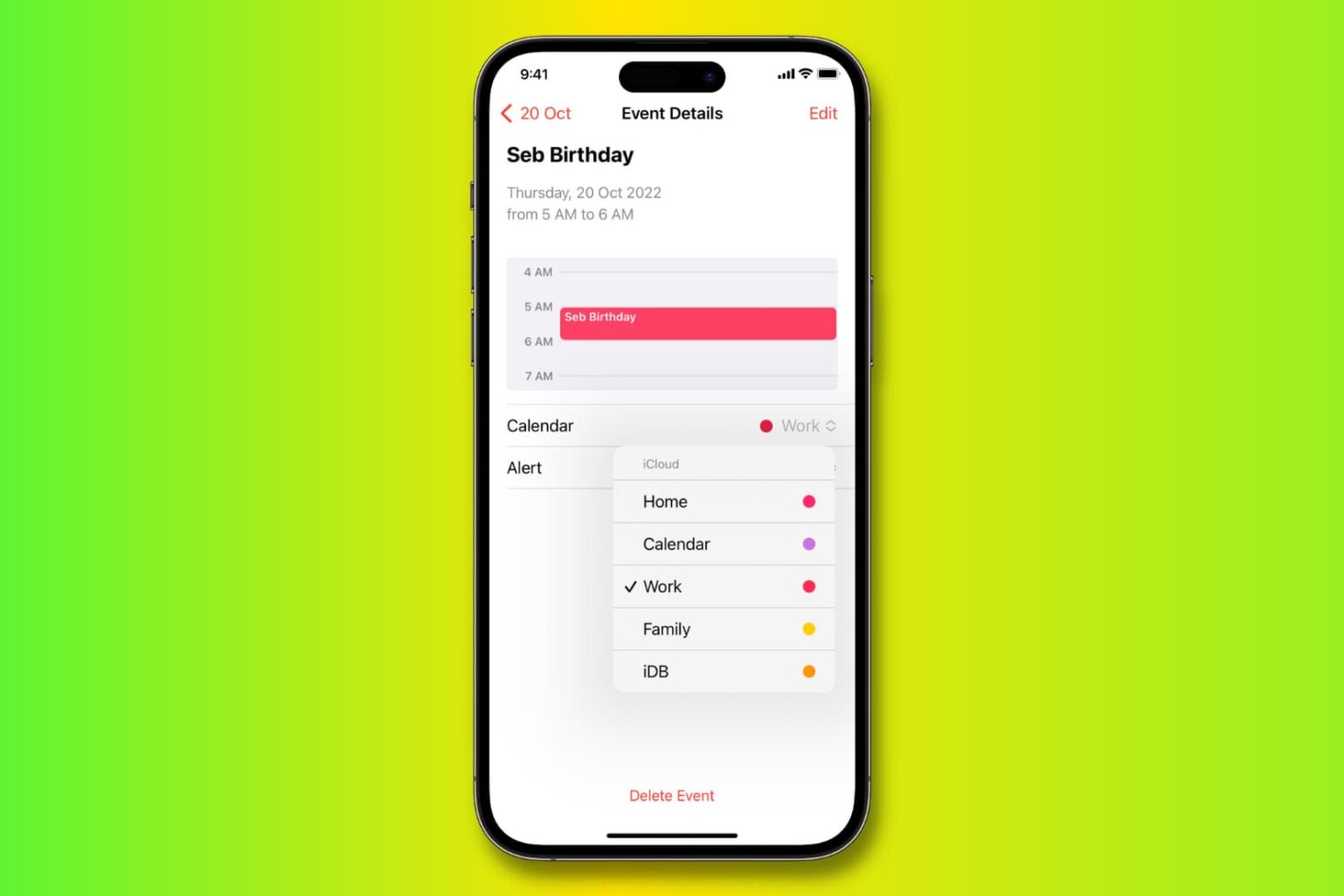
Learn how to move, copy, and duplicate events in the Calendar app on iPhone, iPad, and Mac to stay organized across all your different calendars.

Learn how to copy bookmarks between Safari, Firefox, and Chrome on your Mac if you want to switch to another browser or have all your bookmarks everywhere.

If you’re looking for a list of Mac Calendar keyboard shortcuts, we’ve got one. These shortcuts help you navigate the app and work with events quickly.

Learn how to customize the Calendar notifications and alerts on your iPhone, iPad, and Mac to stay on top of your important events and appointments.
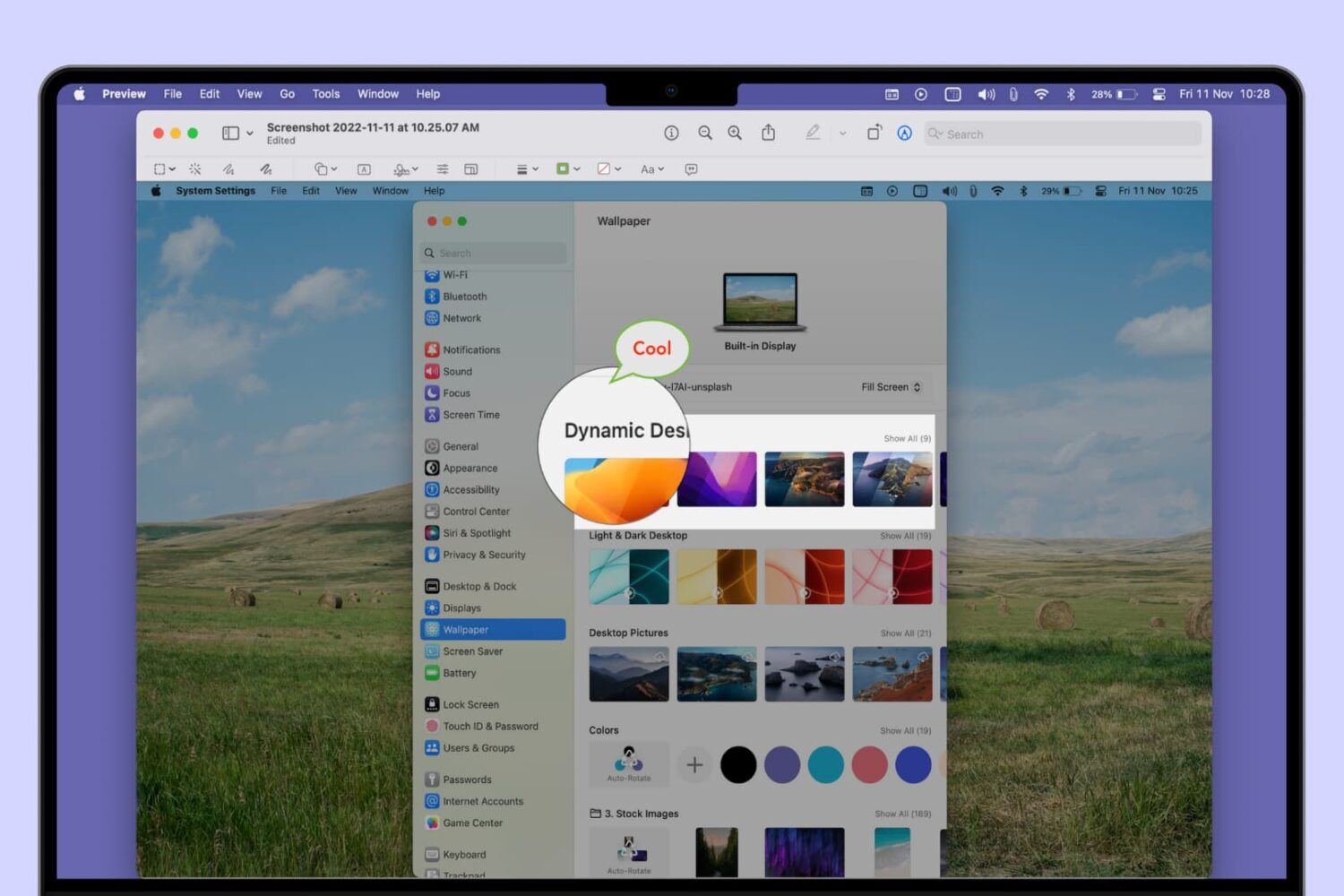
Learn how to add a mask, speech bubble, or magnify a part of a photo or screenshot using the built-in Apple Preview app on Mac.

Use these handy keyboard shortcuts to move around Reminders for Mac, add new to-dos, create reminder lists, and more.
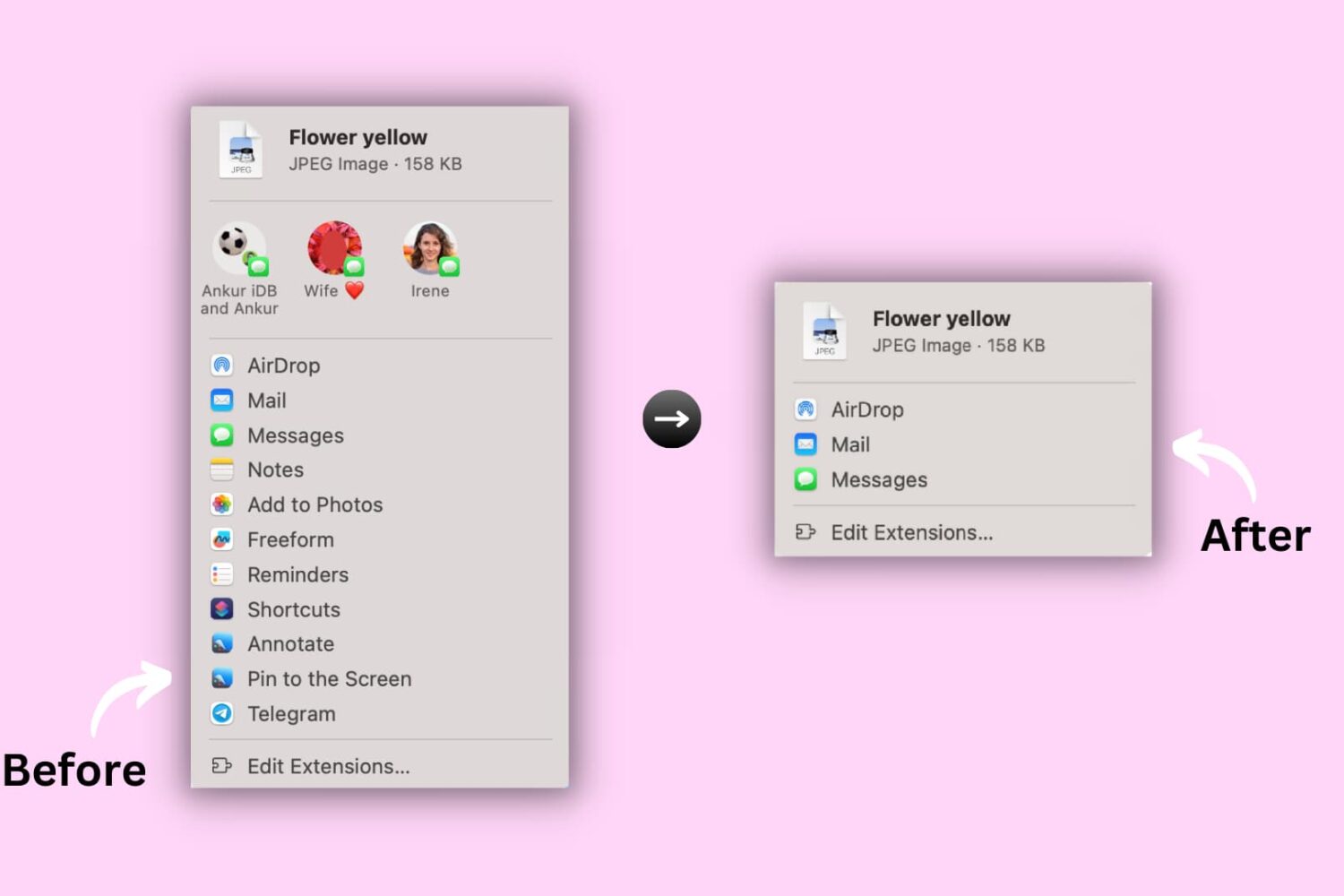
Learn how to hide or show certain apps and options from the system-wide sharing menu on your Mac to keep the Share menu relevant to you.

If you’re struggling to make time for everything you need to do in a day, we’ll show you how to use a method called time blocking with the Calendar app.