Jeff Benjamin

Jeff has been with iDownloadBlog since 2010, acting as resident video specialist, and tutorial expert. He earned his degree in Computer Network Systems back in 2001, but decided Cisco routers and the like just weren’t for him. Since then, he’s been heavily involved with online writing. He’s written for numerous tech and video game sites since the late 1990′s, and has a knack for explaining things in a simple, clear, and concise manner. Jeff works primarily from the east coast on his Retina Macbook Pro, and shoots video with a Canon DSLR. During downtime he likes to travel the world, visiting the various Apple Stores across the globe. You can email him at jeff [at] idownloadblog.com and follow him on Twitter @JeffBenjam or on Google+.

Why I jailbroke my iPhone 6 Plus again and why you should consider it as well

I've been running the iOS 9 beta on my iPhone 6 Plus and have been using the iPhone 5s as my jailbroken device for the last 2-3 weeks. My idea was to use the iPhone 5s as my jailbreak device, and keep my daily driver—my iPhone 6 Plus—jailbreak free.

But once Apple released the jailbreak-killing iOS 8.4.1, my tune changed. I decided to go back to iOS 8.4 and jailbreak my iPhone 6 Plus again. Why'd I do it? I explain in this post...

Hands-on with Multiplexer, the six-in-one multitasking tweak

Today, I got my first chance to try out Multiplexer, the highly anticipated upcoming multitasking tweak from Elijah Frederickson and Andrew Abosh, that's currently setting the jailbreak community ablaze.

Multiplexer can rightly be labeled as an "ultimate multitasking tweak", because it basically combines six multitasking-oriented jailbreak tweaks into one.

The tweak blends traditional side-by-side multitasking options along with enhanced backgrounding, and multiple desktops. But all of that is just the tip of the iceberg. Step inside as we give you the first hands-on look at Multiplexer on video.

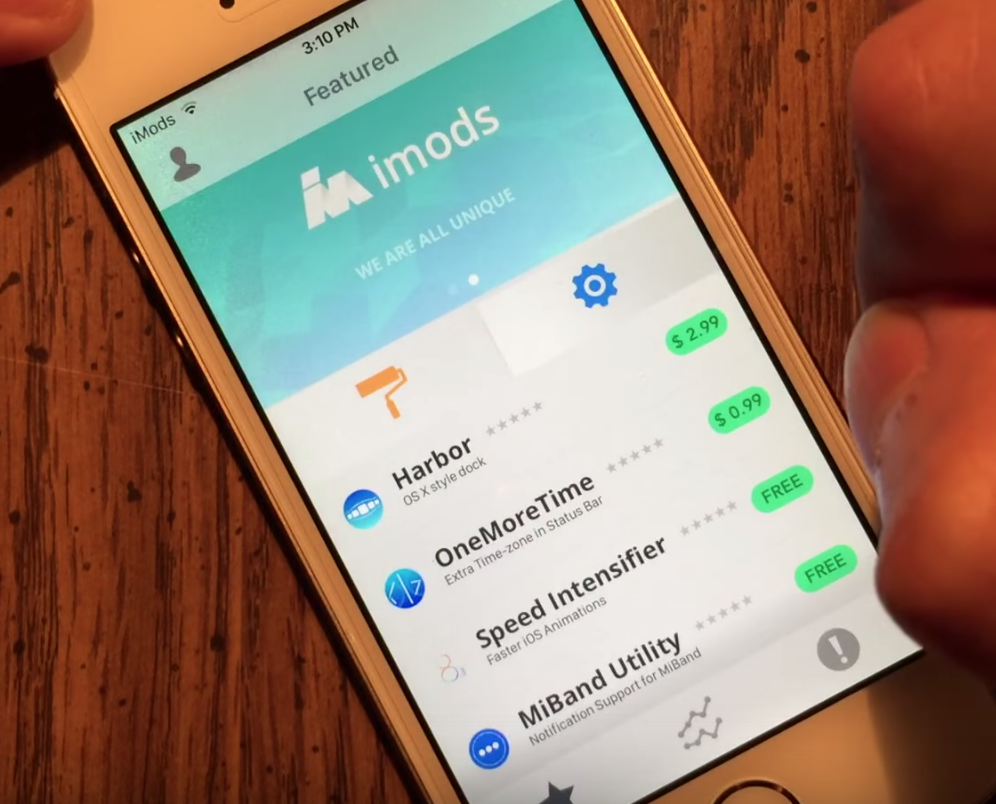
Here’s a video walkthrough of the latest iMods beta, an upcoming Cydia alternative

iMods has posted a new video walkthrough of its long-in-the-works app, and it's made lots of progress. Unlike the Extensify app that we previewed last week, iMods is a true Cydia alternative that aims to provide users with a prettier UI, ratings, video previews, and more.

The video is impressive. It shows how tweaks are installed, navigating the various sections of the app, and more. Of course a video can only go so far. Trying iMods out for ourselves will be the ultimate test as to whether or not this is a viable Cydia alternative, but I have to admit that it looks good based on the video preview.

Apple posts three new Apple Music ads to YouTube

One week after posting the latest "If it's not an iPhone" advertisement to YouTube, Apple is back with three brand new ads that all center around its recently launched Apple Music service.

In the first ad, aptly named Discovery, several Apple Music features are touted—the fact that you have nearly every song and album available at your finger tips, the listener and artist discovery aspects, radio, and more.

In that spot and the others, several known artists and up and coming artists are highlighted, which makes Apple's tagline—All the artists you love and are about to love—even more relevant.

Tweaks of the week: Browsix, igSpeedster, MiniTimer, and more

This week, approximately 20 new tweak releases landed on Cydia. They range from basic releases like SongCount, which adds your total amount of songs to the Music app, to the more complex; Browsix lets you access the web from anywhere using a floating web browser mechanism.

All in all, there are many new tweaks this week that you may find interesting, and the majority of them are free. Check out the full list and see what you may have missed.

How to move Music or Photos to a new Mac using Time Machine

With Time Machine, it's easy to restore all of your data back to a new Mac or to a fresh install of macOS. As we outlined previously, users can choose to restore all data, or pick and choose the data that they wish to restore during the initial setup process of macOS, and that includes both music and photos.

Another option is to simply restore the entire Pictures or Music folder via the Time Machine interface. We show you how to do that via this post.

In the following tutorial, we'll show you another quick and easy way to recover photo or music data from a Time Machine backup—directly from the backup folder on your Time Machine external drive.

Extensify: an upcoming tweak store for non-jailbroken iPhones

One of the big concerns about iOS 9 is that Apple is rumored to have made jailbreaking a lot more difficult with its upcoming OS update. While the verdict is still out on "Rootless" and what impact it may or may not have on jailbreaking in general, it's time to start thinking outside of the box.

Two developers have done just that. Majd Alfhaily and Kevin Ko, better known around jailbreak circles as @freemanrepo and @uhelios, have created something pretty special. It's called Extensify, and it's a tweak store that allows you to modify and add new features to App Store apps without needing to jailbreak.

When Alfhaily first approached me with word of this, I have to admit that I was a bit skeptical. Tweaks without a jailbreak? Huh? But then I actually tried Extensify and saw that it was legit.

Read my hands-on walkthrough of the exciting new app, and be sure to watch our video breakdown inside as well.
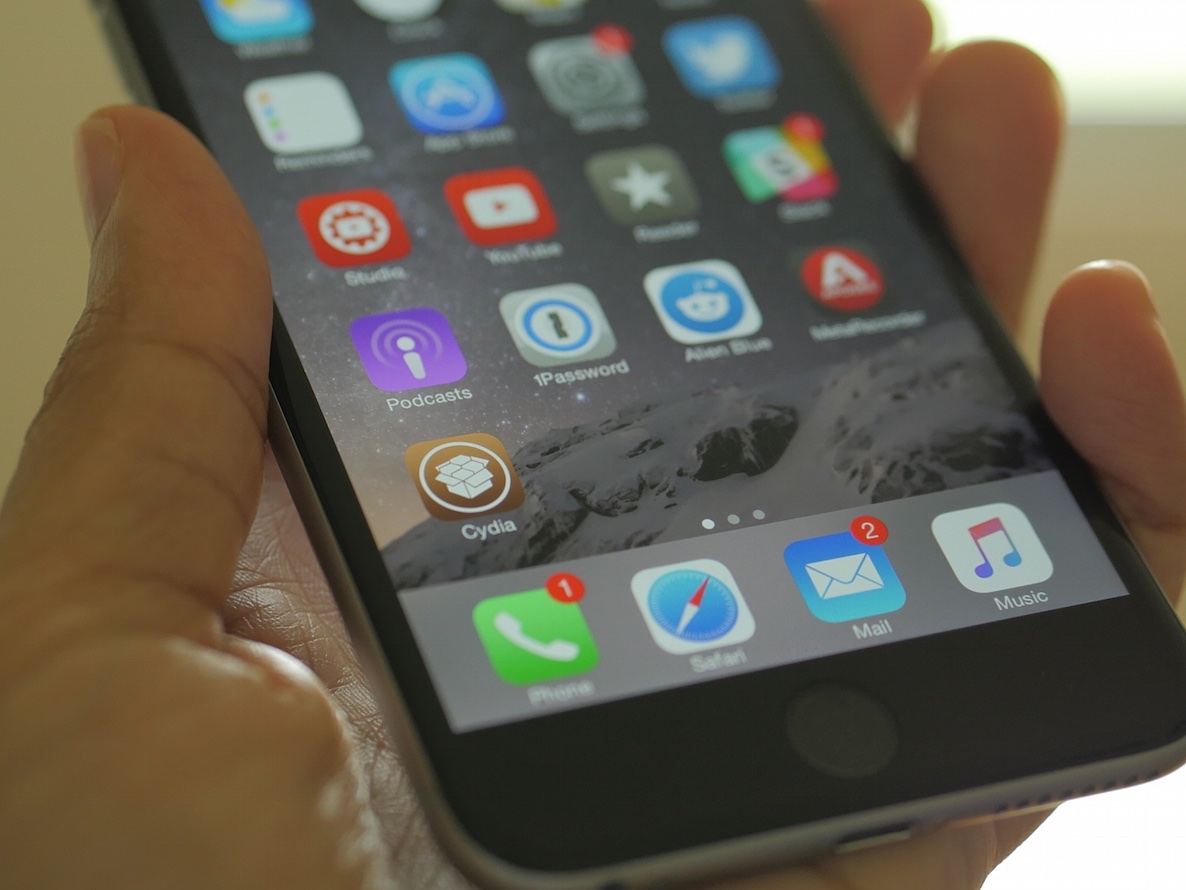
The iOS 8.4 jailbreak is dead. What now?

Now that we know for sure that iOS 8.4.1 kills the exploits used in the most recent jailbreaks, it's time to sit back and reevaluate our current jailbreak situation.

What should you do? In this post, I'll evaluate some of the options and steps that you can take to ensure a long and happy jailbreak future.

Confirmed: iOS 8.4.1 patches the exploits used by the TaiG jailbreak

We were hopeful, but as suspected, Apple was just a little late in getting the security details about the iOS 8.4.1 release out to the public. As it turns out, iOS 8.4.1 does indeed patch the TaiG jailbreak, as rumored for the last month. Needless to say, you should stay away from iOS 8.4.1 if you're at all interested in jailbreaking your iPhone or iPad.

Apple releases iOS 8.4.1: here is what’s new

Apple just released iOS 8.4.1 to the public. If you're jailbroken, it's highly recommended that you stay away from this update. We'll post an update once we have details of what the iOS 8.4.1 release contains, but rumors have swirled for weeks that it may fix the exploits used for the latest iOS 8.3 and iOS 8.4 jailbreak.

So far, we have not found any indication that this is so, but hold off just in case if you're interested in jailbreaking. If you're not interested in jailbreaking, feel free to update.

Let’s Talk Jailbreak 120: Keep it weird

Episode 120: Join us for an outrageous episode filled with jailbreak talk, including a chit-chat about the best free tweaks, and tons of jailbreak-related side stories.

Subscribe via RSS

Support Let’s Talk Jailbreak

Red Hat. – Different for the sake of better technology

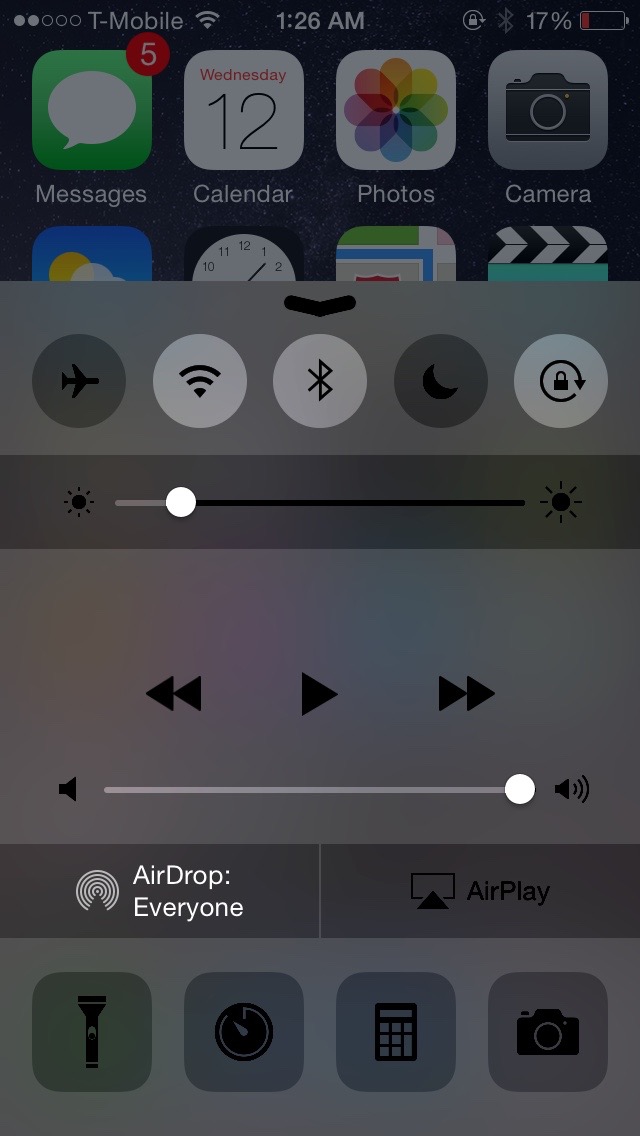
How to make Control Center dark

DarkCC is a newly released jailbreak tweak that tints Control Center with a dark tint. It definitely serves to change up the look of Control Center, lending it a stealth-like appearance.

If you're looking to add some flair to Control Center, then DarkCC is a tweak that's definitely worth trying. Check out the details in this post.