Jeff Benjamin

Jeff has been with iDownloadBlog since 2010, acting as resident video specialist, and tutorial expert. He earned his degree in Computer Network Systems back in 2001, but decided Cisco routers and the like just weren’t for him. Since then, he’s been heavily involved with online writing. He’s written for numerous tech and video game sites since the late 1990′s, and has a knack for explaining things in a simple, clear, and concise manner. Jeff works primarily from the east coast on his Retina Macbook Pro, and shoots video with a Canon DSLR. During downtime he likes to travel the world, visiting the various Apple Stores across the globe. You can email him at jeff [at] idownloadblog.com and follow him on Twitter @JeffBenjam or on Google+.

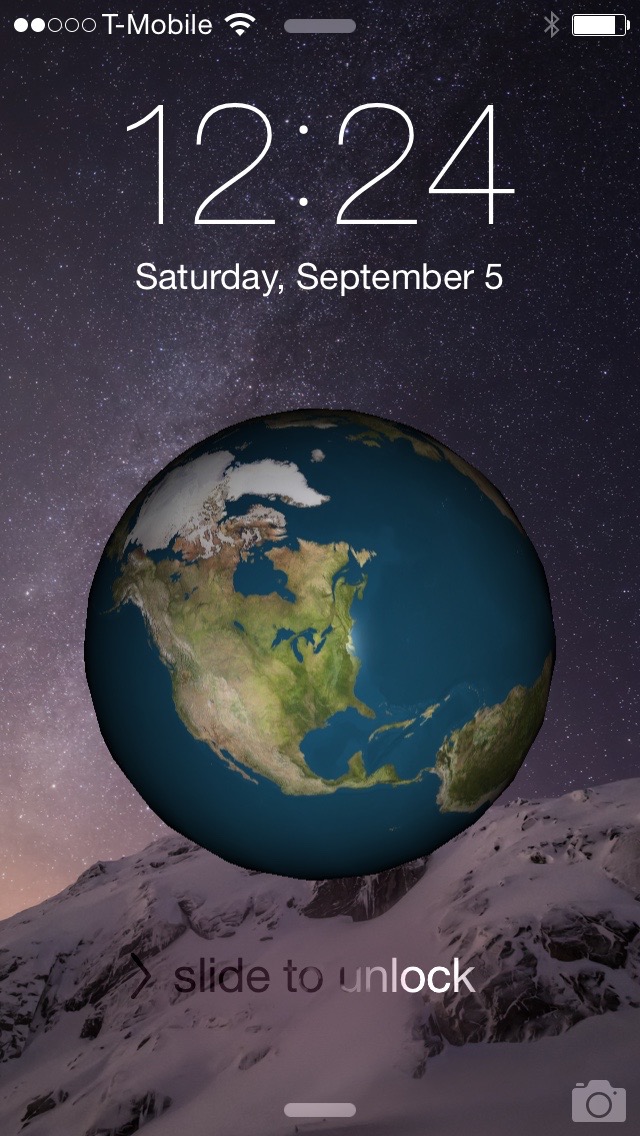
EarthLockScreen places a rotating globe on your iPhone’s Lock screen

With EarthLockScreen, a free new jailbreak tweak that recently landed on the Cydia store, you can have the world in your palm. Yes, that was a terrible attempt at a joke, but you get the point.

EarthLockScreen quite literally lives up to its name in that it places a spinning globe right on your iPhone's Lock screen. I'll be the first to admit that this tweak has little to no practical value, but my curiosity got the best of me and I had to try it out. In this post, I'll show you what you can expect from EarthLockScreen.

Review: Alcatel OneTouch Idol 3 – a budget Android phone with a unique feature

It's almost unfair how many great budget smartphones there are that run Android. I think it's safe to say that there is an embarrassment of riches for Android platform users in the budget phone category.

I've already reviewed phones like the Asus ZenFone 2, and the 3rd-generation Moto G—both highly competent phones. Today, I get to go hands-on with a similar phone, as far as price is concerned, in the Alcatel OneTouch Idol 3 ($249.99 on Amazon).

Final Cut Pro X updated to version 10.2.2 with new camera support and export options

During its normal Thursday update, Apple issued a new version of Final Cut Pro X. Version 10.2.2 is primarily a bug fix update, but it does usher in a few new features.

Users of Final Cut Pro X will benefit from the addition of new camera support, new export options, and improved compatibility with third-party asset management apps. As you might expert, it's recommended that all Final Cut Pro X users update to this latest version at your earliest convenience. 

Sale: 1Password is now 30% off on Mac and 1Password Pro is now 50% off on iOS

If you've yet to purchase a copy of 1Password for your Mac, iPhone and iPad, now is definitely the time to consider doing so. Despite our urgings over the years via blog posts, and via our podcasts, we're aware that there may still be a few of you out there who have yet to make this great security investment.

Starting today, both 1Password Pro for iOS and 1Password for Mac are both reduced in price significantly. Now is a great time to get in the game, and start taking responsibility for your security.

How to protect yourself from malicious jailbreak tweaks

As you guys know, there was a pretty significant iCloud account attack reported recently, in which nearly a quarter of a million iCloud accounts were exposed to potential compromise. The number of accounts that were actually hacked is up for debate, but it was less than half of the reported 220,000~ or so iCloud accounts exposed.

Of course, many took this attack as an opportunity to lecture about the reasons why we shouldn't jailbreak. While such a lecture isn't necessarily ill-intentioned, I think that most people who jailbreak understand that there are some inherited risks associated with doing so.

It's not like accidentally downloading an infected app on your computer, or an ill-advised clicking on a shady email link. Those who jailbreak generally know that there are some security risks involved, at least partially. The problem is, many don't understand that there are effective ways to protect one's self.

How do you go about ensuring that you're as safe as possible while maintaining a jailbroken iPhone? The following steps will show you how.
Why I’m super excited about the gaming potential of the new Apple TV

At this point, I think we can all agree that the state of gaming on the current generation Apple TV leaves a lot to be desired. Yes, it’s possible in some respects, through AirPlay, but it’s clunky, laggy, and never quite lived up to its potential.

With the new Apple TV, however, things will surely get better. In fact, I think that gaming is going to really hit its stride on Apple platforms with the advent of the new gaming-centric features on Apple’s upcoming refresh to its set top box.

As we discussed in the last episode of Let’s Talk iOS, gaming is set to take a gigantic leap with Apple TV gen-4. In this post, I’ll outline 5 reasons why avid gamers should start licking their chops at the potential of the device that Apple is set to reveal next Wednesday.

Let’s Talk Jailbreak 123: A man, a plan, a casa

Episode 123: Is jailbreaking safe? The guys break down the latest jailbreak-related security issue. A discussion on how to protect yourself. A look at the latest jailbreak tweaks to land on Cydia.

Subscribe via RSS

Support Let’s Talk Jailbreak

Go to WIX.com and create your own stunning website. It’s easy and free! Visit RedHat.com to find out how Red had is redefining enterprise technology. Get $50 toward any mattress purchase by going to Casper.com/jailbreak and using code jailbreak.

Huawei announces a new Android phone with a Force Touch-inspired pressure-sensitive screen

The IFA trade show in Berlin is well under way, and Huawei, Chinese OEM of Android smartphones, just announced its Mate S—a new smartphone with Force Touch-esque technology incorporated into the screen. Of course, Huawei isn't officially calling it "Force Touch" in its press materials, but it is doing so via hashtags in tweets from its official Twitter account.

During its press event, Huawei took the opportunity to show off its new force-sensing screen weighing an orange by placing the piece of fruit on top of the Mate S' screen. I have to admit, that's kind of cool, but it also seems a bit odd at the same time.

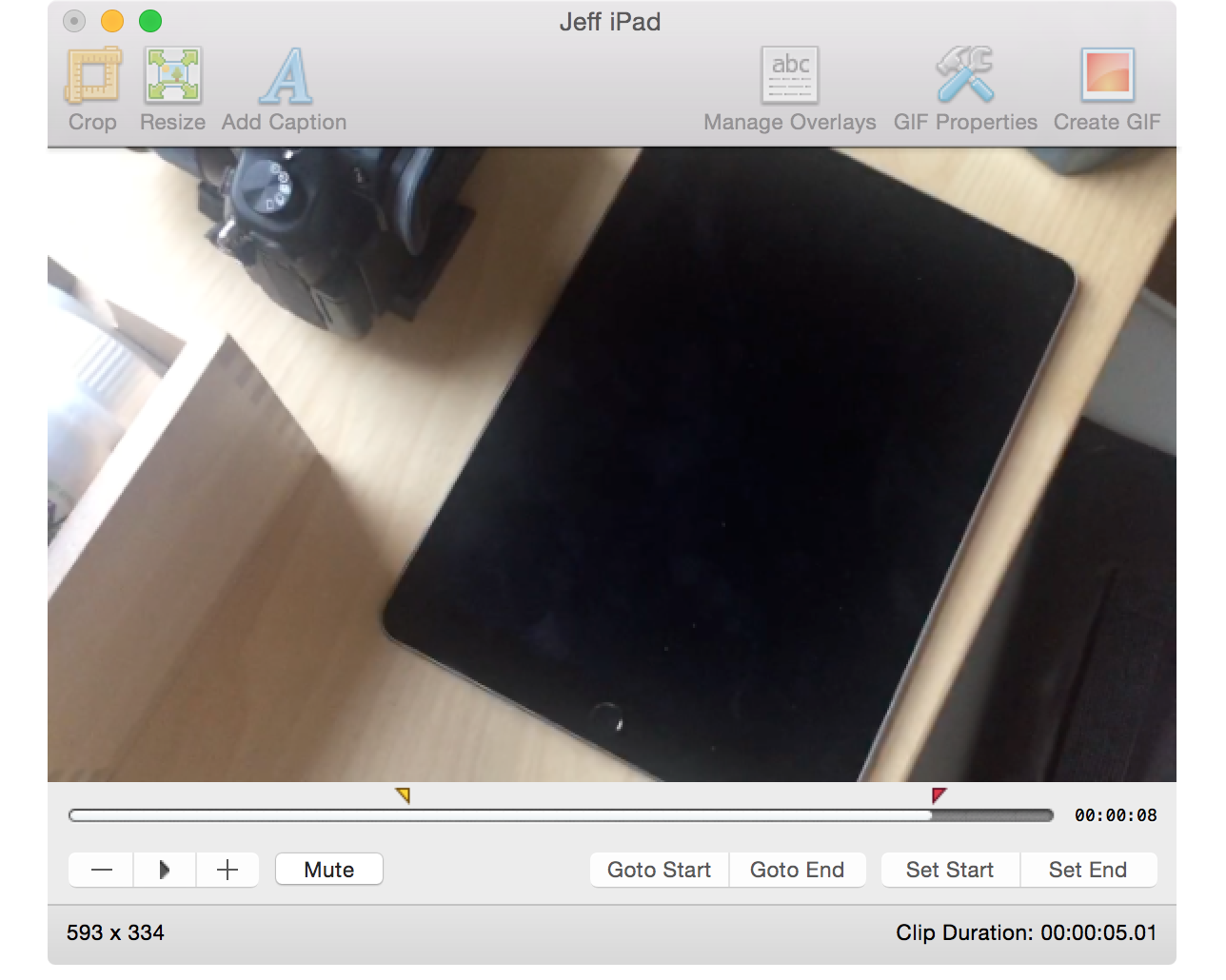
How to create animated GIFs on Mac

From time to time, I like to include GIF animations in my posts on iDB. I usually use GIFs when I want to demonstrate some functionality without making a full blown video to do so. GIFs are great for quick demonstrations where videos aren't necessarily needed.

Whenever I include a GIF animation on a post, there's usually at least one comment inquiring about how I went about making the GIF. Although there are many options out there for creating GIFs, including using Photoshop, I personally prefer GIFBrewery ($4.99 on the Mac App Store) from the folks over at Hello, Resolven Apps.  GIFBrewery is solely focused on creating GIFs, and thus, it's fairly straightforward and easy to use.

In this post, I'll show you my GIFBrewery workflow, and how I use this awesome Mac app to quickly create great-looking GIF animations from videos.

Google Maps updated with new Street View features, custom map viewing, and more

Less than a month adding a new Night Mode feature to its Maps app, Google is back with a host of new features for its popular iOS navigation app. The latest update to Google Maps, version 4.10.0, brings new features like new Street View thumbnails, custom maps, and support for six additional new languages.

Of course, Google also took the opportunity to update the Maps app with its new logo. Not only will you find the new Google logo inside of the Google Maps app, but the Mountain View, CA company has also updated its popular app with a brand new app icon.