Jeff Benjamin

Jeff has been with iDownloadBlog since 2010, acting as resident video specialist, and tutorial expert. He earned his degree in Computer Network Systems back in 2001, but decided Cisco routers and the like just weren’t for him. Since then, he’s been heavily involved with online writing. He’s written for numerous tech and video game sites since the late 1990′s, and has a knack for explaining things in a simple, clear, and concise manner. Jeff works primarily from the east coast on his Retina Macbook Pro, and shoots video with a Canon DSLR. During downtime he likes to travel the world, visiting the various Apple Stores across the globe. You can email him at jeff [at] idownloadblog.com and follow him on Twitter @JeffBenjam or on Google+.

iPad (3rd generation) vs iPad 2 video quality test

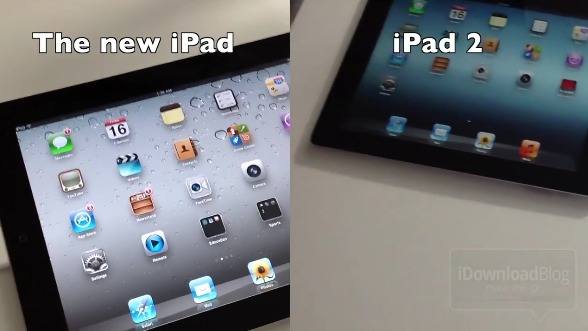
Among the new features you'll find in Apple's latest tablet is a much-improved backside camera. The iPad 2 was often criticized for its disappointing rear shooter, so needless to say this was a welcome upgrade.

For the most part, the new iPad's camera setup uses the same lens system as the iPhone 4S, and is capable of shooting videos in full 1080p. How does it stack up against the iPad 2's video camera? Keep reading to find out...

iPad (3rd generation) unboxing video

[tube]http://www.youtube.com/watch?v=n_3gbBfPE3g[/tube]

It's here folks. The new iPad has touched down at iDownloadBlog, and we have an unboxing video just for you.

We're happy to report that it's not much heavier or thicker than its predecessor — you probably won't notice it — while the Retina display is as good as advertised.

Stay tuned for more iPad 3 video goodness, and let us know what you think about our unboxing.

Apple TV (3rd generation) unboxing video

There's really not much to say here. If you've ever used or seen an Apple TV 2, then you know exactly what to expect here. Physically the two devices are indistinguishable.

The only difference between the 2nd generation Apple TV and the 3rd generation Apple TV is that the latter supports 1080p resolution courtesy of a new A5 single core chip. Other than there, everything inside the box, all of the connectors — everything — is the same...

Sparrow video review

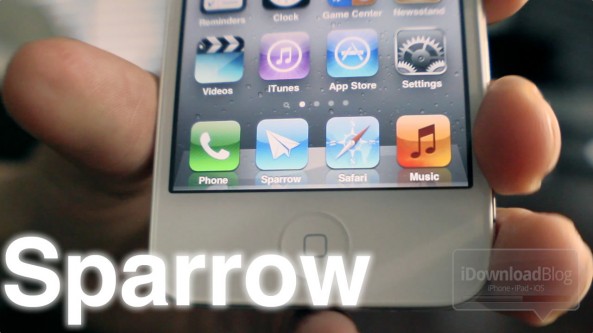
iOS' stock email app is lacking in the user experience area, and the folks behind Sparrow have successfully capitalized on the default app's shortcomings.

Unfortunately, while it succeeds with flying colors in a multitude of areas where the Mail app stumbles, it's still not quite ready for primetime due to a few essential issues.

Check out our full video review inside...

App Activation Audio: launch apps with sound and vibration

To be honest, I have no idea why anyone would want sound effects to trigger every time they launched an app, but I'm sure someone out there has been longing for such a feature.

App Activation Audio is a jailbreak tweak that does just that — it is able to output one of about 20 sound effects every time you open an app.

Check out our video walkthrough of App Activation Audio straight ahead...

Imperium: an app switcher replacement for your iPhone

For most, the iPhone app switcher features enough options to get by. For jailbreakers? It's a whole different story.

Imperium is a jailbreak tweak that seeks to replace the App Switcher with OS X-like Mission Control inspired functionality in tow.

If you consider yourself to be an iOS power user, then check inside to see whether or not Imperium will fit into your daily workflow...

Hud: Visualize when your music skips to the next track

Want a quick and easy way to visualize when the music you're listening to skips to the next track? If so, then Hud may be up to the task.

Unlike a tweak such as MusicBanners, Hud places the album art and track name smack square in the middle of your iPhone's screen.

Check out our video demonstration of Hud inside...

‘CamFast’ now available on Cydia

[tube]http://www.youtube.com/watch?v=GsX5S7HrTO4[/tube]

Yesterday we brought you a sneak preview of CamFast (previously FastCam), and it's a tweak that allows you to invoke the iPhone's camera API using a simple Activator action.

The nice thing about CamFast is that it even works at the Lock screen, and is faster than Apple's 5.1 Lock screen camera improvements.

Be sure to watch our video demonstration above to see how it works in action.

How to install iPhoto and iMovie on iOS 5.0.1

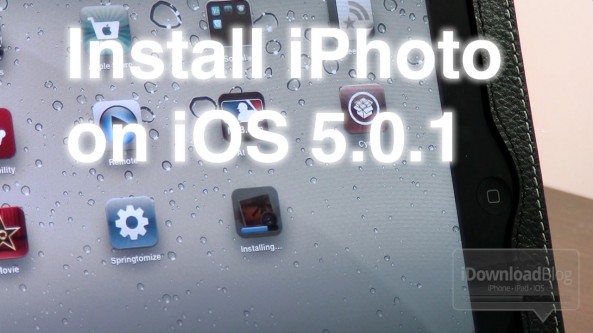
iPhoto was the big new app release that Apple touted at its new iPad media event, but the bad news is that it requires iOS 5.1.

For those of us with jailbroken iPhone 4S' and iPad 2's, this places us in an interesting predicament.

Since there is no way to jailbreak iOS 5.1 on these devices, updating now would not only prevent us from jailbreaking, but it would also prevent us from downgrading back to iOS 5.0.1 now that Apple has closed the signing window for that firmware.

So, what to do? Fortunately, there's an easy workaround to this problem, and we're going to walk you through the process on video...

‘FastCam’ lets you quickly access your iPhone’s camera interface

And you thought iOS 5.1's new Lock screen camera was fast? FastCam is an upcoming jailbreak tweak that allows you to access your iPhone's camera API using a simple Activator action.

The nice thing about FastCam is that it works anywhere, even at the Lock screen. In fact, it's faster than the Lock screen camera feature found on iOS 5, and still faster after the improvements made with iOS 5.1.

Check out our video preview of FastCam straight ahead...

‘Deck’ is now available on Cydia

[tube]http://www.youtube.com/watch?v=i7OQlWGY51s[/tube]

Yes folks, it's finally here: the highly anticipated centralized Action-Bar for the SpringBoard called Deck. We've had countless people asking us when Deck would be released, and we're happy to finally be able to say: now.

If you haven't already read our Deck preview, then be sure to check that out along with our video walkthrough of the tweak above.

Deck is available right now on Cydia's ModMyi repo for $1.99. What do you think about it?

‘Springround’ now available on Cydia

[tube]http://www.youtube.com/watch?v=xpkBoaxMkGU[/tube]

Springround — the jailbreak tweak that allows you to access your SpringBoard icons from anywhere — is now live on Cydia.

We've already previewed this tweak, and we were pretty satisfied with the results. It's awesome to be able to load up your app icons while within another app, and as one viewer described it, it's like "reverse multitasking".

Check out our video demonstration of Springround, and if you're satisfied with what you see, head over to Cydia's BigBoss repo where you can download it for $0.99.