Jeff Benjamin

Jeff has been with iDownloadBlog since 2010, acting as resident video specialist, and tutorial expert. He earned his degree in Computer Network Systems back in 2001, but decided Cisco routers and the like just weren’t for him. Since then, he’s been heavily involved with online writing. He’s written for numerous tech and video game sites since the late 1990′s, and has a knack for explaining things in a simple, clear, and concise manner. Jeff works primarily from the east coast on his Retina Macbook Pro, and shoots video with a Canon DSLR. During downtime he likes to travel the world, visiting the various Apple Stores across the globe. You can email him at jeff [at] idownloadblog.com and follow him on Twitter @JeffBenjam or on Google+.

‘Message Transformer’ allows you to convert text into a variety of goofy formats

Message Transformer is a recently released jailbreak app that allows you to convert text to various formats. Formats include Pig Latin, backwards, all capital letters, all lowercase, etc.

The app is aimed at those who wish to occasionally use it to compose funny messages, and then copy that message into another app like the Messages app.

Message Transformer isn't pretty looking, and it's definitely not an app you'll be going back to often. That being said, it is free, and it can be fun in small doses...

‘FastLock’ places handy shortcuts on your Lock screen

I know what you're thinking: as if we needed yet another Lock screen shortcut tweak, right? There's no denying it, there are plenty of Lock screen shortcut methods available for the iPhone, and FastLock is the latest entry into an already crowded arena.

When considering just how many alternatives there are to FastLock, it's not surprising that I wasn't exactly jumping for joy after initially hearing about it. In such a dense market, is there room for yet another set of Lock screen shortcuts?

Have a look at our video and judge for yourselves...

SliderWidth: adjust the width of your Lock screen slider

SliderWidth is a jailbreak tweak that does exactly what its name states — allows you to adjust the width of your iDevice's "Slide to Unlock" bar.

But that's not the only trick in this tweak's bag; it also allows you to use custom slider text, remove the Lock camera button or photo frame button, along with being compatible with the iPhone, iPad, and iPod touch.

Take a look at our video walkthrough for more information...

I’m sorry Mr. Jackson, but I like this Siri advertisement better

With all due respect for Samuel L. Jackson, I think we can agree that this latest commercial is a tad easier on the eyes.

That's because the star of said commercial is non other than New Girl leading lady, and hipster heartstring puller, Zooey Deschanel.

It's the second iPhone 4S/Siri ad uncovered today staring some of Hollywood's finest, but likely not the last...

The best iPad remote desktop solution

I've always been a relatively big fan of Screens — the beautifully designed iOS remote desktop app by Edovia.

Screens has always, and continues to be the most impressive looking remote desktop solution for the iPad; in fact, i'd say nothing comes close when it boils down to pure presentation. For that reason, I've always been very hesitant when it comes to trying anything else. I know, I tend to be a tad superficial when it comes to my apps.

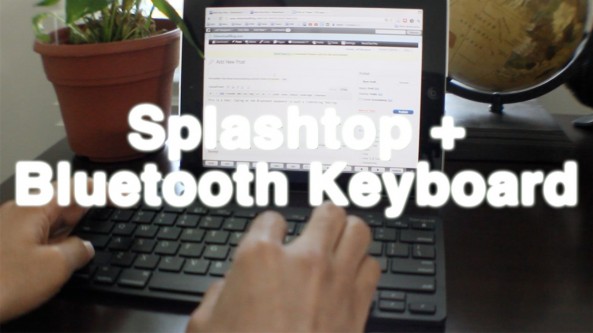
Thankfully I didn't let Screens' beauty stop me from trying another highly touted remote desktop solution called Splashtop. Many of our readers and YouTube viewers have been on me about trying Splashtop for some time now, and I just recently took the plunge. I'm so glad I did...

Top jailbreak videos of the week

Last week's biggest release was Stride, the 8-bit inspired passcode drawing method for unlocking your iDevice. We highly recommend you check out Stride based on the obvious amount of effort put into creating the tweak. Not only that, but it works really well, too.

But that's not the only top video of the week; there are others as well, as you'll see inside.

Please be sure to share our iPhone, iPad, and iOS video guides by spreading our posts on Twitter and Facebook.

How to hide your dock with ‘SwipeDock’

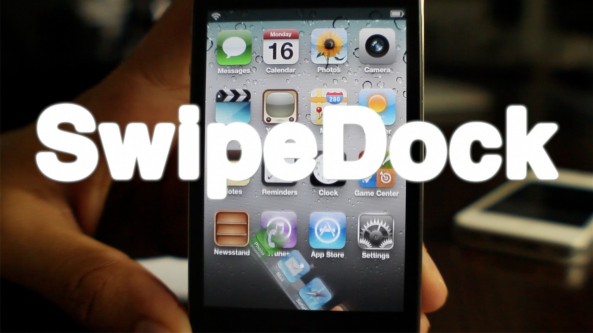
SwipeDock is a new jailbreak tweak available on Cydia's BigBoss repo that allows you to hide your dock with a swipe.

The tweak includes nearly a dozen dock hiding animations along with many more options to customize it to your liking.

If you're searching for more Home screen real estate, or simple want a cool tweak to show off to your family and friends, be sure to check out our video walkthrough...

Could the official Spotify iPad app be revealed this Wednesday?

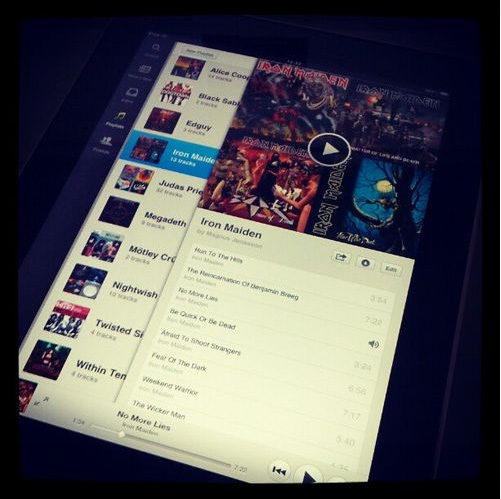
I don't know what the folks over at Spotify have been thinking all of this time while their competitors have released iPad versions of their mobile offerings, but it looks like they're finally about to snap out of it.

Why we've had to wait so incredibly long for an iPad version of Spotify is anyone's guess, but it looks like a release is finally coming to fruition after what seemed like an eternity of waiting.

Has Spotify been resting on its laurels all of this time, or were they just working on providing the absolute best iPad music experience known to man? If the puzzle pieces fit, we could be finding out very soon...

How to reclaim your pre iOS 5.1 Lock screen camera functionality

Redire is a recently released jailbreak tweak that allows you to venture back to the days before Apple changed the Lock screen camera functionality for iOS 5.1.

It's extremely simple in both its purpose and execution, and includes no options to configure. After installing Redire your Lock screen camera will function almost exactly like it does on iOS 5 or iOS 5.0.1.

Check inside for video details of Redire in action...

How Apple can solve the multiple iMessage alert conundrum

If you've taken advantage of iOS 5's iCloud functionality, you understand how much potential is on tap. iCloud coerces all all of your iOS devices to stay in sync; at least that's the theory.

While the potential is certainly there, iCloud still has a way to go before all of its issues are ironed out; though I definitely commend Apple for being gung-ho about its rollout.

One of the main issues that I've personally experienced — and no doubt countless others share similar sentiments — is with iMessage. More specifically, since iCloud can sync every iOS 5 device you own, all of your devices alert you when you receive a new iMessage.

Now I know; why not just disable alerts altogether for all but one device? Well, there's a number of reasons why I would not want to do that. The main reason being is that you shouldn't have to select one feature over another. iCloud is meant for convenience, and taking such a step would certainly be a leap backwards.

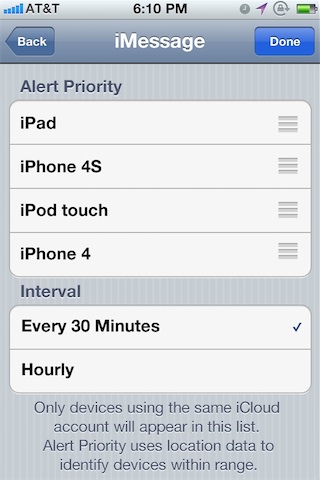
Instead, let's examine a more proactive approach — utilizing the iPhone's built in technology to solve the issue. That's exactly what we tried to do. Introducing our solution to the multiple iMessage alert conundrum — Alert Priority.

‘AppMosaic’ now live on Cydia [Update]

[tube]http://www.youtube.com/watch?v=gtvrgWDTIT4[/tube]

AppMosaic — the App Store app discovery tool that we recently previewed — has gone live on Cydia.

The jailbreak app prides itself on providing a unique look at the top 200 paid and free apps on the App Store.

We like it, and we suggest you give it a shot. Head over to Cydia's ModMyi repo where you can download it for free. Be sure to let us know what you think about it.

Update: We've been alerted that AppMosaic has a bug preventing it from showing up properly once installed. The bug is currently being addressed.

Hate Home screen badges? Take a look at this

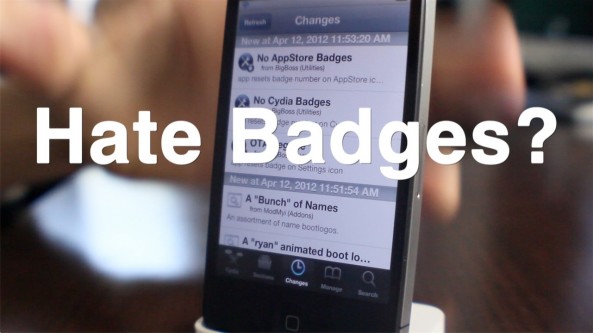
Do you harbor an abnormal amount of hatred for the notification badges that litter your iPhone's Home screen? If so, then perhaps these new jailbreak apps will satisfy your craving for badge destruction.

No AppStore Badges, No Cydia Badges, and OTA Begone are three new jailbreak apps that will help eliminate notification badges. But as you'll come to understand, it doesn't make sense to install any of these if your aim is to simply eliminate all badges.

There's something much better already available in Cydia from a well respected developer. Check inside for the full details...