Jeff Benjamin

Jeff has been with iDownloadBlog since 2010, acting as resident video specialist, and tutorial expert. He earned his degree in Computer Network Systems back in 2001, but decided Cisco routers and the like just weren’t for him. Since then, he’s been heavily involved with online writing. He’s written for numerous tech and video game sites since the late 1990′s, and has a knack for explaining things in a simple, clear, and concise manner. Jeff works primarily from the east coast on his Retina Macbook Pro, and shoots video with a Canon DSLR. During downtime he likes to travel the world, visiting the various Apple Stores across the globe. You can email him at jeff [at] idownloadblog.com and follow him on Twitter @JeffBenjam or on Google+.

How to jailbreak iOS 6 using evasi0n [Mac tutorial]

As we just told you, the evad3rs have released their jailbreak tool called evasi0n, and it allows you to easily jailbreak iOS 6. As we always do, we’ve created an easy to use written and video walkthrough to show you how to jailbreak iOS 6 on your iPhones, iPads, and iPod touches.

The good news is that evasi0n works with all flavors of iOS 6. That includes iOS 6.0, iOS 6.0.1, iOS 6.0.2, and of course, iOS 6.1. The evad3rs have worked hard to create easy to use tools, which allow you to jailbreak iOS 6 using Mac OS X, Windows, and even Linux.

We have personally confirmed that this tutorial works on every iOS 6 compatible device outside of the Apple TV 2 and Apple TV 3. This includes the iPhone 5, iPhone 4S, iPhone 4, iPhone 3GS, iPad 2, iPad 3, iPad 4, iPad mini, iPod touch 4G, and iPod touch 5G. This first tutorial will show you how to jailbreak any of those devices using evasi0n on Mac OS X, and we will shortly follow up with Windows and Linux tutorials.
How to jailbreak iOS 6 using evasi0n [Windows tutorial]

We’ve already shown Mac users how to jailbreak iOS 6 using evasi0n, and now it’s your turn Windows users! Inside, you’ll find a step-by-step tutorial that shows how to jailbreak your iOS device on your operating system of choice.

In this example, I’m using Windows 8, but this should work on virtually any version of Windows, including Windows 7, Windows Vista, and even Windows XP. Take a look inside for our guide...

How some of our favorite jailbreak apps look like on the iPhone 5 [Video]

The just released evasi0n jailbreak is remarkable for a few reasons. For starters, it's the first untethered jailbreak released for iOS 6. Secondly, it's the first time that iPhone 5 owners have had the luxury of experiencing Cydia, and all of the jailbreak apps that come with it, on the larger screen.

We've seen a few folks tease us in the past with Cydia running on the iPhone 5, but never have you had the ability to experience it for yourself, firsthand. Inside this post, we'll showcase a few of our favorite jailbreak apps and tweaks, and show you how they look on the iPhone's 5 larger screen.

How to convert a tethered iOS 6.1 jailbreak into an untethered jailbreak

As we told you a bit earlier in the day, if you're using a tethered jailbreak for iOS 6.1 via the RedSn0w method, then you can easily convert that tethered jailbreak into an untethered jailbreak by means of a Cydia package.

Indeed, by downloading the evasi0n package from Cydia, you can transition over to an untethered jailbreak in just a few steps. While this isn't perhaps the most ideal way to achieve an untethered jailbreak, it is nice to have the option. This is especially useful for users who already have a ton of Cydia packages downloaded. By using this method, you don't have to reinstall all of your Cydia apps and tweaks. Given the state of Cydia right now, that's a very desirable proposition.

Take a look inside, as we show you how easy it is to convert your tethered jailbreak into an untethered jailbreak.

You will be able to convert an iOS 6.1 tethered jailbreak into an untethered jailbreak

If you're currently rocking an iOS 6.1 tethered jailbreak on the iPhone 4 or the iPod touch 4th generation, then you have a decision to make. It's being recommended that you go ahead and reinstall stock iOS 6.1 back on to your device, but you can, however, opt to remain as you are, and instead install a debian package that will provide the iOS 6 untethered jailbreak.

Just as with the previous Rocky Racoon jailbreak for iOS 5.1.1, users who already have access to Cydia by means of a tethered jailbreak can "convert" their tethered jailbreak into an untethered just by installing the debian package via Cydia once released.

Evasi0n will be released tomorrow – status moves to 91%

Apparently, Sunday isn't exactly Funday after all. Contray to popular belief, the iOS 6 untethered jailbreak will be released tomorrow (Monday), instead of Sunday. The evad3rs team just sent out a tweet confirming it.

In the meantime, evasi0n.com shows a status of 90% complete. All that's left to do now is to perform final tests and preparation.

iOS 6 Jailbreak imminent – status now at 85%

All of the signs are pointing to a very imminent iOS 6 jailbreak release. Many of the important Cydia packages have just been updated, the first round of testing has concluded for the major platforms, and now, a new Read me section has been added to the evasi0n.com home page.

As it has been stated before, it is believed that Sunday — today — will be the day that the jailbreak will be released by the evad3rs. It could come at any time, but now we feel that we could be, perhaps, very close to the actual release.

How to save SHSH blobs for iOS 6.1

Every time there's a new jailbreak, the same message is preached: Save your SHSH blobs! In fact, even when there is not a jailbreak, it's a good practice to always save your SHSH blobs. These files are absolute must haves if there ever opens up the possibility to downgrade back to iOS 6.1 once newer firmware is released. If you don't save your blobs for a specific firmware, then the possibility of ever being able to downgrade to that firmware is slim to none.

So please, be proactive. Save your SHSH blobs right now. That way, when Apple drops iOS 6.1.1, or whatever its next firmware will be called, you will already have your blobs saved. Apple has been quick about closing its firmware signing window as of late, so once the new firmware is released, it might be too late to save the iOS 6.1 blobs.

If you haven't already done so, there's no need to feel ashamed, but act now. Take a look at our easy to follow step-by-step walkthrough inside, and we'll show you just how simple the process is.

evasi0n moves closer to release, now 80% complete

Sunday is not that far away. Depending on where you are in the world, it could be as little as a day away. With that in mind, it's great to see status bar on evasi0n.com, which signifies the completeness of the upcoming jailbreak, continue to rise.

Earlier today we reported that the status had approached 75%, with the Linux version of evasi0n still being in the works. Now, the Linux version is completed, and private beta testing is proceeding full steam ahead...

Flex now available on Cydia

http://www.youtube.com/watch?v=XG-dICc0i0o

Flex — the jailbreak app that allows you to create your own jailbreak tweaks — is now available for download on Cydia's BigBoss repo. As we showed you in our hands-on walkthrough, the app allows you to create patches and run them on the fly to modify aspects of iOS.

Flex has been met with a bit of controversy. Some developers believe that the tweak is too powerful for the average user, and thus shouldn't be released. Others believe it's an awesome attempt to get users familiar with how iOS works on a low-level. Wherever you stand, it can't be denied that Flex is an awesome looking tweak with an excellent UI to boot.

Flex can be had now for $3.99 on Cydia. Let me know what you think about it in the comment section.

5 tweaks that you must download after jailbreaking iOS 6

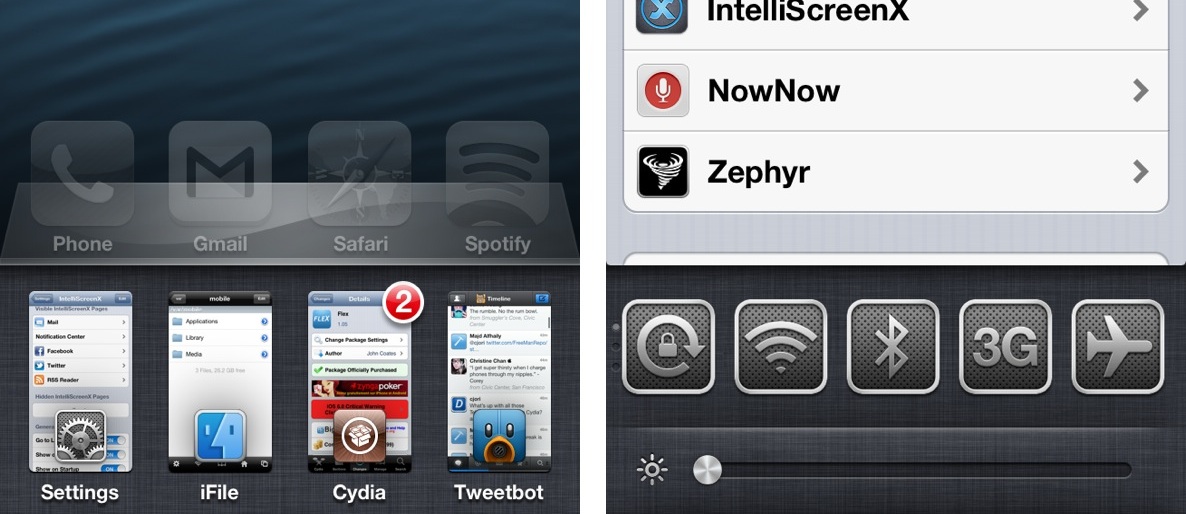
Once the iOS 6 jailbreak is released, there are a few tweaks that you absolutely must download. Thankfully, Cydia will be better equipped to handle the barrage of users so that you will be able to download all of your favorite apps and tweaks with little issue.

While we wait, why not consider a few of my must-have jailbreak tweaks for iOS 6? Post jailbreak, we'll follow up with more recommended apps and tweaks, but we think this list would be enough to wet your appetite...

‘Pages+’ adds customizable backgrounds to each Home screen page, boasts Barrel compatibility

Evasi0n, the much anticipated jailbreak tool for iOS 6 compatible devices, will be available in the very near future. With that in mind, many jailbreak developers are updating their tweaks and apps, and even establishing brand new creations to prepare for the new jailbreak.

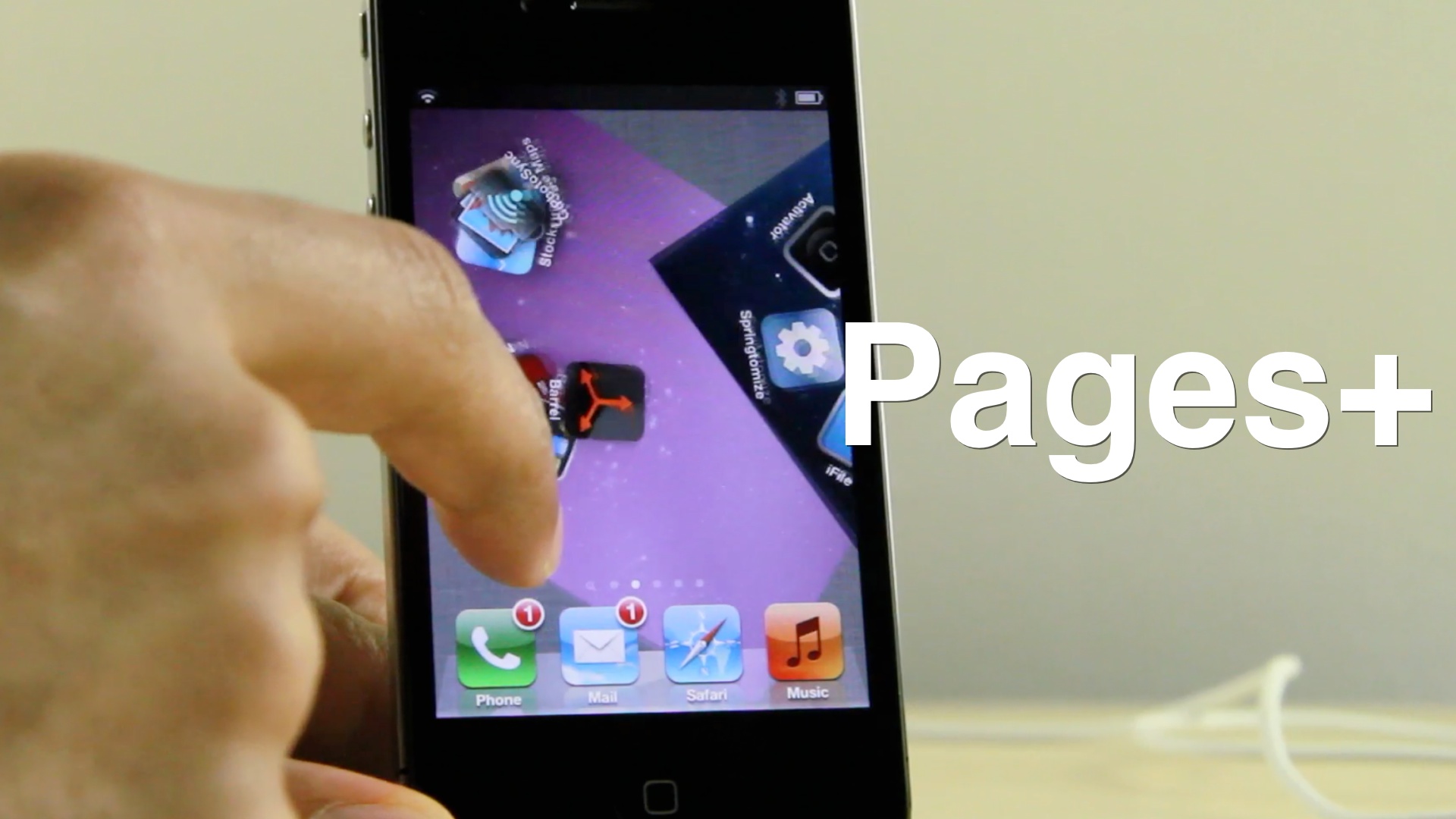
One such developer is SBCoders, the same team behind such hits as Aero and Dash. SBCoders' latest creation, the yet to be released Pages+, continues the tradition of solid jailbreak tweaks. Pages+ allows you to customize each page on the iPhone's Home screen. You can accomplish this by means of custom wallpaper packs, or by its built in page tinting system.

The most exciting thing about Pages+, however, is that it plays nice with Aaron Ash's Barrel. Barrel, of course, is the jailbreak app that allows you to implement various page transitions on your iPhone. When you mix both creations together, you're guaranteed to get some wild results.