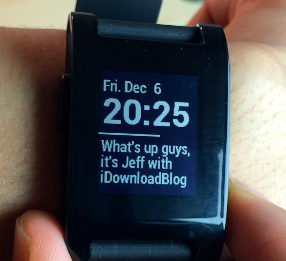
Jeff Benjamin

Jeff has been with iDownloadBlog since 2010, acting as resident video specialist, and tutorial expert. He earned his degree in Computer Network Systems back in 2001, but decided Cisco routers and the like just weren’t for him. Since then, he’s been heavily involved with online writing. He’s written for numerous tech and video game sites since the late 1990′s, and has a knack for explaining things in a simple, clear, and concise manner. Jeff works primarily from the east coast on his Retina Macbook Pro, and shoots video with a Canon DSLR. During downtime he likes to travel the world, visiting the various Apple Stores across the globe. You can email him at jeff [at] idownloadblog.com and follow him on Twitter @JeffBenjam or on Google+.

Fantastical 2 updated with support for TextExpander 2.3 and Waze maps

My favorite calendar app for iOS—Fantastical 2—has been updated with a few new features that you should know about. First up is support for the latest version of TextExpander. As we told you about in an earlier post, TextExpander was forced to change its approach to sharing snippets. As a result, any app that features TextExpander support must be updated to retain snippet functionality.

The second feature to be found in Fantastical 2's latest update is support for Waze. If you have the GPS and navigation app installed on your iPhone, you can now upon location links using Waze instead of Apple Maps or Google Maps. These, and other changes make the cut in Flexibits' latest update to Fantastical. Check past the break for the full change log.

Let’s Talk iOS 006: Grind your ears

Episode 006: We talk about some of the best photo and weather apps from 2013, Sebastien installs new RAM in his iMac, Jeff and Cody debate heavily over Touch ID accuracy issues. The crew discusses iOS 7's sparse design details, frequent crashing issues, and Apple's new App Store milestone.

How to record direct feed footage from iOS to a Mac or PC

Lots of people have asked me how I go about recording footage directly from the iPad, iPhone, or iPod touch. The process is one that is simple and straightforward with the help of a couple of hardware and software tools.

From time to time I will record footage directly from an iOS device, while at other times, I like to record the screen using an external camera so that you can see my hands as I work with the device. Depending on the circumstances, I've been known to switch up my methods for doing so.

The bottom line is that there are times in which you should definitely go the direct feed route as opposed to recording the screen externally. As the saying goes, there are many ways to skin a cat, but the method that I've been using has been working quite well for me. Have a look inside as I spill the details on what makes a successful iOS device recording setup.

Pebble Cards brings always visible customizable cards to the Pebble Smartwatch

Information you care about, right on your wrist. That's how developer Keanu Lee presents Pebble Cards—a new app for the Pebble 2.0 that places customizable cards on your Pebble Smartwatch. After finally getting my hands on the Pebble 2.0 app and firmware, I was able to put the awesome looking Pebble Cards through its paces.

Pebble Cards is an app that provides you with short little bursts of information on cards. Multiple customizable cards can make up a deck that can be scrolled through, updated, or expanded to expose more details about the information pertaining to a particular card.

If you're a Pebble Smartwatch owner, then Pebble Cards should definitely pique your interest. Have a look inside as I show off the Pebble Cards app in our hands-on video walkthrough.

New website solicits crowdfunded reward for an iOS 7 jailbreak

Is iOS 7 jailbroken yet? No. But if you're the one who can turn that answer into a yes, there's a growing bounty of crowdfunded dollars awaiting you. That's the idea behind isios7jailbrokenyet.com—a site where people can go to donate money to fund an open source jailbreak for iOS 7.

The venture has generated over $2000 at the time of this post, and it uses Stripe to accept donations from those eager to free their devices from Apple's constraints. The prize money will go to the first developer(s) who release an open source iOS 7 jailbreak. As you might expect, there are quite a few stipulations involved in order to be eligible to win. Have a look past the break for the details.

“Fatal” Apple ID error preventing purchases from iTunes and the App Store on iOS and Mac

Last night, I tweeted a picture of an error message I received while trying to download an app from the App Store. The error was: FATAL::Unable to process your request. Please try again.

I had never encountered that error message until then, and I chalked it up to the random iOS 7 problem. After rebooting my phone and logging out of my Apple ID account via Settings > iTunes & App Store, I was met with the same exact error message. Even when trying on another device the error message persisted. I decided to go to bed, hoping that everything would be okay in the morning.

Well, I just tried to download an app again, and was met with the same exact error message. I thought to myself, "Okay, perhaps this is an iOS 7 issue since I had only tried it on iOS 7 enabled devices up to that point." Nope. After trying it on my iPod touch, which is still running iOS 6, I was met with the exact same FATAL error message. In fact, I was met with the same error on my Mac when attempting to download from the Mac App Store. So what gives? Apple's System Status page is showing everything is okay, but that's obviously not the case...

How to control your Nest thermostat from the menu bar

I wouldn’t call myself a Nest Learning Thermostat early adopter, but I did acquire one fairly early in the game, and I haven’t looked back. The Nest, as you’re likely well aware of, is the new-aged thermostat from iPod designer Tony Fadell. The Nest allows users to control the thermostat from anywhere in the world using a web browser, or by using an iOS app for the iPad or iPhone.

Mac users have sort of been left out in the cold; pun intended. Desktop users have basically been relegated to using the web browser in order to control the Nest, as there is no official Nest app available for OS X. The good news is that developer Joseph Workman has taken the initiative to wrap the Nest’s web interface into a handy utility called Climate, and it runs in the Mac’s menu bar. This makes it so that you can quickly access the Nest’s temperature controls and other features from anywhere on your Mac.

We’ve taken the initiative to create a video walkthrough in order to showcase to you how Climate works, and why it’s so beneficial to Mac users. Jump past the break to see all the details.

How to keep your MacBook awake while its lid is closed

NoSleep is a handy menu bar utility that I use each and every day to keep my MacBook Air awake. It’s like speed for your Mac. Even with the lid on the MacBook closed, it stays awake.

The best thing about this utility is that it can be easily toggled on or off by means of a single click on its menu bar icon. NoSleep is a simple tool, yet it does feature a few options to customize the way it works. Have a look inside as I showcase NoSleep on video.

New OS X 10.9.1 beta seeded to developers

Apple has seeded its latest 10.9.1 beta for OS X developers; this time sporting a build number of 13B40, compared to the 13B35 build released back on November 21. Like build 13B35, this version focuses on Apple Mail, Safari, VoiceOver, and graphics drivers. Check inside for more details, screenshots, and the full release notes.

Let’s Talk iOS 005: Inbox Zero

Episode 005: Sebastien describes his work environment, including his power-adjustable desk and his $700 stool. Jeff explains his recent change of heart regarding the smart watch and other wearables. Cody runs down his Black Friday experience. The trio also discusses Evernote paperless strategies and how to best achieve the elusive inbox zero.