Jeff Benjamin

Jeff has been with iDownloadBlog since 2010, acting as resident video specialist, and tutorial expert. He earned his degree in Computer Network Systems back in 2001, but decided Cisco routers and the like just weren’t for him. Since then, he’s been heavily involved with online writing. He’s written for numerous tech and video game sites since the late 1990′s, and has a knack for explaining things in a simple, clear, and concise manner. Jeff works primarily from the east coast on his Retina Macbook Pro, and shoots video with a Canon DSLR. During downtime he likes to travel the world, visiting the various Apple Stores across the globe. You can email him at jeff [at] idownloadblog.com and follow him on Twitter @JeffBenjam or on Google+.

Barometer: a free app that showcases the iPhone 6 barometer sensor [Video]

Looking for a cool new free app to try on your brand new iPhone 6? Then look no further than Peter Breitling's Barometer—a new easy to use barometer app for the iPhone 6 and iPhone 6 Plus.

Barometer is an extremely simple app with a minimal design. It allows you to easily measure heights, such as when riding an elevator, check altitude, perform measurements, and more.

It's so cool that I deemed it worthy to create a video showcasing it in action. Have a look at our video demonstration of Barometer after the break.

What to expect from the iPad Air 2 [Video]

The iPad Air 2 has all but been confirmed for an October 16th unveiling, according to Recode's John Paczkowski, a source with an impeccable track record. You might as well schedule some time off for 10AM PST on October 16th, because his word is basically bond.

With that in mind, I thought I'd take a minute to do a brief video roundup on what to expect from the iPad Air 2. Apple's 6th generation tablet is expected to endure some significant changes in this year's scheduled refresh. Check inside as we break it all down on video.

5 awesome widgets for iOS 8 [Video]

Now that iOS has finally adopted third-party widgets, many developers have been scrambling to update their apps to include them. While I think that widgets can be useful, I find that a lot of the widgets released so far have been somewhat unnecessary, or at best, poorly implemented.

But that’s not to say that the idea or concept of a widget is necessarily a bad thing. Indeed, widgets can be a very good thing if implemented properly.

That just happens to be the case with the following five widgets that I discuss in this post. Check inside for a video overview of five of my favorite iOS 8 Notification Center widgets.

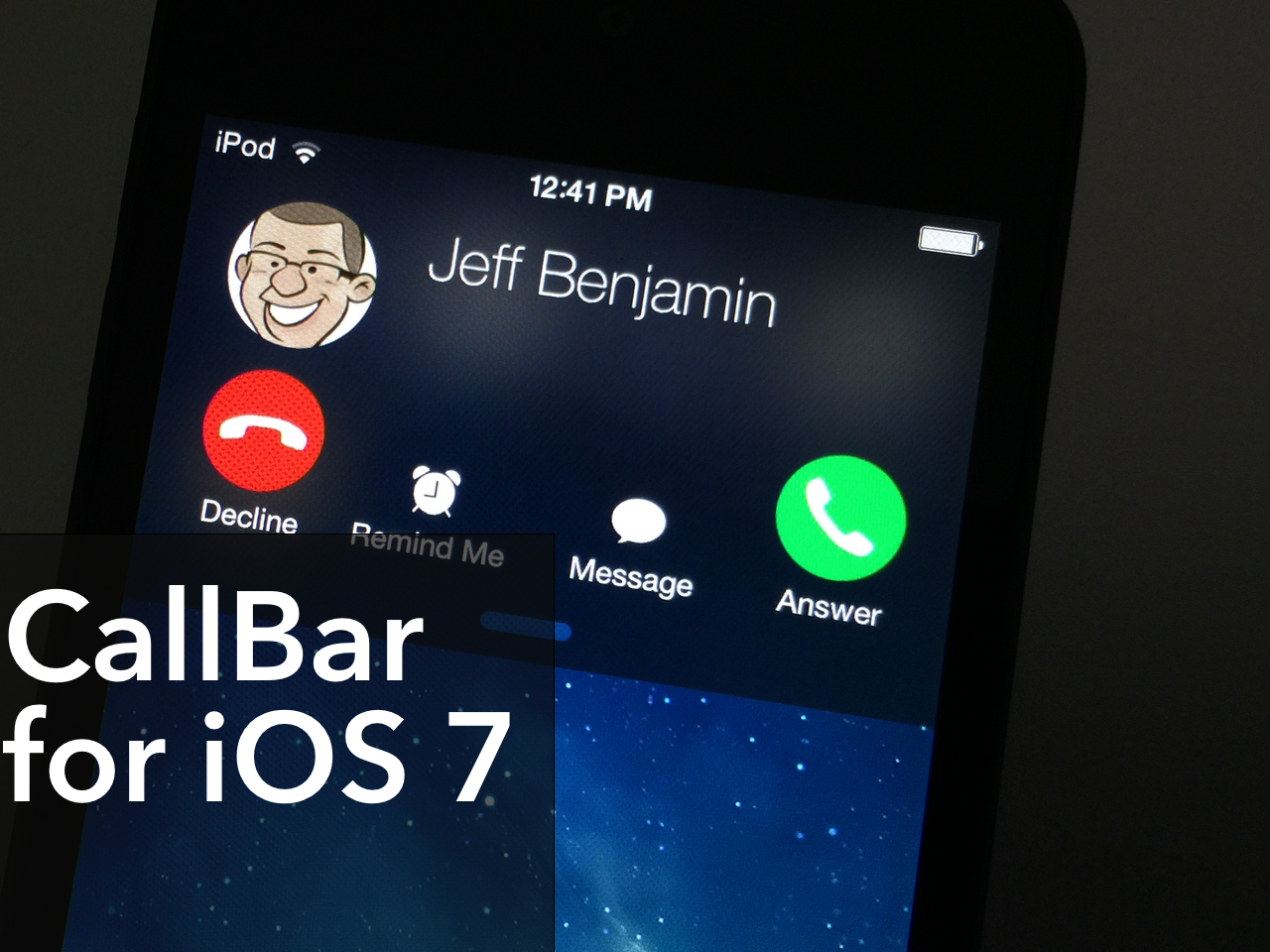
Popular jailbreak tweak ‘CallBar’ receives a big iOS 7 update

CallBar, the tweak that lets you better manage incoming calls, has received a fairly big update to better suite iOS 7. The tweak now features Notification Center integration, which allows users to handle all telephony needs from a familiar location. The update also features a re-designed incoming call screen, which allows you to use your device more efficiently while your iPhone is ringing.

All in all, CallBar for iOS 7 is a fairly massive upgrade over its predecessors from a visual and usability standpoint. Many of the functions remain the same, but the tweak has been laid out in a manner so that it's easier to use and easier on the eyes. Have a look at our video overview of CallBar for iOS 7 after the jump.

Let’s Talk Jailbreak 75: Interview with Kyle Matthews of ModMyi

Episode 75: We talk to special guest Kyle Matthews (of ModMyi) about what it's like to manage a Cydia repository, how to prevent malicious tweaks, and how developers go about submitting new packages to Cydia. Join us for this behind the scenes look on what it's like to manage a default Cydia repo.

Subscribe via RSS

Sponsor: Visit GoToAssist.com and click on the Try It Free button. After your free trial, use the promo code ‘GoToAssist3030’ to receive 30% off the standard monthly rate if purchased before October 31st.

5 great iOS 8 extensions for you to try [Video]

The ability of apps to work together by means of the new extensions feature in iOS 8 is one of the best new additions to Apple’s mobile operating system.

Like any new and highly anticipated feature, developers have begun to jump on the ability to add support to their apps. While there is no shortage of apps that feature extensions on the App Store, I’ve created a list of five extensions that I think are really great. Not only are they useful, but they highlight the power of inter-app communication.

Inside, I’ll show you five great extensions for iOS 8. Check out the video overview after the break.

Let’s Talk iOS 049: Apple’s rough week

Episode 49: We discuss the so-called "bendgate" controversy, and Apple's embarrassing release of iOS 8.0.1. We also chit-chat about rumors of Retina-enabled iMacs, the future of Beats Music, and our thoughts on iPhone 6 and iPhone 6 Plus after more than a week's worth of usage.

Subscribe on iTunes

Sponsor: This episode of LTiOS is brought to you by Thinkful, a service that will teach you how to code iOS apps. For 10% off, go to www.thinkful.com/ios

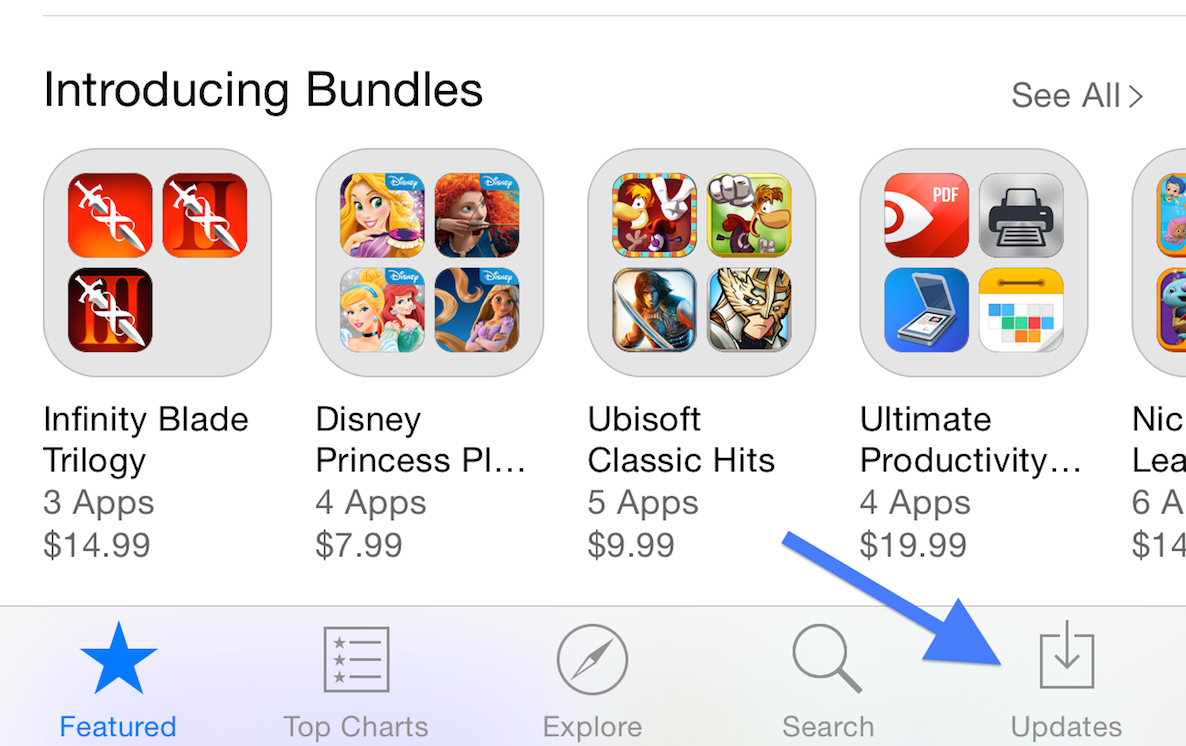
How to refresh the App Store app

Have you ever ventured into the App Store expecting a new update, only to find that the update has not yet appeared? Since the App Store has no refresh button, I used to force close the app, and reopen it to check for new updates.

There’s an even easier way to refresh the App Store. I’m not sure if it was purposely done, or if it’s a bug, or what. All I know is that this refresh trick works on iOS 8 and newer versions of the software, but it doesn’t appear to work on lesser firmware.

Inside, I’ll show you how to quickly refresh the App Store and check for new updates in a flash. Check out the video.

Let’s Talk Jailbreak 74: Show off your widgets

Episode 74: The guys talk about what the new features in iOS 8 could mean for jailbreak tweaks. We also discuss the potential of the iPhone 6 and the iPhone 6 Plus when it comes to jailbreaking.

Subscribe via RSS

Sponsor: Visit GoToAssist.com and click on the Try It Free button. After your free trial, use the promo code ‘GoToAssist3030’ to receive 30% off the standard monthly rate if purchased before October 31st.

Let’s Talk iOS 048: Analyzing the iPhone 6 and iOS 8

Episode 48: It's been three days since we got the iPhone 6 and iPhone 6 Plus, and it's been nearly a week since iOS 8. In this episode, we sing praises and share complaints about the new iPhones and Apple's latest update to iOS.

Subscribe on iTunes

Sponsor: This episode of LTiOS is brought to you by Thinkful, a service that will teach you how to code iOS apps. For 10% off, go to www.thinkful.com/ios

What you can do with your iPhone’s plastic screen protector

So you just got your iPhone 6 or iPhone 6 Plus. Or, perhaps you're waiting for it to arrive via the mail. Whatever the case may be, you just got (or are getting) a new device, and you're thrilled.

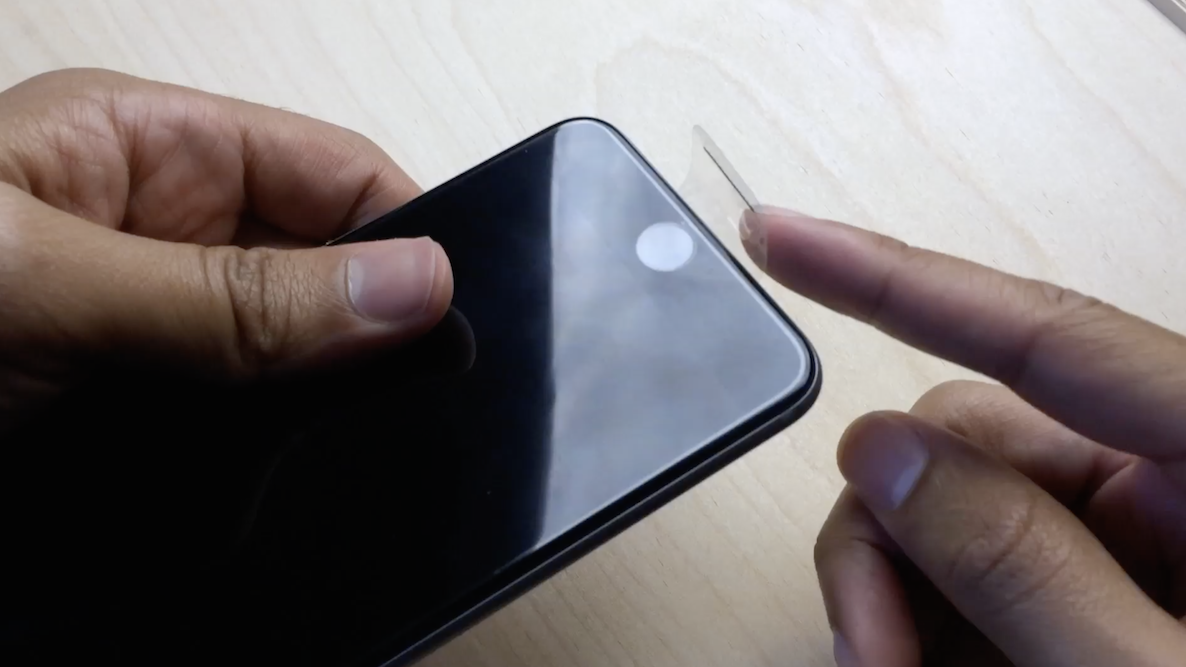
Now, the question that all of us have to ponder at some time during the day: What do I do with the plastic screen protector that wraps around my iPhone?

If you're like most people, the answer to this question is simple: Remove it as fast as humanely possible, and let your hands enjoy the build quality and curves of Jony Ive's latest creation.

But for me, and no doubt, others, the answer to that question is a tad more complex. Sometimes I find myself removing the plastic, yet at other times, I like to keep it on my device. It is free, after all...