Cody Lee

Cody Lee, iDownloadBlog.com’s longest-serving Editor, joined the site in 2008. He specializes in uncovering the best deals on Apple products, apps, and accessories. With years of experience in technology journalism, Cody helps readers save money while staying informed about the latest trends and updates in the Apple ecosystem. Cody’s history with smartphones goes almost as far back as he does. As the son of a Nokia employee, he was exposed early on to handsets like the N91 and the Communicator. He has since been involved in nearly every aspect of the mobile phone industry. While going to college, he worked at a Nokia factory, building handsets, and later moved on to a sales position at a major wireless carrier.

iPad 2 Smart Cover Magnet Magic Revealed

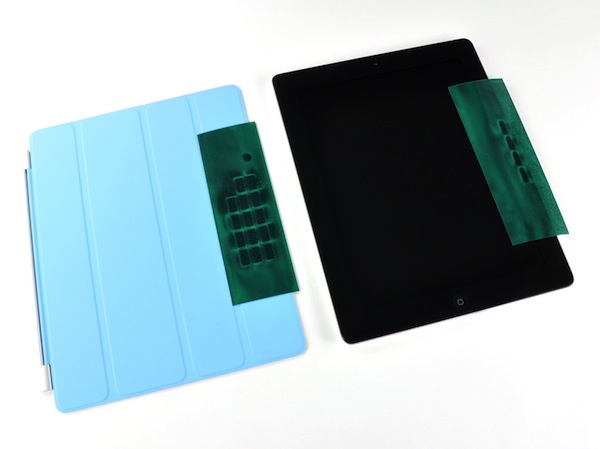
Along with Apple's exciting new iPad 2 launch, was the unveiling of a new accessory. The Smart Cover, made by Apple, uses a magnet system to attach itself to the iPad 2's screen.

At first glance it can appear magical. The cover literally snaps itself into place. Need an impromptu stand for your iPad 2? The Smart Cover converts into a stand with ease, practically on its own. It certainly makes you wonder, "How did they do that?"

Luckily veteran iDevice dismantler, iFixit, had the guts to rip one open and find out. The answer was obviously simple, magnets. But how many magnets does it take to make a Smart Cover work? Thirty-one. Ten in the iPad 2, in the right bezel, and twenty-one in the Smart Cover.

Interestingly enough, they are just your run-of-the-mill, two-pole magnets. It's the way they are configured that makes manipulating the Smart Cover so easy. iFixit also noted that there is one, specific magnet, that is used to lock and unlock the iPad 2 as the cover's attached.

So it appears this magical magnet myth has been busted (say that 3 times fast). It turns out it was just really good engineering mixed with some good marketing, neither of which Apple is a stranger to.

Does anyone use a Smart Cover for their iPad 2? How does it work as a stand? Tell us below!

Apple Highlights Best AirPlay Apps in App Store

One of the exciting new features in iOS 4.3 is the universal enhancement made to AirPlay. AirPlay existed in iOS 4.2, but it was limited to native iPhone apps. With Apple's new 4.3 firmware, developers are given access to AirPlay functionality, allowing them to incorporate it into their 3rd party apps.

AirPlay is not just limited to App Store developers either; authors of web-based applications for the iPhone will now be able to stream video to the end user's Apple TV. App makers have been pleading with Apple for access to AirPlay APIs (Application Programming Interface) since the feature was introduced in iOS 4.2. But what makes AirPlay so exciting for develepors?

Chpwn Drops More iOS 4.3 Jailbreak Details

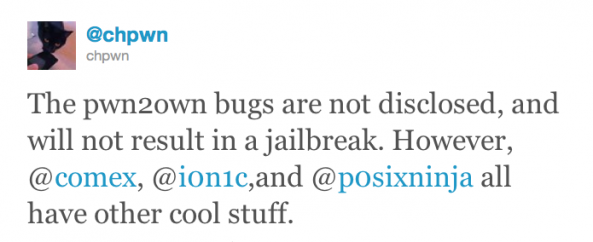
The jailbreak community holds its breath as iOS hackers work diligently on a 4.3 jailbreak solution. With their latest firmware, Apple introduced ASLR (Address Space Layout Randomization), which is making the process a little more difficult for jailbreakers. Current jailbreak methods are available, but are extremely limited.

But things look positive as hackers Comex and i0n1c have already shown off their jailbroken iOS 4.3 devices. Now you might be wondering, "If they can jailbreak their devices, why don't they just release it to everyone?" Well, when these guys jailbreak their devices, they don't plug their iPhone into the computer and click a button....

iPad 2 Jailbroken By Comex

Apple's latest version of its popular tablet is a hit. Analysts are predicting Apple sold close to a million iPad 2s over launch weekend. But if you are an early adopter and want to jailbreak, you're pretty much out of luck.

Apple's latest iOS 4.3, which the iPad 2 shipped with, has upped the anti for hackers with new security measures. The most notable being ASLR (Address Space Layout Randomization), which has slowed down jailbreakers in a 4.3 solution.

But thank goodness we have the devoted Dev-Team members and their pals. These guys always seem to do the impossible, and this time might have done it again. Long time iOS hacker, Comex, has jailbroken his iPad 2 within just a few days of its arrival.

Anyone in the jailbreak community should recognize the name, as he is the hacker behind previous jailbreak tools such as JailbreakMe and Spirit. There's no word on when his exploit will be ready in a user-friendly package but it shouldn't be too far off. We'll keep you updated.

Did anyone purchase an iPad 2 early and are anxious to jailbreak it? Let us know

Angry Birds Seasons: St. Patrick’s Day Edition

It's no secret that we are Angry Birds fans here at iDB. But then again who isn't? With millions of downloads across multiple platforms, this game will go down in history as the ultimate time waster. Well in case you've missed it, the latest iteration in Rovio's smash hit series is here.

The lovable cast of pigs get a total leprechaun makeover in the newest version of Angry Birds Seasons. And with St. Patrick's Day just around the corner, this application is the perfect way to get in the holiday spirit...

How to SSH Into Your iPhone

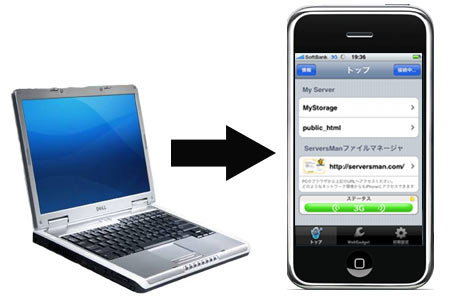
First, I will explain what SSH is and why we do it. SSH (Secure Shell) allows you to exchange data between two networked devices, using a secure channel. A jailbroken iPhone has the ability to connect with your computer via SSH, giving you read and write access to your iDevice's hard drive.

You can repair damaged files, install games that aren't in the App Store, and even turn your iDevice into a portable hard drive. I know it all sounds complicated, but we use applications to make the process as easy as browsing a folder on your computer. This is my quick and easy guide to SSH into your iPhone....

What is an SHSH Blob?

It is something that is mentioned a lot on iDB throughout our jailbreaking tutorials and other jailbreak-related news. "Make sure you save your SHSH Blobs before you update," is a pretty common saying around these parts. We've been asked several times lately what it is, so I figured I'd post it.

An SHSH Blob is basically what Apple uses to verify the version of iOS you are running. That's why we tell you to save your SHSH Blobs before upgrading your firmware on your iDevice. Otherwise you might not be able to downgrade to a previous version in the event you needed to.

How to Jailbreak iOS 4.3 Using Sn0wBreeze 2.3 Beta

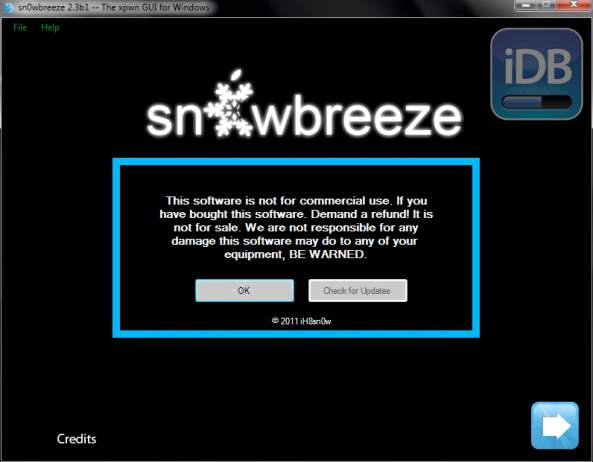
If you are one of the unlucky ones who upgraded to Apple's new 4.3 and lost their jailbreak, listen up. Although i0n1c said he would be waiting for iOS 4.3.1 to come out, to release a jailbreak, iH8sn0w has decided to give us Sn0wbreeze 2.3 beta to tide us over.

So if you have an iPhone 4, 3GS, iPad or iP0d touch and are running 4.3, let me give you a simple tutorial on how to jailbreak with Sn0wbreeze...

Sn0wbreeze 2.3 Beta Will Jailbreak iOS 4.3 on Windows

After we posted that i0n1c was going to wait until 4.3.1 to release his jailbreak, it seemed as though early iOS 4.3 adopters were left without many options. That situation changed yesterday when Sn0wbreeze 2.3 Beta was released into the wild.

iPhone hacker, iH8sn0w, decided to give Windows users a jailbreak solution for Apple's latest 4.3 software. It is important to note that Sn0wbreeze is only available on the Windows platform, and that it is a tethered jailbreak. That means that every time you reboot your iDevice, it needs to be connected to your computer to rerun the jailbreak software...

Some Users Reporting iPad 2 Screen Issues

It's true. Apple moves their launch products so quickly that, sometimes the glue isn't done drying, by the time it hits consumer hands. We saw it with the iPhone 4 and MacRumors is reporting similar issues with the iPad 2.

The good news is, with the iPhone 4, the yellow tint went away within the first couple of days. Other sites are also reporting that besides the yellow film, users are claiming that light actually leaks in some areas around the iPad 2 display bezel.

Are these units really defective? No. Like we mentioned earlier, the yellow tint and the gaps in the display bezel are likely due to the bonding agent, used in production, not being completely dried.

Consumers should continue to use their iPad 2's like normal, and  if these issues don't disappear within the first week, take it back to the retailer you purchased it at and have them look at it.

Has anyone seen either of these issues with their iPad 2? Tell us below!

New Cydia Tweek Makes Your LockScreen Keypad Transparent

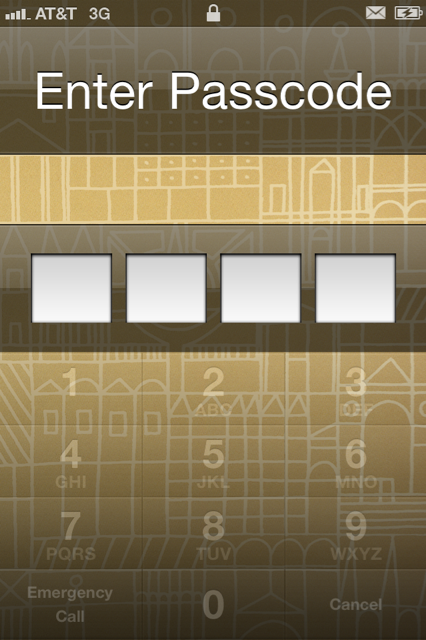
If you are looking for the latest tweak for your jailbroken iPhone, check this out. This new Cydia tweak is called 'Keypad Transparency', and I'll give you 3 guesses what it does. Give up? It gives you complete control over the opacity of your lock screen keypad.

The default opacity is set at 40%, which is what it is in the screen shot above. But the nice little feature about this app is, it allows you to customize it from up to 100% and down. Just how light can it get?

The Easiest Way to Get Free iPhone Ringtones Through Cydia

Custom ringtones have always been a popular subject when it comes to wireless phones, and the word free never hurts either. Now I know we've shared with you how to make your own iPhone ringtones, and other ways to set them , but they all require 3rd party applications.

For the longest time, I just left my ringtone on my iPhone as the default. I don't have time to go through multi-step processes, just for some cool ringers. What if I just want a fast, easy way to download free ringtones to my iPhone 4, without the extra steps?

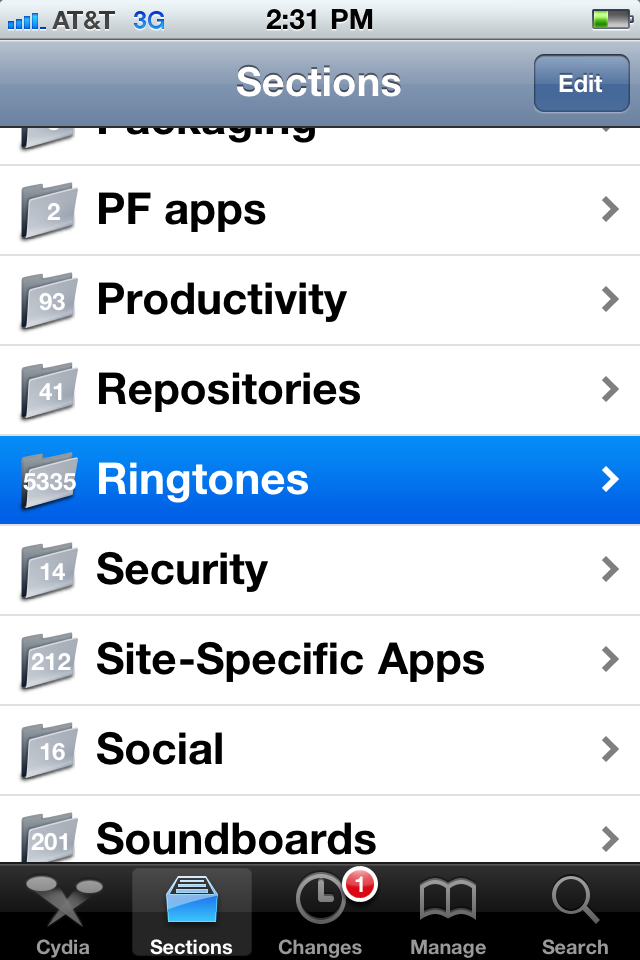
Enter Cydia, the jailbroken app store. What was once the only way to install applications on your iPhone, has evolved into a tinkerer's dream. From icons and wallpapers, to hundreds of tweaks, Cydia is the place for iPhone customization. But what about ringtones?