Cody Lee

Cody Lee, iDownloadBlog.com’s longest-serving Editor, joined the site in 2008. He specializes in uncovering the best deals on Apple products, apps, and accessories. With years of experience in technology journalism, Cody helps readers save money while staying informed about the latest trends and updates in the Apple ecosystem. Cody’s history with smartphones goes almost as far back as he does. As the son of a Nokia employee, he was exposed early on to handsets like the N91 and the Communicator. He has since been involved in nearly every aspect of the mobile phone industry. While going to college, he worked at a Nokia factory, building handsets, and later moved on to a sales position at a major wireless carrier.

iPhone 5 renders look quite believable

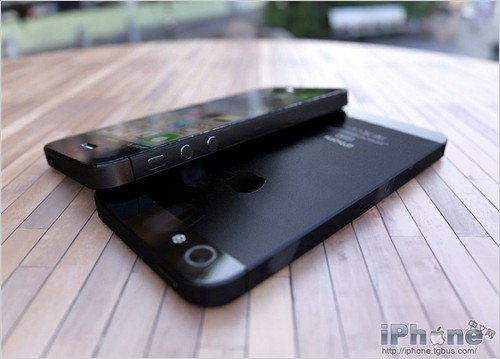
For a company known for its secrecy regarding unannounced products, there sure seems to be a lot of information floating around about Apple's next smartphone. We've seen schematics, back covers, and now this.

A set of pictures surfaced on the web this morning have gotten a lot of folks buzzing with excitement. Relax, these are just renders, but quite believable. The images depict a device which matches up with the recently leaked next-generation iPhone parts...
Complete guide to iOS 6 device compatibility

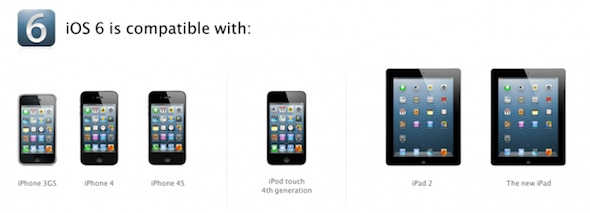
When Apple announced that iOS 6, the latest version of its mobile OS, would work with older devices all of the way back to the iPhone 3GS, people cheered. It's not typical these days for major software updates to support 3 year-old products.

But don't give Tim Cook and company the Nobel Peace Prize just yet. Some two-year old devices, like the original iPad, aren't getting any iOS 6 love. And even the ones that are supported aren't guaranteed to have access to all of its features...

FaceTime over cellular spells trouble for capped data users

During its WWDC keynote yesterday, Apple announced that the latest version of their mobile operating system, iOS 6, would finally include the ability to make FaceTime calls over cellular networks.

Considering that this feature has been restricted to Wi-Fi connections since it was introduced in 2010, this was a pretty big deal. But it could end up causing major problems for capped data users...

New in iOS 6: custom dictionary in the cloud

While we already know a ton about the major new features in iOS 6,  we are still learning about the update's lesser-known enhancements. Things that didn't make it into Apple's keynote yesterday.

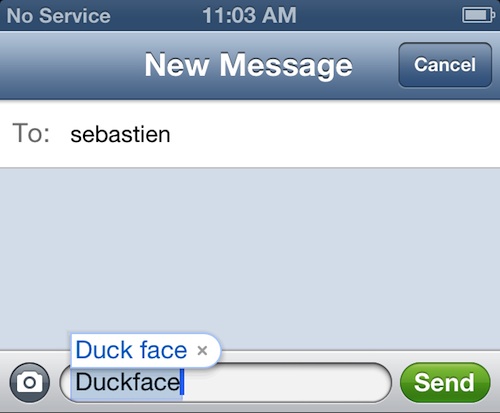
The latest one we've come across, as pointed out by Gizmodo, is that your customized (personalized, whatever) dictionary gets the iCloud treatment in iOS 6, syncing it across all devices...

New in iOS 6: Do Not Disturb

We touched on this feature a bit earlier, and now we're getting the chance to check it out for ourselves. Here it is, the new Do Not Disturb option in iOS 6.

As the name implies, the Do Not Disturb feature will silence all incoming phone calls and other alerts from pretty much anyone, or app, you tell it to...

New in iOS 6: new Photos app sharing menu

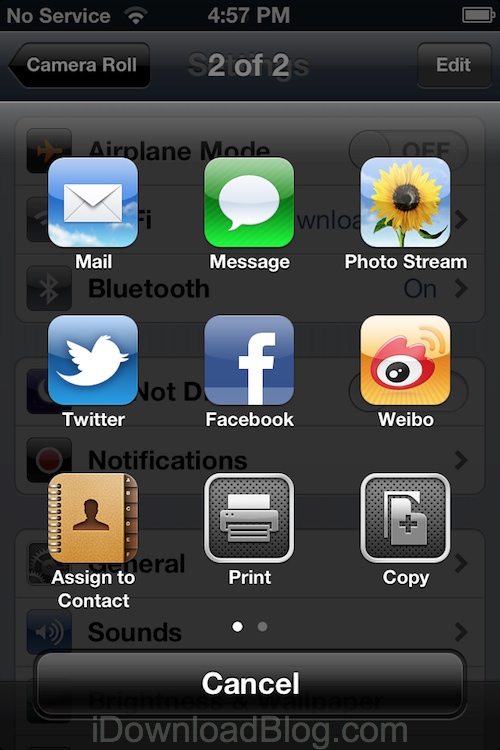
One of the more notable changes we've come across in iOS 6 is a new sharing menu screen offered up in the Photos app.

Not only has Apple switched from text to icons here, but there are a few new choices to pick from as well...

New in iOS 6: update Twitter and Facebook from Notification Center

Along with adding deep Facebook integration into iOS 6, Apple has also implemented a new Update bar in Notification Center. The bar allows users to quickly compose a new tweet or status update.

While this may not be the third-party widgets we were all hoping for, it will certainly prove useful. Now you'll be able to post to both Twitter and Facebook, without ever having to open their respective apps...

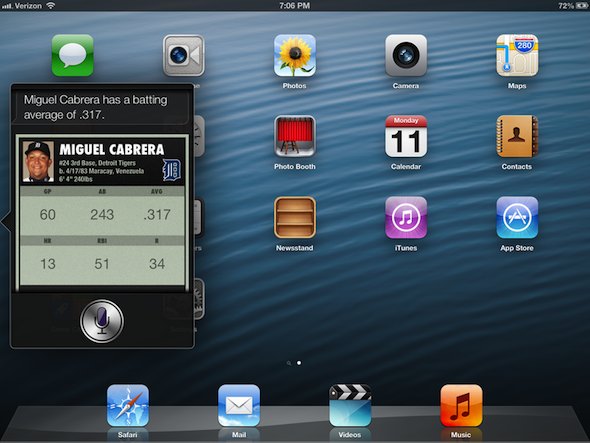
This is what Siri looks like on the new iPad

Since Apple introduced Siri last fall, folks have been going through great lengths to install it on other devices. But Apple has continued to keep the feature exclusive to the iPhone 4S. Until now, that is.

Along with a number of other Siri-related announcements this morning, Apple announced that iOS 6 would be bringing the digital assistant to the latest iPad. So you know iDB had to go hands-on...

Apple taps TomTom as new iOS 6 Maps provider

While we knew that Apple was looking to knock off Google as the Maps provider for iOS, we weren't exactly sure how it was going to do it. Was it building an in-house database? Using OpenStreetMaps?

Well as it turns out, neither of those answers were correct. According to the Acknowledgement page from inside the new iOS 6 Maps application, Apple is using mapping services from TomTom...

New in iOS 6: relocated Bluetooth Toggle

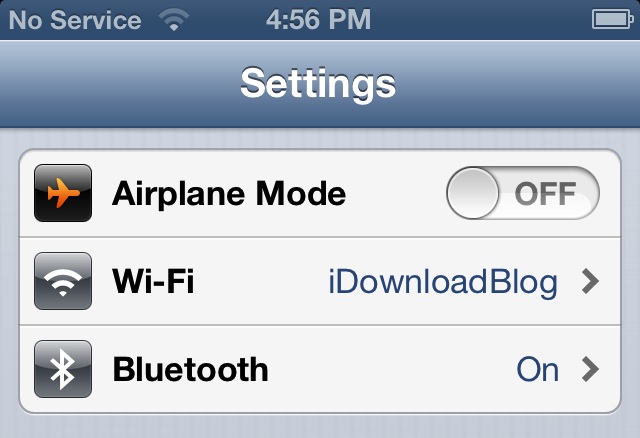
Ok, so it isn't the NCSettings or SBSettings-like feature we were hoping for. But Apple did make the Bluetooth toggle more accessible in iOS 6.

As you can see in the screenshot above, the Bluetooth option has been relocated in the Settings app. Now it takes a few less taps to access...

Mail app gets VIP inbox and more in iOS 6

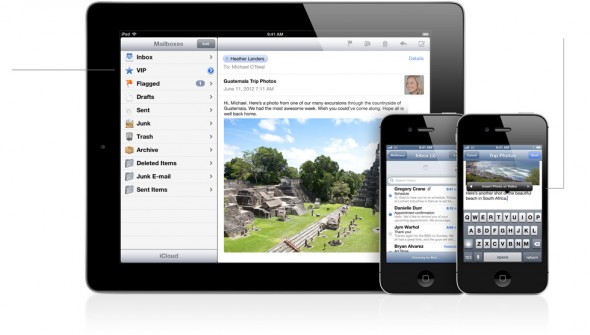
Those hoping that the default Mail app would get a major overhaul in iOS 6 will likely be disappointed. Despite a few new features, Mail is nearly identical to its predecessor.

But the few additions that did make the cut seem like they're going to have quite an impact. The first is a new VIP inbox feature, which allows you to customize Mail notifications...

iOS 6 brings iCloud tabs, full-screen browsing and more to Safari

While it isn't necessarily the complete rebuild we were hoping for, Apple announced today that mobile Safari is going to be getting some improvements and a few new features with iOS 6.

The headlining new addition is iCloud Tabs, which will sync all of your open tabs from the desktop Safari app with iOS. Don't use desktop Safari? Don't worry, there's more...