Anthony Bouchard

Anthony Bouchard joined the iDownloadBlog.com team in 2016 after originally covering Apple and iPhone jailbreak news at ModMyi.com. As an experienced editor, he brings more than 15 years’ worth of jailbreaking knowledge to our in-depth guides, opinion pieces, and news articles. His passion for device customization and user choice sparks his strong push to empower readers with the tools they need to explore and enjoy the freedom that comes with jailbreaking. Anthony blogs about not only jailbreaking, but also Apple software & accessories, drones & photography, and Nintendo gaming systems. Anthony honed his advanced technical knowledge over the years with hands-on projects ranging from gaming PC builds to engine repair mechanics. His never-ending hunger for knowledge is why you’ll always find him tinkering – tearing things apart and putting them back together to understand what makes them tick.

How to manually check for Flash updates on your Mac

Flash is among one of the most targeted web platforms for injecting computers with malware, including Macs, and that's why Adobe is always turning around with updates for Flash all the darned time.

If you're like me, then your security is important to you, and you may not trust automatic updates to deliver updates to you quickly enough.

This tutorial will show you how you can make sure Flash is up to date on your Mac, the manual way.

Installing themes on your iPhone without a jailbreak

Theming your iPhone, iPod touch, or iPad has been a long time primary reason of jailbreaking. Unfortunately, as the wait for a new jailbreak becomes ever so longer in between iOS releases, the jailbreak scene is becoming less reliable for getting the features you want on the latest version of iOS.

For those who are tired of waiting, iSkin is a new platform that can be used directly from your Safari web browser to install themes on your iOS device without a jailbreak, and we'll show you how it's used in this tutorial.

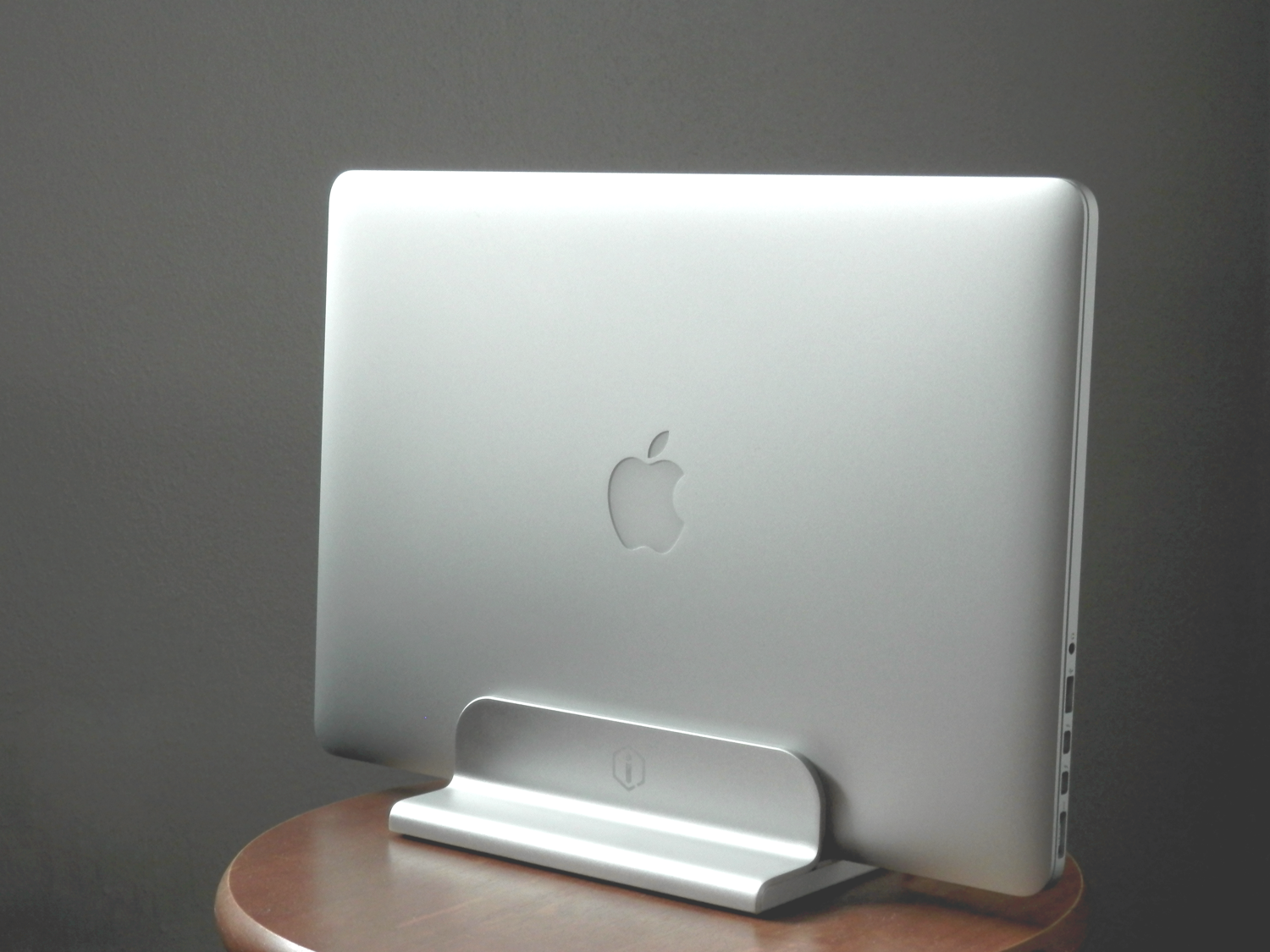
iQunix makes an affordable, high-quality stand for MacBook

If you're looking for a durable aluminum stand for your Apple notebook, then don't count out iQunix. Although the popular brand names look appealing and are tried and true, we had the chance to go hands-on with the iQunix Edin, which is also a very high-quality stand for all MacBook models, all this at a lower price.

In this review, we'll show you how the iQunix Edin looks and touch on its build quality and features. Don't be shy; we think you're gonna like it!

How and why to report spammy iMessages to Apple

Sometimes your contact information ends up where you don't want it, and you end up with annoying spam iMessages from people, companies, or bots that try to scam you or steal personal information.

Fortunately, Apple's iMessage service comes with an abuse report feature that you can use to report senders who are misusing the iMessage platform and making it a less enjoyable thing to use.

In this piece, we'll talk about how and why you should be reporting iMessages that seem spammy.

Jailbreak tweaks of the week: PersonalAssistant, & more…

Every week, we do a recap on all of the jailbreak tweaks we show you. This Sunday will be no different.

Although Cydia isn't exactly kicking with new releases like it does after a fresh new jailbreak, the community is continuing to show its fortitude as new releases hit the Cydia store for current jailbreakers.

First, we will kick off by showing you our favorite releases this week, and then we'll show you the rest of them.

Bring organization to your SMS & iMessage conversations with Message Groups [jailbreak]

Message Groups is a new jailbreak tweak that aims to give you more organization in your Messages app, especially if you're like the developer and have many conversations going on at once, as shown above.

With this tweak, you can add and manage your own custom groups in the Messages app, making it easy to filter through certain contacts or conversations, and as a result, making it quicker and easier to text in general.

In this review, we'll talk about Message Groups and how it can help you.

Using your iPhone as a remote for your Mac or PC

You're probably familiar with Apple's Remote app for iOS devices, which allows you to control your iTunes playback on your Mac from your iPhone, iPod touch, or iPad so long as you're on the same network.

On the other hand, when I think of the word "remote," I think of much more than just controlling music.

It would seem that the makers of the popular Mobile Mouse Remote app for iOS thought the same, and in this piece, we'll talk about how the app works to make your iOS device a superior remote for your Mac.

About XPS files and how to open them on a Mac

XPS files are essentially like Microsoft's version of a PDF file. They're easy to create and open on a Windows PC, but when it comes to macOS users, XPS files are anything but plug and play.

In this piece, we'll talk about XPS files and what they're used for, and then we'll touch on how to open XPS files on a Mac easily and for free without having to download any software.

How to delete recent Apple Music searches from your iPhone

Apple Music, which is Apple's own answer to the music-streaming industry, is a great place to easily search for a song you want to listen to and then play it on demand.

The only problem is, Apple Music keeps a running history of the songs you search for.

So now when you have your co-pilot in the passenger seat of your car choose a new song for you (because we know you don't use your iPhone and drive at the same time!) he's going to laugh at you because of the last time you felt like jamming out to some really embarrassing music.

Well fret not; in this tutorial, we'll show you how you can delete recent searches from the Apple Music app on your iOS device.


How to stop your iPhone from vibrating when your alarm rings

By default, any time you set an alarm on your iPhone, it'll vibrate when the alarm goes off. For some people, this is a good way to help get woken up, but for others it's a waste of battery and can be completely annoying to hear that loud vibration on the night stand.

In this tutorial, intended for iPhone users only, we'll be showing you how you can set up an alarm so that your iPhone doesn't vibrate when it goes off.

How to take a timed screenshot on Mac

Chances are, you're probably so accustomed to taking screenshots on your Mac with the stroke of a few keyboard keys that you didn't even know you could take a timed screenshot. In this tutorial, we'll show you how you can set your Mac up to take a timed screenshot, which depending on the situation, can be very useful.