Anthony Bouchard

Anthony Bouchard joined the iDownloadBlog.com team in 2016 after originally covering Apple and iPhone jailbreak news at ModMyi.com. As an experienced editor, he brings more than 15 years’ worth of jailbreaking knowledge to our in-depth guides, opinion pieces, and news articles. His passion for device customization and user choice sparks his strong push to empower readers with the tools they need to explore and enjoy the freedom that comes with jailbreaking. Anthony blogs about not only jailbreaking, but also Apple software & accessories, drones & photography, and Nintendo gaming systems. Anthony honed his advanced technical knowledge over the years with hands-on projects ranging from gaming PC builds to engine repair mechanics. His never-ending hunger for knowledge is why you’ll always find him tinkering – tearing things apart and putting them back together to understand what makes them tick.

Notum brings music and a new look to Notification Center

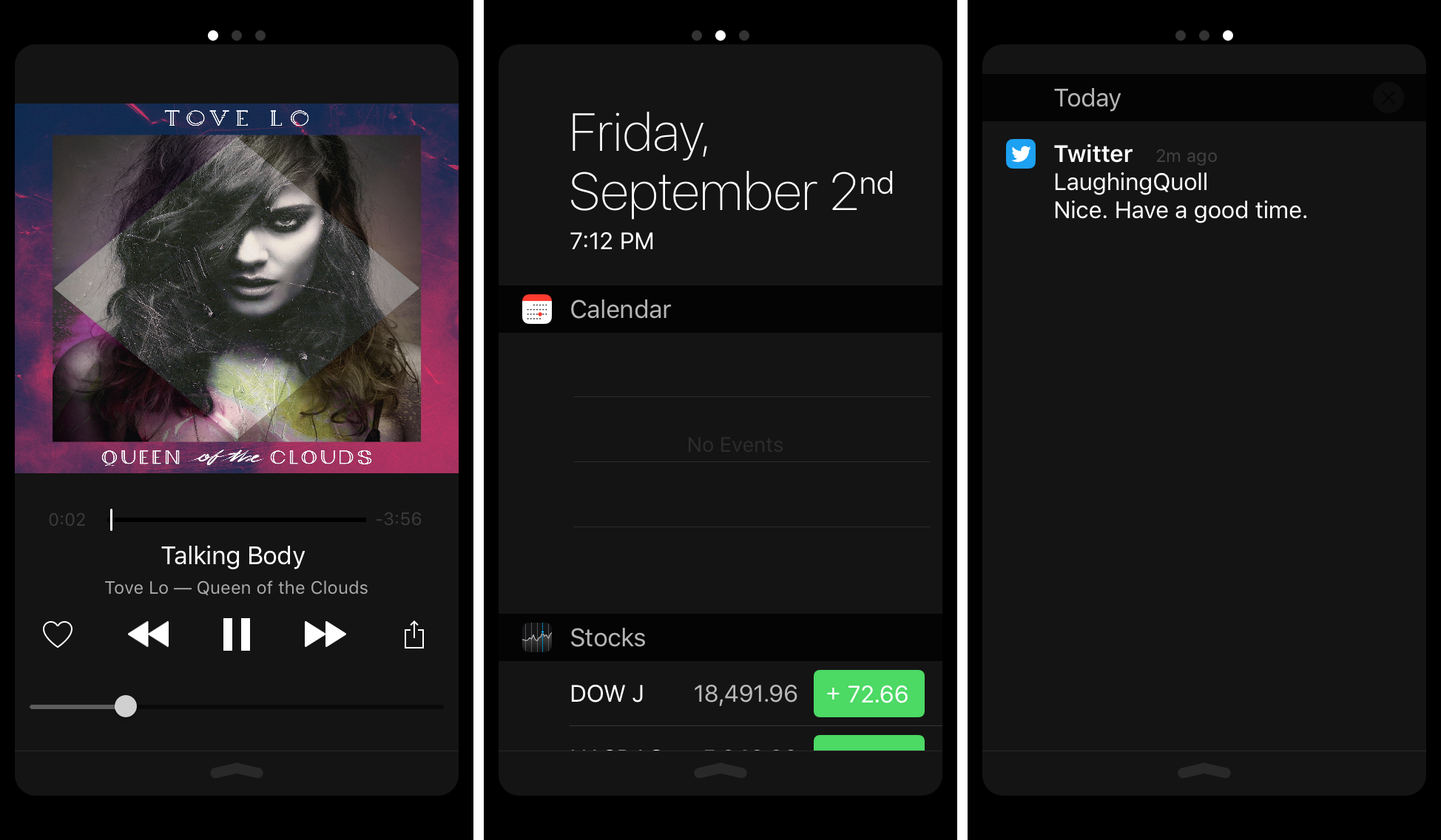
Notum is a new jailbreak tweak that not only enhances the way Notification Center looks, but also adds a new page to it for interacting with your currently-playing music or media.

One of the first things that will stand out after you install this tweak is the new animation you'll see while opening and closing Notification Center on your device.

Pro Tip: create an applet to watermark images

Adding watermarks to photos is an invaluable tool for photographers who want to put a company logo or information on a photograph to share the proper credits that made the photo possible.

It can be done manually in a variety of different kinds of photo-editing software, such as Adobe Photoshop or Pixelmator, but in this tutorial, we'll show you how you can create an applet that automatically watermarks photographs for you.

AppDye 2 subtly throws a splash of color across the UI in iOS

Adding a splash of color to the various UI elements throughout iOS 9 has never been as easy as it is with a new jailbreak tweak called AppDye 2.

With this tweak, you can colorize many parts of iOS based off of a single color you choose, or you can color your apps on a per-app basis with individual color schemes. Among some of the things that the tweak can modify the color of are:

Converting a regular video to slow motion with iMovie on Mac

Slow motion videos are one of the fun aspects of using your iPhone for videogprahy. You can record videos in 120 or 240 frames per second and then watch it play back in a much slower manner than it typically would.

On the other hand, if you don't use your iPhone to capture video, getting the video files from your other devices to transform into slow motion is a little trickier. Fortunately, iMovie for Mac can convert your videos into slow motion, and in this tutorial, we'll show you how.