Learn how to set your Mac to calculate folder sizes and show how much storage space each folder takes up when navigating files in Finder as a list.
Why won’t macOS show folder sizes by default?
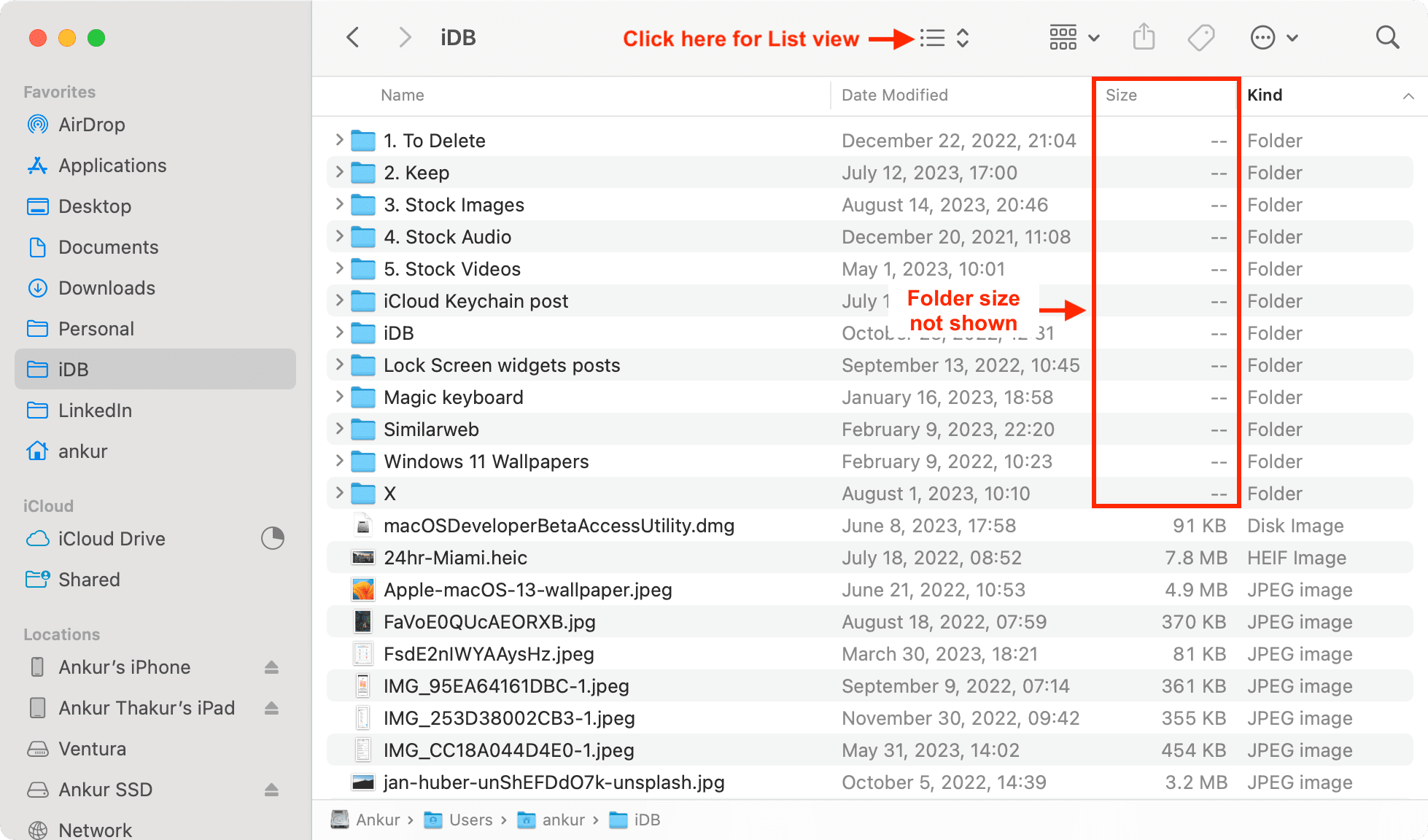
When browsing files on your Mac in the Finder’s list view, you’ll notice that the Size column only shows a pair of dashes instead of actual folder sizes. This is the default setting because calculating folder sizes takes time and can make the Finder less responsive. Thankfully, you can change this behavior with a few clicks.
Set the Finder to display folder sizes on a Mac
- Open Finder and navigate to a folder on your Mac.
- Press the Command + J keys or click View > Show View Options in the top menu bar.
- Tick the box next to “Calculate all sizes,” and macOS will display folder sizes in the Size column.
- Click the Use as Defaults button and close the inspector window.
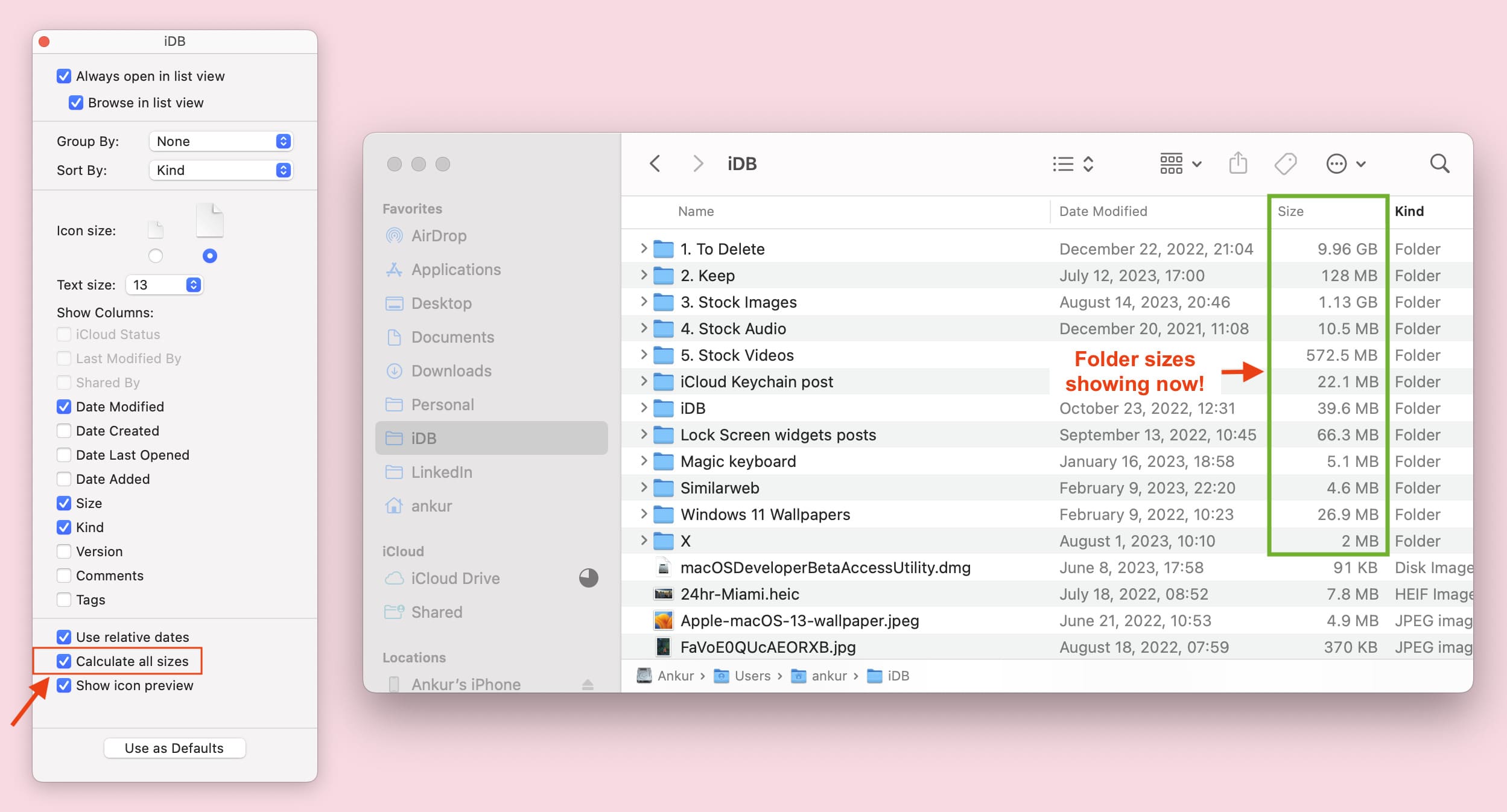
macOS will display folder sizes even if you relaunch Finder or restart your Mac. If you’ve followed the steps above but macOS only shows this information for the current folder, repeat the steps for any other important locations where you’d like to see folder sizes.
Don’t see the ‘Size’ column? Here’s how to add it
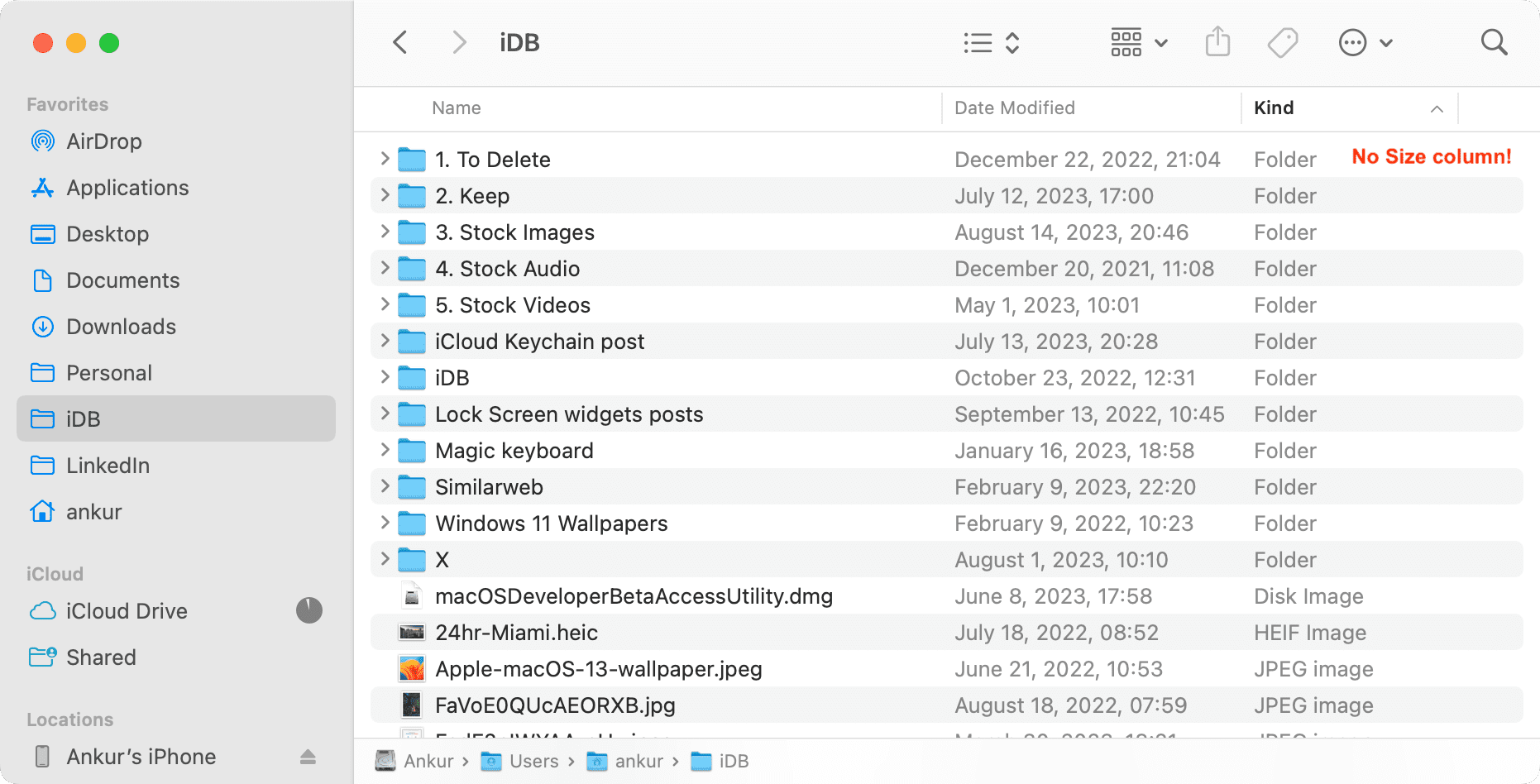
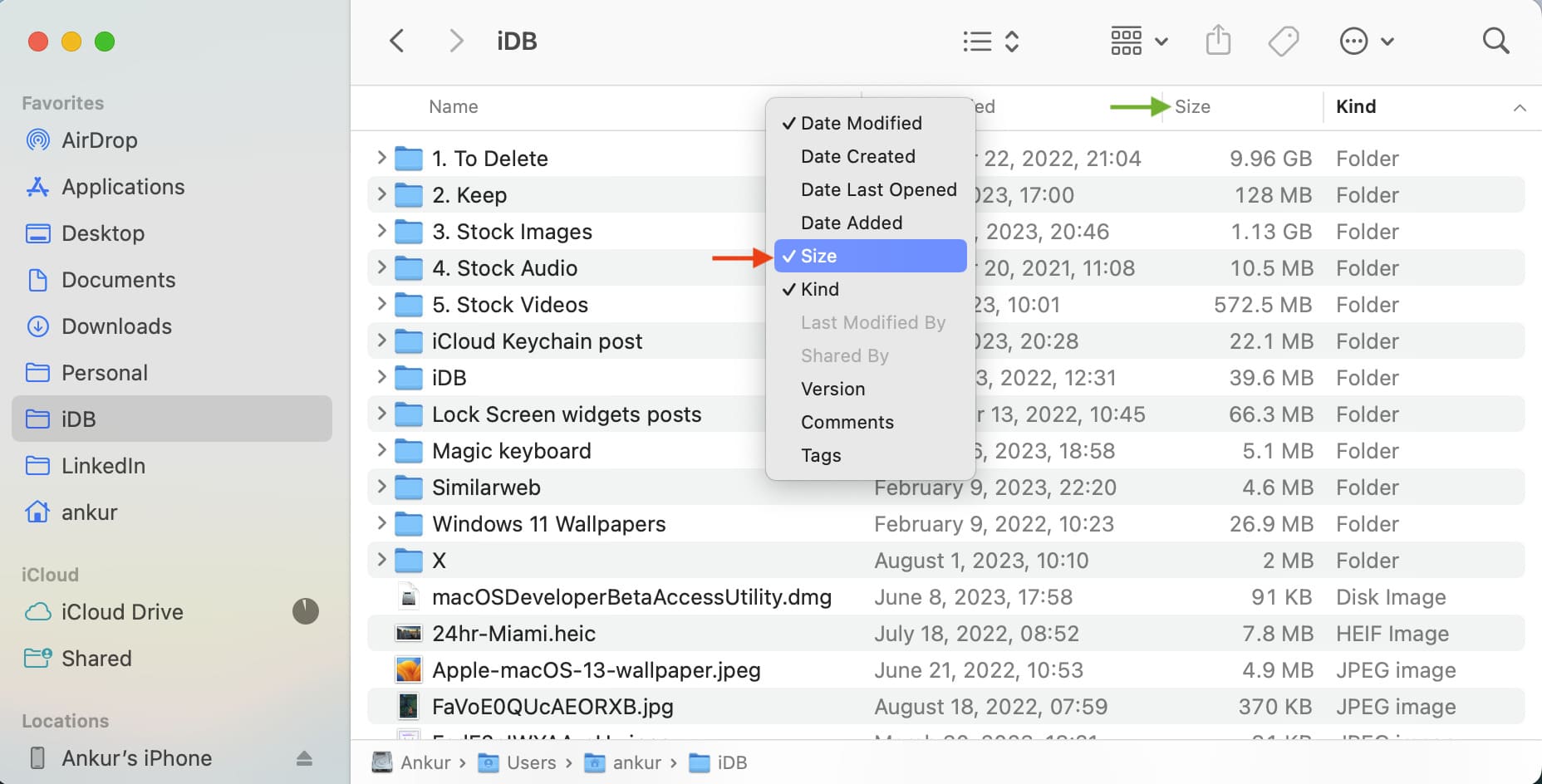
Follow these steps if the Size column is missing in the Finder:
- Open a new Finder window and click View > As List in the menu.
- Right-click or Control-click the Name column below the window toolbar and check the Size option. While at it, uncheck any other Finder columns you don’t need.
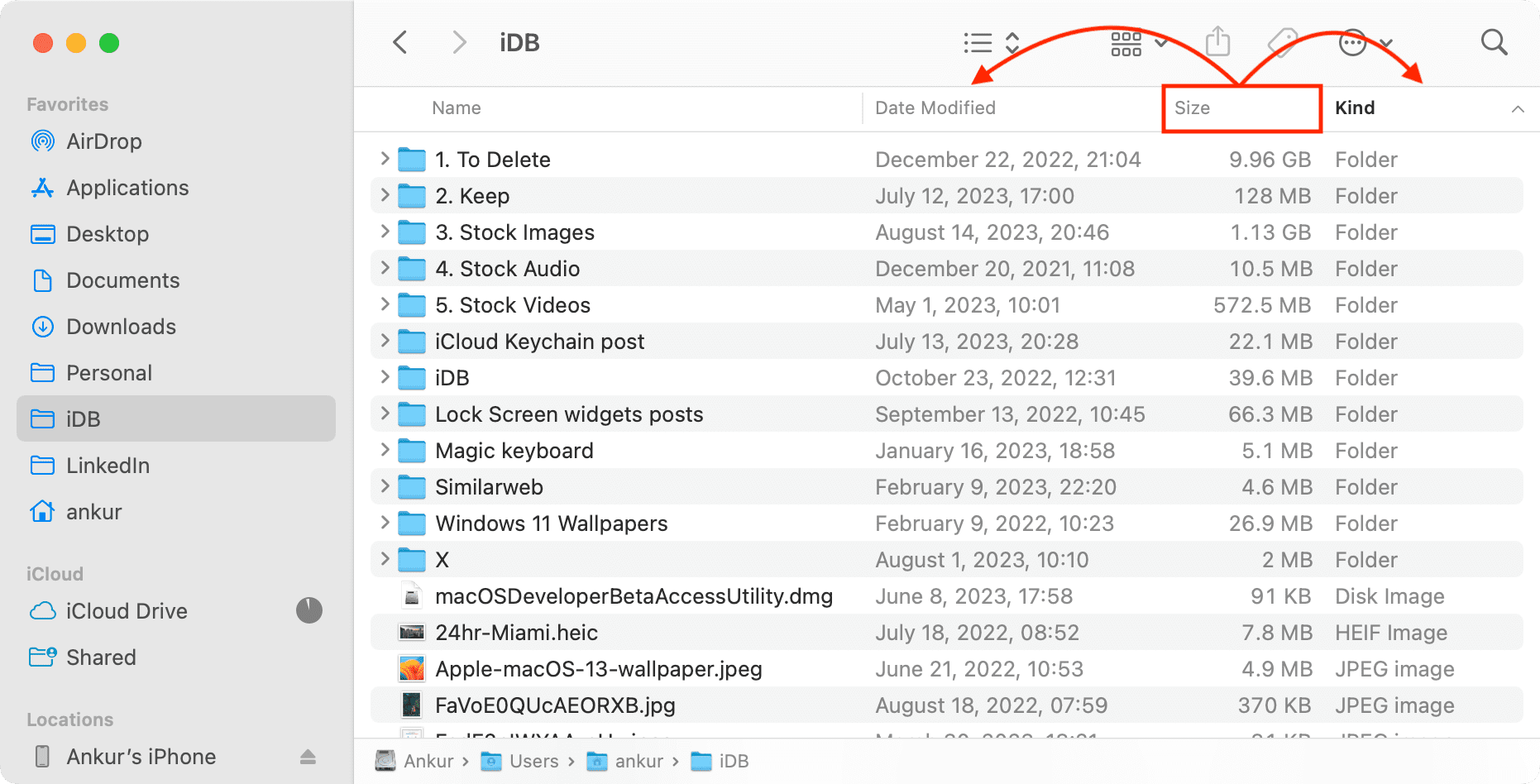
If the Size column still won’t show up, the Finder window is too narrow to display all columns. Make the window bigger. Or reorder columns by dragging.
Other quick methods to see folder size on Mac
If you don’t want to always calculate folder sizes, you can find the size of the folder by selecting it and pressing the Command + I keys or Control-clicking it and choosing Get Info from the menu.

Yet another quick way is to use the Quick Look feature: just select a folder and press the Space Bar key to see the folder size.

Check out next: How to show or hide filename extensions on Mac