Learn how to turn on face unlock (similar to, but not quite, Face ID) on your foldable iPhone Duo to unlock it quickly and effortlessly.
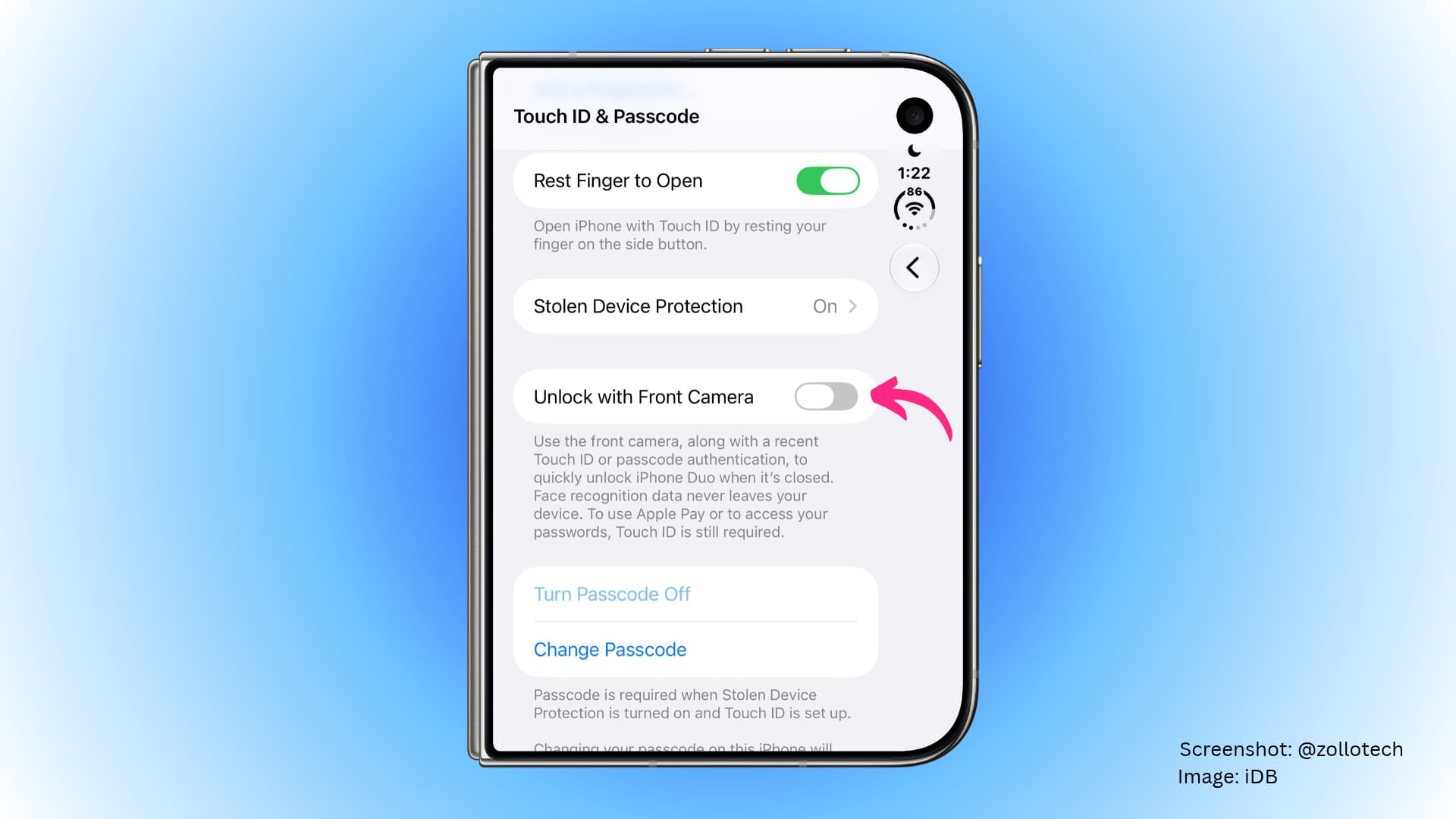
Since the foldable iPhone Duo doesn’t have Face ID, many users feel unlocking it is a chore with the Touch ID button on the side.
iOS 27.3 beta 2 (currently in beta) addresses this to an extent by adding a new face unlock feature.
Since face unlock relies solely on iPhone Duo’s front camera, it’s not as secure as Face ID, and Apple acknowledges it.
Here are some quick pointers related to it before you activate this new feature on your iPhone Duo:
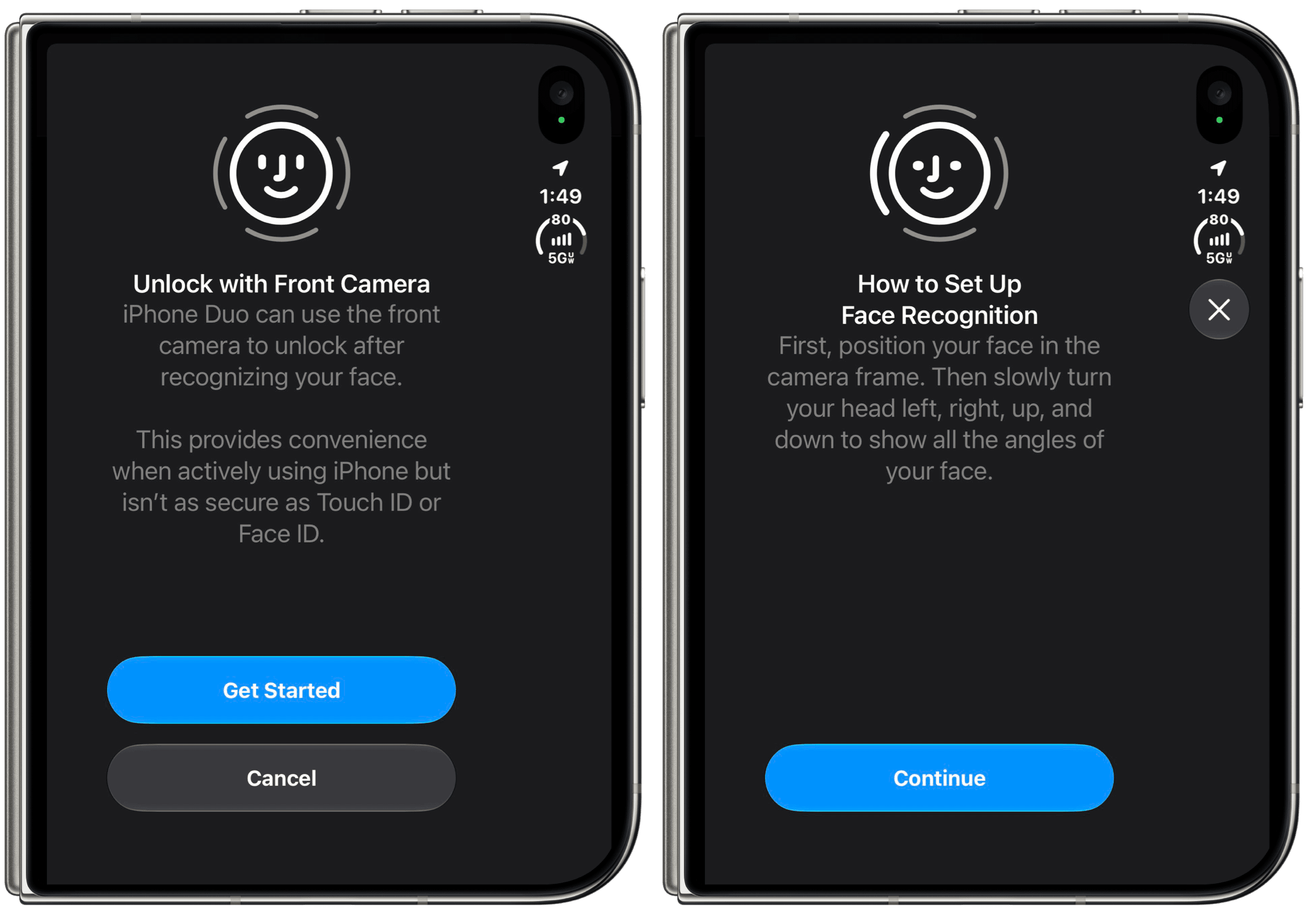
- The new face unlock feature is optional and turned off by default. This shows that even Apple makes it clear it isn’t as safe as Face ID. On the setup screen, it says “This provides convenience… but isn’t as secure as Touch ID or Face ID.”
- Unlike Face ID, you cannot use this less-secure face authentication option for things like Apple Pay purchases, accessing your saved passwords, unlocking locked apps, etc. You’ll still have to use Touch ID or device PIN for these.
- Face unlock only works using the front camera on the smaller outer display. It doesn’t work on the in-display FaceTime camera on the bigger inner display.
- Your facial data never goes out of this device, ensuring privacy, which Apple is known for.
- According to Max Weinbach, face unlock for iPhone Duo uses the Secure Enclave, the same as HomeView’s facial recognition and Audio Intelligence on Apple Watch.
- Face unlock only works if you unlocked your iPhone Duo with Touch ID or PIN recently, like in the last 45 minutes.
- Face ID uses dot projectors to work even in pitch-black conditions. Face unlock, on the other hand, doesn’t work or struggles in low-light situations as it cannot see your face and recognize you confidently. So, it won’t work, say, at night in bed.
- Face unlock is in addition to the existing Unlock with Apple Watch, so you can use both. But chances are, in most cases, face unlock is faster.
- Unlike Face ID, normal face unlock can technically be fooled easily, but people have tried, and it stayed tamper-proof.
All said, it’s an awesome addition, and decently secure, especially for times like when you’re wearing gloves and cannot use Touch ID.
The face unlock setup on iPhone Duo is the same as the face recognition setup on the new HomeView. Both devices ask you to frame your face in the front camera’s viewfinder and then turn your head in all four directions.
Set up face unlock on iPhone Duo
1) Update your iPhone Duo to iOS 27.3 beta 2 or later (currently it’s in beta).
2) Make sure you’re in an adequately lit area.
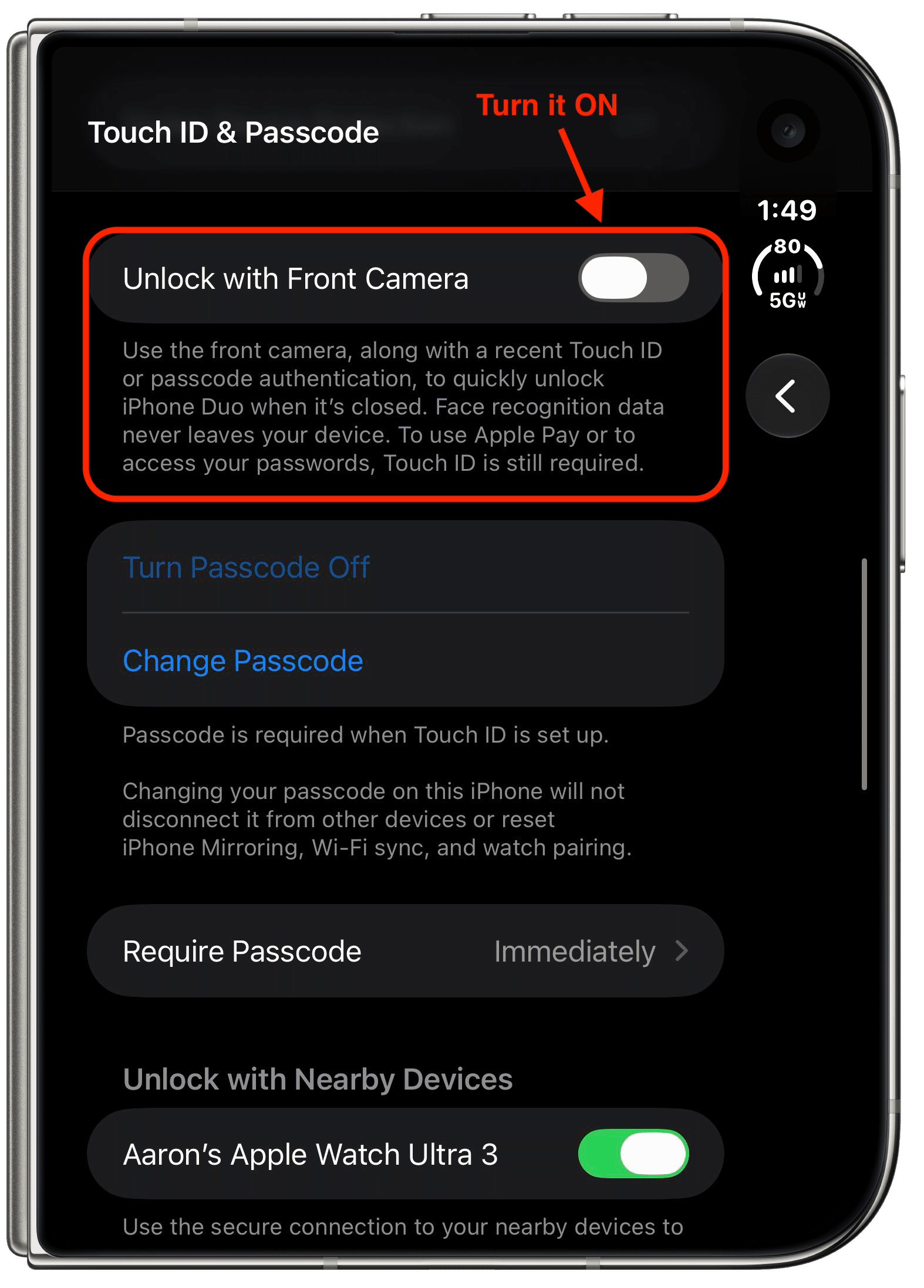
3) Open the Settings app and tap Touch ID & Passcode.
4) Scroll down and turn on ‘Unlock with Front Camera.’
5) Read the disclaimer saying face unlock isn’t as secure as Touch ID or Face ID and tap Get Started. Then, tap Continue.
6) Position your face in the circular camera frame, then turn your face up, down, left, and right until all four arcs on the sides turn blue and you see the ‘Face Recognition is now set up’ confirmation.
Moving forward, you can simply wake your iPhone and swipe up from the bottom of the screen to go to the Home Screen. Once again, note that this only works on the smaller outer display when your iPhone Duo is folded.
Before iPhone Duo, the last iPhone with Touch ID was the iPhone SE (3rd generation), released more than 4 years ago in the first quarter of 2022. People have been missing Face ID, and reports say Apple is planning to add it in version 3 in 2028. But until then, Face Unlock is handy for everyday use, even if it’s not very secure on paper.
Android fans are having a field day on X, mocking how Apple has finally adopted face unlock that Android phones have had since 2011. But Apple’s implementation is a bit more secure, as it only works if you have unlocked iPhone Duo in the last 45 minutes with Touch ID or PIN.
Also, check out: