When it comes to social media, your username represents who you are. And while most times, you don’t want to change that username because of this, there might be other times when you must. Maybe your username includes your last name, which has recently changed, or maybe you’re in an uncomfortable situation in that network.
Whatever your reason is, here’s how to replace your current Instagram username with a new one using the official app on your iPhone or the website on your computer.
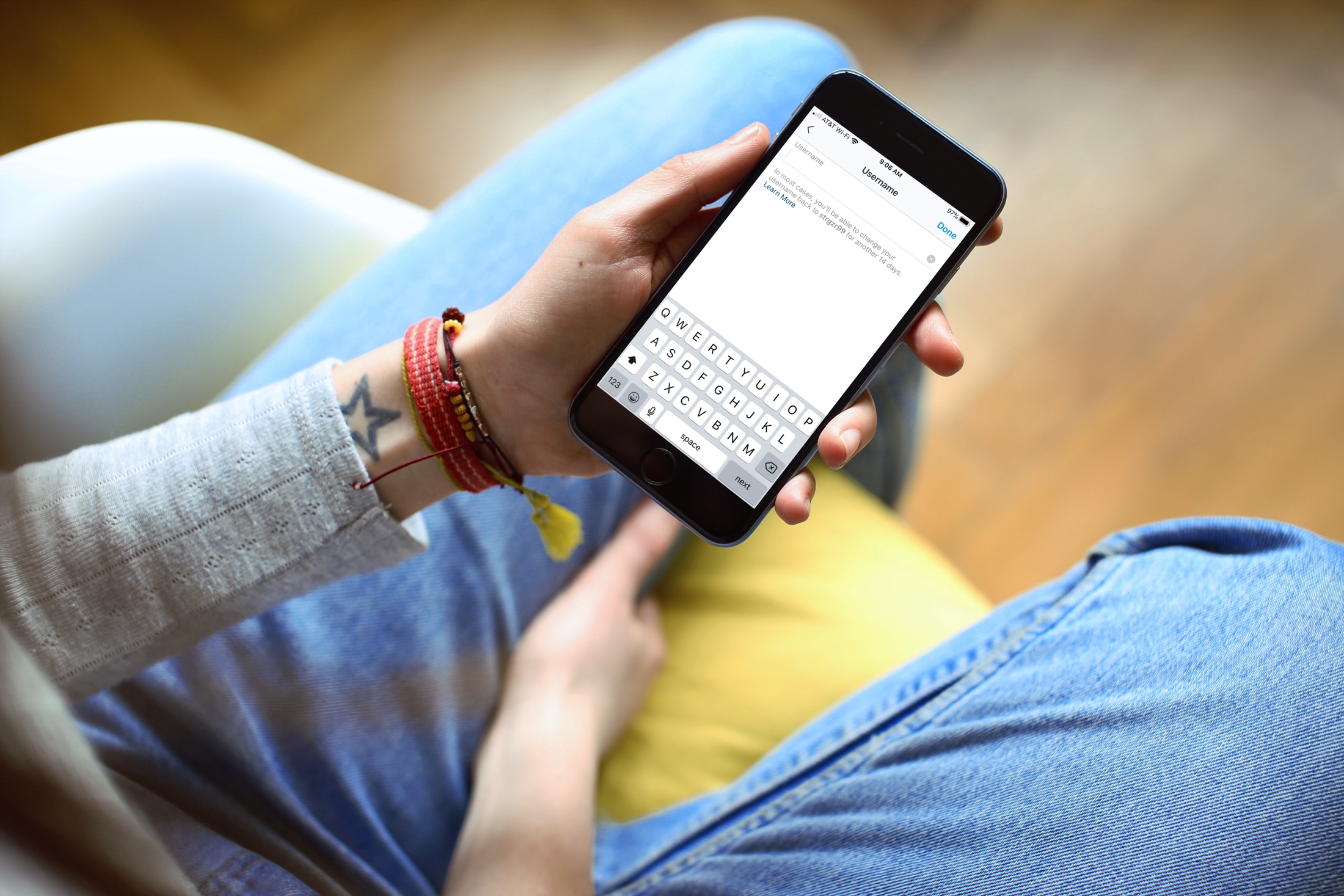
Before you begin, here are some points to keep in mind:
- In most cases, Instagram allows you to revert to your old username if you take action within 14 days.
- You’re allowed to edit your Instagram username up to five times in 30 minutes.
- Just like your old username, your new username is also visible to everyone.
You can use the official app on your iPhone, iPad, or Android phone, or the Instagram website on your computer to change your username.
Using the app
1) Open the Instagram app on your iPhone or Android phone and go to your profile page.
2) Tap Edit Profile.
3) Tap the Username field.
4) Enter your new username and tap Done to save your changes.

Using the website on a computer
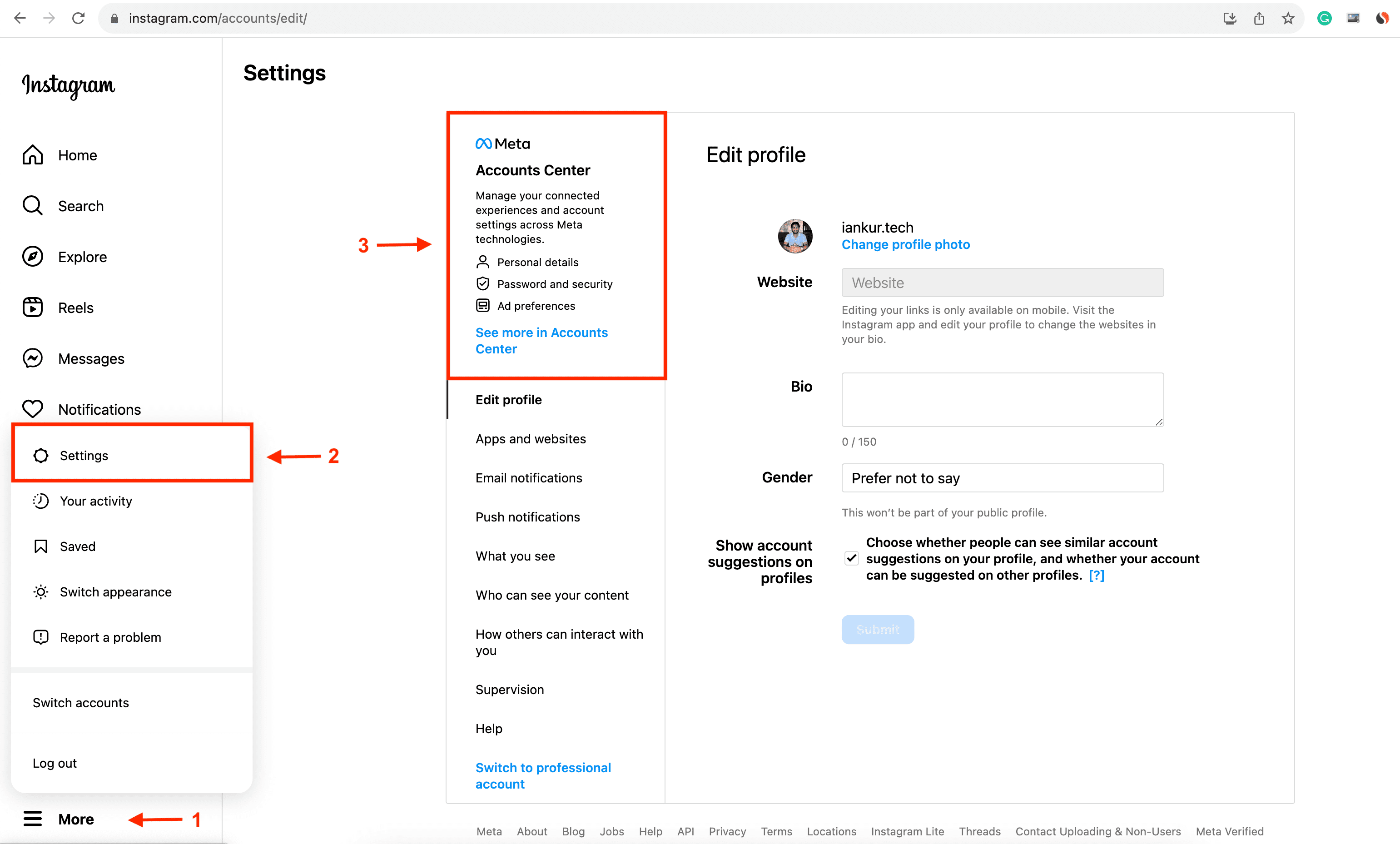
1) Visit Instagram’s website and sign in to your account.
2) Click More > Settings from the bottom left corner.
3) Click Meta Accounts Center.
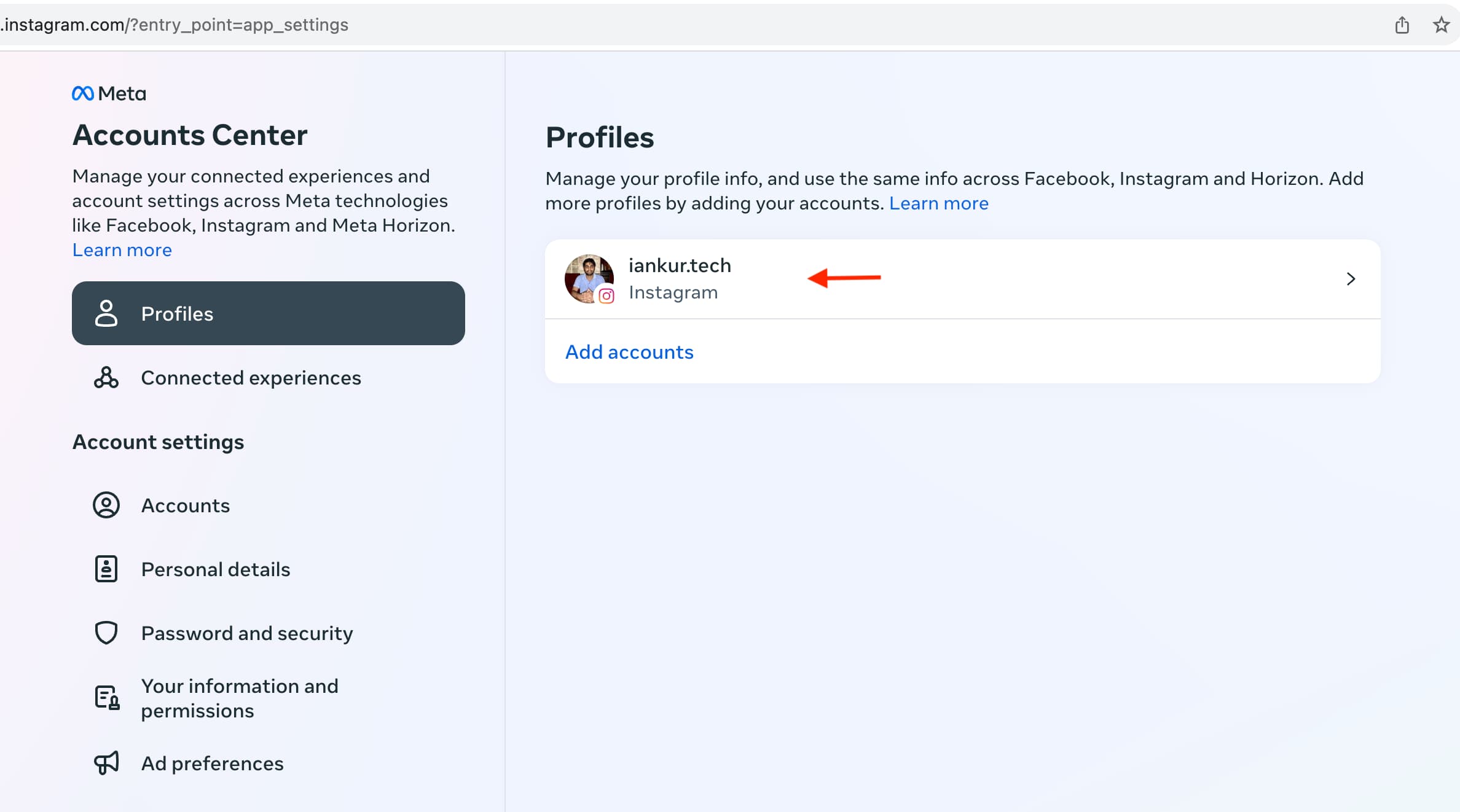
4) Select your Instagram profile under the Profiles heading.
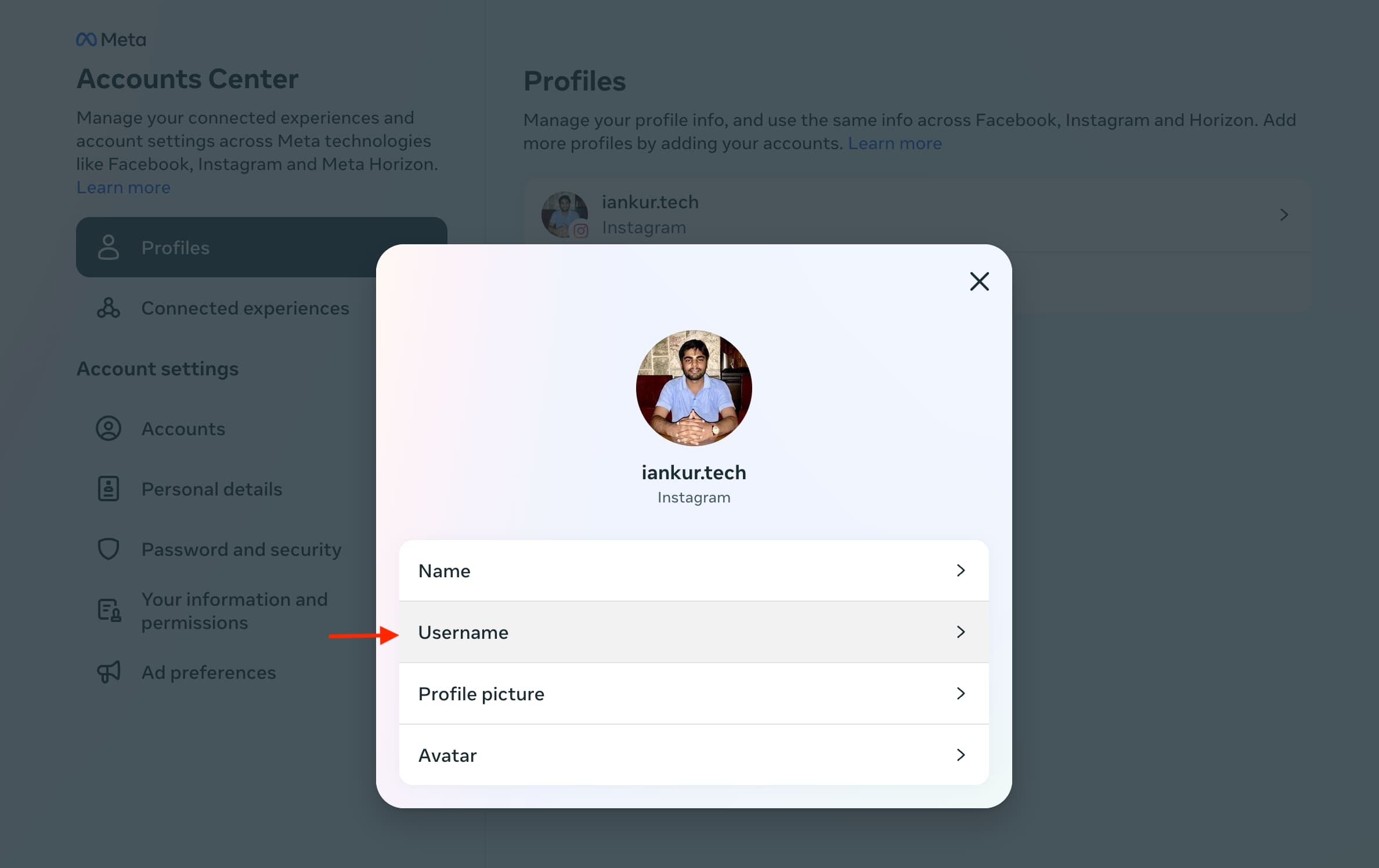
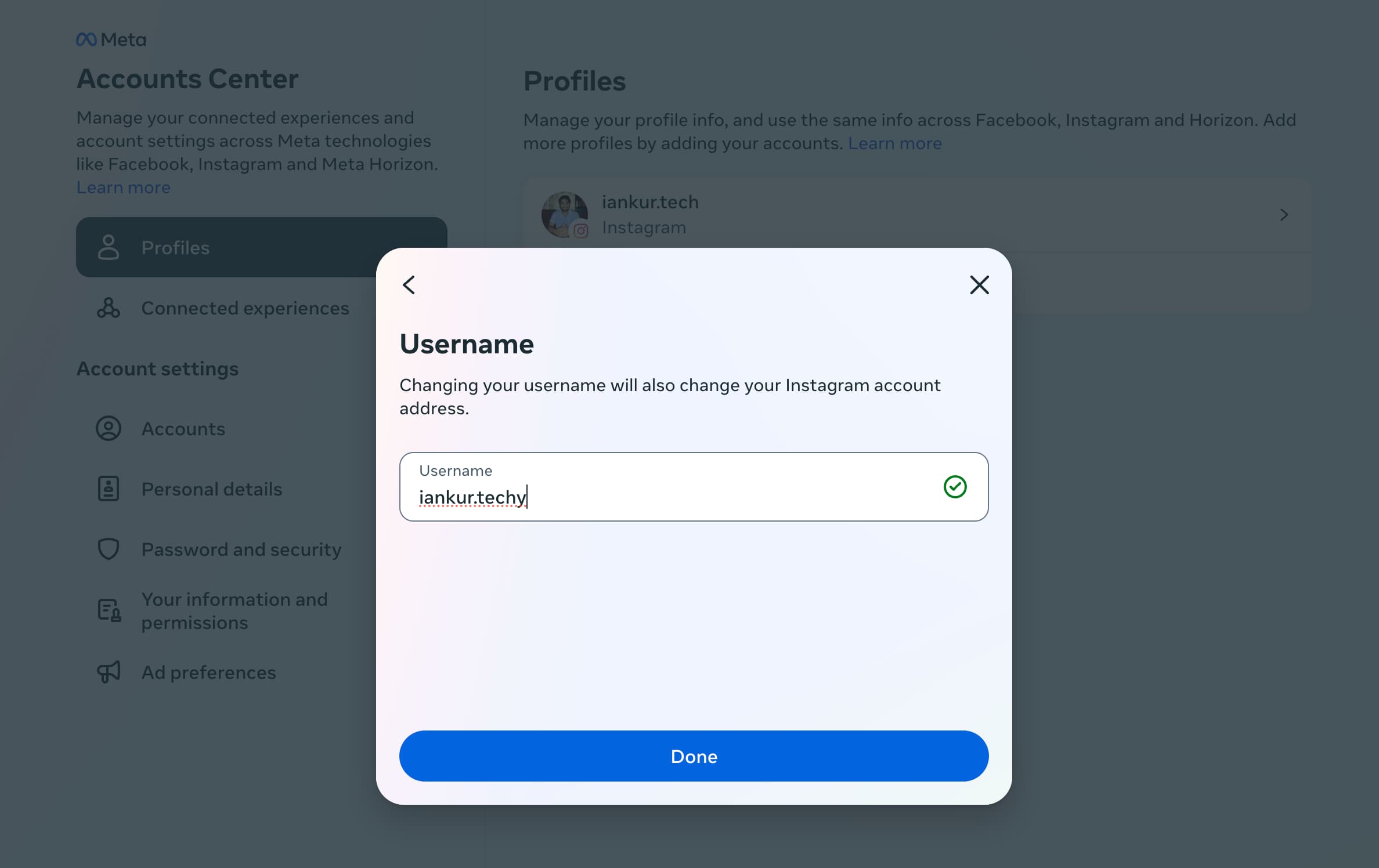
5) Click Username.
6) Enter your new username and click Done.
Notes on changing your username
Although you can change your Instagram username, this may make it more difficult for new friends and followers to find you.
Also, if you plan to only change your username for a short time and then go back to it later, be sure to tap or click the Learn More link below the Username field. This is available both in the app and online and will give you brief details on switching to a previously used username.
Additionally:
Keep in mind, if your account reaches a lot of people, your username change may need to be reviewed. If so, you’ll be notified when we’ve completed a review. If not, your username will change immediately if available. Your followers may be notified of your username change.
Your followers may be notified of your username change.
Check out next: How to schedule Instagram messages on iPhone and Android